CalenGoo
CalenGoo is a calendar and task app for managing appointments across Android, iOS, Linux, macOS, the web, and Windows.
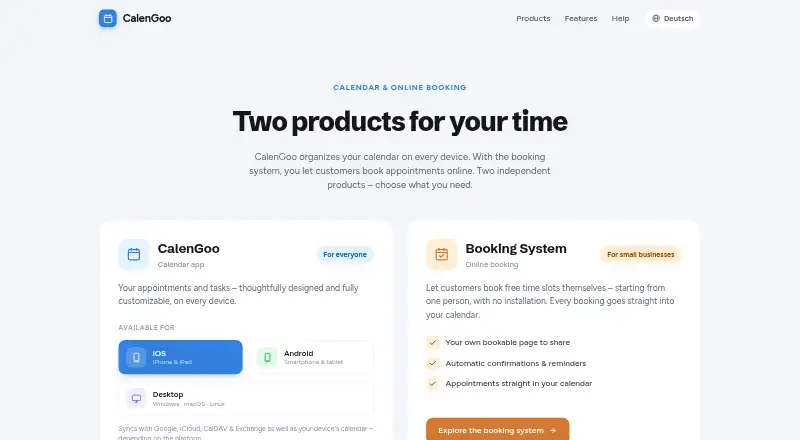
What CalenGoo is
CalenGoo is a calendar and task app for managing appointments across Android, iOS, Linux, macOS, the web, and Windows. It provides customizable views, colors, and reminders, along with shared calendars and two-way sync. Depending on the platform, it can sync with Google, iCloud, CalDAV, Exchange, and device calendars. The desktop app also supports Google, Exchange, CalDAV/CardDAV, and Evernote accounts; on Mac, it can sync with macOS calendars and reminders. Desktop views include day, week, month, agenda, and year, plus a task view and rearrangeable panes. Event tools include natural-language entry, templates, drag-and-drop editing, attachments, and tasks within events. A separate booking system lets customers reserve appointment slots through a shareable page, sending bookings to a business calendar; it is described for salons, fitness courses, rentals, and consultations. CalenGoo is paid and offers a three-day trial. The booking system has a free tier for up to 20 booking hours per month; above that, the stated rate is about $10/month. The maker says mobile calendar, event, and task data is stored locally or synced through configured services, rather than uploaded to its own servers.
Good
- Offers shared calendars and two-way sync.
- Includes customizable views, colors, and reminders.
- Desktop app supports templates and drag-and-drop editing.
- Booking page sends reservations to a business calendar.
- Mobile calendar data is not uploaded to CalenGoo servers.
Watch out
- Paid app, with a three-day trial.
- Free booking tier covers up to 20 hours monthly.
- Linux use may depend on the distribution.
- Booking rate above the free tier is about $10/month.
Who it suits
CalenGoo suits people who manage calendars and tasks across devices, and businesses such as salons, rental services, or consultants that want customer appointment bookings. Users should check platform-specific syncing and Linux distribution compatibility.
Verdict
CalenGoo combines calendar and task management with a separate appointment booking system. Its platform-specific sync options and the booking tier limits are key details to check before choosing it.
Plans and prices
From CalenGoo's own pricing page, checked 20 Sep 2026.
| Plan | Price | What it gives you |
|---|---|---|
| CalenGoo for Android | — | Calendar and task management · Google Calendar, Exchange, CalDAV, and iCloud synchronization · Shared calendars · Widgets and Wear OS support |
| CalenGoo for iOS | — | Google Calendar and iCloud support · Recurring events and invitations · Tasks and reminders · iPhone, iPad, and Apple Watch support |
| Booking System — free tier | Free | Up to 20 booking hours per month |
| Booking System — above free tier | — | Applies after 20 booking hours per month · about $10/month |
The facts
Each one read from CalenGoo's own pages, with the date it was checked.
Money
- Android trial
- The Android app has a trial version that works for 72 hours.checked 12 Oct 2026
- Desktop trial
- The downloadable desktop version can be tried for free before purchasing in the app; its beta build is free for a limited time.checked 12 Oct 2026
- Free plan
- Nochecked 20 Sep 2026
What it does
- Booking audience
- The booking system is described for businesses including salons, fitness courses, rentals, and consultations.checked 12 Oct 2026
- Booking system
- Its booking system lets customers reserve appointment slots through a shareable page, with bookings sent to the business calendar.checked 12 Oct 2026
- Calendar features
- The desktop app offers day, week, month, agenda, and year views, plus a task view and rearrangeable panes.checked 12 Oct 2026
- Calendar integrations
- Depending on the platform, CalenGoo syncs with Google, iCloud, CalDAV, Exchange, and device calendars.checked 12 Oct 2026
- Calendar sync
- two_waychecked 20 Sep 2026
- Desktop integrations
- The desktop app supports Google, Exchange, CalDAV/CardDAV, and Evernote accounts, with macOS calendar and reminder syncing also available on Mac.checked 12 Oct 2026
- Event tools
- The desktop app supports natural-language quick entry, event templates, drag-and-drop editing, file attachments, and tasks within events.checked 12 Oct 2026
- Mobile data handling
- The privacy policy says the apps use device sandboxing and filesystem encryption, and notes that some integrations transmit IP addresses to third-party services.checked 12 Oct 2026
- Mobile privacy
- The privacy policy says calendar, event, and task data are stored locally or synced with configured services, and that CalenGoo has no own servers for uploading that data.checked 12 Oct 2026
- Shared calendars
- Yeschecked 20 Sep 2026
- Support
- The booking system page directs support questions to [email protected].checked 12 Oct 2026
- Video meeting support
- Yeschecked 20 Sep 2026
Where it runs
- Calendar app
- CalenGoo manages appointments and tasks across devices, with customizable views, colors, and reminders.checked 12 Oct 2026
- Mobile apps
- ios and androidchecked 20 Sep 2026
- Platform limit
- The maker says Linux use may depend on which Linux distribution is used.checked 12 Oct 2026
The company
- Headquarters
- Isernhagen, Germanychecked 28 Sep 2026
Alternatives to CalenGoo
- 1

Lark
Free planAndroidiOSWebAPI9.2From $6 a month - 2
EGroupware
Free planOpen sourceAndroidiOSWebAPI9.2From €21.90 a month - 3
Teamup
Free planAndroidiOSWebAPI9.0From $12 a month - 4
Twake Calendar
Open sourceAndroidiOSWebAPI9.0From €4 a month - 5
TimeFinder
Free planAndroidiOSWebmacOS8.9$119.99 one-time - 6

7shifts
Free planAndroidiOSWebAPI8.9From $39.99 a month