CalendarPad
The facts below are what the maker publishes about CalendarPad, checked and dated. Our editors have not written about it yet.
Plans and prices
From CalendarPad's own pricing page, checked 12 Oct 2026.
| Plan | Price | What it gives you |
|---|---|---|
| Free | Free | Month Calendar for current and previous months · PDF or PNG export |
| Pro | — | Year, Week, and Day planners · Future months in the Month Calendar · Apple Calendar events in the Day planner · Advanced backup and restore |
| CalendarPad Pro | $7.99, paid once | Year, Week, and Day planners · Future months · Apple Calendar events in Day planner · Backup and restore · One-time Pro upgrade; no subscription |
The facts
Each one read from CalendarPad's own pages, with the date it was checked.
What it does
- Backups
- Pro includes manual and optional automatic backups of calendar data, templates, and settings, with backup storage locally or in iCloud Drive.checked 12 Oct 2026
- Calendar integration
- The app can display selected Apple Calendar events in the Day planner when calendar access is enabled.checked 12 Oct 2026
- Calendar sync
- one_waychecked 22 Sep 2026
- Export
- Calendar pages can be exported as PDF or PNG for printing or sharing.checked 12 Oct 2026
- Handwriting
- Users can handwrite, draw, and annotate on calendar pages with Apple Pencil and choose among multiple layouts.checked 12 Oct 2026
- Intended users
- The maker describes CalendarPad as suited to calendar planning, Apple Pencil calendars, printable planner pages, and simple iPad planning.checked 12 Oct 2026
- Privacy
- The App Store privacy disclosure says the developer indicated that the app does not collect data; Apple says this information has not been verified by Apple.checked 12 Oct 2026
- Product
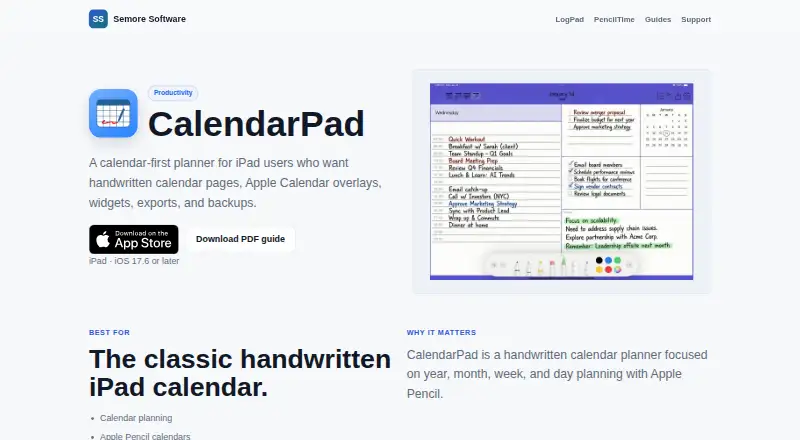
- CalendarPad is a handwritten calendar planner for iPad and Apple Pencil, organized around year, month, week, and day planning.checked 12 Oct 2026
- Support
- Semore Software directs users to [email protected] and asks them to include the app name, device model, OS version, and a short issue description.checked 12 Oct 2026
- System requirements
- The App Store listing requires iPadOS 17.6 or later on iPad, or macOS 14.0 or later on a Mac with Apple M1 chip or later.checked 12 Oct 2026
- Widgets
- The app offers Month and Week calendar widgets for the Home Screen, and daily schedule widgets refresh for the new day.checked 12 Oct 2026
Money
- Free plan
- Yeschecked 22 Sep 2026
The company
- Maker
- Semore Software describes itself as making focused Apple apps for notes, planning, and everyday workflows.checked 12 Oct 2026
Where it runs
- Mobile apps
- ioschecked 22 Sep 2026
Alternatives to CalendarPad
- 1

Lark
Free planAndroidiOSWebAPI9.2From $6 a month - 2
EGroupware
Free planOpen sourceAndroidiOSWebAPI9.2From €21.90 a month - 3
Teamup
Free planAndroidiOSWebAPI9.0From $12 a month - 4
Twake Calendar
Open sourceAndroidiOSWebAPI9.0From €4 a month - 5
TimeFinder
Free planAndroidiOSWebmacOS8.9$119.99 one-time - 6

7shifts
Free planAndroidiOSWebAPI8.9From $39.99 a month