
CafeTran Espresso
CafeTran Espresso is a computer-assisted translation application for translating documents and managing translation resources.
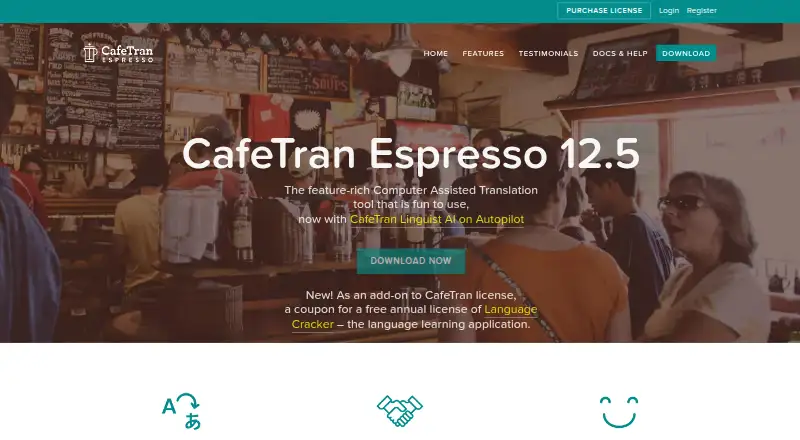
What CafeTran Espresso is
CafeTran Espresso is a computer-assisted translation application for translating documents and managing translation resources. It includes document translation, translation memory, and glossary tools, and is available for Windows, macOS, and Linux. Its free plan allows up to 1,000 translation units and 500 glossary terms. The Annual Subscription costs €80 per year and removes translation-memory and glossary size limits for the subscription year; it also includes latest-version updates and full support. Payment for that subscription is processed automatically. A One-time Purchase is listed at €200 per month and includes four years of upgrades and support. The free option gives users a way to work within the stated translation-unit and glossary limits, while the paid plans offer different terms for resource limits or upgrades and support. Pricing is listed in USD for the free plan and EUR for the paid plans.
Good
- Available for Windows, macOS, and Linux
- Includes document translation and translation memory
- Glossary tools are included
- Free plan includes 1,000 translation units
- Annual subscription removes glossary and memory size limits
Watch out
- Free plan is limited to 500 glossary terms
- Free plan is limited to 1,000 translation units
- One-time Purchase is listed at €200 per month
Who it suits
It may suit translators who need document translation alongside translation memory and glossary tools. The free plan is an option for those whose work fits within its stated unit and glossary limits.
Verdict
CafeTran Espresso offers translation tools across three desktop platforms, with a limited free plan and paid options. Check the plan terms carefully, particularly the listed monthly price for the One-time Purchase.
Plans and prices
From CafeTran Espresso's own pricing page, checked 20 Sep 2026.
| Plan | Price | What it gives you |
|---|---|---|
| Free | Free | 1,000 translation units · 500 glossary terms |
| Annual Subscription | €80 a year | Removes TM and glossary size limits for the subscription year · latest version updates and full support while current · Payment is processed automatically; the subscription provides annual license files and lasts while payments remain current. |
| One-time Purchase | €200, paid once | Removes TM and glossary size limits indefinitely on the licensed machine · free upgrades and full support for four years · One-time payment. |
The facts
Each one read from CafeTran Espresso's own pages, with the date it was checked.
What it does
- AI and productivity
- The product page lists AI and machine-translation integration, smart autocompletion, one-click placement of suggested text, and a customizable interface.checked 7 Oct 2026
- Audience
- The maker describes CafeTran as freelancer-oriented while also offering commercial-grade capabilities for large translation memories and complex formats.checked 7 Oct 2026
- Cross-tool work
- CafeTran says translators can accept jobs from clients using SDL Trados, MemoQ, Wordfast, and other major CAT tools.checked 7 Oct 2026
- Document translation
- Yeschecked 20 Sep 2026
- File support
- It supports office and publishing formats and bilingual formats including XLIFF, SDLXLIFF, SDLPPX, MQXLIFF, and TXML.checked 7 Oct 2026
- Glossary tools
- Yeschecked 20 Sep 2026
- License scope
- License files are generated for a specific computer, and buyers may request a license file for a second computer.checked 7 Oct 2026
- PDF workflow
- The product uses the system clipboard to support translating PDFs and other difficult file formats.checked 7 Oct 2026
- Privacy
- The privacy policy says customer information is collected to process orders, kept confidential, and not shared.checked 7 Oct 2026
- Product
- CafeTran Espresso is a computer-assisted translation tool built for translators.checked 7 Oct 2026
- Refunds
- The licensing page states that all sales are final because issued license files cannot be invalidated.checked 7 Oct 2026
- Security terms
- The license agreement says the maker does not warrant that the software will be secure, error-free, or uninterrupted, and puts responsibility for assessing security requirements on the user.checked 7 Oct 2026
- Support
- The maker offers a knowledge base, official forum, support tickets, and support that is often provided personally by developer Igor Kmitowski.checked 7 Oct 2026
- Translation memory
- Yeschecked 20 Sep 2026
Money
- Free plan
- Yeschecked 20 Sep 2026
- Free version limits
- The free copy runs indefinitely but is limited to 1,000 translation units across translation memories and 500 glossary terms in total.checked 7 Oct 2026
The company
- Headquarters
- Lewes, Delaware, USAchecked 28 Sep 2026
- Team collaboration
- The standard version can act as a translation-memory server for team-based collaboration.checked 7 Oct 2026
The full review of CafeTran Espresso
CafeTran Espresso is desktop computer-assisted translation software for working translators. It is best suited to freelancers who need broad format support and translation-memory tools, with room to scale beyond the free tier. Its strongest case is combining three desktop platforms with collaboration and client-tool compatibility; its main cautions are strict free-plan caps and unusual purchase terms.
Overview
CafeTran covers document translation, translation memories and glossaries, with capabilities aimed at both freelance work and larger, more complex translation projects. It can also serve as a translation-memory server in its standard version, a useful bridge for team collaboration rather than a tool confined to solo workflows.
Key features
Support for office and publishing formats alongside bilingual formats such as XLIFF, SDLXLIFF, SDLPPX, MQXLIFF and TXML makes it relevant to translators receiving work from clients on different CAT systems. CafeTran says it can accept jobs from users of SDL Trados, MemoQ, Wordfast and other major tools, reducing the format handoff barrier.
AI and machine-translation integration, smart autocompletion and one-click placement of suggestions are designed to speed routine work, while a customizable interface lets translators shape the workspace. These are productivity aids, not a substitute for evaluating translation quality. For PDFs and other awkward formats, a system-clipboard workflow offers a workaround, though it is less direct than native handling of a supported document format.
Support includes a knowledge base, official forum and support tickets, with assistance often coming personally from developer Igor Kmitowski. That personal channel may appeal to freelancers seeking direct help, but the product's license agreement disclaims guarantees of security, error-free operation and uninterrupted service, leaving security assessment to the user.
Pricing
| Plan | Price | What it includes |
|---|---|---|
| Free | free | Indefinite use, up to 1,000 translation units across translation memories and 500 glossary terms total. |
| Annual Subscription | €80 a year | Removes translation-memory and glossary size limits for the subscription year, with latest-version updates and full support while payments remain current. Payment is processed automatically. |
| One-time Purchase | €200 a month | Four years of upgrades and support. |
The free edition is a sensible way to start or handle modest resources, but its combined memory and glossary caps will constrain translators accumulating terminology and reusable segments. The annual subscription is the clear fit for growing resources and ongoing updates; it renews through automatically processed payments and its benefits last only while payments remain current. The One-time Purchase price is stated per month despite the plan name, so buyers should resolve that term before committing. All sales are final because issued license files cannot be invalidated.
Licenses are generated for a specific computer, and buyers may request a license file for a second computer. That is less flexible than an unrestricted multi-device license, particularly for translators switching between machines.
Platforms
CafeTran runs on Linux, macOS and Windows, giving desktop translators across the three major systems a consistent option. It is not presented as a web or mobile workflow.
Who it's for
Freelancers who handle varied client formats, maintain translation memories and glossaries, or occasionally collaborate with a team have the clearest reason to consider CafeTran. The free cap suits a small workload or initial evaluation; translators with larger resources will need the annual plan or another tool. Teams that require assured security or uninterrupted operation should weigh the license terms carefully.
Pros and cons
- Pros: Broad desktop platform coverage and support for office, publishing and major bilingual formats suit translators working across client toolchains.
- Pros: The standard version can act as a translation-memory server, extending a freelancer-oriented product to team collaboration.
- Pros: The free copy does not expire, making it possible to keep using it for small resources without a subscription.
- Cons: The 1,000-unit memory and 500-term glossary ceilings make the free plan unsuitable for substantial accumulated resources.
- Cons: Automatic subscription payments and a final-sale policy raise the stakes of choosing a paid plan; the monthly term attached to the One-time Purchase price deserves clarification.
- Cons: Computer-specific license files and the absence of security or uptime warranties may not suit buyers seeking flexible deployment or contractual assurances.
Alternatives
BasicCAT is a free, open-source CAT tool for Linux, macOS and Windows; choose it if those terms matter more than CafeTran's stated collaboration and productivity capabilities. Supervertaler Workbench is another free option across the same desktop platforms.
locAGI has a free platform plan with unlimited seats and included storage, with AI billed separately; it may suit buyers focused on a platform-based, multi-seat setup. TextUnited offers a web and API workflow with a free tier capped at 15,000 words and 15 PDF pages per month for one user, so it is a more natural fit when those explicit monthly quotas and browser access align with the work.
Déjà Vu X3 has a free edition for standalone and satellite projects prepared with its Workgroup product. OpenTM2 is a free, open-source translation-memory tool for Windows. XTM Cloud offers a paid team plan with 2 million processed words per year and unlimited users, for buyers seeking that stated team-scale capacity. Trados offers paid monthly and annual plans with 1 million target words per year, for those whose needs fit that quota.
For broader comparisons, see Computer-Assisted Translation Software and Translation Software.
Verdict
CafeTran Espresso is a strong shortlist choice for freelance translators who need a desktop CAT tool across Linux, macOS or Windows, particularly when client formats and larger translation resources matter. Its format breadth, memory tools and collaboration option make the case; the free tier's small caps, automatic renewal, final-sale terms and ambiguous monthly purchase price are reasons to compare carefully before paying.
Getting started
- Visit the CafeTran Espresso website.
- Choose Windows, macOS, or Linux.
- Start with the free copy or choose a paid license.
- For the Annual Subscription, arrange automatic payment for annual license files.
- Request a second-computer license file if needed.
Limits worth knowing
The free copy runs indefinitely but is limited to 1,000 translation units across translation memories and 500 glossary terms total. The Annual Subscription removes those size limits for the subscription year while payments remain current.
Questions
Is CafeTran Espresso free?
Yes. The free copy runs indefinitely and allows 1,000 translation units and 500 glossary terms in total.
What does the Annual Subscription cost?
It costs €80 per year. Payment is processed automatically, and the subscription provides annual license files while payments remain current.
What does the Annual Subscription include?
It removes translation-memory and glossary size limits for the subscription year, with latest-version updates and full support while payments remain current.
Which operating systems does it support?
CafeTran Espresso is available for Linux, macOS, and Windows.
Can it work with files from other CAT tools?
The maker says translators can accept jobs from clients using SDL Trados, MemoQ, Wordfast, and other major CAT tools. Supported bilingual formats include XLIFF, SDLXLIFF, SDLPPX, MQXLIFF, and TXML.
What does the One-time Purchase cost?
It is listed at €200 per month and includes four years of upgrades and support.
Alternatives to CafeTran Espresso
- 1

XTM Cloud
AndroidiOSWebAPI7.9From $16,500 a year - 2

Trados
WebAPImacOSSelf-hosted7.5 - 3

TextUnited
Free planWebAPI7.2From €150 a month - 4

Centus
WebAPI7.1From $145 a month - 5

Wordbee Translator
WebAPI6.8 - 6
VersQ
Free planWebAPI6.7From $7.99 a month