Bridger
Bridger is a free desktop app for converting Minecraft worlds and resource packs between Java Edition and Bedrock Edition, and for previewing schematic files.
What Bridger is
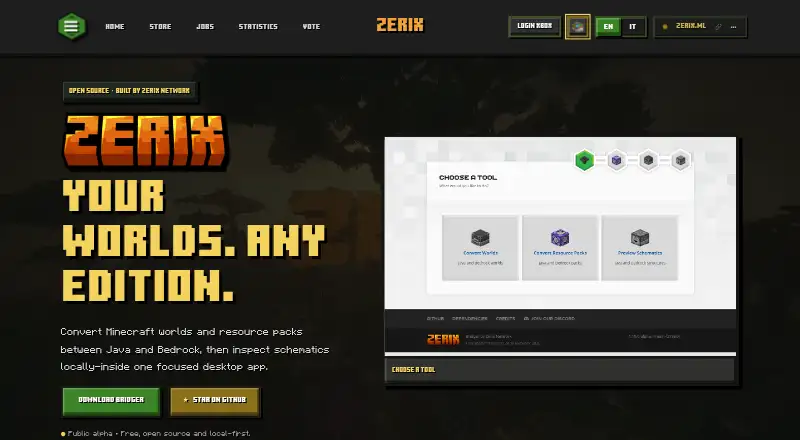
Bridger is a free desktop app for converting Minecraft worlds and resource packs between Java Edition and Bedrock Edition, and for previewing schematic files. It supports complete world transfers between supported versions of the two editions, including upgrades and downgrades. Users select a world, resource pack, or schematic, choose a target edition and Minecraft version, then export or preview. Its viewer opens .schematic, .schem, .nbt, and .mcstructure files in textured 3D, top view, or individual layers. Resource pack tools map common block and item textures between editions and preserve files that need manual work. Bridger describes its processing as local-first, with files staying on the user's machine during conversions and previews. It is open source, with code, issue reporting, and development hosted through GitHub. The project builds on Chunker’s open-source foundation and adds previews, Bedrock and PocketMine workflows, resource pack tools, and other utilities. Bridger is in active alpha development, and its site advises backing up important worlds before converting them.
Good
- Free and open source.
- Converts worlds between Java and Bedrock editions.
- Supports version upgrades and downgrades.
- Previews several schematic formats in multiple views.
- Files stay on the user's machine during processing.
Watch out
- In active alpha development.
- The site advises backing up worlds before conversion.
- Some resource pack files need manual work.
Who it suits
It suits Minecraft players or map makers who need to move worlds or resource packs between Java and Bedrock, or inspect schematic files. Users should be comfortable with active alpha software and back up important worlds first.
Verdict
Bridger covers world conversion and schematic preview in a local-first desktop app. Its active alpha status makes the backup caution especially relevant before converting important worlds.
Plans and prices
From Bridger's own pricing page, checked 4 Oct 2026.
| Plan | Price | What it gives you |
|---|---|---|
| Public alpha | Free | Free · open source · local-first · active alpha development |
The facts
Each one read from Bridger's own pages, with the date it was checked.
What it does
- Foundation
- The project is built on the open-source foundation of Chunker and adds previews, Bedrock and PocketMine workflows, resource pack tools, and other utilities.checked 4 Oct 2026
- Local processing
- The site describes Bridger as local-first and says files stay on the user's machine during conversions and previews.checked 4 Oct 2026
- Open source
- Bridger is open source, with code, issue reporting, and development hosted through GitHub.checked 4 Oct 2026
- Operational caution
- The site says Bridger is in active alpha development and advises backing up important worlds before converting them.checked 4 Oct 2026
- Origin
- SuperDoduos started Bridger for Zerix Network to inspect schematic map files faster before importing them into Minecraft.checked 4 Oct 2026
- Purpose
- Bridger converts Minecraft worlds and resource packs between Java and Bedrock and previews schematics in a desktop app.checked 4 Oct 2026
- Resource packs
- Its resource pack tools map common block and item textures between editions and preserve files that need manual work.checked 4 Oct 2026
- Schematic viewer
- It opens .schematic, .schem, .nbt, and .mcstructure files in textured 3D, top view, or individual layers.checked 4 Oct 2026
- Support
- The Zerix site lists [email protected] as its support email.checked 4 Oct 2026
- Workflow
- Users select a world, resource pack, or schematic, choose a target edition and Minecraft version, then export or preview.checked 4 Oct 2026
- World conversion
- It supports moving complete worlds between supported Java and Bedrock versions, including upgrades and downgrades.checked 4 Oct 2026
The company
- Maker
- The page attributes the project to Zerix Network and says Zerix has been building since 2018.checked 4 Oct 2026
The full review of Bridger
Bridger is for Minecraft players and map makers who need to convert worlds or inspect schematics on a desktop. Its strongest case is having both jobs in one local-first tool; its active alpha status makes it a cautious choice for important saves.
Overview
Choose a world, resource pack, or schematic, set a target edition and Minecraft version, then export or preview. Bridger handles complete worlds between supported Java and Bedrock versions, including upgrades and downgrades. Since conversion and previews run locally, files stay on your machine rather than being uploaded.
Bridger grew out of a Zerix Network need to inspect schematic maps before importing them into Minecraft. It builds on Chunker's open-source foundation, adding previews, Bedrock and PocketMine workflows, resource-pack tools, and other utilities. The project is open source, with code, issue reporting, and development hosted through GitHub.
Key features
World and resource-pack conversion
World conversion covers both Java-to-Bedrock and Bedrock-to-Java moves across supported versions, including version changes in either direction. That makes Bridger useful for cross-edition migration as well as upgrades or downgrades.
Schematic previews
Bridger opens .schematic, .schem, .nbt, and .mcstructure files in textured 3D, top view, or individual layers. For map makers, the choice of views helps inspect a build before bringing it into a world. It is a focused companion to conversion, not a reason to overlook the alpha warning for world exports.
Pricing
The Public alpha plan costs nothing. It is free, open source, and local-first, with active alpha development. There is no paid tier or trial to weigh against it: the practical trade-off is getting the conversion and preview tools at no charge while accepting alpha-stage caution. Back up important worlds before converting, as Zerix advises.
Platforms
Bridger is a desktop app for Linux, macOS, and Windows. Its cross-platform availability suits players working across those desktop systems, but it is not a web or mobile option.
Who it's for
Bridger is a strong fit for players moving complete worlds between Java and Bedrock, map makers checking schematics, and users who want resource-pack mapping alongside those tasks. Local processing also suits people who prefer their files to remain on their own machine. It is less suitable for anyone who needs a mature, low-risk conversion workflow for an irreplaceable world; make a backup first.
Pros and cons
- Pros: Converts complete worlds between Java and Bedrock, including version upgrades and downgrades, making it useful for more than schematic inspection.
- Pros: Combines resource-pack mapping with previews of four schematic formats, including textured 3D, top, and layer views.
- Pros: Local-first processing keeps world and pack files on the user's machine during conversions and previews.
- Cons: Active alpha development calls for backups before converting important worlds.
- Cons: Resource-pack tools leave some files for manual work, so the mapping is not a complete hands-off fix.
Alternatives
Minecraft World Converters is the broader category guide for comparing conversion options. MC Version Converter is a free Linux, macOS, and Windows alternative focused on Java Edition 26.x worlds and versions 1.18.2–1.21.11; choose it when that specific Java version range, rather than Java–Bedrock conversion and schematic previews, is the priority.
Chunker is a free open-source alternative available on Linux, macOS, web, and Windows. Java2Nukkit World Converter is a free alternative for Java Edition 1.15.2 optimized worlds and requires Java 1.8+. LCEStudio is a free Windows alternative. WorldSwitch is a web-based freemium option, with a free conversion tier for uploaded files up to 70 MB and a €1.99 per-conversion tier for files from 71 MB to 300 MB. Chunkoid is a free Android app. je2be is a free web and Windows alternative. Server to Singleplayer World Converter is a free browser-based option for Java and Bedrock world conversion.
Verdict
Choose Bridger if you want free, local desktop conversion between Java and Bedrock combined with resource-pack tools and schematic previews. The main reason to look elsewhere is its active alpha status: for an important world, keep a backup or choose a workflow better suited to your risk tolerance.
Getting started
- Open the Bridger website
- Install the desktop app for Linux, macOS, or Windows
- Select a world, resource pack, or schematic
- Choose the target Minecraft edition and version
- Export the conversion or preview the selected file
- Back up important worlds before converting them
Limits worth knowing
Bridger is offered through a free public-alpha plan. The project is in active alpha development, and resource-pack tools preserve files that still require manual work.
Questions
Is Bridger free?
Yes. The listed Public alpha plan costs nothing, and the project is open source.
Which Minecraft editions can it convert?
It supports Java Edition and Bedrock Edition as both source and target editions.
What schematic files can it open?
The viewer opens .schematic, .schem, .nbt, and .mcstructure files.
Does Bridger process files online?
The site describes Bridger as local-first, with files staying on your machine during conversions and previews.
Who makes Bridger?
Zerix Network attributes the project to itself. SuperDoduos started it for Zerix Network.
Alternatives to Bridger
- 1
Chunker
Free planOpen sourceWebAPILinuxmacOS7.6Free plan - 2
je2be
Free planOpen sourceiOSWebWindows7.5Free plan - 3

WorldSwitch
Free planWeb7.3€1.99 one-time - 4
Java2Nukkit World Converter
Free planOpen sourceAPILinuxmacOSWindows7.1Free plan - 5

Amulet Map Editor
APILinuxmacOSSelf-hosted6.9From £7 a year - 6
MC Version Converter
Free planLinuxmacOSWindows6.6Free plan