Bowtie Private Access
Bowtie Private Access creates encrypted connections between devices and private resources without routing traffic through intermediary networks.
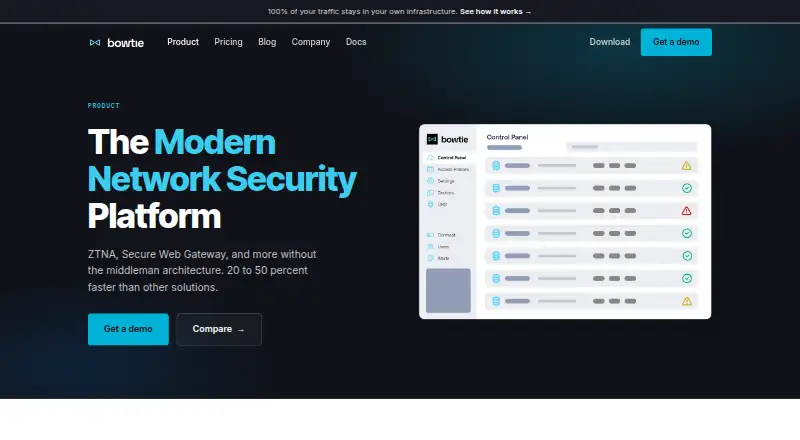
What Bowtie Private Access is
Bowtie Private Access creates encrypted connections between devices and private resources without routing traffic through intermediary networks. Its Zero Trust policies grant access based on authenticated user or device characteristics. Bowtie Internet Access adds web filtering, with policies enforced on each device rather than through a central gateway. The product uses WireGuard encryption; Bowtie says keys are generated and stored in the customer's environment and traffic does not pass through Bowtie's cloud. Its policy engine can unify overlapping networks and segment access. The Basic plan includes the Zero Trust Policy Engine, an always-on agent, Smart DNS and SSO authentication. Essentials adds Private Access and Internet Access, API access and a Terraform provider. Enterprise includes device posture policies, MDM deployment and SIEM integration. SSO configurations include Okta, Entra ID, GitHub, GitLab, SAML, AWS Identity Center and Google IDP. It supports iOS, Linux, macOS, web and Windows, with client downloads for Mac, Windows and Linux.
Good
- Free Basic plan includes SSO authentication.
- Policies can use user or device characteristics.
- Keys stay in the customer's environment, Bowtie says.
- Essentials includes API access and a Terraform provider.
- Enterprise includes MDM deployment and SIEM integration.
Watch out
- Basic is limited to 3 users.
- Basic allows 2 devices per user.
- Essentials is limited to 1000 users.
- Enterprise pricing is custom and not listed.
Who it suits
Bowtie suits organizations seeking device-based access policies for private resources, with options for network segmentation and web filtering. Its plans range from a limited free tier to enterprise features such as MDM deployment and SIEM integration.
Verdict
Bowtie combines private-resource access controls with on-device web filtering and network segmentation. The free tier has tight user and device limits, while paid plans expand capacity and add automation or enterprise integrations.
Plans and prices
From Bowtie Private Access's own pricing page, checked 4 Oct 2026.
| Plan | Price | What it gives you |
|---|---|---|
| Basic | Free | Up to 3 users · 2 devices per user · 2 controllers · Zero Trust Policy Engine · always-on agent · Smart DNS · SSO authentication · Free forever |
| Essentials | $11 a month | Up to 1000 users · 3 devices per user · 4 controllers · Private Access & Internet Access · API access · Terraform provider · email and community support · Per user / month |
| Enterprise | Priced on request | Unlimited users · unlimited devices · unlimited controllers · priority support with SLA · MDM deployment · device posture policies · SIEM integration · Custom |
The facts
Each one read from Bowtie Private Access's own pages, with the date it was checked.
What it does
- Automation
- Essentials includes API access and a Terraform provider for automating deployment and integrating with existing tooling.checked 4 Oct 2026
- Data and keys
- Bowtie says encryption keys are generated and stored in the customer's environment, and traffic does not pass through Bowtie's cloud.checked 4 Oct 2026
- Encryption
- The product comparison identifies WireGuard as Bowtie's encryption technology.checked 4 Oct 2026
- Enterprise integrations
- Enterprise includes MDM deployment via providers such as Jamf and Kandji, plus SIEM event logging.checked 4 Oct 2026
- Internet Access
- Bowtie Internet Access provides web filtering with policy enforcement on the device rather than through a centralized gateway.checked 4 Oct 2026
- Limits
- The Basic plan is limited to 3 users, 2 devices per user, and 2 controllers; Essentials is limited to 1000 users, 3 devices per user, and 4 controllers.checked 4 Oct 2026
- Network segmentation
- Bowtie says it can unify overlapping networks and segment them through its policy engine.checked 4 Oct 2026
- Product
- Bowtie Private Access establishes encrypted connections directly from devices to private resources, without routing traffic through middleman networks.checked 4 Oct 2026
- SSO integrations
- The pricing page names Okta and Entra ID as SSO providers, and the SSO documentation describes GitHub, GitLab, SAML, AWS Identity Center, and Google IDP configurations.checked 4 Oct 2026
- Support
- Essentials includes email and site chat support plus access to a public Slack community; Enterprise includes priority support with an SLA and shared Slack channel.checked 4 Oct 2026
- Zero Trust
- Its access policies allow authenticated access to private resources based on user or device characteristics.checked 4 Oct 2026
Where it runs
- Client platforms
- Bowtie provides client downloads for Mac, Windows, and Linux.checked 4 Oct 2026
The company
- Founded
- 2022checked 28 Sep 2026
- Headquarters
- Santa Clara, California, United Stateschecked 28 Sep 2026
The full review of Bowtie Private Access
Bowtie Private Access is a hybrid access product for organizations connecting staff devices to private resources. It best suits teams that want private access, web filtering and network segmentation under one policy engine. Basic is a useful small-team entry point, but Essentials is where broader deployment and automation begin.
Overview
Bowtie establishes encrypted connections directly between devices and private resources, without routing traffic through a middleman network. Its access policies grant authenticated access according to user or device characteristics, making it a focused choice for organizational access rather than a general-purpose consumer VPN.
The product uses WireGuard encryption. Bowtie says keys are generated and stored in the customer’s environment and traffic does not pass through its cloud. That design may appeal to organizations that want control over key custody and traffic paths.
Key features
The Zero Trust policy engine controls access to private resources, while the always-on agent connects supported client devices. Supported application protocols include TCP, UDP and ICMP. Device posture checks are supported, but device posture policies are an Enterprise inclusion, so teams needing them should budget for that tier.
Bowtie Internet Access applies web filtering and policy enforcement on-device rather than through a centralized gateway. Its policy engine can also unify overlapping networks and segment them. Together, these capabilities suit organizations that want private access and network controls managed alongside web filtering, rather than assembled as separate products.
Essentials adds API access and a Terraform provider for deployment automation and integration with existing tooling. Enterprise adds MDM deployment through providers such as Jamf and Kandji, plus SIEM integration and event logging. SSO options include Okta and Entra ID; documented configurations also cover GitHub, GitLab, SAML, AWS Identity Center and Google IDP.
Pricing
Basic: free, billed Free forever. It includes the Zero Trust Policy Engine, always-on agent, Smart DNS and SSO authentication, with a cap of 3 users, 2 devices per user and 2 controllers. That makes it a no-cost fit for a small proof of concept or very small team, but its user and controller ceilings make it restrictive for expansion.
Essentials: $11 a month, billed per user / month. It raises capacity to 1000 users, 3 devices per user and 4 controllers, and adds Private Access & Internet Access, API access, a Terraform provider, email support and community support. This is the practical tier for growing teams that need automation, though the device and controller caps remain relevant for larger or more complex deployments. Support includes site chat and access to a public Slack community.
Enterprise: custom pricing, with unlimited users, devices and controllers. It adds priority support with an SLA and shared Slack channel, MDM deployment, device posture policies and SIEM integration. This is the appropriate tier for organizations that need uncapped capacity or those enterprise controls; teams without those requirements can avoid paying for them by staying on Essentials.
Platforms
Bowtie lists iOS, Linux, macOS, web and Windows support. Client downloads are provided for Mac, Windows and Linux. The hybrid deployment model and agent-based access suit managed device fleets, while the broader platform list includes iOS and web.
Who it's for
Bowtie is strongest for organizations that need policy-based private access together with on-device web filtering and network segmentation, especially those prioritizing customer-controlled encryption keys and traffic that avoids Bowtie’s cloud. Small teams can start on Basic, while growing teams get substantially higher user capacity and automation on Essentials. It is less compelling for a team seeking only basic private connectivity or one that needs a higher Basic-tier device or controller allowance.
Pros and cons
- Pros: Direct encrypted connections, customer-environment key storage and traffic that does not pass through Bowtie’s cloud give organizations control over important parts of the access path.
- Pros: Private access, on-device web filtering and network segmentation share a policy engine, which can reduce the need to manage these controls separately.
- Pros: Essentials includes API access and Terraform, while Enterprise adds MDM and SIEM integrations for larger deployments.
- Cons: Basic stops at 3 users, 2 devices per user and 2 controllers, which is a low ceiling for teams that outgrow a small deployment.
- Cons: Essentials still limits each user to 3 devices and deployments to 4 controllers; uncapped capacity and posture policies require Enterprise custom pricing.
- Cons: The documented client downloads are for desktop operating systems, so organizations should confirm their client needs against the broader platform support before choosing.
Alternatives
Zero Trust Network Access Software is a useful category overview for comparing the field. Consider Cloudflare Access if its free plan for under 50 users or $7.00 per month pay-as-you-go plan better suits your budget and team size. Twingate is another freemium option with a free Starter plan for up to 5 users. Choose NetBird if a free allowance of up to 5 users and 100 machines, or its Team plan at €6 a month, better fits your scale or currency preference. Boundary offers a free Community Edition and a custom-priced HCP Boundary Standard plan. Pomerium may suit a small deployment with its Personal Free allowance of 10 users, 10 routes, 5 policies and 2 service accounts, or a team considering Business at $7 a month. AWS Verified Access is a paid alternative with a free desktop Connectivity Client for non-HTTP(S) applications. Cloudflare Gateway has a free plan for 50 users with up to 24 hours of standard log retention, plus Pay-as-you-go at $7 a month. OpenVPN CloudConnexa is another freemium option with a Starter plan that includes 5 seats.
Verdict
Choose Bowtie Private Access if your organization wants private-resource access, on-device web filtering and network segmentation together, with customer-environment key storage and no traffic through Bowtie’s cloud. Basic works for a tightly bounded small team; Essentials is the stronger fit for growth and automation. Look elsewhere if its device and controller limits constrain your deployment or Enterprise is needed for posture policies, MDM or SIEM.
Getting started
- Open the Bowtie product website
- Choose the Basic, Essentials, or Enterprise plan
- Install a client on Mac, Windows, or Linux
- Configure access through the agent and policy engine
- Connect identity providers or SSO configurations as needed
- Use API, Terraform, MDM, or SIEM capabilities available on your plan
Limits worth knowing
Basic is free forever for up to 3 users, 2 devices per user, and 2 controllers. Essentials costs $11 per user per month and allows up to 1000 users, 3 devices per user, and 4 controllers. Enterprise has unlimited users, devices, and controllers.
Questions
Is there a free plan?
Yes. Basic costs $0.00 USD and is billed free forever.
What does Essentials cost?
Essentials costs $11 per user per month.
Which platforms are supported?
Bowtie lists iOS, Linux, macOS, web, and Windows. Client downloads are available for Mac, Windows, and Linux.
Which SSO providers and configurations are available?
The pricing page names Okta and Entra ID. Documentation describes GitHub, GitLab, SAML, AWS Identity Center, and Google IDP configurations.
Does it export SIEM logs?
Yes. SIEM event logging and log export are included with Enterprise.
What encryption does Bowtie use?
The product comparison identifies WireGuard as its encryption technology.
Alternatives to Bowtie Private Access
- 1

Cloudflare Gateway
Free planAndroidiOSWebAPI8.3$7 usage-based - 2

Pomerium
Free planOpen sourceWebAPILinuxmacOS8.3From $7 a month - 3
Twingate
Free planAndroidiOSWebAPI8.3From $5 a month - 4

NetBird
Free planAndroidiOSLinuxmacOS8.2From €6 a month - 5

Cloudflare Access
Free planAndroidiOSWebAPI7.8$7 usage-based - 6

FortiClient
Free planAndroidiOSLinuxmacOS7.8Free plan