Blackboard Learn
Blackboard Learn, now referred to as Blackboard LMS, is an institutional learning environment for organizations in higher education, government, business and…
What Blackboard Learn is
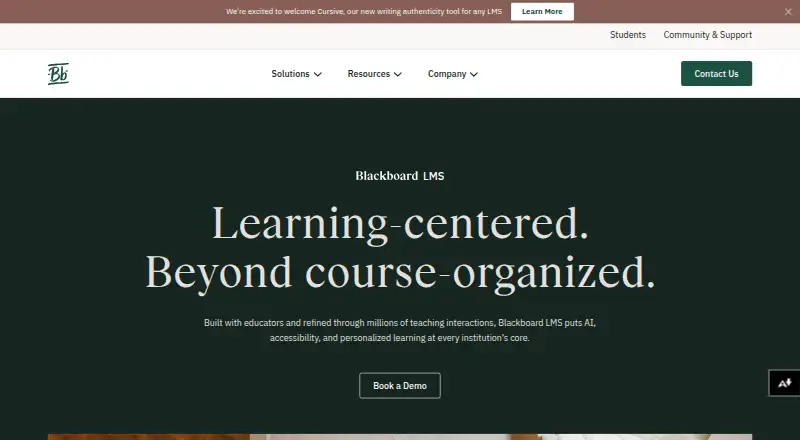
Blackboard Learn, now referred to as Blackboard LMS, is an institutional learning environment for organizations in higher education, government, business and K-12. Instructors can use its AI Design Assistant to help prepare courses, documents, assessments and grading rubrics. AI Conversation supports assessing practical skills in a controlled digital setting and is part of the core license. Administrators decide which AI capabilities are active, and instructors can review and edit generated outputs before accepting them. Blackboard states student data is not used to train external AI models. The LMS connects with education tools through LTI 1.3 and REST APIs, including Turnitin, VitalSource, Zoom, Microsoft Teams and most SIS platforms. Blackboard Ally provides alternative formats for learners. The platform is available on Android, iOS and web, with API access, assessments and SSO support. Blackboard offers a Help Center, user support cases, knowledge base articles and developer documentation. Pricing is available on request; the product page offers a demo and contact option rather than a displayed price.
Good
- AI Design Assistant helps create course materials and assessments.
- AI Conversation is included in the core license.
- Administrators control which AI capabilities are active.
- Connects with tools through LTI 1.3 and REST APIs.
- Available on Android, iOS and web.
Watch out
- No free plan is available.
- Pricing is available only on request.
- Blackboard LMS AVA is a premium add-on.
Who it suits
Blackboard LMS is aimed at institutions in education, government and business that need a learning environment with course creation, assessments and education-tool integrations. It may suit organizations seeking administrator controls over AI capabilities and alternative learner formats.
Verdict
Blackboard LMS brings course creation, assessment and integrations into an institution-focused environment. The price is not shown, so interested organizations need to request details.
Plans and prices
From Blackboard Learn's own pricing page, checked 28 Sep 2026.
| Plan | Price | What it gives you |
|---|---|---|
| Blackboard LMS | Priced on request | Institution-focused LMS · AI Design Assistant and AI Conversation included in core license · Blackboard LMS AVA is a premium add-on |
The facts
Each one read from Blackboard Learn's own pages, with the date it was checked.
What it does
- Accessibility
- Blackboard Ally creates alternative formats for learners, and the company reports 4 million accessibility improvements made in 2025.checked 28 Sep 2026
- AI controls
- Administrators can choose which AI capabilities to activate, and instructors can review and edit AI outputs before accepting them.checked 28 Sep 2026
- AI data use
- Blackboard states that student data is never used to train external AI models.checked 28 Sep 2026
- API access
- Yeschecked 23 Sep 2026
- Assessments
- Yeschecked 23 Sep 2026
- Audience
- Blackboard says its institutions span higher education, government, business, and K-12 worldwide.checked 28 Sep 2026
- Course creation
- The AI Design Assistant can help instructors create courses, documents, assessments, and grading rubrics.checked 28 Sep 2026
- Integrations
- The LMS connects with EdTech tools through LTI 1.3 and REST APIs, including Turnitin, VitalSource, Zoom, Microsoft Teams, and most SIS platforms; custom integrations are supported through the Partner Network.checked 28 Sep 2026
- Practical skills
- AI Conversation lets instructors assess students’ practical skills in a controlled digital environment and is included in the core license.checked 28 Sep 2026
- Pricing
- The Blackboard LMS page offers a demo and contact option but does not show a price.checked 28 Sep 2026
- Purpose
- Blackboard LMS provides an institutional learning environment with AI, accessibility, and personalized learning at its core.checked 28 Sep 2026
- Security and compliance
- Blackboard lists SOC 2, FERPA, GDPR, ISO 27001/27017/27018, FedRAMP Class C, and WCAG 2.2 AA as externally audited certifications or compliance standards it maintains.checked 28 Sep 2026
- Security practices
- Blackboard says its product security program aligns with NIST standards, uses ISO 27001 and ISO 27701 certifications, and incorporates ISO 27017 and ISO 27018 controls.checked 28 Sep 2026
- SSO support
- Yeschecked 23 Sep 2026
- Support
- Blackboard provides a Help Center with product documentation and guides, support cases and knowledge base articles for users, and a developer community with documentation.checked 28 Sep 2026
The company
- Founded
- 1997checked 28 Sep 2026
- Headquarters
- Washington, DC, United Stateschecked 28 Sep 2026
Money
- Free plan
- Nochecked 23 Sep 2026
Where it runs
- Mobile app
- Blackboard Help documents Blackboard apps for iOS and Android, while noting that some course content and third-party tools may have limited or unsupported app functionality.checked 28 Sep 2026
- Platform history
- Blackboard says its Ultra LMS launched in 2016 as a SaaS platform and is now referred to as Blackboard LMS.checked 28 Sep 2026
The full review of Blackboard Learn
Blackboard Learn is an institution-focused learning management system for schools, universities, government agencies, and businesses. It suits organizations that need course delivery, assessment, analytics, accessibility, and connections to existing student and education systems in one environment. The strongest case is a governed LMS with configurable AI and broad compliance coverage; buyers wanting transparent self-service pricing or a lighter deployment should look elsewhere.
Overview
Blackboard LMS grew from Blackboard’s 1997 founding and its Ultra SaaS platform, launched in 2016. The current product is designed for institutions rather than individual instructors, with support for course creation, assessments, certificates, custom dashboards, predictive analytics, learner-risk scoring, and intervention alerts. Its audience spans higher education, K-12, government, and business worldwide, so the feature set is broad enough for formal academic programs and workforce learning.
The trade-off is procurement complexity. Blackboard uses custom pricing and offers no free plan, while the product’s institutional breadth may be unnecessary for a small team seeking a simple classroom tool.
Key features
Course building and assessment
The AI Design Assistant can generate starting points for courses, documents, assessments, and grading rubrics. In practice, it can reduce preparation work while leaving instructors responsible for review. AI Conversation, included in the core license, lets instructors assess practical skills in a controlled digital setting, extending assessment beyond conventional quizzes. Administrators choose which AI functions are enabled, and instructors can edit generated output before accepting it. Blackboard also states that student data is not used to train external AI models, an important safeguard for institutions setting AI policy.
Integrations and administration
LTI 1.3 and REST APIs connect Blackboard with tools such as Turnitin, VitalSource, Zoom, Microsoft Teams, and most SIS platforms. The Partner Network supports custom integrations. That makes Blackboard a sensible hub when an institution already depends on several education systems, although a specialized integration should be scoped with Blackboard before purchase.
Accessibility, security, and insight
Blackboard Ally creates alternative learner formats, and the company reports 4 million accessibility improvements in 2025. Blackboard cites SOC 2, FERPA, GDPR, ISO 27001/27017/27018, FedRAMP Class C, and WCAG 2.2 AA coverage, alongside a security program aligned with NIST and ISO 27701 practices. Browser access, Android and iOS apps, API access, SSO, predictive analytics, risk scoring, and intervention alerts support both daily learning and institutional oversight. A Help Center, support cases, knowledge-base articles, and a developer community provide documentation and assistance.
Pricing
Blackboard LMS
This institution-focused plan uses custom pricing, with a demo and contact process rather than a published amount. The core license includes AI Design Assistant and AI Conversation. Blackboard LMS AVA is a premium add-on, so organizations should budget separately if they need it and confirm which services, integrations, and support are included in their proposal. There is no free plan or stated trial.
Platforms
Blackboard Learn runs on the web and has Android and iOS mobile apps. API access, SSO support, and a browser extension suit institutions that need integration and managed access across devices.
Who it's for
Choose Blackboard when a university, school system, government department, or business needs a centrally administered LMS with formal assessment, accessibility tooling, analytics, identity integration, and a substantial EdTech ecosystem. It is less suitable for an individual teacher, a small organization unwilling to negotiate a contract, or a buyer requiring a clearly posted low-cost plan.
Pros and cons
Pros
- AI Design Assistant and core-license AI Conversation cover both content preparation and practical-skills assessment.
- Administrators can enable AI selectively, and instructors can revise outputs before use.
- LTI 1.3, REST APIs, SIS connectivity, and Partner Network options support complex institutional stacks.
- Ally, WCAG 2.2 AA coverage, and extensive security and privacy standards address regulated environments.
- Analytics, risk scoring, and intervention alerts help organizations act on learner progress.
Cons
- Custom pricing and no free plan make costs difficult to compare without a sales conversation.
- AVA is a premium add-on, so important capability may increase the contract price.
- The institutional scope can be excessive for small teams seeking a straightforward LMS.
Alternatives
Learning Management Systems is the broader category to compare before choosing a platform. D2L Brightspace is another paid LMS with Android, iOS, web, and API support; its pricing is customized by learners, licenses, features, add-ons, and services. DHIS2-Ed suits buyers who want a free, open-source Android and web option and can provide technical infrastructure. EdOptimize is a free, self-hosted GPLv3 alternative requiring source disclosure for modifications and copies. Enflux is worth considering when a browser extension and web platform with a free-trial route fit the use case. PowerSchool Behavior Support, LinkIt!, Civitas Learning Student Impact Platform, and Ellucian Advising are paid alternatives focused on their respective institutional workflows. For analytics comparisons, see Learning Analytics Software; for detection tools, see AI Content Detection Software.
Verdict
Blackboard Learn is a strong choice for institutions that need a governed, integration-ready LMS with configurable AI, accessibility support, assessment, and learner analytics. Its main reason to choose it is the combination of institutional controls and ecosystem connectivity. Its main reason to look elsewhere is equally clear: custom pricing, no free plan, and a premium AVA add-on make it harder to budget than simpler or open-source alternatives.
Alternatives to Blackboard Learn
- 1
Google Classroom
Free planAndroidiOSWebAPI8.8From $3 a year - 2
Paradiso LMS
Open sourceAndroidiOSWebAPI8.8From $6,000 a month - 3
TalentCards
Free planAndroidiOSWebAPI8.8From $0.80 a month - 4

OpenEduCat
Free planAndroidiOSAPILinux8.5Free plan - 5
Litmos
AndroidiOSWebAPI8.2From $8,000 a year - 6
LearningStone
Free planAndroidiOSWebAPI8.2From $143 a month