Google Classroom
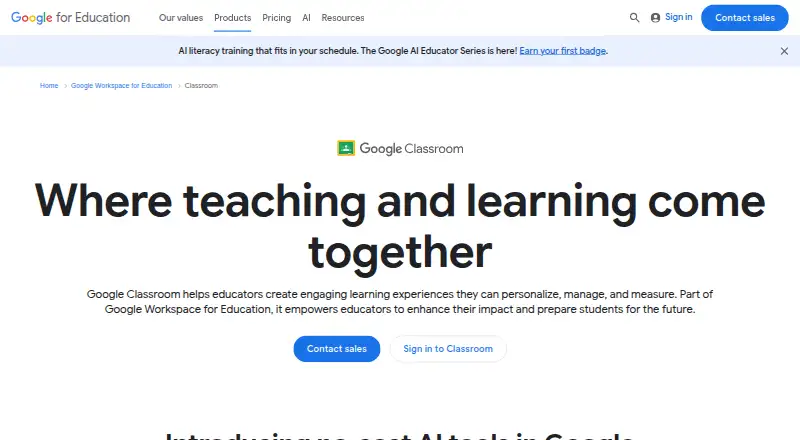
Google Classroom is a teaching and learning platform for educators and students.
What Google Classroom is
Google Classroom is a teaching and learning platform for educators and students. Teachers can create classes, distribute coursework, grade submissions, and give feedback using reusable comments, customizable rubrics, and bulk grading. Students can receive feedback while they work. Originality reports compare work with web pages and books; the listed allowance is five reports per class for Fundamentals and unlimited reports with peer comparison for Plus. Classroom also includes interactive practice sets, reading feedback through Read Along, and questions for YouTube videos. It supports EdTech add-ons and connections to student information systems, and institutions can customize it through APIs. Apps are available for Android and iOS, alongside web access. Google states that Classroom has no advertising in its core services and that personal information is not used or sold for ad targeting. The free Fundamentals plan is available to qualifying institutions; Education Plus is listed at $6 a year. A 60-day trial is listed.
Good
- Supports coursework distribution and grading.
- Includes reusable comments, rubrics, and bulk grading.
- Offers interactive practice and reading feedback.
- Android, iOS, web, and API access are listed.
- Qualifying institutions can use Fundamentals at no cost.
Watch out
- Originality reports are limited to five per class on Fundamentals.
- Education Plus is listed at $6 a year.
- The free plan is for qualifying institutions.
Who it suits
It suits educators who need to organize classes, coursework, grading, and student feedback, as well as institutions that want integrations or API customization. Education leaders and IT administrators may also find its administrative controls relevant.
Verdict
Google Classroom brings class organization, coursework, grading, and feedback together, with additional learning tools and integrations. Its free Fundamentals option is limited to qualifying institutions, while Plus adds unlimited originality reports with peer comparison.
Plans and prices
From Google Classroom's own pricing page, checked 14 Oct 2026.
| Plan | Price | What it gives you |
|---|---|---|
| Education Fundamentals | Free | No charge for qualifying institutions · 100 TB pooled storage |
| Google Workspace for Education Fundamentals | Free | No cost for qualifying institutions · 100 TB pooled cloud storage shared by the organization |
| Education Standard | $3 a year | One staff license for every four student licenses · per student annually |
| Teaching and Learning | $4 a month | Choose license quantity · monthly; annual billing $48 per license |
| Education Plus | $5 a year | One staff license for every four student licenses · per student annually |
| Google Workspace for Education Plus | $6 a year | Includes Education Fundamentals · Additional Drive storage · Advanced security and analytics · per user/per year |
The facts
Each one read from Google Classroom's own pages, with the date it was checked.
What it does
- Academic integrity
- Originality reports compare student work against billions of web pages and over 40 million books; the feature table lists five reports per class for Fundamentals and unlimited reports with peer comparison for Plus.checked 3 Oct 2026
- Add-ons
- Classroom add-ons embed third-party content in assignment creation, student-work and grading flows, and are distributed through Google Workspace Marketplace.checked 14 Oct 2026
- API access
- Yeschecked 22 Sep 2026
- API endpoint
- Google documents classroom.googleapis.com, REST discovery documents and Google-provided client libraries for API use.checked 14 Oct 2026
- APIs
- Google says Classroom can be customized for an institution's needs with APIs.checked 3 Oct 2026
- Assessments
- Yeschecked 22 Sep 2026
- Assignment workflow
- Teachers can create assignments, attach Drive or other files, set deadlines, collect work and return grades.checked 14 Oct 2026
- Audience
- Google describes Classroom as serving educators and students and presents tools for education leaders and IT administrators.checked 3 Oct 2026
- Availability
- Classroom is offered on the web and through Android, Chrome and iOS apps; personal-account eligibility generally starts above age 13, subject to country rules.checked 14 Oct 2026
- Class communication
- Teachers can post announcements, run question-based discussions, email users and connect classes with Google Meet.checked 14 Oct 2026
- Compliance
- Google says Education Fundamentals supports FERPA, COPPA and GDPR compliance practices and provides 100 TB of pooled storage.checked 14 Oct 2026
- Coursework
- Teachers can set up classes, create and distribute coursework, and grade it efficiently.checked 3 Oct 2026
- Developer documentation
- Official documentation includes API references, authentication scopes, add-on requirements, walkthroughs, review procedures and implementation guides.checked 14 Oct 2026
- Eligibility limits
- Creating add-on attachments, changing grading periods and managing rubrics through the API require eligible users and appropriate Workspace licenses.checked 14 Oct 2026
- Feedback
- Classroom supports customizable rubrics, reusable comment banks, bulk grading, and feedback while students work.checked 3 Oct 2026
- Feedback and grading
- The grading tool supports comments, reusable comment banks, audio/video/screencast feedback and submission-history review.checked 14 Oct 2026
- Google integrations
- Classroom works with Gmail, Google Docs, Google Drive, Google Calendar, YouTube and Google Forms.checked 14 Oct 2026
- Guardian summaries
- Guardians can receive email summaries of upcoming or missing student work and class activity.checked 14 Oct 2026
- Integrations
- Classroom supports EdTech add-ons and SIS connections including Clever, PowerSchool, Infinite Campus, Skyward SMS, Skyward Qmlativ, and Follett Aspen.checked 3 Oct 2026
- Launch date
- Google opened Classroom to all Google Apps for Education users on August 12, 2014 after a preview involving more than 100,000 educators in 45-plus countries.checked 14 Oct 2026
- Learner limit
- 1000checked 22 Sep 2026
Where it runs
- Browser requirements
- Classroom supports the latest Chrome version plus the current and previous Firefox and Safari releases.checked 14 Oct 2026
The company
- Company size
- LinkedIn lists Google for Education as a public-company education initiative with 1,001–5,000 employees.checked 14 Oct 2026
Money
- Free plan
- Yeschecked 22 Sep 2026
The full review of Google Classroom
Overview
Google Classroom is a learning management system for educators and students, with tools for classwork, grading, feedback, and learning activities. It is best suited to qualifying educational institutions already using Google Workspace; its institutional eligibility and Fundamentals plan limits make it a less straightforward choice for independent instructors.
Its strongest case is the connection between everyday coursework and feedback, backed by education-focused integrations and administrator controls. The key trade-off is that the no-cost Fundamentals plan is restricted to qualifying institutions, while the paid Education Plus plan adds capabilities at a per-user annual price.
Key features
- Coursework and assessment: Teachers can create classes, distribute assignments, and grade student work. Assessments are supported, and bulk grading can help when teachers need to return work efficiently.
- Feedback: Customizable rubrics and reusable comment banks give teachers ways to make feedback more consistent, while the option to comment as students work supports feedback during the learning process.
- Academic integrity: Originality reports compare student work against billions of web pages and more than 40 million books. Fundamentals allows five reports per class; Plus provides unlimited reports and peer comparison. The Fundamentals allowance may be enough for occasional checks, but Plus is the better fit for institutions that need broader coverage.
- Learning activities: Interactive practice sets, Read Along reading feedback, and interactive questions for YouTube videos add learning tools alongside class administration.
- Integrations and customization: EdTech add-ons and SIS connections include Clever, PowerSchool, Infinite Campus, Skyward SMS, Skyward Qmlativ, and Follett Aspen. APIs allow institutions to customize Classroom for their needs, making it more adaptable to established school systems.
- Security and privacy: Classroom uses Google Workspace infrastructure, with centralized Admin console controls and regular third-party privacy audits. Google says Workspace for Education core services have no advertising and personal information is not used or sold to third parties for ad targeting. Google describes the service as operating on a global network with full-stack security and 99% uptime.
- Support: Help resources, instructional materials, professional development, and online training courses are provided at no cost.
Pricing
Google Classroom uses a freemium model, but its no-cost route is for qualifying institutions rather than a general free tier for any teacher. Google Workspace for Education Fundamentals costs nothing and includes 100 TB of pooled cloud storage shared by the organization. It includes Classroom, but limits Originality reports to five per class.
Google Workspace for Education Plus costs $6 a year, billed per user/per year. It includes Fundamentals, additional Drive storage, advanced security and analytics, and unlimited Originality reports with peer comparison. This is the stronger fit for institutions that need those expanded features; the Fundamentals plan gives up Plus’s additional storage, security and analytics, and originality-report allowance. The subscription price is locked for the subscription term.
Education Plus also appears with a $6 a year annual-subscription price and a 60-day trial; its price is locked for the subscription term. The trial offers an opportunity to evaluate the paid option before committing. Education Fundamentals is also shown as a plan with 100 TB pooled storage, but without a price attached to that plan entry.
Platforms
Classroom is available on web, iOS, Android, and through APIs. The iOS and Android apps extend its reach to mobile devices, while API access gives institutions a route to customize it. Single sign-on is supported. The learner limit is 1,000.
Who it's for
Classroom is a strong fit for qualifying schools and institutions that want teachers to manage classes, coursework, grading, and feedback in one education-focused system. Its SIS connections, centralized administration, and API access also suit education leaders and IT administrators responsible for fitting classroom tools into institutional systems.
It is less suitable for independent instructors who need a broadly available free plan, or for organizations whose learner needs exceed the 1,000-person limit. Institutions should weigh the five-report-per-class Fundamentals allowance against the additional originality, storage, security, and analytics features in Plus.
Pros and cons
- Pro: Rubrics, comment banks, bulk grading, and in-progress feedback support a range of grading and feedback workflows.
- Pro: SIS connections and APIs help institutions connect Classroom to existing systems and tailor it to their needs.
- Pro: Fundamentals includes 100 TB of pooled organizational storage at no cost for qualifying institutions.
- Con: Fundamentals is not a general-purpose free plan; eligibility is limited to qualifying institutions.
- Con: Fundamentals allows only five Originality reports per class, so institutions needing unlimited reports and peer comparison must choose Plus.
- Con: The learner limit of 1,000 rules out larger deployments that need to exceed it.
Alternatives
Browse Learning Management Systems to compare options across the category. Consider Moodle LMS if a free option is a priority; its pricing model is free, though it does not have a free plan. TalentLMS is another freemium option, with a free tier capped at five active users and 10 active courses.
OpenEduCat offers a free Community Edition and supports Android, iOS, Linux, APIs, and self-hosting. Cornerstone Learning, D2L Brightspace, Continu, and Blackboard Learn are paid alternatives with organization-specific or custom pricing.
TalentCards has a free plan for up to five users and a Standard plan billed per user, per month, which may suit readers comparing a small-user freemium option.
Verdict
Google Classroom is a strong choice for qualifying educational institutions that want coursework, grading, feedback, and learning activities supported by school-system integrations and centralized administration. Choose Fundamentals for no-cost access with pooled storage and a limited originality-report allowance; choose Plus when unlimited reports with peer comparison and the added storage, security, and analytics matter. Look elsewhere if you need a free plan open to independent instructors or a learner limit above 1,000.
Getting started
- Visit the Google Workspace for Education Classroom website
- Choose Education Fundamentals or Education Plus
- Check eligibility for the no-cost Fundamentals plan
- Use the 60-day trial listed in the pricing note if applicable
- Access Classroom on the web or use the Android or iOS app
Limits worth knowing
Education Fundamentals is available at no cost to qualifying institutions and includes five originality reports per class. Education Plus is listed at $6 a year and includes unlimited reports with peer comparison.
Questions
Is Google Classroom free?
Education Fundamentals is available at no cost for qualifying institutions. The pricing note also lists a 60-day trial.
How much does Education Plus cost?
Education Plus is listed at $6 a year, billed annually per user.
Which platforms support Classroom?
Classroom is available on the web, Android, and iOS.
Does Classroom support single sign-on and APIs?
Yes. Single sign-on is supported, and APIs allow institutions to customize Classroom.
What originality reports are included?
Fundamentals includes five reports per class. Plus includes unlimited reports with peer comparison.
Which school systems does Classroom connect with?
Listed connections include Clever, PowerSchool, Infinite Campus, Skyward SMS, Skyward Qmlativ, and Follett Aspen.
Alternatives to Google Classroom
- 1
Paradiso LMS
Open sourceAndroidiOSWebAPI8.8From $6,000 a month - 2

TalentCards
Free planAndroidiOSWebAPI8.8From $0.80 a month - 3

OpenEduCat
Free planAndroidiOSAPILinux8.5Free plan - 4
Litmos
AndroidiOSWebAPI8.2From $8,000 a year - 5
LearningStone
Free planAndroidiOSWebAPI8.2From $143 a month - 6

LearnDash
Open sourceAndroidiOSWebAPI8.1From $259 a year