BackupMod
BackupMod is a free, self-hosted Minecraft server mod for making and restoring automatic or manual backups.
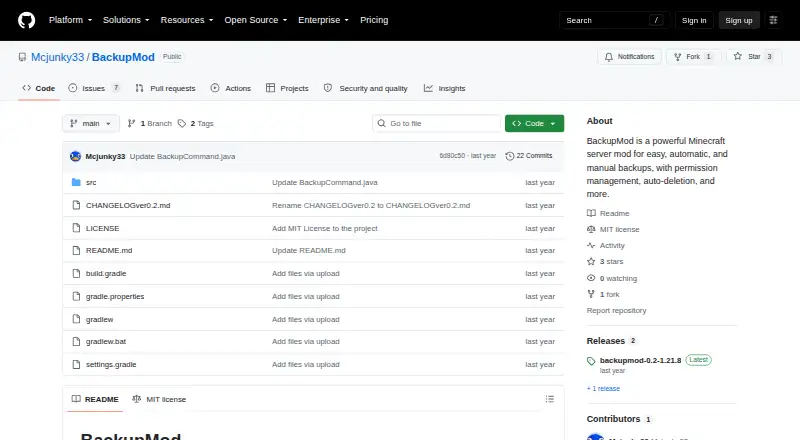
What BackupMod is
BackupMod is a free, self-hosted Minecraft server mod for making and restoring automatic or manual backups. Server administrators can schedule multiple backups per day, check the time remaining until the next scheduled run, and set a maximum number of backups to keep; older files are deleted when that limit is reached. Backups can be named, renamed, listed, deleted, or restored by name or by selecting the latest one. Restoring a chosen backup disconnects all players and stops the server. Administrators can exclude files and folders from backups and include them again later. The upload command downloads a ZIP from a direct URL for use as a backup, but Google Drive links are not supported. Commands are limited to server operators and authorized users. Backup files are stored in the server's backups/ folder. Installation is in the Minecraft server's mods folder; Modrinth lists Fabric and dedicated servers, and compatibility with Minecraft Java Edition versions 1.21.8–1.21.10.
Good
- Supports automatic and manual backups.
- Schedules multiple backups per day.
- Retention limit removes oldest backup files.
- Can exclude and later re-include files or folders.
- Commands are restricted to operators or authorized users.
Watch out
- Restoring a backup kicks players and stops the server.
- Google Drive links do not work for ZIP uploads.
- Listed compatibility is Minecraft Java Edition 1.21.8–1.21.10.
Who it suits
BackupMod suits Minecraft Java Edition server operators who want scheduled or manual local backups and control over retention. It is listed for Fabric and dedicated servers.
Verdict
BackupMod provides backup scheduling and management for Minecraft servers, with local storage and configurable retention. Restoring a backup interrupts players and stops the server, so account for that when choosing when to restore.
The facts
Each one read from BackupMod's own pages, with the date it was checked.
What it does
- Access and logging
- Only server operators or authorized players can use backup commands, and normal and detailed logging can be toggled.checked 5 Oct 2026
- Access management
- Commands are limited to server operators or authorized users, whose permissions can be added, removed, and listed.checked 4 Oct 2026
- Backup and restore
- Commands can create backups, restore a named backup, and restore the latest backup.checked 5 Oct 2026
- Backup controls
- The mod supports custom backup names, renaming, listing, deleting, and restoring the latest backup.checked 4 Oct 2026
- Backup management
- Users can set a maximum number of backups to keep, which deletes the oldest backups, and can rename or delete backups.checked 5 Oct 2026
- Backup retention
- Users can set a maximum number of backups, after which the oldest files are deleted automatically.checked 4 Oct 2026
- Compatibility
- The Modrinth listing specifies Minecraft Java Edition 1.21.8–1.21.10, Fabric, and dedicated servers only.checked 5 Oct 2026
- File selection
- Users can exclude files or folders from backups and include them again.checked 5 Oct 2026
- Installation and audience
- The mod is installed in a Minecraft server's mods folder; Modrinth lists Fabric and dedicated servers only.checked 4 Oct 2026
- Languages and logging
- The README lists English, German, Italian, French, Spanish, and Polish language codes, and says normal and detailed logging can be toggled.checked 4 Oct 2026
- Language support
- The README lists English, German, Italian, French, Spanish, and Polish language codes, among others.checked 5 Oct 2026
- License
- The project is licensed under the MIT license.checked 5 Oct 2026
- Purpose
- BackupMod is a Minecraft server mod for automatic and manual backups, permission management, and automatic deletion of old backups.checked 5 Oct 2026
- Restore behavior
- Restoring a specific backup kicks all players and stops the server.checked 5 Oct 2026
- Scheduled backups
- Scheduled backups can be configured per day, such as five backups per day.checked 4 Oct 2026
- Scheduling
- Automatic backups can be configured several times per day, and a command shows the time until the next backup.checked 5 Oct 2026
- Storage locations
- Backups are stored in the server's backups/ folder, with temporary data, logs, and configuration in subfolders or files there.checked 4 Oct 2026
- Support
- The README directs users to report issues, bugs, or feature requests on Modrinth or CurseForge and says not to use GitHub issues for bug reports.checked 5 Oct 2026
- ZIP import
- The upload command downloads a ZIP from a direct URL, and the README says Google Drive links do not work.checked 4 Oct 2026
- ZIP upload
- The mod can download a ZIP from a direct URL as a backup; its README says Google Drive links do not work.checked 5 Oct 2026
Alternatives to BackupMod
- 1
FastBack
Free planOpen sourceLinuxmacOSWindows7.2Free plan - 2
Just Enough Backups
Free planOpen sourceLinuxmacOSSelf-hostedWindows7.1Free plan - 3
FolderRewind
Free planOpen sourceAPIWindows7.0Free plan - 4
DriveBackupV2
Free planOpen sourceAPISelf-hosted6.9Free plan - 5
MineBackup
Free planLinuxmacOSSelf-hostedWindows6.6Free plan - 6
InstantBackup
Free planLinuxmacOSSelf-hostedWindows6.5Free plan