
BackgroundCut AI
BackgroundCut AI removes image backgrounds and exports transparent PNGs.
What BackgroundCut AI is
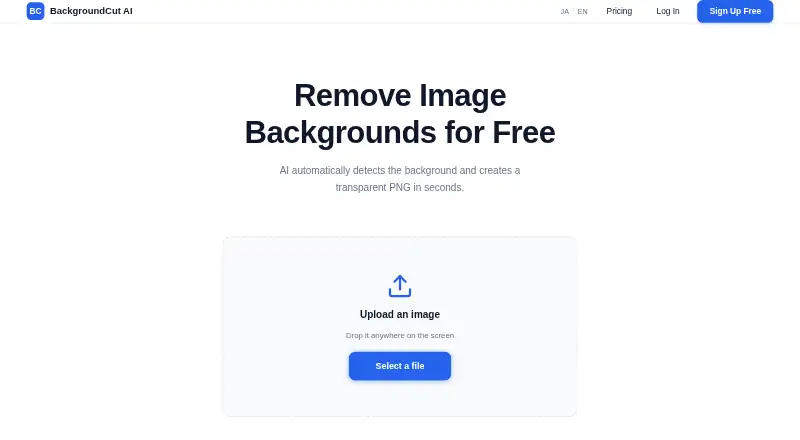
BackgroundCut AI removes image backgrounds and exports transparent PNGs. It supports portraits, product photos, profile pictures and social media images, with suggested uses including e-commerce listings, YouTube thumbnails, presentations and banners. The service works in a browser without special software installation, and Android and iOS are also listed as platforms. The maker says processing takes seconds, but the terms do not guarantee that results will be accurate or complete. The free plan allows up to three image removals per day without logging in. For more use, the Small plan costs $5, paid once and includes 40 credits; the Large plan costs $12, paid once and includes 120 credits. One credit covers one image, and credits do not expire. Uploaded images are used for removal and deleted after processing, though the privacy policy describes deletion as happening within a period after processing. The policy lists image data, IP address, browser information, access logs and inquiry information as collected data. Payments are handled by Stripe; the site says it does not store card details.
Good
- Free use covers three images per day.
- No login is needed for free processing.
- Credits do not expire.
- Runs in a browser without special software installation.
- Exports transparent PNG images.
Watch out
- Processing accuracy and completeness are not guaranteed.
- The privacy policy lists IP and browser information among collected data.
- Uploaded images are deleted within a period after processing.
Who it suits
BackgroundCut AI suits people who need transparent images for product listings, social media, presentations or profile pictures. Its free daily allowance may fit occasional use, while the one-time credit plans cover additional images.
Verdict
BackgroundCut AI offers a straightforward way to make transparent images, with free daily use and one-time credit plans. Consider the stated processing caveat and data collection details if image accuracy or privacy is a priority.
Plans and prices
From BackgroundCut AI's own pricing page, checked 7 Oct 2026.
| Plan | Price | What it gives you |
|---|---|---|
| Small | $5, paid once | 40 credits (40 images) · credits never expire · $5 |
| Large | $12, paid once | 120 credits (120 images) · credits never expire · $12 |
The facts
Each one read from BackgroundCut AI's own pages, with the date it was checked.
Where it runs
- Browser access
- The service runs in a browser without special software installation.checked 7 Oct 2026
What it does
- Credit unit
- One credit removes the background from one image.checked 7 Oct 2026
- Data collected
- The privacy policy lists uploaded image data, IP address, browser information, access logs, and inquiry information as collected data.checked 7 Oct 2026
- Image handling
- Uploaded images are used for background removal and deleted after processing, though the privacy policy describes deletion as within a certain period after processing.checked 7 Oct 2026
- Payments
- Payments are handled by Stripe, and the site says it does not store card details.checked 7 Oct 2026
- Processing
- The maker says background removal is completed in seconds.checked 7 Oct 2026
- Processing caveat
- The terms say the service does not guarantee the accuracy or completeness of processing results.checked 7 Oct 2026
- Purpose
- BackgroundCut AI uses AI to detect and remove image backgrounds, producing transparent PNG images.checked 7 Oct 2026
- Support
- The contact form accepts questions, bug reports, and requests.checked 7 Oct 2026
- Supported images
- The service supports portraits, product photos, profile pictures, and social media images.checked 7 Oct 2026
- Usage limits
- The terms prohibit unlawful use, rights-infringing uploads, interference with the service, and unauthorized access or attacks.checked 7 Oct 2026
- Use cases
- The maker recommends it for e-commerce product images, YouTube thumbnails, social posts, profile pictures, presentations, and banners.checked 7 Oct 2026
Money
- Free usage
- Users can remove up to 3 images per day for free without logging in.checked 7 Oct 2026
Alternatives to BackgroundCut AI
- 1

BackgroundRemover
Free planOpen sourceWebAPILinuxmacOS8.3From $108 a year - 2

Photoroom
Free planAndroidiOSWebAPI8.3From $7.50 a month - 3

Pixelcut
Free planAndroidiOSWebAPI8.3From $8 a month - 4
Cutout.Pro
Free planAndroidiOSWebAPI8.2From $5 a month - 5

Erase.bg
Free planAndroidiOSWebAPI8.2Free plan - 6

NSS Background Remover Platform
Free planAndroidiOSWebAPI7.4Free plan