Azurite
Azurite is a free, open-source server emulator for trying Azure Storage APIs in a local environment.
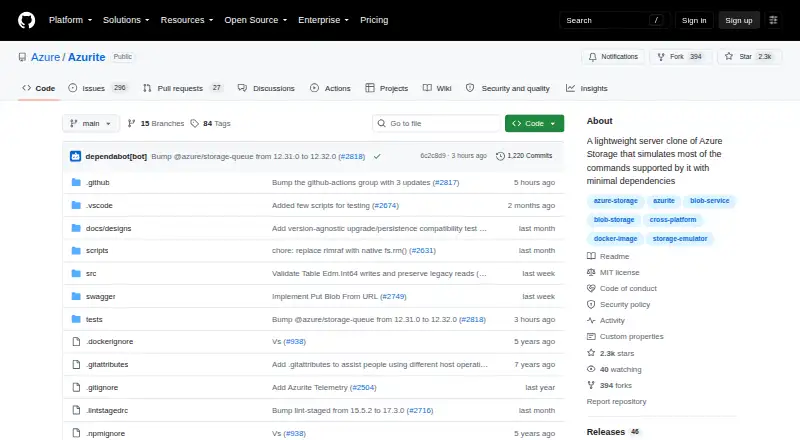
What Azurite is
Azurite is a free, open-source server emulator for trying Azure Storage APIs in a local environment. Version 3 supports Blob and Queue storage, while Table storage is marked as a preview. Blob capabilities include containers, block and page blobs, service properties, and transactional checksum validation for specified write operations. Queue functions cover creating queues and managing messages, including putting, retrieving, peeking, updating, deleting, and clearing them. Documented authentication options include Shared Key, account and service SAS, OAuth, and public access where supported. Azurite works with Azure Storage SDKs and tools such as Azure CLI and Storage Explorer. It can be installed using npm, a Docker image, a Visual Studio Code extension, or by cloning and building the GitHub source. The documented npm installation supports Windows, Linux, and macOS with supported Node.js LTS versions. It listens on the local machine by default, with configurable hosts, ports, workspace location, and optional in-memory persistence. Telemetry is collected by default, though it can be disabled for an execution. The project uses the MIT License.
Good
- Free and open source under the MIT License.
- Supports Blob and Queue storage.
- Works with Azure Storage SDKs and tools.
- Offers npm, Docker, and editor-extension installation options.
- Can configure local hosts, ports, and workspace.
Watch out
- Table storage is marked as preview.
- Telemetry is collected by default.
- Some Blob features are unsupported or limited.
- Table OAuth is unsupported.
Who it suits
Azurite suits developers who need a local emulator while working with Azure Storage APIs, SDKs, or tools. It is also relevant to users who want a self-hosted option and can work within its documented feature limits.
Verdict
Azurite provides local Blob and Queue storage emulation with several installation and authentication options. Check its documented gaps first, particularly for Table storage and unsupported or limited Blob features.
Plans and prices
From Azurite's own pricing page, checked 4 Oct 2026.
| Plan | Price | What it gives you |
|---|---|---|
| Azurite | Free | Open source; local Azure Storage emulator |
The facts
Each one read from Azurite's own pages, with the date it was checked.
What it does
- Authentication
- Documented authentication options include Shared Key, account and service SAS, OAuth, and public access where supported.checked 4 Oct 2026
- Blob features
- Blob support includes containers, block and page blobs, service properties, and CRC-64/NVME transactional checksum validation for specified write operations.checked 4 Oct 2026
- Compatibility
- Azurite works with Azure Storage SDKs and tools including Azure CLI and Storage Explorer.checked 4 Oct 2026
- Documented gaps
- The support matrix lists Blob features such as static websites, blob versions, and soft delete as unsupported or limited, and Table OAuth is unsupported.checked 4 Oct 2026
- Install options
- The project documents installation through npm, a Docker image, a Visual Studio Code extension, or by cloning and building its GitHub source.checked 4 Oct 2026
- License
- The project is licensed under the MIT License.checked 4 Oct 2026
- Local deployment
- Azurite defaults to listening on the local machine, with configurable hosts, ports, workspace location, and optional in-memory persistence.checked 4 Oct 2026
- Operating systems
- The README says the npm installation works cross-platform on Windows, Linux, and OS X with supported Node.js LTS versions.checked 4 Oct 2026
- Purpose
- Azurite is an open source Azure Storage API compatible server emulator for trying Azure Storage in a local environment.checked 4 Oct 2026
- Queue features
- Queue support includes creating queues and putting, getting, peeking, updating, deleting, and clearing messages.checked 4 Oct 2026
- Security reporting
- The security policy asks users to report vulnerabilities to the Microsoft Security Response Center rather than through public GitHub issues.checked 4 Oct 2026
- Services
- Azurite V3 supports Blob and Queue storage, with Table storage marked as preview.checked 4 Oct 2026
- Support and contributions
- The maintainers direct users to GitHub issues for missing feature requests and welcome contributions under the project guidelines.checked 4 Oct 2026
- Telemetry
- Azurite collects telemetry by default and provides an option to disable collection for an execution.checked 4 Oct 2026
The full review of Azurite
Azurite is a free, open-source server emulator for Azure Storage APIs that runs under your control. It is aimed at developers and teams validating storage code locally with Azure-compatible clients. The best reason to choose it is focused, stateful Blob and Queue simulation without a hosted bill; the main caution is that Azure feature coverage is not complete.
Overview
Azurite provides a local deployment model for trying Azure Storage workflows before connecting to a live account. Its MIT license, self-hosted design, and compatibility with Azure Storage SDKs, Azure CLI, and Storage Explorer make it a practical component of Azure-oriented development environments. Because it emulates services rather than replacing Azure itself, compatibility checking matters when an application relies on less common storage capabilities.
Key features
Azurite V3 handles Blob and Queue storage, while Table storage is still marked preview. Blob support covers containers, block blobs, page blobs, service properties, and CRC-64/NVME transactional checksum validation for specified write operations. That is enough for many application and integration workflows, but teams built around production-only Blob features should not assume parity.
Queue operations include creating queues; putting, getting, peeking, updating, deleting, and clearing messages. Stateful simulation lets local data persist in the configured workspace, while optional in-memory persistence suits disposable sessions. Hosts, ports, and workspace location are configurable, and the default listener is local, which is a sensible starting point for development.
Authentication options include Shared Key, account SAS, service SAS, OAuth, and public access where supported. This gives teams a useful range of local authorization paths, although Table OAuth is unsupported. The support matrix also marks static websites, blob versions, and soft delete as unsupported or limited, so those scenarios require a live Azure environment or another test strategy.
Telemetry is enabled by default, with an option to disable collection for an execution. Security reports are directed to the Microsoft Security Response Center rather than public GitHub issues, and missing-feature requests and contributions go through the project's GitHub process.
Pricing
Azurite costs free under the Azurite plan. It is open source and intended as a local Azure Storage emulator, with no paid tier, seat charge, quota, renewal, or trial term stated. That makes it suitable for individual developers and teams that can host the emulator themselves. The trade-off is that the plan does not provide a hosted service; you own deployment and operation.
Platforms
Azurite is available as a self-hosted deployment on Windows, Linux, and macOS. Installation options include npm, a Docker image, a Visual Studio Code extension, or cloning and building the GitHub source. The documented npm route is cross-platform with supported Node.js LTS versions, while the extension and container options can fit existing editor or infrastructure workflows.
Who it's for
Choose Azurite for local development, automated checks, and troubleshooting of Azure Blob and Queue integrations when a real storage account is unnecessary or undesirable. It is particularly well suited to teams already using Azure SDKs, CLI, or Storage Explorer and needing repeatable, stateful local simulation. Look elsewhere, or validate against Azure directly, when static websites, blob versions, soft delete, dependable Table support, or Table OAuth are central requirements.
Pros and cons
Pros
- Free and MIT-licensed: there is no subscription cost or hosted-account commitment.
- Azure-tool compatibility: SDKs, Azure CLI, and Storage Explorer can participate in local workflows.
- Flexible installation: npm, Docker, Visual Studio Code, and source builds cover common development setups.
- Useful core emulation: Blob containers and blob types plus a broad set of Queue message operations support realistic local flows.
- Configurable state: workspace settings and optional in-memory persistence allow either retained or disposable sessions.
Cons
- Incomplete feature parity: static websites, blob versions, and soft delete are unsupported or limited.
- Table remains preview: it is a poor foundation for workflows that require mature Table behavior, especially with OAuth.
- Self-hosted responsibility: users must run and maintain the emulator rather than relying on a managed endpoint.
- Default telemetry: collection is enabled unless disabled for an execution.
Alternatives
Service Virtualization Software is the broader category to browse when Azure Storage emulation is not your only requirement.
- Microcks is a free, open-source CNCF Incubating project for API mocking across more platforms.
- Beeceptor suits users wanting freemium hosted and self-hosted API mocking with a paid Individual plan at $10 a month.
- LocalStack is the stronger choice for AWS-oriented emulation, with a free Hobby plan covering 30+ emulated services for non-commercial use.
- MockServer is a free, self-hosted open-source option when generic request mocking is enough.
- Tricentis Testim targets mobile and web testing, with a free plan capped at 1,000 runs per month and customized paid pricing.
- DynamoDB Local is the direct alternative for local DynamoDB development and testing, not production use.
- Wilma is free GPLv3.0-licensed software for a different self-hosted virtualization need.
- WireMock fits generic API mocking, with a free-forever plan limited to 1,000 calls per month, one user, three mock APIs, and 10 requests per second.
Verdict
Azurite is a strong recommendation for Azure developers who need free, local, stateful Blob and Queue emulation using familiar Microsoft tools. Its installation choices and authentication coverage reduce setup friction, but the right decision depends on accepting its documented feature gaps and preview Table support. Use Azure itself or another emulator when your tests depend on unsupported Blob behavior or mature Table capabilities.
Alternatives to Azurite
- 1

LocalStack
Free planOpen sourceWebAPIExtensionLinux8.2Free plan - 2

Beeceptor
Free planWebAPILinuxmacOS7.9From $10 a month - 3

ReadyAPI
WebAPILinuxmacOS7.6 - 4

Microcks
Free planWebAPIExtensionLinux7.2Free plan - 5

Hoverfly
WebAPILinuxmacOS6.7From $10 a month - 6

MockServer
Free planWebAPILinuxmacOS6.6Free plan