
AWS Network Synthetic Monitor
AWS Network Synthetic Monitor is a paid API and web service for observing network performance between applications hosted on AWS and destinations on premises.
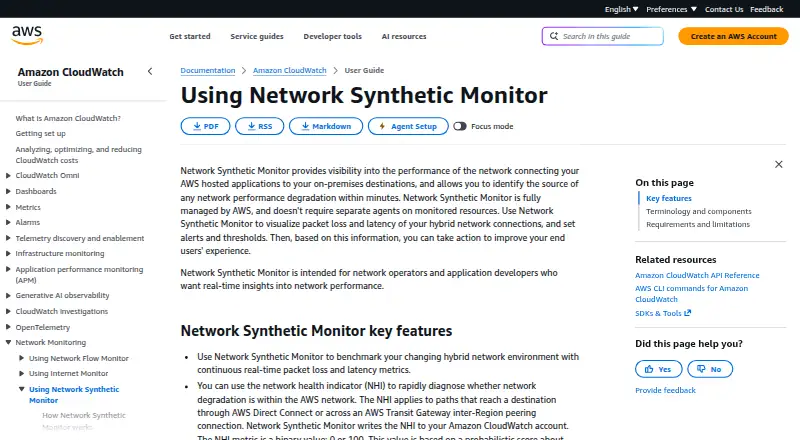
What AWS Network Synthetic Monitor is
AWS Network Synthetic Monitor is a paid API and web service for observing network performance between applications hosted on AWS and destinations on premises. It continuously measures packet loss and latency across hybrid connections, helping network operators and application developers locate degradation within minutes. AWS manages the monitoring probes, so agents are not installed separately on VPCs or on-premises resources. For paths using Direct Connect or Transit Gateway inter-Region peering, a binary network health indicator of 0 or 100 helps show whether degradation is within AWS. Metrics are published to CloudWatch Metrics for dashboards, thresholds, and alarms, and private connectivity is available through AWS PrivateLink. On-premises destinations can use IPv4 or IPv6. Each monitored subnet resource supports up to four probes for four destination IP addresses.
Good
- Continuous packet-loss and latency measurements
- AWS-managed probes require no separate agents
- CloudWatch dashboards, thresholds, and alarms
- IPv4 and IPv6 destination support
- Private connectivity through AWS PrivateLink
Watch out
- No free plan
- No automatic network failover
- Up to four probes per subnet resource
- CloudWatch metrics incur separate fees
Who it suits
It suits network operators and application developers needing real-time visibility into hybrid AWS connections. It is intended for teams already using AWS networking and CloudWatch.
Verdict
AWS Network Synthetic Monitor focuses on continuous hybrid-network measurements and AWS-oriented diagnosis. Its paid, CloudWatch-integrated model fits teams that need managed probes and operational alerts, but it does not provide automatic failover.
Plans and prices
From AWS Network Synthetic Monitor's own pricing page, checked 4 Oct 2026.
| Plan | Price | What it gives you |
|---|---|---|
| Pay as you go | $0.10 a month | $0.10 per monitored resource per hour in the example · each resource covers four on-premises IP addresses by default · standard CloudWatch metrics pricing applies · Hourly per monitored resource; CloudWatch metrics charged separately |
| Pay-as-you-go Network Synthetic Monitor | $0.10 a month | $0.10 per monitored resource-hour in US East example · 4 destination IPs per subnet included by default · additional probes and metrics charged · hourly per monitored resource; CloudWatch metrics billed separately |
The facts
Each one read from AWS Network Synthetic Monitor's own pages, with the date it was checked.
What it does
- Access security
- API clients must use TLS 1.0 or later, with TLS 1.2 or later recommended, and sign requests using IAM-associated credentials or temporary AWS STS credentials.checked 4 Oct 2026
- Account requirement
- Monitor source subnets must belong to the same AWS account as the monitor.checked 15 Oct 2026
- Agentless and PrivateLink
- No agents are installed in VPCs or on-premises; AWS PrivateLink can provide a private connection to the monitoring resources.checked 15 Oct 2026
- Audience
- It is intended for network operators and application developers seeking real-time network performance insights.checked 4 Oct 2026
- AWS health indicator
- The network health indicator helps diagnose whether degradation is within AWS for paths through Direct Connect or Transit Gateway inter-Region peering, and its metric is binary, 0 or 100.checked 4 Oct 2026
- CloudWatch integration
- Probe metrics feed CloudWatch Metrics, where users can build dashboards, thresholds and alarms.checked 15 Oct 2026
- Connectivity integrations
- AWS describes hybrid monitoring for Direct Connect and Site-to-Site VPN, with alarms that can connect to SNS, EventBridge and Lambda workflows.checked 15 Oct 2026
- Continuous metrics
- The service continuously benchmarks hybrid paths with real-time packet-loss and latency measurements.checked 15 Oct 2026
- Data protection
- AWS recommends least-privilege IAM, MFA, CloudTrail, TLS 1.2, encryption and FIPS endpoints, and warns against placing secrets in tags, names or destination URLs.checked 15 Oct 2026
- IAM requirements
- Viewing requires CloudWatch metric-data access plus networkmonitor Get and List permissions; creation also needs service-linked-role, EC2 interface and security-group permissions.checked 15 Oct 2026
- IP support
- On-premises destinations support IPv4 and IPv6 addresses.checked 4 Oct 2026
- Limit: Capterra reviewers
- Capterra reviewers cite a steep learning curve, difficult log navigation and confusing or escalating costs.checked 15 Oct 2026
- Limit: destinations
- Reserved or AWS-internal addresses such as 169.254.0.0/16 and 10.0.0.2 produce invalid path measurements and should not be used.checked 15 Oct 2026
- Limit: failover
- The service does not automatically fail over network traffic when AWS has a network problem.checked 15 Oct 2026
- Limit: G2 reviewers
- G2 reviewers repeatedly mention a complex interface, difficult log queries and costs that increase with high-volume logs or custom metrics.checked 15 Oct 2026
- Limit: public IP paths
- A DevelopersIO experiment found probes cannot reach global IPs directly because their ENIs have no public IP, requiring NAT Gateway or public addressing.checked 15 Oct 2026
- Managed operation
- AWS fully manages monitoring probes, so separate agents do not need to be installed on VPCs or on-premises resources.checked 4 Oct 2026
- Measurements
- It tracks continuous packet loss and latency for hybrid network connections.checked 4 Oct 2026
- Network health indicator
- Its Network Health Indicator is a binary 0-or-100 CloudWatch metric estimating whether degradation is inside AWS on eligible Direct Connect or Transit Gateway inter-Region paths.checked 15 Oct 2026
- Notable limitation
- The service does not provide automatic network failover if an AWS network issue occurs.checked 4 Oct 2026
The company
- Company history
- AWS says it launched in 2006.checked 4 Oct 2026
- Maker and ownership
- Amazon Web Services, Inc. is an Amazon.com, Inc. business segment, launched in 2006 and headquartered in Seattle, Washington.checked 15 Oct 2026
Money
- Limit: cost alternative
- The same experiment concluded self-built EC2 scripts can be more economical for noncritical or development monitoring.checked 15 Oct 2026
- Limit: probe cost
- DevelopersIO reported probe pricing of about $0.11 per subnet-hour plus CloudWatch metrics and described the probe cost as expensive.checked 15 Oct 2026
Alternatives to AWS Network Synthetic Monitor
- 1

Middleware
Free planAndroidiOSWebAPI8.2$0.30 usage-based - 2

Embrace User Session Insights
Free planAndroidiOSWebAPI8.1Free plan - 3

Appelium
Free planAndroidiOSWebAPI7.9From 250 CHF a month - 4
Bugfender
Free planAndroidiOSWebAPI7.9From $39 a month - 5

BugSnag
Free planAndroidiOSWebAPI7.8Free plan - 6

OpenReplay
Free planAndroidiOSWebAPI7.8Free plan