
Avira System Speedup
Avira System Speedup provides cleanup and optimization tools, with features varying between the free and Pro versions.
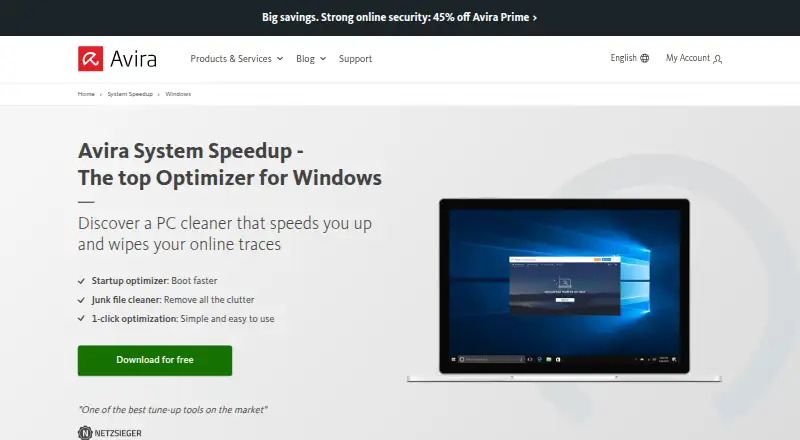
What Avira System Speedup is
Avira System Speedup provides cleanup and optimization tools, with features varying between the free and Pro versions. The Windows cleaner removes junk files, temporary data, browser traces, and other unnecessary data. Startup Guard manages programs that launch with Windows to help shorten startup time, and the product includes scheduled maintenance and restore-point tools. Avira says its Windows version also includes backup and recovery tools for files, documents, and photos. The free plan provides essential PC cleaning, essential speed optimization, and faster system starts. Pro adds disk and registry optimization, startup optimization, customizable power modes, Game Booster, and automatic system optimization. The listed Pro subscription covers one PC and renews automatically unless cancelled; its price field is displayed as “loading...” and no price is provided. The Pro page offers 30-day access to premium products. System requirements vary by platform: the requirements page lists Windows 7 SP1 or later, macOS 10.15 or later, Android 9 or later, and iOS 11 or later. Avira describes its security and cleanup tools as made in Germany.
Good
- Windows cleaner removes temporary data and browser traces.
- Startup Guard manages programs launched with Windows.
- Includes scheduled maintenance and restore-point tools.
- Windows version includes file backup and recovery.
Watch out
- Free version lacks advanced cleaning and optimization tools.
- Pro subscription automatically renews unless cancelled.
- Pro price is not displayed.
- Pro plan covers one PC.
Who it suits
It suits users seeking cleanup and startup-management tools, particularly on Windows. Users who need the listed advanced optimization tools should consider the Pro plan and its renewal terms.
Verdict
Avira System Speedup offers basic cleanup and startup tools for free, with additional optimization features in Pro. Review the automatic-renewal terms and confirm pricing before selecting Pro.
Plans and prices
From Avira System Speedup's own pricing page, checked 21 Sep 2026.
| Plan | Price | What it gives you |
|---|---|---|
| System Speedup Pro | Priced on request | 1 PC |
| System Speedup Pro | — | 1 PC |
| Avira System Speedup Free | Free | Essential PC cleaning · essential PC speed optimization · accelerated system starts |
| Avira System Speedup Pro | — | 1 PC · yearly subscription · premium optimization tools · Automatically renews unless cancelled; the page’s price field displays “loading...” |
The facts
Each one read from Avira System Speedup's own pages, with the date it was checked.
What it does
- Backups and recovery
- Avira says System Speedup for Windows includes backup and recovery tools for files, documents, and photos.checked 9 Oct 2026
- Junk cleanup
- Yeschecked 21 Sep 2026
- PC cleanup
- The Windows cleaner removes junk files, temporary data, browser traces, and other unnecessary data.checked 9 Oct 2026
- Pro tools
- Pro includes disk and registry optimization, startup optimization, customizable power modes, Game Booster, and automatic system optimization.checked 9 Oct 2026
- Restore-point tools
- Yeschecked 21 Sep 2026
- Scheduled maintenance
- Yeschecked 21 Sep 2026
- Security and origin
- Avira describes its security and cleanup tools as made in Germany.checked 9 Oct 2026
- Startup manager
- Yeschecked 21 Sep 2026
- Startup optimization
- Startup Guard manages programs that launch when Windows starts to help shorten startup time.checked 9 Oct 2026
- Support
- The Pro product page says customers can contact support by phone and email.checked 9 Oct 2026
- Supported systems
- Avira’s requirements page lists System Speedup for Windows 7 SP1 or later, macOS 10.15 or later, Android 9 or later, and iOS 11 or later.checked 9 Oct 2026
The company
- Company address
- Avira Operations GmbH is listed at Kaplaneiweg 1, 88069 Tettnang, Germany.checked 9 Oct 2026
Where it runs
- Device limit
- 1checked 21 Sep 2026
- Windows support
- windows 10 and 11checked 21 Sep 2026
Money
- Free plan
- Yeschecked 21 Sep 2026
- Free version limits
- The free version lacks advanced PC cleaning, advanced speed optimization, advanced battery optimization, and advanced registry cleaning available in Pro.checked 9 Oct 2026
- Trial and renewal
- The Pro page offers free 30-day access to premium products and says subscriptions renew automatically unless cancelled.checked 9 Oct 2026
The full review of Avira System Speedup
Overview
Avira System Speedup is a PC cleanup and optimization utility, with versions for Windows, macOS, Android and iOS. It suits Windows users who want basic cleanup and startup controls at no cost, while its broader optimization tools sit behind Pro. Its clearest appeal is that free starting point; the trade-off is a one-PC Pro subscription that renews automatically unless cancelled.
Key features
On Windows, the cleaner removes junk files, temporary data, browser traces and other unnecessary data. Startup Guard manages programs that launch with Windows, which can help shorten startup time. The free version covers essential cleaning and speed optimization, but it does not include advanced PC cleaning, speed or battery optimization, or advanced registry cleaning.
Pro adds disk and registry optimization, startup optimization, customizable power modes, Game Booster and automatic system optimization. Those tools make the paid tier more relevant to people seeking ongoing or broader PC maintenance, but the free tier may be enough for occasional cleanup and startup management. Windows users also get backup and recovery tools for files, documents and photos. Scheduled maintenance and restore-point tools are supported.
Pricing
Avira System Speedup Free costs nothing. It includes essential PC cleaning, essential PC speed optimization and accelerated system starts. That is a useful starting point for basic upkeep, but advanced cleaning and optimization features require Pro.
System Speedup Pro has custom pricing for 1 PC on a yearly subscription. It adds premium optimization tools, including disk and registry optimization, customizable power modes, Game Booster and automatic system optimization. Avira offers 30 days of free access to premium products; the subscription renews automatically unless cancelled. Pro customers can contact support by phone and email. Check the current price and renewal terms before subscribing.
Platforms
Avira lists System Speedup for Windows, macOS, Android and iOS. Its system requirements are Windows 7 SP1 or later, macOS 10.15 or later, Android 9 or later, and iOS 11 or later; the Windows cleaner specifically supports Windows 10 and 11. The Pro plan covers 1 PC, so it is not suited to households wanting one subscription for several computers. Avira describes its security and cleanup tools as made in Germany.
Who it's for
Choose Avira if you use a supported Windows PC and want free essential cleanup and startup management, with the option to add more optimization tools later. It is less compelling if you need advanced cleanup without a subscription, want to cover multiple PCs, or need a published Pro price before deciding.
Pros and cons
- Pros: The free tier includes essential cleaning and speed optimization, plus startup controls, giving budget-conscious Windows users useful basic maintenance without a paid plan.
- Pros: Pro combines disk and registry optimization with power modes, Game Booster and automatic optimization for users who want broader PC maintenance.
- Pros: Windows backup and recovery tools cover files, documents and photos, beyond routine cleanup.
- Cons: Advanced cleaning and optimization features are reserved for Pro, limiting what free users can do.
- Cons: Pro pricing is custom, and automatic renewal requires cancellation to stop; buyers should confirm the price and terms first.
- Cons: The Pro plan covers only 1 PC, a constraint for multi-computer households.
Alternatives
Browse PC Optimization Software for other options. Choose CCleaner if its free plan's standard privacy protection, standard cleaning and Basic Health Check fit your needs. Consider Advanced SystemCare for a Windows-focused free option that includes PC cleaning, startup optimization and resource optimization.
Microsoft PC Manager is another free Windows option. Glary Utilities offers a free Windows plan with faster-computer tools, problem repair, privacy protection and manual updating. Kudu has a free desktop app with core maintenance tools, no account requirement and an MIT-licensed open-source model.
Wise Care 365 offers free Windows cleaning and speed optimization alongside hardware inventory, privacy protection, real-time monitoring and automatic updates. For a narrower free Windows utility, Wise Disk Cleaner is free to download and use. Auslogics BoostSpeed is worth considering if its free plan's diagnostics, basic junk and registry cleanup, and disk defragmentation better match your maintenance needs.
Verdict
Avira System Speedup is a sensible pick for Windows users who want essential cleanup and startup management for free, with a path to broader optimization in Pro. Its main drawback is that advanced tools require a one-PC subscription with custom pricing and automatic renewal. Stick with the free tier for basics; compare alternatives if you need more advanced maintenance without paying or want a clear price before committing.
Getting started
- Visit https://www.avira.com/en/free-speedup-windows.
- Choose the free version or review System Speedup Pro, which covers one PC.
- Use the Pro page’s offer of 30 days of free access to premium products if suitable.
- Select a supported platform: Windows, macOS, Android or iOS.
- Check that your system meets the listed requirement: Windows 7 SP1 or later, macOS 10.15 or later, Android 9 or later, or iOS 11 or later.
- For Pro support, contact Avira by phone or email.
Limits worth knowing
The free version lacks advanced PC cleaning, advanced speed optimization, advanced battery optimization and advanced registry cleaning. Pro is for one PC and renews automatically unless cancelled.
Questions
Is there a free version?
Yes. Avira System Speedup Free is free and includes essential PC cleaning, essential PC speed optimization and accelerated system starts.
What does Pro add?
Pro includes disk and registry optimization, startup optimization, customizable power modes, Game Booster and automatic system optimization.
Which platforms are supported?
System Speedup is listed for Windows, macOS, Android and iOS. Requirements are Windows 7 SP1 or later, macOS 10.15 or later, Android 9 or later, and iOS 11 or later.
Is there a free trial?
The Pro page offers 30 days of free access to premium products.
How many PCs does Pro cover, and how does renewal work?
The listed Pro subscription covers one PC and renews automatically unless cancelled.
Who makes Avira System Speedup?
Avira describes its security and cleanup tools as made in Germany. Avira Operations GmbH is listed at Kaplaneiweg 1, 88069 Tettnang, Germany.
Alternatives to Avira System Speedup
- 1

CCleaner
Free planAndroidiOSmacOSWindows8.9From $44.95 a year - 2

Kudu
Free planWebAPILinuxmacOS8.2From $5 a month - 3
Process Lasso
Free planWindows8.1From $14.97 a year - 4
Advanced SystemCare
Free planWindows8.0Free plan - 5
Glary Utilities
Free planWindows8.0From $39.95 a year - 6

Avast Cleanup Premium
AndroidiOSmacOSWindows8.0From $29.88 a year