
AutoCut
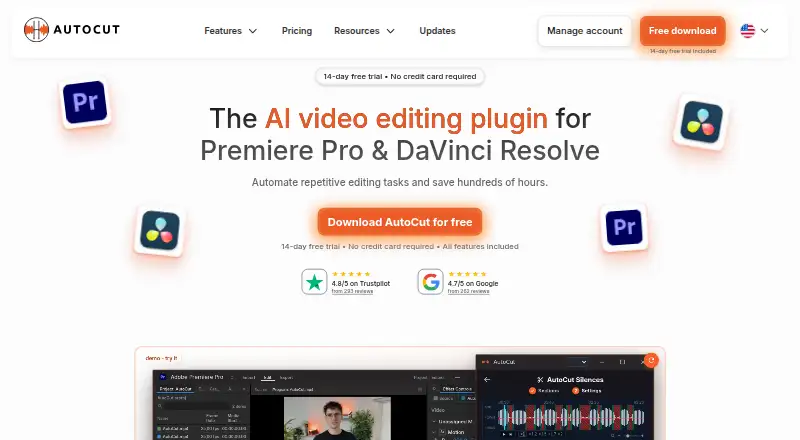
AutoCut is an AI video-editing plugin for Adobe Premiere Pro and DaVinci Resolve.
What AutoCut is
AutoCut is an AI video-editing plugin for Adobe Premiere Pro and DaVinci Resolve. It automates repetitive work inside those host applications, so projects do not need exporting and re-importing for these tools. AutoCaptions creates word-by-word animated captions in more than 80 languages. AutoCut Podcast detects speakers and switches camera angles for multicamera edits. AutoB-Rolls can place Pexels or Storyblocks footage and custom AI visuals on the timeline. Other listed tools include text-based editing, silence removal, AI audio cleanup, automatic zooms, short-clip creation, repeated-take detection, profanity filtering, chapter generation, and social-format resizing. Windows and Mac are supported, with listed compatibility for Premiere Pro versions 23–26 and DaVinci Resolve versions 18.6, 19, 20, and 21. AutoCut has a 14-day all-feature trial without a credit card.
Good
- Works inside Premiere Pro and DaVinci Resolve
- Captions support more than 80 languages
- 14-day trial needs no credit card
- Includes silence removal and AI audio cleanup
- Supports Windows and Mac
Watch out
- No free plan
- Requires Premiere Pro or DaVinci Resolve
- Basic plan lists AutoCut Silences only
- Some AI processing uploads low-quality audio
Who it suits
It suits video editors using Premiere Pro or DaVinci Resolve who want automated captions, silence removal, multicamera podcast edits, or other repetitive-task tools. Enterprise teams can use team licensing and centralized billing.
Verdict
AutoCut focuses on automating editing tasks within two established host applications. Its trial allows feature evaluation, while the paid plans separate silence-only access from the wider AI feature set.
Plans and prices
From AutoCut's own pricing page, checked 24 Sep 2026.
| Plan | Price | What it gives you |
|---|---|---|
| Basic | $9.90 a month | AutoCut Silences · billed monthly |
| AI Plan | $14.90 a month | All listed AI features · Premiere Pro and DaVinci Resolve · $178.8 billed yearly; page also shows $19.8/month |
| Enterprise | $19.90 a month | AI Plan contents · Priority support · On-demand demo calls · Team licensing · Centralized billing · License quantity selected on the pricing page |
| Enterprise | $238.80 a year | AI Plan contents · Priority support · On-demand demo calls · Team licensing · Centralized billing · Billed yearly; license quantity selected on the pricing page |
| Basic Plan | $6.60 a month | AutoCut Silences only · Premiere Pro and DaVinci Resolve · $79.0 billed yearly; page also shows $9.9/month |
| Enterprise Plan | $19.90 a month | All AI Plan features · Priority support · On-demand demo calls · Team licensing · Centralized billing · License quantity selectable · $238.8 billed yearly (477.6$) |
The facts
Each one read from AutoCut's own pages, with the date it was checked.
What it does
- AI audio cleanup
- Yeschecked 24 Sep 2026
- Audio retention
- The privacy notice says uploaded audio and transient transcription data are automatically deleted within 24 hours under the current service design.checked 8 Oct 2026
- Automatic captions
- Yeschecked 24 Sep 2026
- B-roll integration
- AutoB-Rolls can insert footage from Pexels or Storyblocks and custom AI visuals directly into the editing timeline.checked 8 Oct 2026
- Captions
- AutoCaptions creates word-by-word animated captions and supports more than 80 languages.checked 8 Oct 2026
- Compatibility
- The download page lists Windows and Mac compatibility, Premiere Pro versions 23 through 26, and DaVinci Resolve versions 18.6, 19, 20, and 21.checked 8 Oct 2026
- Data handling
- AutoCut says project files, editing timelines, and videos stay on the user's device, while transcription or applicable AI features upload a low-quality audio track and process transcript and job data.checked 8 Oct 2026
- Enterprise support
- The Enterprise plan includes priority support, admin controls, centralized billing, team licensing, and technical integration assistance.checked 8 Oct 2026
- Other features
- The site lists automatic zooms, short-clip creation, repeated-take detection, profanity filtering, chapter generation, and social-format resizing.checked 8 Oct 2026
- Paid from
- 6.6checked 24 Sep 2026
- Podcast editing
- AutoCut Podcast detects speakers and switches camera angles automatically for multicamera edits.checked 8 Oct 2026
- Product
- AutoCut is an AI video-editing plugin for Adobe Premiere Pro and DaVinci Resolve that automates repetitive editing tasks.checked 8 Oct 2026
- Silence removal
- AutoCut Silences detects and removes pauses with adjustable thresholds, track selection, padding, and pacing controls.checked 8 Oct 2026
- Text-based editing
- Yeschecked 24 Sep 2026
The company
- Company
- The privacy notice identifies the operator as TOOLPAD SAS, trading as AutoCut, and says AutoCut is established in France.checked 8 Oct 2026
Money
- Free plan
- Nochecked 24 Sep 2026
- Trial
- The 14-day trial includes all features and does not require a credit card.checked 8 Oct 2026
Where it runs
- Host applications
- AutoCut works inside Premiere Pro and DaVinci Resolve without exporting and re-importing files.checked 8 Oct 2026
- Supported platforms
- macOS,Windowschecked 24 Sep 2026
Alternatives to AutoCut
- 1

Captions
Free planAndroidiOSWebAPI8.3From $4.99 a month - 2

Picsart
Free planAndroidiOSWebAPI8.3From $10.50 a month - 3

CyberLink PowerDirector
Free planAndroidiOSmacOSWindows8.2From $59.99 a year - 4

Vmaker
Free planiOSWebExtensionmacOS8.2From $18 a month - 5
FlexClip
Free planAndroidiOSWebWindows8.1From $143.88 a year - 6

Videoleap
Free planAndroidiOSWeb8.1From $5.83 a month