
AttenQR
AttenQR is an attendance system for teachers, professors, and students that uses QR codes for course enrollment and daily check-ins.
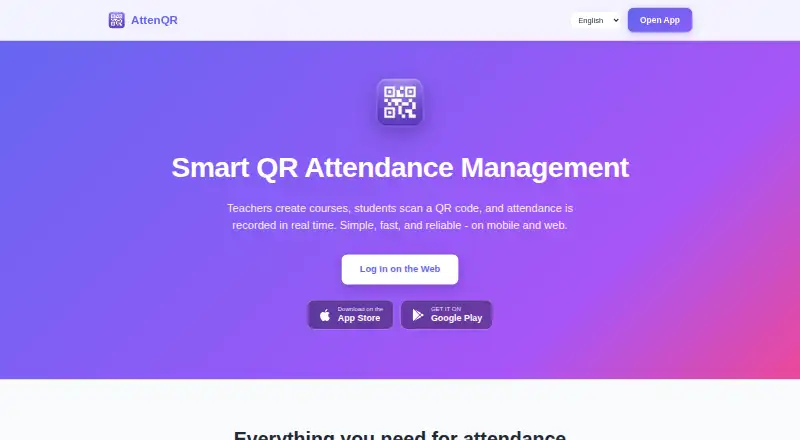
What AttenQR is
AttenQR is an attendance system for teachers, professors, and students that uses QR codes for course enrollment and daily check-ins. Students scan a daily attendance code, and teachers see check-ins appear in real time. A separate permanent enrollment code lets students join a course, and teachers can share courses with other teacher accounts to manage students and attendance together. Attendance records can be exported to CSV. The service is available on Android, iOS, and the web, and supports English, Spanish, Korean, Chinese, and Japanese. Its free plan is free. A one-time payment of 9.99 USD removes ads permanently; that premium status is tied to the user account and cannot be transferred. The app displays Google AdMob ads, and the maker says attendance may not be recorded if a student closes the post-scan ad before it finishes. Course and attendance data is stored in US Firebase Cloud Firestore with encryption in transit and at rest and access controls. Data is automatically deleted 30 days after a course ends, so teachers can export records beforehand. Attendance QR tokens rotate daily.
Good
- Check-ins appear to teachers in real time.
- Teachers can share course management with other accounts.
- Attendance records can be exported to CSV.
- Supports five languages and Android, iOS, and web.
- Free plan is available.
Watch out
- Course and attendance data is deleted 30 days after a course ends.
- Ads may interrupt a post-scan attendance record.
- Removing ads costs 9.99 USD once.
- Support response time is stated as 3–5 business days.
Who it suits
AttenQR suits teachers, professors, and students who need QR-code attendance and course enrollment. Teachers who need records after a course ends should export them before the 30-day deletion period.
Verdict
AttenQR combines QR-based attendance and course enrollment with shared teacher access and CSV exports. Keep the post-scan ad behavior and 30-day data deletion window in mind when choosing it.
Plans and prices
From AttenQR's own pricing page, checked 15 Oct 2026.
| Plan | Price | What it gives you |
|---|---|---|
| Free | Free | Create account · core attendance service · advertisements |
| Remove Ads Forever | $9.99, paid once | Permanently removes advertisements · premium status tied to user account · non-transferable · sales final unless law requires refund · one-time payment |
The facts
Each one read from AttenQR's own pages, with the date it was checked.
What it does
- Account requirements
- Users must register with an email address, password of at least six characters, name and teacher-or-student account type.checked 15 Oct 2026
- Ad-related attendance limitation
- The Google Play listing warns that attendance may not be recorded when a student closes the post-scan advertisement before it finishes.checked 15 Oct 2026
- Ads
- The service displays Google AdMob advertisements, and its terms offer a paid ad-free version.checked 15 Oct 2026
- Camera handling
- The maker says the camera is used only for real-time QR scanning and that camera images are not collected, stored or transmitted.checked 15 Oct 2026
- Check-in
- Students scan the daily attendance QR code to record attendance, and teachers see check-ins appear in real time.checked 7 Oct 2026
- Course enrollment
- Students can scan a permanent enrollment QR code to join a course.checked 7 Oct 2026
- Course management
- Teachers can create, edit and delete courses with schedules and manage enrolled students.checked 15 Oct 2026
- Course sharing
- Teachers can share a course with other teacher accounts so they can manage students and attendance together.checked 15 Oct 2026
- Daily attendance QR
- A new attendance QR code is generated for each class day and students scan it to check in.checked 15 Oct 2026
- Data retention
- Course and attendance data is automatically deleted 30 days after a course ends, and teachers can export it to CSV before deletion.checked 7 Oct 2026
- Data retention limit
- Course and attendance data is automatically deleted 30 days after a course ends and deleted data cannot be recovered.checked 15 Oct 2026
- Developer API
- The public terms and help pages describe user-facing web and mobile features but do not publish an API or SDK reference.checked 15 Oct 2026
- Developer identity
- Google Play identifies the developer as Juntae Jake Son and gives a Muncie, Indiana, United States address.checked 15 Oct 2026
- Documentation
- Public help content is an FAQ covering course creation, enrollment, attendance checking, web QR display, language changes, ad removal, security and account deletion.checked 15 Oct 2026
- Enrollment QR
- Courses have a permanent enrollment QR code that students scan once to join.checked 15 Oct 2026
- Google Play data safety
- Google Play says the app may share device or other IDs, may collect personal information and photos or videos, encrypts data in transit and supports deletion requests.checked 15 Oct 2026
- Google Play distribution
- Google Play lists AttenQR with 500+ downloads, advertising and in-app purchases.checked 15 Oct 2026
- Google Play update
- The Google Play listing reports an update on September 6, 2026.checked 15 Oct 2026
- Integrations and services
- The service uses Firebase for authentication, database, and hosting, Google AdMob for ads, and Google Play or the App Store for app distribution and purchases.checked 7 Oct 2026
- Intended users
- The maker describes AttenQR as designed for teachers, professors, and students of classes of any size.checked 7 Oct 2026
- Languages
- The interface is offered in English, Spanish, Korean, Simplified Chinese and Japanese.checked 15 Oct 2026
Where it runs
- Apple availability
- Apple lists AttenQR as a free Education app for iPhone and iPad, with in-app purchases and no macOS verification.checked 15 Oct 2026
- Apple compatibility
- The Canadian App Store listing requires iOS or iPadOS 15.0 or later and lists a 40.1 MB package.checked 15 Oct 2026
- Apple privacy label
- Apple says the developer may use identifiers and usage data for tracking and may link contact information, photos or videos, device ID and other data to the user.checked 15 Oct 2026
The full review of AttenQR
AttenQR is a classroom attendance app built around QR-code check-ins and course enrollment. It is a strong fit for teachers who want to coordinate attendance with colleagues and export records, provided they can work around ads and the short retention window.
Overview
Students scan a daily QR code to check in, with attendance appearing for teachers in real time. A separate permanent code lets students enroll in a course, and teachers can share course management with other teacher accounts. That focused classroom workflow is useful for co-taught courses, but it is not a substitute for broader school administration software.
Key features
- QR attendance: Daily scans give students a direct check-in method, and teachers can see the results as they arrive. Capture is mixed, however: the maker warns that attendance may not be recorded if a student closes the post-scan ad before it finishes. Classes that need a dependable, uninterrupted check-in should weigh that risk carefully.
- Enrollment and shared courses: A permanent enrollment QR code gives students a simple way to join a course. Sharing courses lets multiple teacher accounts manage students and attendance together, a practical advantage for co-taught classes.
- CSV exports and retention: Teachers can export attendance records to CSV, which is important because course and attendance data is automatically deleted 30 days after a course ends. Teachers who need a lasting archive must export it before that deadline.
- Security and language support: Data is stored in US Firebase Cloud Firestore with encryption in transit and at rest and access controls; attendance QR tokens rotate daily. The app supports English, Spanish, Korean, Chinese, and Japanese. These safeguards and language options broaden its classroom fit, though they do not remove the need to manage exports and deletion dates.
- Ads and support: AttenQR uses Google AdMob, and the post-scan ad can interfere with recording attendance. The maker lists [email protected] and asks users to allow 3–5 business days for a response.
Pricing
AttenQR is freemium. The Free plan costs nothing and lets users create an account for free. There is no free trial, so the free plan is the way to try the service; its trade-off is ad-supported check-ins and the associated risk that attendance may not record if a student closes an ad too soon.
Remove Ads Forever costs $9.99, paid once, billed as a one-time payment. It removes all ads permanently, addressing the clearest check-in concern, but premium status is tied to the user account and is non-transferable. The plan does not change the 30-day data deletion window, so CSV exports remain necessary for records teachers need to keep.
Platforms
AttenQR is available on Android, iOS, and the web. That combination accommodates mobile scanning as well as browser access, but does not include desktop operating systems as separate listed platforms.
Who it's for
AttenQR suits teachers, professors, and students using QR attendance in classes, especially courses with multiple teachers who need shared student and attendance management. It is less suitable for organizations that require uninterrupted check-ins, long-term in-app records, or a broader administrative system.
Pros and cons
- Pro: Daily check-ins appear in real time, giving teachers a prompt view of attendance.
- Pro: Permanent enrollment codes and shared courses support student onboarding and co-teaching in the same workflow.
- Pro: CSV export gives teachers a way to retain records beyond the automatic deletion window.
- Con: A student closing the post-scan ad before it finishes may prevent attendance from being recorded.
- Con: Course and attendance data disappears 30 days after a course ends, making timely exports essential.
- Con: Support asks users to allow 3–5 business days for a response, which may be slow for urgent classroom issues.
Alternatives
Student Attendance Software is the category directory for comparing attendance tools. Consider QRaten if cross-platform coverage matters: it supports Android, iOS, Linux, macOS, web, and Windows, and has a free plan and free trial. UnivTrack is a free option for academic scheduling, with unlimited academic terms and up to five morning and five afternoon course slots per weekday. Bulsee offers a free starting plan with no price or usage limits stated. iAttended is another choice with a free App Store plan and Android, iOS, and web support. QRoll may suit users who can work within its limited, approved-user-only access. Rollcallz is positioned for organizations with 500+ users and uses custom enterprise pricing. AttendUni is a web-only option whose free tier covers one classroom and up to 30 students, with full QR verification and a real-time dashboard. SchoolPass Visitor Management is another paid option for Android, iOS, and web.
Verdict
Choose AttenQR if your class benefits from QR enrollment, real-time attendance, and shared management between teachers, and you are willing to export records before deletion. Its low-cost ad removal addresses a meaningful weakness, but classes that cannot tolerate scan interruptions or need longer in-app retention should look elsewhere.
Getting started
- Open AttenQR on the web or install it from Google Play or the App Store
- Create an account for free
- Use a permanent enrollment QR code for course joining
- Have students scan the daily attendance QR code
- Share courses with other teacher accounts when joint management is needed
- Export attendance records to CSV before course data is deleted
Limits worth knowing
AttenQR displays ads through Google AdMob. Course and attendance data is automatically deleted 30 days after a course ends, and attendance may not be recorded if a student closes the post-scan ad before it finishes.
Questions
Does AttenQR have a free plan?
Yes. The Free plan costs nothing and lets users create an account for free.
How much does ad removal cost?
Remove Ads Forever costs $9.99, paid once. Premium status is tied to the user account and cannot be transferred.
Which platforms support AttenQR?
AttenQR is available on Android, iOS, and the web.
What happens to course data after a course ends?
Course and attendance data is automatically deleted 30 days after a course ends. Teachers can export records to CSV before deletion.
Which languages are supported?
The app supports English, Spanish, Korean, Chinese, and Japanese.
How is attendance recorded?
Students scan a daily attendance QR code, and teachers see check-ins in real time. Attendance tokens rotate daily.