Artemis Android
Artemis Android streams games from a Windows PC to an Android device at home or over the internet.
What Artemis Android is
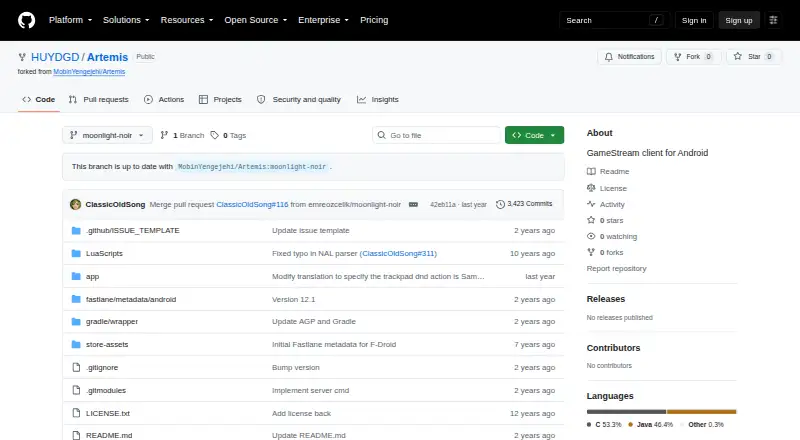
Artemis Android streams games from a Windows PC to an Android device at home or over the internet. The project describes it as a client for Apollo and Sunshine and offers a free, open-source Android app. The client includes customizable virtual buttons with import and export support, gamepad skins, and a free joystick. Streaming controls include custom resolutions and bitrates, video scaling, frame-rate locking fixes for some devices, and in-game pan and zoom. Mouse modes include normal mouse, multitouch, touchpad, disabled, and local cursor options; non-QWERTY keyboard layouts and trackpad gestures are supported as well. Device features include external monitor and portrait modes, screen rotation, a display-on-top mode for foldable phones, and Samsung DeX scrolling support. Virtual Display and Server Command integrations, along with clipboard sync, require Apollo. Apollo is a self-hosted desktop stream host with hardware encoding for AMD, Intel, and Nvidia GPUs, plus an optional software encoder. Its Virtual Display support is Windows-only, with Linux support planned. The README offers a direct APK download and recommends Obtainium for installation.
Good
- Free open-source Android client.
- Supports customizable virtual buttons and gamepad skins.
- Offers multiple mouse modes and keyboard layouts.
- Includes portrait and external monitor modes.
Watch out
- Requires a Windows PC host.
- Some integrations and clipboard sync require Apollo.
- No real-time chat support is listed.
Who it suits
Artemis Android suits Android users who want to stream games from a Windows PC using Apollo or Sunshine. Its virtual controls and device-specific display options may appeal to players using touch input or external displays.
Verdict
Artemis Android provides a range of streaming controls and touch-input options for playing from a Windows PC on Android. Note that some features depend on Apollo, and Apollo’s Virtual Display support is Windows-only.
Plans and prices
From Artemis Android's own pricing page, checked 4 Oct 2026.
| Plan | Price | What it gives you |
|---|---|---|
| Artemis Android | Free | Open-source Android GameStream client |
The facts
Each one read from Artemis Android's own pages, with the date it was checked.
What it does
- Apollo integration
- Virtual Display and Server Command integrations, plus clipboard sync, require Apollo.checked 4 Oct 2026
- Compatibility
- The Apollo README says Artemis and Apollo may eventually stop being compatible with original Sunshine and Moonlight.checked 4 Oct 2026
- Download
- The README offers a direct APK download and recommends Obtainium for installation.checked 4 Oct 2026
- Host requirements
- Apollo is described as a self-hosted desktop stream host with hardware encoding support for AMD, Intel, and Nvidia GPUs, and an optional software encoder.checked 4 Oct 2026
- Host software
- The project describes Artemis as a client for Apollo and Sunshine.checked 4 Oct 2026
- Input options
- Mouse modes include normal mouse, multitouch, touchpad, disabled, and local cursor modes; the client also supports non-QWERTY keyboard layouts and trackpad gestures.checked 4 Oct 2026
- License
- The Artemis repository lists an open-source client and includes a license file; its README does not specify a license name in the visible project description.checked 4 Oct 2026
- Purpose
- Artemis streams games from a Windows PC to an Android device at home or over the internet.checked 4 Oct 2026
- Streaming controls
- The client supports custom resolutions and bitrates, video scaling, frame-rate locking fixes for some devices, and in-game pan and zoom.checked 4 Oct 2026
- Support
- The Apollo README says support is provided through GitHub Issues and Discussions, with no real-time chat support.checked 4 Oct 2026
- Virtual controls
- Features include customizable virtual buttons with import and export support, gamepad skins, and a free joystick.checked 4 Oct 2026
Where it runs
- Device features
- The README lists external monitor mode, portrait mode, display-on-top mode for foldable phones, screen rotation, and Samsung DeX scrolling support.checked 4 Oct 2026
- Host platform limit
- Apollo's README says Virtual Display support is Windows-only and Linux support is planned.checked 4 Oct 2026
Alternatives to Artemis Android
- 1

Parsec
Free planAndroidWebAPILinux8.2From $8.33 a month - 2
PXPlay
Free planAndroidiOSLinuxmacOS8.0Free plan - 3

Moonlight Game Streaming
Free planOpen sourceAndroidiOSLinuxmacOS7.8Free plan - 4
Steam
Free planAndroidiOSWebAPI7.7Free plan - 5

Moonlight Web
Free planAndroidiOSWebLinux7.0Free plan - 6
PeaSyo
Free planAndroidiOSLinuxmacOS6.7Free plan