
Arcadium 3D
Arcadium 3D is a browser-based design tool for planning landscapes, houses, floor plans, and interiors.
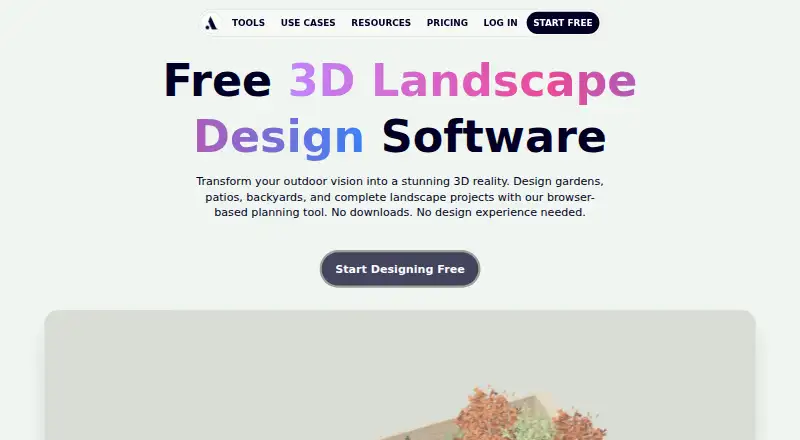
What Arcadium 3D is
Arcadium 3D is a browser-based design tool for planning landscapes, houses, floor plans, and interiors. Its landscape tools cover property boundaries, terrain, patios, paths, retaining walls, fencing, planting, and other outdoor features. A library of hundreds of trees, shrubs, flowers, garden furniture, pergolas, and outdoor structures provides items for designs. Users can generate photorealistic landscape renders from 3D designs with AI, take first-person walkthroughs, and export printable 2D plans as PDFs. Projects can be shared by URL, and viewers can open shared designs in a browser without an account. The service runs without software installation and lists Mac, PC, iPad, and mobile support, alongside web, iOS, and Android platforms. The free plan allows two projects, up to 30 objects per project, and one floor plan generation. Pro is $18 a month billed yearly; Power is $60 a month billed yearly. The service lists PDF, JPG, and PNG import formats.
Good
- Landscape planning includes terrain and outdoor structures.
- Hundreds of plants and garden objects are available.
- AI generates photorealistic landscape renders.
- Exports printable 2D plans as PDFs.
- Free plan is available.
Watch out
- Free plan allows only two projects.
- Free projects are limited to 30 objects each.
- Free plan includes one floor plan generation.
Who it suits
Arcadium 3D may suit homeowners planning outdoor spaces as well as landscape designers, architects, garden centers, nurseries, and real estate professionals. Browser-based access and URL sharing can help people view a design without installing software or creating an account.
Verdict
Arcadium 3D combines landscape design, AI visualization, walkthroughs, and plan exports in a browser tool. The free plan has clear project and object limits; compare the paid plan allowances if those are too restrictive.
Plans and prices
From Arcadium 3D's own pricing page, checked 3 Oct 2026.
| Plan | Price | What it gives you |
|---|---|---|
| Free | Free | 2 free projects · Max 30 objects per project · 1 floor plan generation |
| Pro | $18 a month | Unlimited objects per project · Unlimited projects · Import custom models · 150 AI images / month · 1GB storage limit · 10 floor plan generations · Billed yearly at $216/yr |
| Power | $60 a month | Everything in Pro · 400 AI images / month · 10GB storage limit · 50 floor plan generations · Billed yearly at $720/yr |
The facts
Each one read from Arcadium 3D's own pages, with the date it was checked.
What it does
- AI visualization
- Users can generate photorealistic landscape renders from 3D designs with AI.checked 3 Oct 2026
- Data use
- Arcadium says service data may be used for account access, messaging, marketing, creating and editing 3D models, analytics, and training machine learning models.checked 3 Oct 2026
- Intended users
- The landscape page identifies homeowners, landscape designers and architects, garden centers and nurseries, and real estate professionals as users.checked 3 Oct 2026
- Landscape design
- The landscape tools cover property boundaries, terrain, patios, paths, retaining walls, fencing, planting, and outdoor features.checked 3 Oct 2026
- Purpose
- Arcadium is a browser based tool for creating 3D landscape designs, house designs, floor plans, and interiors.checked 3 Oct 2026
- Security and privacy
- Arcadium says it uses industry standard security practices and is required to comply with EU and UK General Data Protection Regulation.checked 3 Oct 2026
- Sharing
- Projects can be shared by URL, and the landscape page says viewers can open a shared design in a browser without an account.checked 3 Oct 2026
- Support
- Arcadium's terms provide [email protected] for questions about the terms or service use.checked 3 Oct 2026
- Walkthroughs and exports
- The product supports first person walkthroughs and printable 2D plan exports as PDFs.checked 3 Oct 2026
- Web access
- Arcadium runs in a browser and says no software installation is required.checked 3 Oct 2026
Where it runs
- Device support
- Arcadium lists Mac, PC, iPad, and mobile as supported device categories.checked 3 Oct 2026
Money
- Landscape limits on free plan
- The pricing page lists 2 projects, a maximum of 30 objects per project, and 1 floor plan generation for Free.checked 3 Oct 2026
- Plant and object library
- Arcadium says its landscape planner includes hundreds of trees, shrubs, flowers, garden furniture, pergolas, fencing, and outdoor structures.checked 3 Oct 2026
The full review of Arcadium 3D
Arcadium 3D is a browser-based tool for designing landscapes, houses, floor plans, and interiors. It best suits homeowners and property professionals who need to develop and share a visual plan. Its strongest case is the mix of terrain design, AI renders, walkthroughs, and printable plans; the free tier is tightly capped for larger projects.
Overview
Arcadium brings property boundaries, terrain, patios, paths, retaining walls, fencing, planting, and outdoor features into a 3D landscape workflow. That breadth makes it useful for planning a whole property, not just choosing plants. A library of hundreds of trees, shrubs, flowers, furnishings, pergolas, fences, and outdoor structures gives users a broad set of elements to represent a design.
Projects can be shared by URL, and viewers can open them in a browser without an account. The browser-based service requires no installation and supports Mac, PC, iPad, and mobile devices. Arcadium says it follows industry-standard security practices and must comply with EU and UK GDPR. It may use service data for account access, messaging, marketing, creating and editing 3D models, analytics, and machine-learning training, so organizations handling sensitive project material should consider those uses.
Key features
From layout to presentation
Terrain modeling and a varied plant and object library support detailed outdoor layouts. AI-generated photorealistic renders can help present a design visually, while first-person walkthroughs offer a way to convey how a space is experienced. Printable 2D plans exported as PDFs serve a different need: communicating a layout in a format suited to review or print. Together, these tools cover both visual presentation and plan sharing, though no construction-specific workflow is established.
Imports and free-plan ceilings
Arcadium accepts PDF, JPG, and PNG imports, which can help bring existing visual references into a project. The Free plan allows two projects, up to 30 objects per project, and one floor plan generation. Those caps are workable for a small concept or trial, but the object ceiling can constrain a developed landscape, and two projects leave little room for parallel work.
Pricing
Arcadium uses a freemium model. Free costs nothing and includes two projects, a maximum of 30 objects per project, and one floor plan generation.
Pro costs $18 a month, billed yearly at $216/yr. It removes project and object limits, adds custom model imports, 150 AI images per month, a 1GB storage limit, and 10 floor plan generations. This is the practical step up for regular design work, particularly if the free caps interrupt projects. The annual billing commitment matters, and the AI, storage, and floor-plan allowances remain finite.
Power costs $60 a month, billed yearly at $720/yr. It includes everything in Pro, with 400 AI images per month, 10GB storage, and 50 floor plan generations. The larger quotas suit heavier recurring use; occasional designers are unlikely to need those allowances. Both paid plans are billed yearly despite monthly price presentation.
Platforms
Arcadium runs on the web and supports iOS and Android. Its browser approach avoids installation and spans desktop and mobile device categories, though no platform-specific feature differences are established.
Who it's for
Homeowners can use Arcadium to shape and present a garden or property concept. Landscape designers and architects may value the terrain, object library, walkthroughs, and PDF plans when communicating proposals. Garden centers, nurseries, and real estate professionals are also identified as intended users, especially where visualizing outdoor changes can support client conversations. It is less suitable for users who need expansive projects on a free account or who require tighter limits on service-data use.
Pros and cons
- Pros: Landscape tools span terrain, boundaries, hardscaping, planting, and outdoor structures, supporting whole-property concepts.
- Pros: AI renders, walkthroughs, URL sharing, and PDF plan exports provide several ways to present or review a design.
- Pros: Browser access and mobile platform support avoid an installation-dependent workflow.
- Cons: Free projects stop at 30 objects each, with only two projects and one floor plan generation, limiting sustained or detailed work.
- Cons: Pro and Power require yearly billing, and their AI-image, storage, and floor-plan quotas still have ceilings.
- Cons: Service data may be used for marketing and machine-learning training, a consideration for sensitive work.
Alternatives
3D Landscape Design Software is the category list to consult when comparing landscape-design tools. Choose Planner 5D instead if you want a freemium option spanning Android, iOS, macOS, web, and Windows, with a Premium annual plan at $59.99 a year that includes floor-plan conversion and a full premium furniture catalog. Terragen is a paid alternative with Linux, macOS, and Windows support, plus a free trial and a Professional indie tier at $10 a month for eligible individuals earning under $50,000.
iScape may suit someone seeking a downloadable freemium app with a free trial across Android, iOS, macOS, and web; its free offering has limited features and reduced plant and hardscape access. usBIM.platform is an alternative for users prioritizing online applications and 10 GB of free cloud storage, with paid subscriptions for additional applications. World Machine is another freemium option, with its Basic plan capped at 1025x1025 pixels maximum output.
AgroForest Designer is a web-based alternative with a free plan limited to one project, two recipes, and five cultivars, and a Starter plan at €14.99 a month for larger allowances. AIGardenPlanner offers a free browser-based 3D editor for one project, making it worth considering for a single-project workflow. Home Design 3D is a freemium alternative with a free trial across Android, iOS, macOS, and Windows.
Verdict
Arcadium 3D is a strong fit for homeowners and property professionals who want to design landscapes in 3D and share both visualizations and printable plans from a browser. Its combination of terrain tools, AI renders, walkthroughs, and open URL sharing is the main reason to choose it. Look elsewhere if the free object cap is too restrictive, annual paid billing is unsuitable, or the service-data uses are a concern.
Alternatives to Arcadium 3D
- 1

Planner 5D
Free planAndroidiOSWebAPI8.4From $4.99 a month - 2
iScape
Free planAndroidiOSWebmacOS8.2Free plan - 3
Terragen
Free planAPILinuxmacOSWindows7.6From $96 a year - 4

World Machine
Free planLinuxmacOSWindows7.6$119 one-time - 5
Garden Sketchbook
Free planWeb7.4From $39 a year - 6

AIGardenPlanner
Free planWeb7.3Free plan