Apple iWork
Apple iWork is a free suite for making documents, spreadsheets, and presentations, comprising Pages, Numbers, and Keynote.
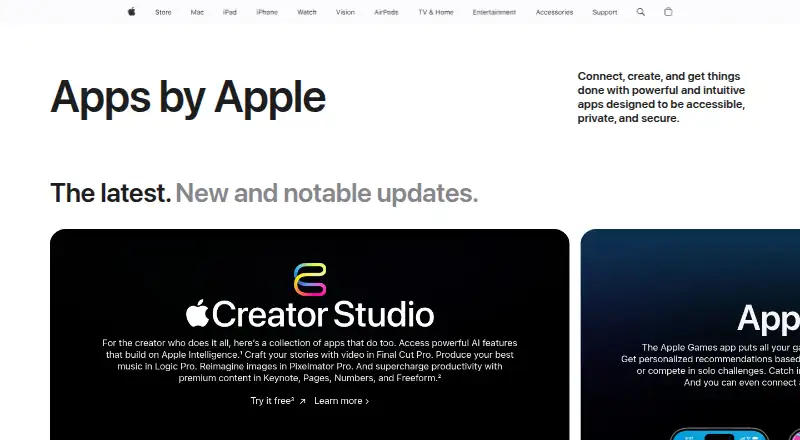
What Apple iWork is
Apple iWork is a free suite for making documents, spreadsheets, and presentations, comprising Pages, Numbers, and Keynote. Pages provides templates and tools for documents that can contain pictures, movies, shapes, and charts. Numbers takes a flexible, blank-canvas approach and includes charts, tables, Smart Categories, and pivot tables; spreadsheets can be converted to Microsoft Excel, CSV, or PDF. Keynote offers graphics tools and cinematic transitions for presentations. The apps support real-time collaboration among people using Mac, iPad, or iPhone, as well as PC users. Up to 100 people can view and edit a shared document at once. Pages, Numbers, and Keynote are also available online through iCloud.com in Mac or PC browsers, including Safari, Chrome, and Edge. On iPad, Apple Pencil can be used for illustrations and notations. Collaboration requires iCloud Drive to be enabled for the apps and current supported software and app versions. Shared documents over 2 GB must be reduced before inviting others, or 4 GB for Apple Creator Studio subscribers. iWork collaboration does not support Advanced Data Protection.
Good
- Free plan for Pages, Numbers, and Keynote.
- Real-time co-editing supports up to 100 people.
- Numbers spreadsheets export to Excel, CSV, and PDF.
- Use the apps online through iCloud.com.
- Offline desktop apps are available.
Watch out
- Collaboration requires iCloud Drive and current supported versions.
- Shared documents over 2 GB need reduction before invitations.
- Collaboration does not support Advanced Data Protection.
Who it suits
iWork suits people who need document, spreadsheet, and presentation tools, including teams working together across Apple devices or with PC users. It is also an option for iPad users who want to add illustrations or notations with Apple Pencil.
Verdict
Apple iWork brings three productivity apps together at no cost, with browser access and real-time collaboration. Check its collaboration requirements and shared-file size limit if those features matter to your workflow.
Plans and prices
From Apple iWork's own pricing page, checked 14 Oct 2026.
| Plan | Price | What it gives you |
|---|---|---|
| Free iWork apps | Free | Create, view, edit, and collaborate in Pages, Numbers, and Keynote · Included with new iPhone, Mac, and iPad · No subscription required |
| iWork (Pages, Numbers, Keynote) | Free | Pages documents · Numbers spreadsheets · Keynote presentations · real-time collaboration |
| Apple Creator Studio Education | $2.99 a month | For college students and educators · Verification required · per month |
| Apple Creator Studio | $12.99 a month | Premium content and intelligent features in Pages, Numbers, and Keynote · Family Sharing for up to six people · per month |
| Apple Creator Studio Education | $29.99 a year | For college students and educators · Verification required · per year |
| Apple Creator Studio | $129 a year | Premium content and intelligent features in Pages, Numbers, and Keynote · Family Sharing for up to six people · per year |
The facts
Each one read from Apple iWork's own pages, with the date it was checked.
What it does
- API
- Apple publishes an iWork Document Exporting API that creates PDF exports from iWork files through a web endpoint.checked 14 Oct 2026
- API endpoint
- The documented PDF export operation uses a POST request to iworkpreviewapi.icloud.com/iwork/api/v2/export.checked 14 Oct 2026
- Cloud access
- iCloud.com offers Pages, Numbers, and Keynote with browser collaboration, including for people without an Apple device.checked 14 Oct 2026
- Collaboration
- iWork supports real-time collaboration across Mac, iPad, and iPhone, and with people using a PC.checked 30 Sep 2026
- Collaboration limit
- Up to 100 people can view and edit a shared document at the same time.checked 30 Sep 2026
- Collaboration requirements
- Collaboration requires iCloud Drive to be enabled for the iWork apps and current supported device software and app versions.checked 30 Sep 2026
- Documentation
- Apple provides separate Pages, Numbers, and Keynote support hubs plus platform-specific user guides.checked 14 Oct 2026
- Export and compatibility
- Numbers spreadsheets can be converted to Microsoft Excel, CSV, and PDF formats.checked 30 Sep 2026
- File size limit
- Collaborative documents larger than 2 GB (4 GB for Apple Creator Studio subscribers) must be reduced before inviting others.checked 30 Sep 2026
- Integrations
- Pages integrates with iCloud and Box for sharing, EndNote through an Apple-supported plug-in, and Microsoft Word, RTF, TXT, EPUB, and PDF export formats.checked 14 Oct 2026
- Intended work
- Apple describes iWork as a toolset for creating documents, spreadsheets, and presentations, with collaboration for teams.checked 30 Sep 2026
- Keynote
- Keynote provides graphics tools and cinematic transitions for creating presentations.checked 30 Sep 2026
- Keynote presentations
- Keynote supports designed slides, cinematic transitions, graphics, and collaborative presentations.checked 14 Oct 2026
- Keynote presenting
- Keynote provides presenter controls for video conferences and lets users create, edit, and collaborate through a browser.checked 14 Oct 2026
- License
- The web service grants a limited personal license and prohibits copying, modification, reverse engineering, selling, leasing, or sublicensing.checked 14 Oct 2026
- Limit: compatibility
- G2 reviewers cite weaker compatibility with non-Apple platforms and limited storage or support as recurring drawbacks.checked 14 Oct 2026
- Limit: file compatibility
- GetApp reviewers report formatting problems and extra steps when importing or exporting files for non-Apple users.checked 14 Oct 2026
- Limit: Microsoft compatibility
- TechRadar says Pages can require DOCX or PDF conversion for Microsoft Office collaboration and may still produce formatting differences.checked 14 Oct 2026
Where it runs
- Apple Pencil
- Apple Pencil can be used to add illustrations and notations on iPad.checked 30 Sep 2026
- Browser support
- iCloud.com supports current Safari, Firefox, Chrome, Edge, and Opera releases.checked 14 Oct 2026
The company
- Company founded
- LinkedIn lists Apple as founded in 1976.checked 14 Oct 2026
- Company headquarters
- LinkedIn lists Apple’s headquarters at Cupertino, California.checked 14 Oct 2026
- Company legal name
- The iWork web terms identify the maker as Apple Inc.checked 14 Oct 2026
- Company size
- LinkedIn lists Apple’s company size as 10,001 or more employees and shows more than 222,000 employee profiles.checked 14 Oct 2026
The full review of Apple iWork
Apple iWork is a no-cost office suite for creating documents, spreadsheets, and presentations. It best suits individuals and small teams working mainly on Apple hardware but needing browser access for PC collaborators. Its capable core apps are attractive for personal work, while business buyers should weigh its limited administration and collaboration constraints.
Overview
iWork combines Pages, Numbers, and Keynote without a subscription charge. Pages handles documents that mix text with pictures, movies, shapes, and charts. Numbers uses a blank-canvas spreadsheet design with tables, charts, Smart Categories, and pivot tables. Keynote concentrates on presentation graphics and cinematic transitions.
The suite covers the standard office formats, but it is not a complete managed workplace platform. There is no admin console, single sign-on, or business email. Collaboration also depends on iCloud Drive and current supported software and app versions, making setup and maintenance more important for teams.
Key features
Documents, data, and presentations
Pages is the strongest choice when a document needs visual elements alongside prose. Its support for pictures, movies, shapes, and charts suits reports, brochures, and other designed documents rather than text-only notes.
Numbers gives users freedom to arrange tables and charts on an open canvas. Smart Categories and pivot tables provide useful ways to group and summarize information, while conversion to Microsoft Excel, CSV, and PDF makes sharing beyond iWork practical. The less prescriptive layout may appeal to creative planners, but users who expect a rigid spreadsheet grid may prefer a more conventional office tool.
Keynote’s graphics tools and cinematic transitions are aimed at presentations where visual polish matters. Apple Pencil support on iPad adds a direct way to draw illustrations or annotate work.
Collaboration and web access
Real-time co-editing works across Mac, iPad, and iPhone and can include people using a PC. Pages, Numbers, and Keynote also run at iCloud.com in Mac or PC browsers, including Safari, Chrome, and Edge, so collaborators do not all need Apple devices.
Up to 100 people can view and edit a shared document simultaneously. A collaborative document over 2 GB must be reduced before invitations are sent; Apple Creator Studio subscribers get a 4 GB threshold. iCloud Drive must be enabled for the iWork apps, and supported device software and app versions are required. Standard iCloud protection encrypts data in transit and at rest, but iWork collaboration does not support Advanced Data Protection.
Pricing
| Plan | Price | Includes |
|---|---|---|
| iWork (Pages, Numbers, Keynote) | free | Pages documents, Numbers spreadsheets, Keynote presentations, and real-time collaboration |
The free plan includes the complete three-app suite, offline desktop apps, web access, and collaboration. It is the obvious fit for students, households, and individuals who do not need business administration. There are no cheaper tiers to trade away features, but organizations cannot add an admin console, single sign-on, or business email through iWork.
Platforms
iWork supports iOS, macOS, and web use, with browser access on Windows PCs. The desktop apps work offline, while browser collaboration requires iCloud access. Apple Pencil input is available on iPad.
Who it's for
Choose iWork for personal productivity, schoolwork, and small collaborative groups already using Apple devices. It is particularly suitable when attractive documents and presentations matter, when spreadsheet export to Excel, CSV, or PDF is useful, and when PC participants can work through a supported browser.
It is a weaker fit for companies needing centralized administration, single sign-on, business email, or advanced data-protection options for shared work. Teams handling collaborative files above the size threshold must reduce them before inviting others.
Pros and cons
- Pro: Pages, Numbers, and Keynote cover the three core office formats at no cost.
- Pro: Browser versions let PC users join work created on Apple devices.
- Pro: Real-time editing supports up to 100 simultaneous viewers and editors.
- Pro: Numbers exports to Excel, CSV, and PDF for broader compatibility.
- Con: Collaboration requires iCloud Drive and current supported software, adding setup dependencies.
- Con: Shared documents above 2 GB, or 4 GB for Apple Creator Studio subscribers, must be reduced before invitations.
- Con: No admin console, single sign-on, business email, or Advanced Data Protection for iWork collaboration.
Alternatives
For a broader office-suite directory, browse Office Suite Software.
Zoho Workplace is the better direction when a freemium workplace with Android, Linux, Windows, and extension support is more important.
Collabora Online suits users seeking self-hosted deployment alongside web and desktop platforms.
ONLYOFFICE Docs is worth considering for community or developer deployments and a wider platform range.
Hancom Office offers a free tier with 2GB storage and Windows, Mac, web, and mobile access.
Nextcloud Office is an alternative for teams that want a self-hosted office environment.
WPS Office provides a freemium suite with broad format and language support.
SoftMaker Office is a paid choice for households needing a license across multiple computers and mobile devices.
Google Workspace is the alternative for organizations prepared to pay for a business-oriented suite.
Verdict
Apple iWork is an excellent free choice for Apple-centric individuals and small teams that want polished documents, flexible spreadsheets, and visual presentations with browser collaboration. Choose it for its complete no-cost core and straightforward cross-device editing. Look elsewhere if your organization needs centralized administration, single sign-on, business email, Advanced Data Protection, or routinely shares files beyond its collaboration size limit.
Alternatives to Apple iWork
- 1

ONLYOFFICE Docs
Free planOpen sourceAndroidiOSWebAPI8.7From $8 a month - 2

WPS Office
Free planAndroidiOSWebAPI8.2From $41.99 a year - 3
Zoho Workplace
Free planAndroidiOSWebAPI8.2From $3 a month - 4
Nextcloud Office
Open sourceAndroidiOSWebAPI8.0From €71.29 a year - 5
Google Workspace
AndroidiOSWebAPI7.9From $7 a month - 6
MyOffice
AndroidiOSWebmacOS7.6From £84 a year