
AOMEI Backupper Workstation
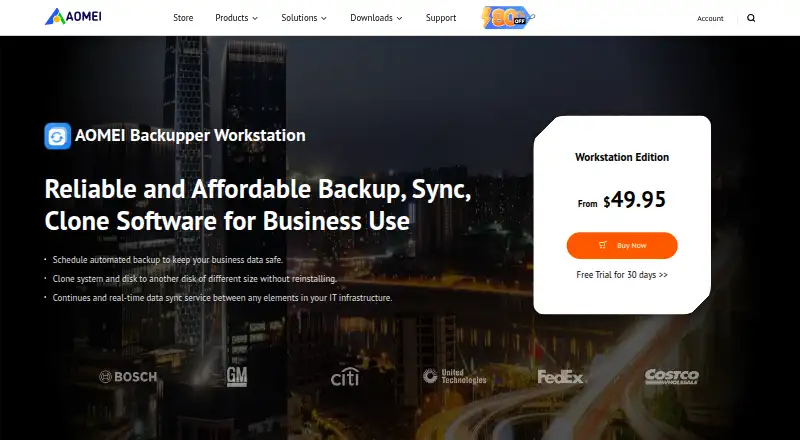
AOMEI Backupper Workstation is Windows software for business backup, restore, synchronization, and disk cloning.
What AOMEI Backupper Workstation is
AOMEI Backupper Workstation is Windows software for business backup, restore, synchronization, and disk cloning. It can back up an operating system, disks, partitions, files and folders, or email, with scheduled jobs intended to support recovery after system failure or accidents. It can also synchronize frequently changed files and folders to multiple destinations on a schedule, with several sync modes.
The software can move an operating system, files, and installed applications to another disk without reinstalling them, including conversion between MBR and GPT. Workstation includes PXE boot, image deployment, and portable version creation, and its license permits billable technical service. Each Workstation license covers one PC; a separate Technician edition is listed for unlimited PCs. The yearly plan costs $49.95 a year and includes business use and the listed business tools. A 30-day free trial is available, but there is no free plan. AOMEI says its backup products use 256-bit SSL encryption for backing up files or transferring data between devices. Support includes email technical support, help guides, FAQs, and a user forum.
Good
- Backs up systems, disks, partitions, files, folders, and email.
- Scheduled sync supports multiple destinations.
- Migrates installed applications without reinstalling.
- Includes PXE boot and image deployment.
- 30-day free trial available.
Watch out
- No free plan is listed.
- Each Workstation license covers one PC.
- Windows only.
Who it suits
Backupper Workstation suits businesses that need scheduled backups, file synchronization, or disk migration on Windows. Its one-PC license may suit a single workstation; the separate Technician edition is listed for unlimited PCs.
Verdict
Backupper Workstation combines business backup and synchronization with disk migration and deployment tools. Check that the one-PC license and Windows support match your setup.
Plans and prices
From AOMEI Backupper Workstation's own pricing page, checked 8 Oct 2026.
| Plan | Price | What it gives you |
|---|---|---|
| AOMEI Backupper Workstation — Yearly | $49.95 a year | 1 PC / license · Windows 11, 10, 8.1/8, 7 · business use · PXE boot · image deployment · portable version · billable technical service · Yearly subscription; page lists $49.95 |
The facts
Each one read from AOMEI Backupper Workstation's own pages, with the date it was checked.
What it does
- Audience and license limit
- Workstation is listed for business use with one PC per license; the separate Technician edition is listed for unlimited PCs.checked 8 Oct 2026
- Backup coverage
- It can back up the operating system, disks, partitions, files and folders, or emails, and schedule backups for recovery after system failure or accidents.checked 8 Oct 2026
- Business tools
- The Workstation listing includes PXE boot, image deployment, portable version creation, and permission to provide billable technical service.checked 8 Oct 2026
- Integrations
- The product page describes syncing between elements in an IT infrastructure and does not name specific third-party integrations.checked 8 Oct 2026
- Migration
- It can migrate an operating system, files, and installed applications to another disk without reinstalling, including conversion between MBR and GPT.checked 8 Oct 2026
- Purpose
- AOMEI Backupper Workstation provides backup, restore, sync, and disk clone software for business use.checked 8 Oct 2026
- Security
- AOMEI's GDPR page says its backup products use 256-bit SSL encryption for backing up files or transferring data between devices.checked 8 Oct 2026
- Support
- AOMEI provides technical support by email and also lists help guides, FAQs, and a user forum in its support resources.checked 8 Oct 2026
- Synchronization
- It syncs frequently changed files and folders to multiple destinations on a schedule and offers multiple sync modes.checked 8 Oct 2026
The company
- Maker history
- AOMEI's company page says it was established in 2010.checked 8 Oct 2026
Where it runs
- Platforms
- The Workstation page lists Windows 11, 10, 8.1/8, and 7 as supported systems.checked 8 Oct 2026
Money
- Trial
- AOMEI offers a 30-day free trial of Backupper Workstation.checked 8 Oct 2026
Alternatives to AOMEI Backupper Workstation
- 1
UrBackup
Free planOpen sourceAndroidWebAPILinux8.7Free plan - 2

IDrive
Free planAndroidiOSWebLinux8.4From $0.25 a month - 3
NinjaOne
AndroidiOSWebAPI7.9From $1.50 a month - 4

BDRShield Endpoint Backup
Free planWebAPILinuxmacOS7.7From $12 a year - 5
Backblaze for Business
AndroidiOSWebAPI7.6From $99 a year - 6
EaseUS Todo Backup
Free planmacOSSelf-hostedWindows7.5From $39.95 a year