
AnyConv
AnyConv is a browser-based converter for documents, images, videos, audio files, eBooks, archives and other file types.
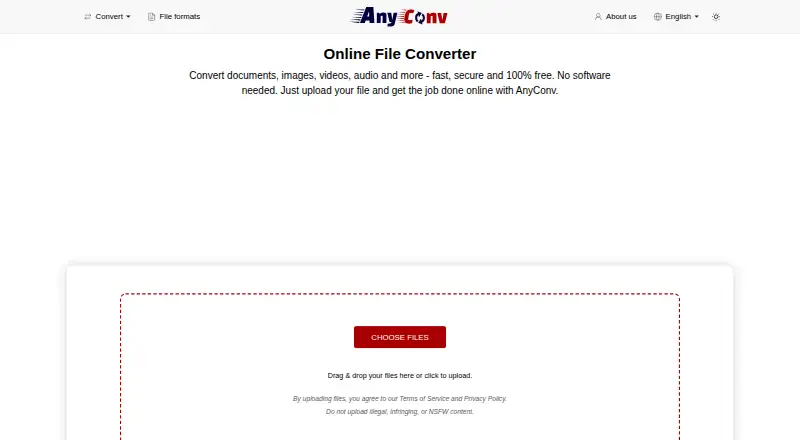
What AnyConv is
AnyConv is a browser-based converter for documents, images, videos, audio files, eBooks, archives and other file types. It supports over 300 formats and thousands of conversion combinations, and users can upload and download results without installing software. It is listed for Android, iOS, Linux, macOS, web and Windows. The free plan allows uploads of up to 100 MB per file and conversion of up to 60 files per hour, without registration. AnyConv says uploaded files are automatically deleted from its servers within one hour and that it does not access, view or analyse file contents. It states that transfers use HTTPS, infrastructure is hosted on secure servers in Germany and Finland, and its data handling practices are GDPR-compliant. Its privacy policy says it may collect technical data such as IP address, browser type and language, operating system and referring URL, and uses Google Analytics and Google AdSense. The service is available in 22 languages.
Good
- Supports over 300 file formats
- Works in a browser without installation
- Free plan requires no registration
- Uploads are deleted within one hour, according to AnyConv
- Listed for mobile and desktop platforms
Watch out
- Maximum upload size is 100 MB per file
- Limit of 60 conversions per hour
- Privacy policy says it may collect technical data and use analytics and advertising services
Who it suits
AnyConv suits people who want browser-based file conversion across common device platforms without installing software. Its stated audience includes students, teachers, office workers, designers, creatives, mobile users, remote workers and freelancers.
Verdict
AnyConv offers broad file-format coverage in a browser, with stated upload-size and hourly-use limits. Consider the listed technical-data collection and analytics and advertising services when reviewing its privacy terms.
Plans and prices
From AnyConv's own pricing page, checked 3 Oct 2026.
| Plan | Price | What it gives you |
|---|---|---|
| Free | Free | 100 MB maximum upload · up to 60 files per hour · no registration |
The facts
Each one read from AnyConv's own pages, with the date it was checked.
What it does
- Audience
- AnyConv says it is designed for students, teachers, office workers, designers, creatives, mobile users, remote workers, and freelancers.checked 3 Oct 2026
- Availability
- AnyConv says it is available in 22 languages and used in more than 190 countries.checked 3 Oct 2026
- Compliance
- AnyConv describes its data handling practices as GDPR-compliant.checked 3 Oct 2026
- File access
- AnyConv says it does not access, view, or analyze the content of uploaded files.checked 3 Oct 2026
- Format support
- The site says AnyConv supports over 300 file formats and thousands of conversion combinations.checked 3 Oct 2026
- No installation
- Users upload files in a browser and can download converted results without installing software.checked 3 Oct 2026
- Privacy policy
- The privacy policy says the site may collect technical data such as IP address, browser type and language, operating system, and referring URL, and uses Google Analytics and Google AdSense.checked 3 Oct 2026
- Retention
- Uploaded files are automatically deleted from AnyConv servers within one hour of upload.checked 3 Oct 2026
- Security
- The company says file transfers use HTTPS and its infrastructure is hosted on secure servers in Germany and Finland.checked 3 Oct 2026
- Support
- The site lists [email protected] and a contact form for questions and feedback.checked 3 Oct 2026
- Upload limit
- The maximum upload size is 100 MB per file.checked 3 Oct 2026
- Usage limit
- Users may convert up to 60 files per hour.checked 3 Oct 2026
- What it does
- AnyConv converts documents, images, videos, audio files, eBooks, archives, and other files online.checked 3 Oct 2026
The company
- Founded
- 2019checked 28 Sep 2026
Where it runs
- Supported devices
- AnyConv says it works on Windows, Mac, Linux, iPhone, and Android.checked 3 Oct 2026
The full review of AnyConv
AnyConv is a free, browser-based converter for people who need to move files between formats across different devices without installing software. Its breadth makes it useful for occasional, varied conversions, but the 100 MB file cap and hourly limit put a ceiling on heavier work.
Overview
AnyConv handles documents, images, video, audio, eBooks, archives and other files, with support for more than 300 formats and thousands of conversion combinations. Batch and cloud conversion add flexibility, while browser-based access suits people switching between Windows, Mac, Linux, iPhone and Android. It is less suited to large files or sustained batch jobs: each upload must be 100 MB or smaller, and users can convert no more than 60 files per hour.
Uploads are automatically deleted from AnyConv’s servers within one hour. The company says it does not access, view or analyze uploaded file contents, that transfers use HTTPS, and that its infrastructure is hosted on secure servers in Germany and Finland. It describes its data handling as GDPR-compliant. Separately, its privacy policy says it may collect technical data such as IP address, browser type and language, operating system and referring URL, and uses Google Analytics and Google AdSense. That distinction is worth considering before using the service for sensitive files.
Key features
- Wide format coverage: More than 300 formats and thousands of conversion combinations make AnyConv a practical single stop for varied file types rather than a tool focused on one media category.
- Browser-based conversion: Upload and download files online without installing software. This is convenient across supported devices, but depends on sending files to the service rather than converting locally.
- Batch and cloud conversion: Both are supported, which helps with groups of files and online workflows. The 60-file hourly ceiling still limits the volume of repeated work.
- Multilingual access: AnyConv is available in 22 languages and says it is used in more than 190 countries.
Questions and feedback can be sent to [email protected] or through the contact form.
Pricing
AnyConv has one free plan at no cost, with no registration required. It allows uploads up to 100 MB per file and conversion of up to 60 files per hour. That is a useful offer for students, office workers or mobile users with occasional conversion needs, but not a way around the service’s volume and file-size limits. There is no free trial or paid plan described.
Platforms
AnyConv is a web service available on Android, iOS, Linux, macOS and Windows. Since conversion happens in a browser, users can access it without installing a dedicated converter on those platforms.
Who it's for
Students, teachers, office workers, designers, creatives, remote workers and freelancers can use AnyConv for occasional conversions across a broad mix of file types. Its no-install approach is especially handy for mobile users or people working across operating systems. Choose another workflow if files commonly exceed 100 MB, conversion runs approach 60 files an hour, or local processing is a priority.
Pros and cons
- Pro — Broad format range: More than 300 formats and thousands of conversion combinations cover many everyday file needs.
- Pro — No install or registration: The free plan works through a browser and requires no account.
- Pro — Defined retention window: Uploaded files are automatically deleted within one hour, and AnyConv says it does not inspect their contents.
- Con — Firm throughput caps: The 100 MB per-file and 60-files-per-hour limits can interrupt large-file or high-volume workflows.
- Con — Technical data and ad services: The privacy policy allows collection of technical data and names Google Analytics and Google AdSense, a consideration for privacy-conscious users.
Alternatives
Browse more options in File Conversion Software. Choose MConverter if its free allowance of 15 files a day, eight at once and 100 MB per file better fits your workflow, or if you want its paid Plus option at $12.99 a month, billed monthly. Freemake Video Converter is an alternative for Windows, macOS and Android users looking for core video-conversion features on a free plan with no expiration; its Mega Pack lifetime license includes premium features and lifetime updates. For a free GPL-licensed option, consider Pandoc. XnConvert is another free option for private, educational and nonprofit use, with company licensing also offered. Any Video Converter offers a free download with basic features and is an alternative to consider for video conversion. Convertio has a Lite plan at $11.99 a month, billed cancel anytime, with a 1 GB maximum file size and 1,000 conversion credits per month. HandBrake is a free option for Linux, macOS and Windows. Shutter Encoder is another free choice for Linux, macOS and Windows, with no limitations or advertising and donation support.
Verdict
AnyConv is a sound choice for people who want free, no-install access to a broad range of conversions across devices. The main reason to choose it is that format breadth is paired with straightforward browser access; look elsewhere if you need files over 100 MB, more than 60 conversions an hour, or prefer not to use a service that collects technical data and uses analytics and advertising services.
Getting started
- Open https://anyconv.com/ in a browser
- Choose the file-conversion type you need
- Upload files from your device
- Run the conversion
- Download the converted results
Limits worth knowing
The free plan allows files up to 100 MB each and up to 60 files per hour. It has no registration requirement and no free trial.
Questions
How much does AnyConv cost?
The Free plan costs nothing.
Which platforms does AnyConv support?
It is listed for Android, iOS, Linux, macOS, web, and Windows, and says it works on Windows, Mac, Linux, iPhone, and Android.
Does AnyConv require installation or registration?
No. Files are uploaded and downloaded in a browser, and the free plan requires no registration.
What file limits apply?
Each upload can be up to 100 MB, and users may convert up to 60 files per hour.
How long are uploaded files retained?
AnyConv says uploaded files are automatically deleted from its servers within one hour.
Does AnyConv offer batch conversion?
Yes. The listed capabilities include batch conversion and cloud conversion.
Alternatives to AnyConv
- 1

Convertio
Free planAndroidiOSWebAPI8.3From $6.99 a month - 2
FreeConvert GIF Maker
Free planAndroidiOSWebAPI8.2From $12.99 a month - 3
GrabzIt
Free planAndroidiOSWebAPI8.2Free plan - 4
Zamzar API
Free planAndroidiOSWebAPI8.2From $25 a month - 5

CloudConvert Audio Converter
Free planAndroidiOSWebAPI8.1From $10 a month - 6
MConverter
Free planAndroidiOSWebAPI8.1From $116.99 a year