Android Switch
Android Switch moves apps and selected data from an Android or iOS phone or tablet to an Android device.
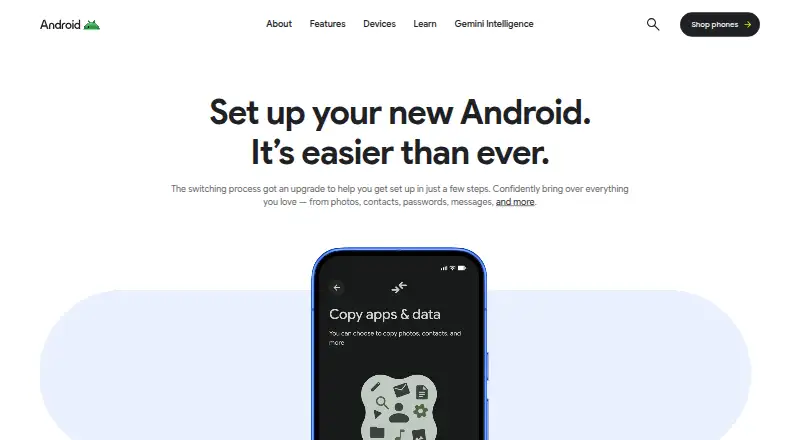
What Android Switch is
Android Switch moves apps and selected data from an Android or iOS phone or tablet to an Android device. It offers a classic transfer by cable or through the Android Switch app, plus an upgraded method that supports either a cable or wireless transfer. The classic method can move contacts, calendars, photos and videos. The upgraded method covers those items and can also transfer call history, passwords and passkeys, Wi-Fi networks, files and folders, Google Account data and eSIMs. To pair an iPhone wirelessly with the upgraded method, scan the QR code displayed on the new Android phone. WhatsApp history moves during setup when using the classic cable method; with the upgraded method, it transfers separately after setup. The upgraded method is available on select devices running Android 17, with broader availability planned. Pixel 9 and newer devices can transfer data after setup, even if the other device is not present. Apps transfer only if they are available at no charge on Google Play; ask app developers about paid apps or subscriptions. The app is free, has no trial, and Google Play says it is already installed on Android devices. Android Switch is for setting up an Android device from another phone or tablet, including an iPhone or iPad.
Good
- Transfers from both Android and iOS devices to Android.
- Supports cable transfers, with wireless transfer on the upgraded method.
- Moves contacts, calendars, photos and videos.
- The upgraded method can transfer call history, passwords and Wi-Fi networks.
- Free to use and preinstalled on Android devices.
Watch out
- The upgraded method is available only on select Android 17 devices so far.
- eSIM transfer depends on the phone brand and carrier.
- Paid apps and subscriptions do not transfer as free Google Play apps do.
Who it suits
Android Switch suits people moving to a new Android device from another Android phone or tablet, or from an iPhone or iPad. It is especially useful when contacts, photos, messages and other supported data need to move as part of device setup.
Verdict
Choose Android Switch when setting up an Android device from an iPhone, iPad or another Android device, especially if you want to move personal data along with photos and contacts. Check that your device supports the transfer method you need; eSIM availability depends on the phone brand and carrier, and paid apps or subscriptions may need separate attention.
Plans and prices
From Android Switch's own pricing page, checked 10 Oct 2026.
| Plan | Price | What it gives you |
|---|---|---|
| Android Switch | Free | No price listed on the opened pages; app is available to install from Google Play |
The facts
Each one read from Android Switch's own pages, with the date it was checked.
What it does
- After-setup transfers
- On Pixel 9 and newer devices, Android Switch can move data after setup, even without the other device.checked 9 Oct 2026
- Data coverage
- The upgraded Wi-Fi method supports app data, call history, Google Account, files and folders, eSIM, passwords and passkeys, and Wi-Fi networks, among other data types.checked 10 Oct 2026
- Data types
- The switch page says users can bring over photos, contacts, passwords, messages, and more.checked 10 Oct 2026
- eSIM limit
- eSIM transfer availability depends on the phone brand and carrier.checked 10 Oct 2026
- Preinstalled
- Google Play says Android Switch is already installed on Android devices.checked 10 Oct 2026
- Privacy controls
- The Google Play listing says the app may collect personal info, messages, and other data types, and users can request deletion.checked 10 Oct 2026
- Purpose
- Android Switch copies data from another phone or tablet to an Android device.checked 10 Oct 2026
- Security
- The Google Play listing reports that data is encrypted in transit and that no data is shared with third parties.checked 10 Oct 2026
- Support
- The switch page directs users to the Help Center and links to Pixel and Samsung concierge support.checked 10 Oct 2026
- Transfer methods
- The classic method transfers data by cable or through the Android Switch app, while the upgraded method supports cable or wireless transfer without requiring the app.checked 10 Oct 2026
- Who it is for
- The product is for people setting up an Android device from another phone or tablet, including iPhones and iPads.checked 9 Oct 2026
- Wireless pairing
- For the upgraded method, users scan an on-screen QR code on the new Android phone with the old iPhone camera to pair the devices.checked 10 Oct 2026
Where it runs
- App transfer limit
- Apps available at no charge on Google Play can transfer; the page advises contacting developers about paid subscriptions.checked 9 Oct 2026
- App transfer limits
- The page says free apps available on Google Play can transfer, and advises contacting developers about paid apps or subscriptions.checked 10 Oct 2026
- Device availability
- The upgraded method is available on select Google Pixel and Samsung devices, while the classic method can be used on other Android phones.checked 10 Oct 2026
- WhatsApp data transfers separately after the initial transfer in the upgraded flow; the classic flow offers WhatsApp transfer during setup using a cable.checked 10 Oct 2026
The company
- Founded
- 1998checked 28 Sep 2026
- Headquarters
- Mountain View, California, United Stateschecked 28 Sep 2026
The full review of Android Switch
Android Switch moves supported content from an iPhone, iPad or Android device to an Android phone. It is best for people setting up a new Android device who want a free way to bring personal data along. Its coverage can be broad, but the transfer method and receiving phone determine how much comes across.
Overview
Android Switch is a focused migration tool rather than a general-purpose phone manager. It gives people moving to Android a no-cost way to transfer common personal data, with some newer devices able to move a wider set of information. That makes it a sensible first choice for a new-device setup, though it is less dependable as a complete app migration: only apps available at no charge on Google Play transfer, and paid apps or subscriptions may need separate attention.
Key features
Transfer methods and data coverage
The classic method transfers by cable or through the Android Switch app, covering contacts, calendars, photos and videos. It can be enough for a straightforward move, but people who want call history, passwords or Wi-Fi networks should look for the upgraded method. That method supports cable or wireless transfer and can include app data, files and folders, Google Account information, passwords and passkeys, Wi-Fi networks, call history and eSIMs, among other data.
Wireless pairing with an iPhone uses the camera on the old phone to scan a QR code shown on the new Android device. This avoids a cable for eligible transfers, but the upgraded method is available only on select devices running Android 17, with broader availability planned. Check the receiving phone before relying on its expanded coverage.
WhatsApp history follows a separate process in the upgraded method and transfers after setup. With the classic method, it transfers during setup over a cable. The distinction matters if preserving chat history is a priority: choose the route that matches both the receiving device and the time you can spend on the move.
On Pixel 9 and newer devices, Android Switch can move data after setup, even without the old device. That is useful if the initial setup has already passed or the previous phone is no longer available, although this option is limited to those Pixel models.
Apps and eSIMs
Apps available at no charge on Google Play can transfer. Paid apps and subscriptions may require contacting their developers, so Android Switch should not be treated as a way to carry every purchase or subscription automatically. eSIM transfer is also conditional: support depends on the phone brand and carrier. These limits are manageable for a basic change of phone, but matter to anyone who expects a seamless replica of the old device.
Privacy and support
The Google Play listing says Android Switch encrypts data in transit and does not share data with third parties. It may collect personal information, messages and other data types, and provides a way to request deletion. The app is already installed on Android devices; its support email is [email protected].
Pricing
Android Switch is free, with a plan price of no cost. There is no free trial, paid tier or renewal decision to weigh. That makes it an easy choice for a one-time phone migration, though free access does not remove the limits on paid apps, subscriptions or device-dependent transfer features.
Platforms
Android Switch supports Android and iOS, covering the source platforms most relevant to a move onto Android. It supports phone-to-phone and app transfer. Android Switch is preinstalled on Android devices, while iPhone and iPad users use the app as part of the transfer process.
Who it's for
Choose Android Switch if you are setting up an Android phone from an iPhone, iPad or another Android device and want to move contacts, photos, calendars and other supported personal data without paying. It is particularly compelling for people with an eligible newer device who need wireless transfer or broader data coverage. If your priority is moving paid apps and subscriptions, or you need eSIM transfer to work regardless of carrier, plan to handle those separately.
Pros and cons
- Pros: Free to use, with no trial or subscription step for a phone migration.
- Pros: The upgraded method covers a wider range of data and supports wireless transfer on eligible devices.
- Pros: Pixel 9 and newer devices can move data after setup, including when the old device is unavailable.
- Cons: The upgraded method is limited to select Android 17 devices, so its wider coverage is not universal.
- Cons: Paid apps and subscriptions may need separate attention, and eSIM transfer depends on phone brand and carrier.
- Cons: WhatsApp history transfers at different stages depending on the method, which can complicate setup planning.
Alternatives
Phone Transfer Software is a useful place to compare migration tools if Android Switch's device limits or app-transfer rules do not fit your move.
vivo EasyShare is another free option for Android and iOS, and also supports macOS and Windows; its free plan includes file transfer and phone cloning.
AirMore suits readers looking for a freemium transfer option across Android, iOS and the web.
HONOR Device Clone is a free alternative for Android and iOS users who also want Windows support.
Huawei HiSuite is worth considering for desktop-based transfers: its free Windows and Mac downloads include picture, video and file functions, while the Mac version also supports backup and restore.
Syncios Manager offers a free desktop version for macOS and Windows, with a paid subscription option for readers who want to consider its version comparison.
Xiaomi Home is a free Android and iOS app whose device support varies by region.
Move to iOS is the reverse-direction choice: it transfers Android content to a new iPhone or iPad, with some free apps transferring when both stores and support allow.
Verizon Content Transfer is a free download for Android and iOS users who want transfers without wires, accounts or cloud storage.
Verdict
Android Switch is the right starting point for most people moving to Android: it costs nothing and covers the essentials, with expanded transfer options on select devices. Choose it when your new phone supports the method and data types you need. Look elsewhere or plan a separate step if paid apps, subscriptions or guaranteed eSIM migration are central to your move.
Getting started
- Open Android Switch on the Android device, or use the app already installed there.
- Choose a cable transfer or, on supported devices, the upgraded wireless method.
- For wireless pairing with an iPhone, scan the QR code shown on the new Android phone with the old iPhone camera.
- Select the supported data to transfer and follow the on-device setup steps.
- Transfer WhatsApp history during setup with the classic cable method, or separately after setup with the upgraded method.
Limits worth knowing
Only apps available at no charge on Google Play can transfer; contact developers about paid apps or subscriptions. eSIM transfers depend on the phone brand and carrier. The upgraded method is currently available on select devices running Android 17.
Questions
How much does Android Switch cost?
It is free to use. There is no free trial.
Which devices can it transfer from and to?
It transfers from an Android or iOS device to an Android device, including when setting up from an iPhone or iPad.
Can Android Switch transfer data wirelessly?
The upgraded method supports wireless transfers on select devices. The classic method uses a cable or the Android Switch app.
Does it move WhatsApp history?
Yes. The classic method transfers WhatsApp history during setup using a cable; the upgraded method transfers it separately after setup.
Can it transfer apps and eSIMs?
Apps available at no charge on Google Play can transfer; ask developers about paid apps or subscriptions. eSIM transfer depends on the phone brand and carrier.
What does Google Play say about privacy and support?
The listing says the app may collect personal information, messages and other data, encrypts data in transit, and allows deletion requests. It gives [email protected] as the support email.
Alternatives to Android Switch
- 1
AirMore
Free planAndroidiOSWebLinux8.1From $40.99 a year - 2
Syncios Manager
Free planAndroidiOSmacOSWindows7.9From $34.95 a year - 3
vivo EasyShare
Free planAndroidiOSmacOSWindows7.3Free plan - 4

HONOR Device Clone
Free planAndroidiOSWindows7.2Free plan - 5
FoneTool
AndroidiOSWindows6.8From $29.95 a year - 6
Wondershare MobileTrans
AndroidiOSmacOSWindows6.8From $29.99 a year