Anchor
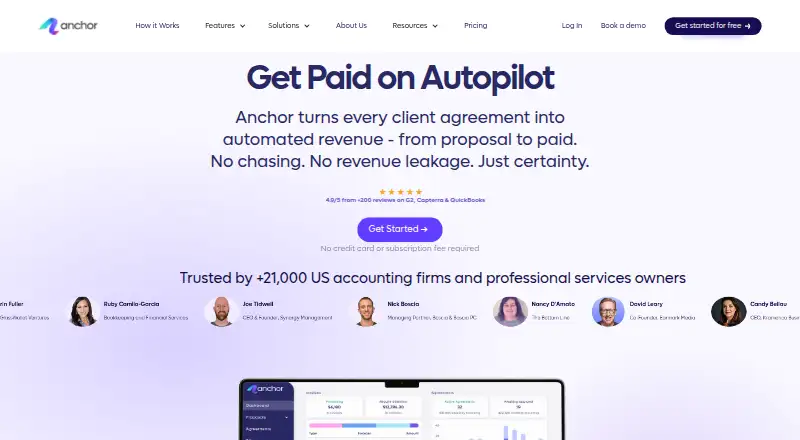
Anchor is a web and mobile platform for creating proposals and agreements, invoicing clients, and collecting payments.
What Anchor is
Anchor is a web and mobile platform for creating proposals and agreements, invoicing clients, and collecting payments. It includes built-in e-signatures, client activity tracking, online payment collection, CRM integrations, custom branding, and analytics and reporting. The free Platform access plan has no subscription fee and allows unlimited users, companies or clients, proposals and agreements, and automated invoices and payments. A separate Payment fee plan costs $5 a month and is charged when a payment is received; it includes all features and tools, free bank transfer, and unlimited proposals, agreements, billing, and payments. Anchor is available on the web, iOS, and Android. Its maker is based in New York, New York, United States.
Good
- Built-in e-signatures and client activity tracking
- Online payment collection and automated billing
- Free plan has no subscription fee
- Available on web, iOS, and Android
Watch out
- Payment fee plan costs $5 a month
- Payment fee is charged when a payment is received
Who it suits
Anchor suits businesses that need to prepare client proposals and agreements, then manage invoicing and payment collection. Its free plan may suit teams that want unlimited users and clients without a subscription fee.
Verdict
Anchor brings proposals, agreements, invoicing, and payments into one platform. The free plan has no subscription charge, while the separate paid plan is triggered by receiving a payment.
Plans and prices
From Anchor's own pricing page, checked 20 Sep 2026.
| Plan | Price | What it gives you |
|---|---|---|
| Platform access | Free | Unlimited users · Unlimited companies/clients · Unlimited proposals and agreements · Unlimited automated invoices · Unlimited automated payments · No subscription fee required |
| Payment fee | $5 a month | Includes all features and tools · Free bank transfer · Unlimited proposals and agreements · Unlimited automated billing and payments · Charged when a payment is received |
| Pay-as-you-go | $5, paid once | unlimited users · unlimited clients/companies · unlimited proposals and agreements · unlimited automated invoices and payments · ACH free · card processing 2.9% + $0.30 paid by client · per payment received |
The facts
Each one read from Anchor's own pages, with the date it was checked.
What it does
- Analytics and reporting
- Yeschecked 20 Sep 2026
- API access terms
- API access requires an active account and Anchor-issued key, uses server-to-server authentication, and is granted as a limited revocable license under Anchor's documentation.checked 14 Oct 2026
- API and webhooks
- Anchor provides a REST API and real-time webhooks for proposals, agreements, invoicing and payments.checked 14 Oct 2026
- Automated invoicing
- Invoices are generated and sent automatically from agreement terms and billable items.checked 14 Oct 2026
- Auto reconciliation
- Anchor matches invoices and payments and synchronizes accounting records with QuickBooks Online.checked 14 Oct 2026
- Built-in e-signatures
- Yeschecked 20 Sep 2026
- Client activity tracking
- Yeschecked 20 Sep 2026
- Client portal
- Clients receive a portal for agreements, invoices and payment methods.checked 14 Oct 2026
- CRM integrations
- Yeschecked 20 Sep 2026
- Custom branding
- Yeschecked 20 Sep 2026
- Documentation
- The help center provides step-by-step guides, videos, FAQs and collections covering proposals, agreements, billing, integrations, settings and reports.checked 14 Oct 2026
- Dynamic agreements
- Agreements can be updated as scope, terms and pricing change, with future billing reflecting those changes.checked 14 Oct 2026
- Funding
- Anchor announced a $20 million Series A on January 30, 2025, led by Mosaic General Partnership and Zeev Ventures, with existing investors including Entrée Capital and Tal Ventures.checked 14 Oct 2026
- Human support
- Pricing includes a dedicated account manager, technical support and searchable in-chat help; the help center also advertises weekly live Office Hours.checked 14 Oct 2026
- Integrations
- Native or listed connections include QuickBooks Online, Xero, NetSuite, Sage, Gmail, Outlook, Zapier, Make, Slack, Microsoft Teams, HubSpot, monday.com and multiple practice-management systems.checked 14 Oct 2026
- Interactive proposals
- Users can send branded online proposals that clients review and sign from any device.checked 14 Oct 2026
- Limit: Capterra workflow friction
- Capterra reviewers report that search and proposal settings can be confusing, billing has a learning curve, annual engagements may require manual recreation and some clients struggle with bank verification.checked 14 Oct 2026
- Limit: G2 feature depth
- G2 reviewers cite missing mobile access or refund options, limited customization and a steep initial learning curve.checked 14 Oct 2026
- Limit: G2 payment processing
- G2 reviewers repeatedly mention slow invoice payments, Plaid verification problems, delayed approvals and ACH funding delays.checked 14 Oct 2026
Where it runs
- Android store availability
- The Anchor Billing & Collections Android listing is free to download and had no user ratings on AppBrain when crawled.checked 14 Oct 2026
The company
- Company founding
- LinkedIn lists Anchor's founding year as 2021.checked 14 Oct 2026
- Company identity
- LinkedIn describes Anchor as a privately held U.S. financial-services company headquartered in New York, with 51–200 employees and an Israel R&D center.checked 14 Oct 2026
- Headquarters
- New York, New York, United Stateschecked 28 Sep 2026
Money
- Free plan
- Yeschecked 20 Sep 2026
The full review of Anchor
Anchor is a web and mobile platform for managing client proposals, agreements, billing, and payments. It suits freelancers and businesses that want to keep those steps together without paying a per-user subscription. Its central trade-off is a $5.00 USD monthly charge when a payment is received.
Overview
Anchor connects proposals and agreements with automated invoicing and payment collection. Built-in e-signatures, client activity tracking, and CRM integrations support client workflows, while custom branding and analytics and reporting help businesses present and monitor their work.
The free platform access plan has no subscription charge and allows unlimited users, clients, proposals, agreements, and automated invoices. That makes it practical for teams that need room to grow without a seat-based fee. The payment charge is a separate consideration: businesses collecting through Anchor pay $5 a month when a payment is received.
Key features
- Proposals, agreements, and signatures: Both plans include unlimited proposals and agreements, and built-in e-signatures. This is useful for keeping the path from proposal to signed agreement in one service rather than splitting those steps across tools.
- Automated billing and payment collection: Unlimited automated invoices are included with free platform access; the paid plan includes unlimited automated billing and payments. Online payment collection is available, and the paid plan adds free bank transfer. The payment-triggered charge means the paid plan is most relevant to businesses that use Anchor to collect money.
- Client oversight and presentation: Client activity tracking, CRM integrations, custom branding, and analytics and reporting support follow-up and a more consistent client-facing workflow. These capabilities are useful additions, though the core pricing decision still turns on how the payment fee fits your collection process.
Pricing
Anchor uses a freemium model with two plans:
- Platform access — free: No subscription fee is required. It includes unlimited users, companies and clients, proposals and agreements, and automated invoices. This is the better fit for teams seeking broad platform access without a recurring subscription. Its key limitation is that the plan does not include the paid plan's free bank transfer.
- Payment fee — $5 a month: Charged when a payment is received. It includes all features and tools, free bank transfer, unlimited proposals and agreements, and unlimited automated billing and payments. The fee is tied to receiving a payment, rather than to the number of users, making it relevant to businesses routing client payments through Anchor.
Anchor's free plan is generous on users, clients, proposals, agreements, and automated invoices, with no stated caps on those items. The paid plan adds free bank transfer and covers automated billing and payments, but the monthly payment-triggered charge is the material term to weigh before choosing it.
Platforms
Anchor is available on web, iOS, and Android, giving users access across desktop and mobile devices.
Who it's for
Anchor is a strong fit for freelancers and client-service teams that want proposals, signatures, agreements, invoicing, and payment collection under one roof, especially when unlimited users and clients matter more than a conventional per-seat plan. It is less compelling for businesses that do not want payment collection to trigger a recurring monthly fee or that prefer to keep billing and payments in separate services.
Pros and cons
Pros
- No subscription charge for platform access: The free plan includes unlimited users and clients, alongside unlimited proposals, agreements, and automated invoices, so teams can add users without a listed seat cap.
- Client workflow in one platform: E-signatures and online payment collection sit alongside proposals, agreements, and billing, reducing the need to separate those stages across products.
- Mobile and web availability: Web, iOS, and Android support access across common device types.
Cons
- Payments change the cost: The $5 a month fee is charged when a payment is received, so businesses collecting through Anchor need to account for a recurring charge.
- Free and paid plans differ around collection: Free platform access includes automated invoices, while the paid plan specifies automated billing and payments and free bank transfer. Users who need those paid-plan terms must accept the payment-triggered fee.
Alternatives
For a broader comparison, browse Proposal Software. PandaDoc is worth considering if a free plan with a yearly 60-document allowance and a free trial better matches your needs. Proposal.biz is another freemium option with a free plan and trial. Proposal Expert may suit users who want a free tier capped at three proposals per month, with 25 AI credits, five templates, three e-signatures per month, basic analytics, and 250 MB of storage. Cord offers a free tier with five active quotes, five sent quotes per month, 50 products, 50 clients, and three AI generations per month; it has no free trial. Proposify is a paid alternative with a Basic plan at $29 a month, ten sends per month, and a 0.50 USD per-send overage, plus a free trial. PowerPropose offers a free plan with one seat, ten active clients, ten proposals, and a 30-day Standard trial. Trumpet has a free plan with ten Pods per account and unlimited users. QuoteCloud has a free tier limited to five quotes per month and one user, while its Essentials plan costs $39 per user per month.
Verdict
Choose Anchor if you want unlimited-user access to proposals, agreements, and automated invoicing, with signatures, billing, and payment collection in the same client workflow. The no-subscription platform plan is its strongest draw; look elsewhere if a $5.00 USD monthly charge triggered by receiving a payment does not fit how you collect.
Getting started
- Visit https://www.sayanchor.com/.
- Choose web, iOS, or Android access.
- Start with the Platform access plan, which has no subscription fee.
- Use the Payment fee plan if its terms suit your payment workflow.
Questions
Is Anchor free?
Yes. Its Platform access plan has no subscription fee.
What does the Payment fee plan cost?
It is listed at $5 a month and is charged when a payment is received.
Which platforms does Anchor support?
Anchor is available on the web, iOS, and Android.
What is included in the free plan?
Platform access includes unlimited users, companies or clients, proposals and agreements, and automated invoices and payments.
Does Anchor include e-signatures and CRM integrations?
Yes. Built-in e-signatures and CRM integrations are listed features.
Alternatives to Anchor
- 1

PandaDoc
Free planAndroidiOSWebAPI9.0From $19 a month - 2

Proposify
iOSWebAPI8.3 - 3

Proposal Expert
Free planWebAPI8.2From €24 a month - 4
Proposal.biz
Free planWeb8.1Free plan - 5
PowerPropose
Free planWeb8.0From £25 a month - 6

Cord
Free planWebAPI8.0From $2,880 a year