Analytics Bar
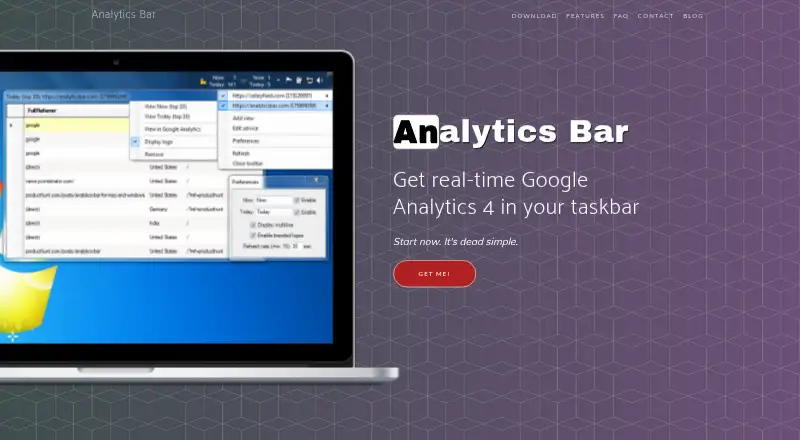
The facts below are what the maker publishes about Analytics Bar, checked and dated. Our editors have not written about it yet.
The facts
Each one read from Analytics Bar's own pages, with the date it was checked.
What it does
- Authentication
- The app uses Google Analytics service credential authentication and requires no username or password.checked 12 Oct 2026
- Branding
- The app can display a website's logo next to its statistics in the menu bar.checked 12 Oct 2026
- Data handling
- The maker says the app runs solely on the user's machine and sends no data to its backend; Google Analytics requests pass between the local app and Google.checked 5 Oct 2026
- Display customization
- Users can show or hide real-time and today stats and customize their labels.checked 12 Oct 2026
- Integrations
- The product connects to Google Analytics and supports displaying stats from multiple Google Analytics accounts at once.checked 5 Oct 2026
- Multiple accounts
- The FAQ says the app can display statistics from multiple Google Analytics accounts at once.checked 12 Oct 2026
- Multiple sites
- It supports multiple site views at once, with as many tracked websites or apps as fit in the menu bar.checked 12 Oct 2026
- Privacy
- The FAQ says no data is shared with the maker's backend and that Google Analytics requests go directly from the locally running app to Google.checked 12 Oct 2026
- Purpose
- Analytics Bar displays real-time Google Analytics 4 statistics in the computer menu bar.checked 12 Oct 2026
- Refresh
- The FAQ says the default refresh interval is 30 seconds and can be adjusted to 15 seconds or longer; the feature description advertises a constant 15-second refresh rate.checked 12 Oct 2026
- Refresh rate
- The default refresh interval is 30 seconds and can be adjusted to as low as 15 seconds or set higher.checked 5 Oct 2026
- Reporting
- The menu bar shows real-time and today-total Google Analytics statistics.checked 12 Oct 2026
- Site branding
- Users can display a website's logo next to its stats in the menu bar.checked 5 Oct 2026
- Support
- The homepage invites users to get in touch anytime.checked 12 Oct 2026
- Supported analytics
- The site describes the product as providing real-time Google Analytics 4 data.checked 5 Oct 2026
- Who it is for
- The maker describes it as for anyone tracking website or app users with Google Analytics.checked 12 Oct 2026
Money
- Free plan
- Nochecked 22 Sep 2026
- Trial and refund
- The maker says there is no trial mode and says dissatisfied buyers can request a refund.checked 5 Oct 2026
- Trial and refunds
- The FAQ says there is no trial mode and the maker offers refunds to dissatisfied purchasers; the homepage also advertises a money-back guarantee.checked 12 Oct 2026
Where it runs
- Platforms
- The product site lists Windows and macOS downloads.checked 12 Oct 2026
- Supported platforms
- The product is available for Windows and macOS.checked 5 Oct 2026
Alternatives to Analytics Bar
- 1

Countly
Free planOpen sourceAndroidiOSWebAPI9.4From $175 a month - 2

Amplitude
Free planAndroidiOSWebAPI9.1From $995 a month - 3

Contentsquare
Free planAndroidiOSWebAPI9.1Free plan - 4
Triple Whale
Free planAndroidiOSWebAPI8.7From $219 a month - 5

Heap
Free planAndroidiOSWebAPI8.6Free plan - 6

Clicky
Free planAndroidiOSWebAPI8.6From $79.99 a year