
Airtime Recorder
Airtime Recorder captures a screen, browser tab, window, or camera and lets viewers interact with recordings on desktop and mobile.
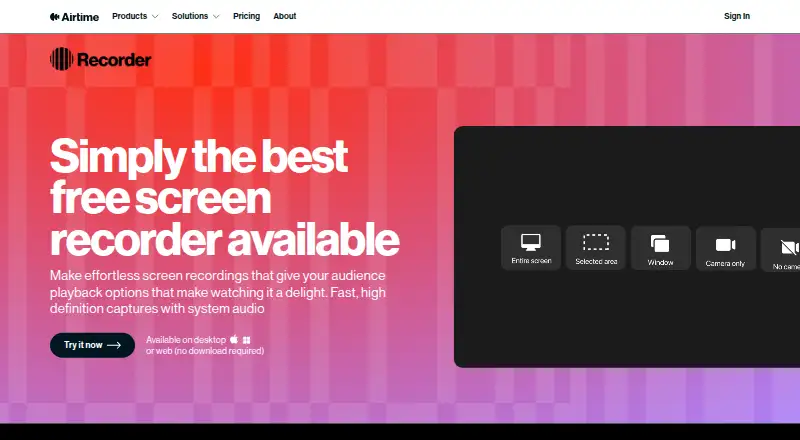
What Airtime Recorder is
Airtime Recorder captures a screen, browser tab, window, or camera and lets viewers interact with recordings on desktop and mobile. It can record system and microphone audio, and users can trim clips by selecting start and end points. After publishing, viewers can zoom into shared screen content, while the presenter can be moved and resized. Recordings can be shared through an Airtime-hosted link or downloaded as MP4 files; Airtime says playback is optimized for desktop and mobile screens. The web recorder supports Chrome, and system requirements also list Microsoft Edge. Airtime lists integrations with Zoom, Microsoft Teams, Google Meet, and Webex. A 14-day trial is available, but it is limited to five recordings of up to five minutes each. The Individual plan is $12 a month, billed monthly. The Team plan is $10 a month, billed annually, and adds an admin dashboard, centralized billing, and Apple or Google single sign-on. There is no free plan.
Good
- Captures screens, browser tabs, windows, and camera video.
- Records both system and microphone audio.
- Viewers can zoom into shared screen content.
- Recordings can be shared by link or downloaded as MP4.
- Supports Zoom, Teams, Google Meet, and Webex.
Watch out
- No free plan is available.
- Trial is limited to five recordings of up to five minutes.
- Web recorder supports Chrome; Edge is also listed in system requirements.
Who it suits
Airtime Recorder suits people who need to capture screen or camera content and share recordings with viewers across desktop and mobile. Teams may prefer its Team plan for centralized billing and an admin dashboard.
Verdict
Airtime Recorder combines screen capture, basic trimming, and interactive playback with link sharing or MP4 downloads. Check the trial limits and billing term when choosing a plan.
Plans and prices
From Airtime Recorder's own pricing page, checked 4 Oct 2026.
| Plan | Price | What it gives you |
|---|---|---|
| Individual | $120 a year | includes Camera, Recorder, Creator and Stacks · unlimited videos · $120.00 per year (= $10.00/month, billed annually) |
| Team | $120 a year | includes Individual · admin dashboard · centralized billing · Apple or Google SSO · $120.00 per seat per year (= $10.00 per seat/month, billed annually) |
| Enterprise | Priced on request | volume discounts for 20+ users · dedicated account team · priority support · SOC 2 report access · Contact sales |
The facts
Each one read from Airtime Recorder's own pages, with the date it was checked.
What it does
- Audio
- Recorder can capture system audio as well as microphone audio.checked 4 Oct 2026
- Capture
- Web Recorder can capture the entire screen, a window, a browser tab in Chrome, or camera only.checked 4 Oct 2026
- Compliance
- Airtime states that it is SOC 2 Type 2 compliant and has implemented GDPR and CCPA compliance programs.checked 4 Oct 2026
- Editing
- Users can trim a recording by dragging the playhead sliders to choose its beginning and end points.checked 4 Oct 2026
- Integrations
- Airtime's pricing page lists Zoom, Microsoft Teams, Google Meet, and Webex among supported video-call platforms.checked 4 Oct 2026
- Mobile viewing
- Airtime says recordings are optimized for mobile and desktop screens.checked 4 Oct 2026
- Playback controls
- Viewers can zoom in on shared screen content and the presenter can be moved and resized after publishing.checked 4 Oct 2026
- Purpose
- Airtime Recorder records screens and provides viewers with an interactive viewing experience on desktop and mobile.checked 4 Oct 2026
- Security
- Airtime says it encrypts data at rest and in transit and logically segments customer data.checked 4 Oct 2026
- Sharing
- Recordings can be shared through an Airtime-hosted link or downloaded as an MP4 file.checked 4 Oct 2026
- Subscription scope
- Airtime's paid subscriptions include Recorder, Camera, Creator, and Stacks.checked 4 Oct 2026
- Support
- The pricing page directs customers to contact Airtime Support for help.checked 4 Oct 2026
- Webcam recording
- Yeschecked 20 Sep 2026
- Web requirements
- Airtime's system requirements page lists Google Chrome or Microsoft Edge as supported browsers.checked 4 Oct 2026
The company
- Founded
- 2020checked 28 Sep 2026
Money
- Free plan
- Nochecked 20 Sep 2026
- Trial limit
- The 14-day trial limits Recorder to five recordings of up to five minutes each.checked 4 Oct 2026
Alternatives to Airtime Recorder
- 1

Cap
Free planOpen sourceWebAPIExtensionLinux9.0From $29 a year - 2

Loom
Free planAndroidiOSWebmacOS8.9From $18 a month - 3

Vmaker
Free planiOSWebExtensionmacOS8.9From $18 a month - 4

ScreenPal
Free planAndroidiOSWebmacOS8.8From $4 a month - 5

Claap
Free planAndroidiOSWebAPI8.8From €32 a month - 6

Screencastify
Free planWebExtensionLinuxmacOS8.7From $7 a month