
AInviter
AInviter is a web-based AI invitation maker for birthdays, weddings, baby showers, graduations, and other events.
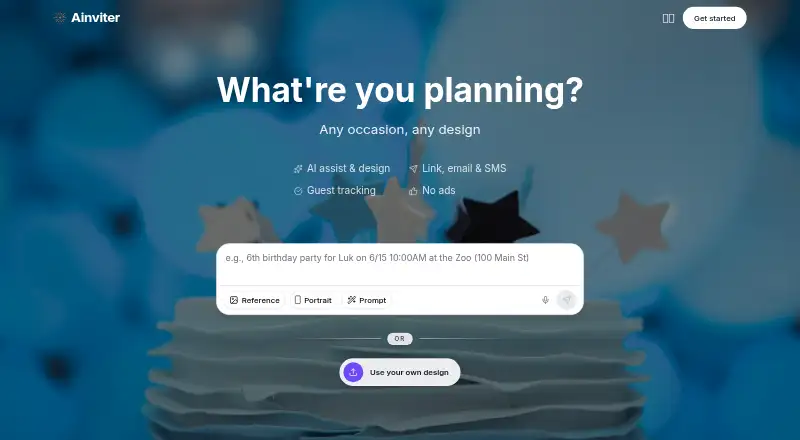
What AInviter is
AInviter is a web-based AI invitation maker for birthdays, weddings, baby showers, graduations, and other events. Hosts describe an occasion in plain language to generate invitation designs, then add event details, upload a photo, and adjust the result. Invitations can be shared by link, email, SMS, or QR code; a QR code can connect a printed invitation to its RSVP page. Guests can reply in a browser without downloading an app or creating an account. Hosts can track responses, remind people who have not replied, export guest lists as CSV, and add custom RSVP questions such as meal choices or dietary restrictions. The free plan costs $0 per event and includes about four AI designs and up to about 12 RSVPs. Pro costs $6.99 per event, with about 10 designs and up to about 50 RSVPs. Premium costs $12.99 per event and includes about 20 designs and unlimited RSVPs. AInviter says Google sign-in data is used for core service functions, not advertising, third-party marketing, data-broker sales, or AI training. It is not intended for children under 13 and cannot guarantee absolute security of online transmission or storage.
Good
- Generates invitation designs from plain-language event descriptions.
- Guests can RSVP without an app or account.
- Supports reminders and CSV guest-list exports.
- Offers custom RSVP questions.
Watch out
- Free plan is limited to about 12 RSVPs per event.
- Pro allows up to about 50 RSVPs per event.
- Service is not intended for children under 13.
- Absolute security of online transmission or storage is not guaranteed.
Who it suits
AInviter may suit hosts who want to create and share invitations online and manage RSVPs in one place. Its browser-based guest replies and multiple sharing methods may be useful when guests should not need an app or account.
Verdict
AInviter combines invitation design, sharing, and RSVP tracking for a range of events. Check the per-event RSVP limits and privacy caveats when choosing a plan.
Plans and prices
From AInviter's own pricing page, checked 14 Oct 2026.
| Plan | Price | What it gives you |
|---|---|---|
| Free | Free | AI assistant, rewrite & summary · ~4 AI-generated designs · up to ~12 RSVPs per event · shareable link & QR code · email delivery · per event |
| Pro | $6.99, paid once | Everything in Free · ~10 AI-generated designs · up to ~50 RSVPs per event · ad-free invitation page · remove QR-code watermark · per event |
| Premium | $12.99, paid once | Everything in Pro · ~20 AI-generated designs · unlimited RSVPs · remove AInviter watermark · AI video invitations · per event |
The facts
Each one read from AInviter's own pages, with the date it was checked.
What it does
- AI design
- The service generates unique invitation designs from an event description instead of requiring template browsing.checked 14 Oct 2026
- AI editing
- Users can ask the AI to change invitation wording, colors, styles, photos, and other details.checked 14 Oct 2026
- Co-hosts
- Events can display co-host profiles with photos, biographies, and contact details.checked 14 Oct 2026
- Customization
- Hosts can add event details, upload a photo, and adjust the invitation before sharing it.checked 2 Oct 2026
- Custom RSVP questions
- Hosts can add questions covering meal choices, dietary restrictions, plus-ones, or other information.checked 14 Oct 2026
- Data retention
- The policy says Google user data is deleted within 30 days after account deletion, with backups deleted within 60 days.checked 14 Oct 2026
- Edits after sending
- Hosts can change event details, text, photos, or reminders after sharing, and the same link shows the latest version.checked 14 Oct 2026
- Google data
- The privacy policy says Google sign-in data is used for core service functions and is not used for advertising, third-party marketing, data-broker sales, or AI-model training.checked 2 Oct 2026
- Google data use
- Google sign-in data is described as being used for account access, notifications, personalization, and support, not advertising or AI-model training.checked 14 Oct 2026
- Guest access
- Guests RSVP in a browser without installing an app or creating an account.checked 14 Oct 2026
- Guest account requirement
- A first invitation can be created without signing up, while an account saves invitations and event history.checked 14 Oct 2026
- Guest export
- The event dashboard can export guest and RSVP data as CSV.checked 14 Oct 2026
- Guest Wall
- Guests can post messages, photos, videos, and GIFs and react with emoji on the event page.checked 14 Oct 2026
- Independent listing: category
- Product Hunt tags Ainviter under Design Tools, Events, and SaaS.checked 14 Oct 2026
- Independent listing: community score
- The Product Hunt listing displayed two upvotes/points.checked 14 Oct 2026
- Independent listing: followers
- The Product Hunt listing displayed four followers.checked 14 Oct 2026
- Independent listing: launch
- Product Hunt lists Ainviter as launched in 2026 and says the page was launched 10 days before its crawl.checked 14 Oct 2026
- Independent listing: pricing signal
- Product Hunt displayed Ainviter as free and showed a 30% OFF launch promotion.checked 14 Oct 2026
- Independent listing: product description
- Product Hunt describes Ainviter as an AI invitation and RSVP platform with link, email, SMS, QR-code sharing, guest tracking, and reminders.checked 14 Oct 2026
- Independent listing: reviews
- Product Hunt displayed no written reviews for Ainviter at the time of capture.checked 14 Oct 2026
- Language support
- The maker says invitations can be created in languages including Spanish, French, Portuguese, German, Italian, and Dutch.checked 14 Oct 2026
- Licence
- The terms say Ainviter and its licensors retain exclusive ownership of the service, original content, features, and functionality, indicating proprietary software.checked 14 Oct 2026
- Limit: age
- The service is not intended for children younger than 13.checked 14 Oct 2026
The company
- Independent listing: maker statement
- The Product Hunt maker post identifies Li Sun as the builder and says the product was created to avoid template browsing by generating invitations from descriptions.checked 14 Oct 2026
The full review of AInviter
AInviter is a web-based invitation maker for hosts planning celebrations who want AI-assisted design and built-in RSVP coordination. It suits small events where guests should be able to respond without installing an app; the per-event RSVP caps make the paid tier choice important as a guest list grows.
Overview
Describe an event in plain language and AInviter generates invitation designs that hosts can customize with event details or a photo. It covers occasions such as birthdays, weddings, baby showers and graduations, and supports custom design uploads. Sharing by link, email, SMS or QR code gives hosts several ways to reach guests; a QR code can connect a printed invitation with its online RSVP page.
Guests respond in a browser without creating an account or downloading an app. Hosts can track responses in real time, remind non-responders, export guest lists as CSV and ask custom questions, including about meals and dietary restrictions. That combination is practical for coordinating an event, though the number of guests each plan can handle matters more than the design count for larger gatherings.
Key features
- AI invitation design: A plain-language prompt produces multiple designs. The approximate allowance ranges from four on Free to 20 on Premium, so hosts wanting more options pay more.
- Invitation customization: Add event details, upload a photo and adjust the design before sharing. This gives hosts room to personalize generated designs rather than send them untouched.
- RSVP coordination: Real-time tracking, reminders, CSV export and custom questions cover useful follow-up and planning tasks. Browser-based guest access avoids requiring guests to adopt another app or account.
- Multiple sharing routes: Link, email, SMS and QR code delivery serve both digital invitations and printed cards that point to an RSVP page.
Pricing
AInviter uses a freemium, per-event model. Free costs nothing, billed $0 per event, and provides about four AI-generated designs, up to about 12 RSVPs per event, a shareable link, QR code and email delivery. It is a useful way to handle a small event without paying, but the RSVP ceiling and email-only delivery are meaningful constraints.
Pro costs $6.99, paid once, billed $6.99 per event. It raises the design allowance to about 10 and the RSVP limit to 50, removes ads from the invitation page and removes the QR-code watermark. This is the sensible step up for a modest guest list that exceeds Free’s cap. Premium costs $12.99, paid once, billed $12.99 per event, and includes about 20 designs, unlimited RSVPs per event, an AI video invitation and removal of the AInviter watermark. It is the fit for hosts needing more RSVP capacity or the video format, though the separate guest limit of 50 guests is worth checking against the event size.
Each paid plan is charged per event rather than as a recurring subscription. Choose by expected attendance and the presentation features you need: Pro still caps RSVPs at 50, while Premium removes that per-event RSVP cap, but the guest limit is stated as 50.
Platforms
AInviter runs on the web. Guests can RSVP in a browser without an app download or account, which lowers the friction of collecting responses across a mixed-device guest list.
Who it's for
AInviter is best for hosts who want to make a personalized invitation, distribute it through digital or print-connected channels, and manage replies in one event workflow. Free fits very small gatherings; Pro suits events requiring more than roughly 12 responses and up to 50; Premium is aimed at hosts who need unlimited RSVPs per event or an AI video invitation. It is less suitable when attendance may exceed the stated 50-guest limit.
Pros and cons
- Pro: Guests can RSVP without an app or account, reducing barriers for invitees.
- Pro: Reminders, CSV export and custom meal or dietary questions support practical event planning beyond sending an invitation.
- Pro: QR codes can bridge printed invitations and online RSVPs.
- Con: Free allows only about 12 RSVPs per event and email delivery, limiting its usefulness for larger groups or hosts needing SMS.
- Con: Pro remains capped at 50 RSVPs per event, while Premium's unlimited RSVP allowance sits alongside a stated 50-guest limit.
- Con: The privacy policy says the service is not intended for children under 13 and cannot guarantee absolute security of online transmission or electronic storage.
Alternatives
Consider AI Invitation Generators for a broader category comparison, or Invitation Maker Software if you want to compare invitation tools beyond AI-focused options.
Pixivite is worth considering if you want Android or iOS support and a free allowance of five AI generations with image output, 50 guests per event, email and WhatsApp delivery, and RSVP tracking and analytics.
RevelPost offers a free web plan with invitations in five house styles, email, SMS or link delivery, RSVPs, reminders and guest messaging, but caps free events at 10 guests. It may suit a very small gathering where those messaging tools matter more than AInviter's larger Free RSVP allowance.
Click2Invite is another web invitation option to compare.
A2ZEvents may suit hosts seeking a free web service whose core features include events, invitations, greeting cards and RSVP collection without requiring a premium tier.
DigitalRSVPs offers a free web plan for up to three events with unlimited guests and three AI generations, though its branding remains visible. It is a stronger fit when guest capacity matters more than removing branding or having more AI generations.
POOK provides one free publication per account, with one invitation, 30 guests, public templates or a blank canvas, and a watermark. Its stated allowance may suit a single smaller event.
AI Invites is available on Android, iOS and web, with the first invitations free and paid plans needed for larger guest lists and premium features.
Ryvite gives a free first event with one AI-designed invitation, but SMS delivery and design regeneration are unavailable on that free plan. It may suit a one-off event if those restrictions are acceptable.
Verdict
Choose AInviter if you want AI-generated, customizable invitations paired with browser-based RSVPs, reminders and guest-list tools, especially for a small event whose attendance fits the chosen tier. Its strongest case is the combination of low-friction guest responses and practical follow-up; look elsewhere if you need a clearly larger guest capacity than the stated 50-person limit or more than 50 RSVPs without that caveat.
Alternatives to AInviter
- 1

Greetings Island
Free planAndroidiOSWebmacOS8.2From $26.99 a year - 2

Paperless Post
Free planAndroidiOSWeb8.0From $250 a year - 3

Evite
Free planAndroidiOSWeb7.6Free plan - 4
Greenvelope
AndroidiOSWebAPI7.6From $125 a year - 5
Snap Post
Free planWeb7.4$7.49 one-time - 6
InvitiApp
Free planAndroidiOSWeb7.3$19.99 one-time