
AI Flowchart
AI Flowchart is a web tool that turns text, notes, standard operating procedures, sketches, or screenshots into editable flowcharts.
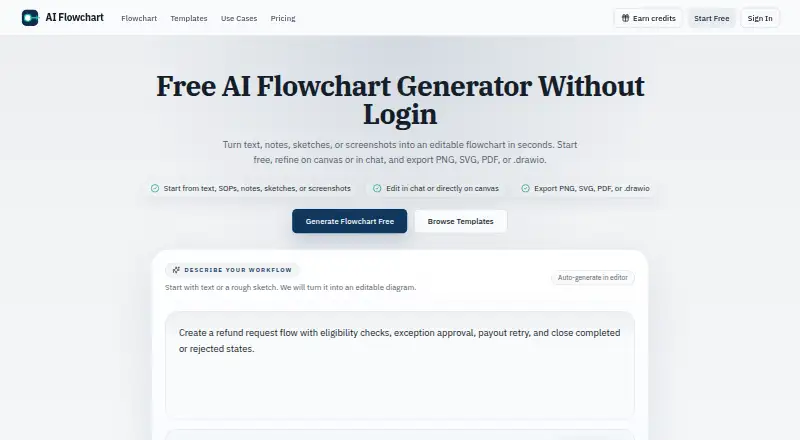
What AI Flowchart is
AI Flowchart is a web tool that turns text, notes, standard operating procedures, sketches, or screenshots into editable flowcharts. Users can refine diagrams through chat or directly on the canvas, and can paste pseudocode or logic steps to visualize branches and control flow. For image-based generation, it accepts PNG, JPG, or WEBP files up to 5MB.
The tool exports PNG, SVG, PDF, and editable .drawio files. Templates cover approvals, onboarding, support escalation, refunds, data pipelines, and canary deployment. A standard text-to-flowchart generation uses one credit; some actions, including image-based generation, may use more. Subscription credits reset each billing cycle and do not roll over. The Free plan offers one daily credit without login or two when logged in, with ads. Pro costs $9 a month for 1,500 credits; Premium costs $19 a month for 5,000 credits and priority support. The maker presents the tool for product, engineering, operations, and support teams. Prompts, diagrams, and uploaded images are not published publicly by default, though uploaded reference images go to the configured AI provider and third-party processors may temporarily retain request logs under their own policies.
Good
- Accepts text, notes, sketches, and screenshots
- Supports direct canvas and chat editing
- Exports editable .drawio files
- Free plan includes daily credits
Watch out
- Free plan includes ads
- Subscription credits do not roll over
- Image uploads are limited to 5MB
- Some actions use more than one credit
Who it suits
AI Flowchart may suit product, engineering, operations, and support teams mapping workflows, approvals, and system interactions. It also fits users who want to turn existing notes, logic, or images into editable diagrams.
Verdict
AI Flowchart supports several ways to create and revise flowcharts, with four export formats. Compare the credit allowances and image-processing details with the way you expect to use it.
Plans and prices
From AI Flowchart's own pricing page, checked 8 Oct 2026.
| Plan | Price | What it gives you |
|---|---|---|
| Free | Free | 1 daily credit without login · 2 daily credits when logged in · Ads on the free plan · Billed Monthly |
| Pro | $9 a month | 1,500 credits per month · No ads · Priority support not listed · Billed Monthly |
| Premium | $19 a month | 5,000 credits per month · No ads · Priority support · Billed Monthly |
The facts
Each one read from AI Flowchart's own pages, with the date it was checked.
What it does
- Audience
- The maker says the tool is for product, engineering, operations, and support teams mapping workflows, approvals, and system interactions.checked 8 Oct 2026
- Code logic
- Users can paste pseudocode or logic steps to visualize branches and control flow.checked 8 Oct 2026
- Credit rollover
- Subscription credits reset each billing cycle and do not roll over.checked 8 Oct 2026
- Credits
- A standard text-to-flowchart generation uses 1 credit, while some actions such as image-based generation can use more.checked 8 Oct 2026
- Data processing
- Uploaded reference images are sent to the configured AI provider, and third-party processors may temporarily keep request logs under their own policies.checked 8 Oct 2026
- Editing
- Users can refine flowcharts in chat or directly on the canvas.checked 8 Oct 2026
- Exports
- The product exports flowcharts as PNG, SVG, PDF, or editable .drawio files.checked 8 Oct 2026
- Image input
- The editor accepts PNG, JPG, or WEBP sketches and screenshots up to 5MB for flowchart generation.checked 8 Oct 2026
- Integrations
- The privacy policy names Creem for payment processing, Cloudflare and Supabase for cloud infrastructure, and AI processing providers for generation.checked 8 Oct 2026
- Privacy
- The privacy policy says prompts, diagrams, and uploaded images are not published publicly by default.checked 8 Oct 2026
- Security
- The privacy policy lists SSL/TLS encryption for data transmission, cloud storage, Supabase authentication, and regular security audits and updates.checked 8 Oct 2026
- Support
- Support is available at [email protected], and the contact page says most requests receive a response within 1–2 business days.checked 8 Oct 2026
- Templates
- The site offers templates for workflows including approvals, onboarding, support escalation, refunds, data pipelines, and canary deployment.checked 8 Oct 2026
- What it does
- Turns text, notes, SOPs, sketches, or screenshots into editable flowcharts.checked 8 Oct 2026
Alternatives to AI Flowchart
- 1

Creately
Free planWebAPILinuxmacOS8.1Free plan - 2

Eraser
Free planWebAPIExtensionSelf-hosted7.5From $15 a month - 3
OpenCharts
Free planWebAPImacOSWindows7.4From $9.99 a month - 4
Capci
Free planWebAPISelf-hosted7.3From ₹375 a month - 5

AI Diagram Maker
Free planWebAPIExtension7.2From $10 a month - 6

Archflow
Free planWeb7.2From $5 a month