
AfterSchool HQ
AfterSchool HQ is a youth program management platform for schools, activity providers, and youth programs.
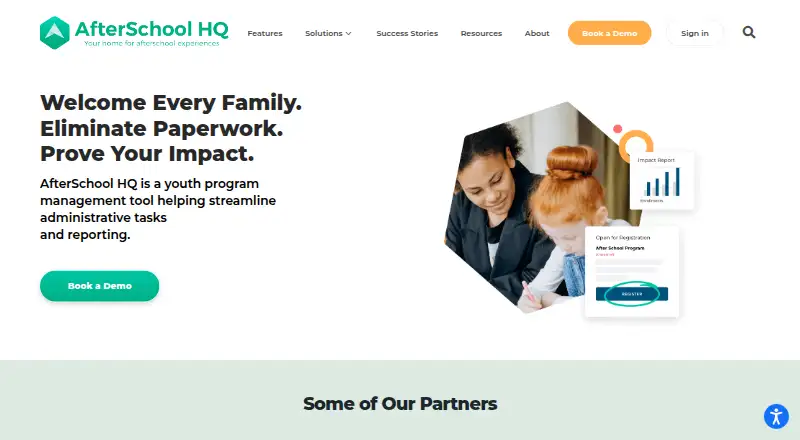
What AfterSchool HQ is
AfterSchool HQ is a youth program management platform for schools, activity providers, and youth programs. Organizations can publish activities online so parents can register and pay, while administrators use tools for rosters, attendance, check-in and check-out, communication, and impact reporting. Parents can pay by credit card or ACH, and providers can offer subscriptions or payment plans. Family messages can be sent by email or text.
The service is available on Android, iOS, and the web; its parent app is listed for the web. A free plan and free trial are available. Activities processed through the platform incur an after-school program support fee, and credit card payments also incur a transaction fee. Coupons can be applied to registration fees but not payment plans. Its Help Center describes a Zapier connection that can trigger actions after a registration is submitted and requires an organization API key. AfterSchool HQ was founded in 2013 and is headquartered in Fishers, Indiana.
Good
- Organizations can publish programs for online registration.
- Supports credit card and ACH payments.
- Includes rosters, attendance, and pickup verification.
- Parent communication supports email and text.
- Offers a free plan and free trial.
Watch out
- Processed activities incur a program support fee.
- Credit card payments also incur a transaction fee.
- Coupons cannot be applied to payment plans.
Who it suits
It suits schools, activity providers, and youth programs that need online registration, payments, attendance tools, and parent communication. Parents can use it to find activities, register, and pay.
Verdict
AfterSchool HQ brings program listings, family registration, payments, and administration tools together. Consider the platform and credit card transaction fees, along with the coupon restriction for payment plans.
Plans and prices
From AfterSchool HQ's own pricing page, checked 14 Oct 2026.
| Plan | Price | What it gives you |
|---|---|---|
| Free | Free | transaction-fee schedule applies to processed activities |
| Enterprise + Autopilot | $490 a year | plan information not available on listing · flat rate, per year |
| Enterprise | Priced on request | Transaction fees apply to activities processed through AfterSchool HQ |
| Lite | Priced on request | Transaction fees apply to activities processed through AfterSchool HQ |
| Pro | Priced on request | Transaction fees apply to activities processed through AfterSchool HQ |
The facts
Each one read from AfterSchool HQ's own pages, with the date it was checked.
What it does
- AI data handling
- The terms state that OpenAI does not train its models on business data processed through the Assistants API and that account assistants and chat threads are isolated.checked 4 Oct 2026
- API documentation
- The public help center documents the Zapier key workflow but does not expose a general public REST API or SDK documentation.checked 14 Oct 2026
- Attendance
- Staff can record attendance, edit check-in and check-out times, add internal notes and view attendance reports.checked 14 Oct 2026
- Authentication security
- Two-factor authentication is documented for access to the AWS environment and is available as an organization setting in the help center.checked 14 Oct 2026
- Check-in and out
- The feature list includes check-in and check-out to verify student pickup and drop-off.checked 4 Oct 2026
- CRM
- The feature catalog includes a unified student and contact CRM.checked 14 Oct 2026
- Custom forms
- Providers can build custom registration forms to collect organization-specific information.checked 14 Oct 2026
- Documentation
- The help center provides categorized guides covering activities, billing, registration, attendance, check-in, forms, payments, staff, reports and integrations.checked 14 Oct 2026
- Family communication
- The product supports parent communication by email and text.checked 4 Oct 2026
- Features
- The feature list includes online registration and payments, communication and management tools, impact reporting, rosters, and attendance tracking.checked 4 Oct 2026
- Fees
- Activities processed through the platform incur an after-school program support fee, and credit card payments also incur a transaction fee.checked 4 Oct 2026
- Founders
- The company identifies Darye Henry as CEO and co-founder and San Pathak as COO and co-founder.checked 14 Oct 2026
- Funding news
- The 2023 Indiana Tech Venture Report records a $3 million seed round in June 2023 led by Reach Capital with several participating venture investors.checked 14 Oct 2026
- Integrations
- Stripe is used for payment processing and providers can access Stripe payouts from the dashboard.checked 14 Oct 2026
- Intended users
- The company presents the product for schools, activity providers, and youth programs.checked 4 Oct 2026
- Licence
- The terms describe the platform and its contents as proprietary material owned by AfterSchool HQ or licensors, so it is not open source.checked 14 Oct 2026
- Limit: feature gating
- The help center says check-in and check-out availability depends on subscription plan and may require contacting support.checked 14 Oct 2026
The company
- Company founded
- Preqin identifies AfterSchool HQ, LLC as founded in 2017 in Fishers, Indiana.checked 14 Oct 2026
- Company size
- LinkedIn lists AfterSchool HQ as a privately held education company with 11–50 employees and headquarters in Fishers, Indiana.checked 14 Oct 2026
- Founded
- 2013checked 28 Sep 2026
- Headquarters
- Fishers, Indiana, USAchecked 28 Sep 2026
Where it runs
- Connected apps
- Connected apps may include the AHQ Hub App, AHQ Import App, AI Reporting Assistant, and Grafana, with availability depending on organization permissions and enabled features.checked 4 Oct 2026
- Kiosk mode
- The feature list includes a kiosk mode for participant check-in and check-out.checked 14 Oct 2026
Money
- Limit: payment-plan coupons
- Coupons cannot be applied to payment plans and are limited to registration fees.checked 14 Oct 2026
The full review of AfterSchool HQ
Overview
AfterSchool HQ is a youth program management platform for schools, activity providers and other youth programs. It is best suited to organizations that want families to find and enroll in activities online while staff handle program operations in the same system.
Its coverage extends from registration and payment to attendance and pickup, making it a practical fit for coordinating activities. Providers should weigh the fees on processed activities against that convenience.
Key features
Schools and providers can publish programs online for parents to register and pay by credit card or ACH. Subscriptions and payment plans offer ways to collect fees over time, but coupons cannot be applied to payment plans. Credit card payments also carry a transaction fee, and activities processed through the platform incur an after-school program support fee. Those charges matter to providers deciding whether the convenience of online payment fits their costs.
Rosters and attendance tracking help staff manage enrollment and participation; check-in and check-out support verification of student drop-off and pickup. Email and text messaging give organizations direct ways to reach families, while impact reporting adds a view of program outcomes alongside daily administration. Enrollment forms and billing and payments round out the core workflow.
A Zapier integration can trigger actions when a registration is submitted, but it requires an organization API key. Connected apps may include the AHQ Hub App, AHQ Import App, AI Reporting Assistant and Grafana; access depends on organizational permissions and enabled features. The terms say retained data is encrypted at rest, access is limited to authorized personnel, and activity is logged and monitored. They also state that OpenAI does not train its models on business data processed through the Assistants API and that account assistants and chat threads are isolated.
Pricing
AfterSchool HQ uses a freemium model and offers a free plan and free trial. The Free plan costs nothing, with transaction fees applying to activities processed through AfterSchool HQ. It provides a way to start without a subscription price, but those fees mean free does not necessarily mean cost-free when programs take payments.
Lite, Pro and Enterprise have custom pricing. Each carries transaction fees on activities processed through the platform, so organizations should factor those into the plan decision as well as the plan price. The available plan details do not distinguish their features or limits, so the right tier will depend on the organization's needs and pricing discussion with AfterSchool HQ.
Platforms
AfterSchool HQ runs on the web, Android and iOS. The parent app is web-based, giving families a browser option for registration and program access.
Who it's for
The product is aimed at schools, activity providers and youth programs that need online enrollment, family payments and administrative tools such as rosters, attendance and communication. It is less compelling for organizations seeking to avoid per-activity or card-processing fees, or for those that need coupons to work with payment plans.
Pros and cons
Pros
- Registration through pickup: Program publishing, enrollment, payments, rosters, attendance and check-in/out cover several stages of running youth activities in one platform.
- Multiple family contact channels: Email and text messaging give staff options for reaching parents.
- Flexible payment collection: Credit card, ACH, subscriptions and payment plans support different ways for families to pay.
Cons
- Fees can add up: Processed activities incur a support fee, and credit card payments also incur a transaction fee.
- Coupon restriction: Coupons cannot be applied to payment plans, limiting discounts for families paying over time.
- Plan choice requires a pricing discussion: Lite, Pro and Enterprise use custom pricing, and transaction fees apply across plans.
Alternatives
For a broader comparison, browse the Childcare Management Software category.
- Cheqdin is worth considering for a small operation that can fit within its free limit of five students; its Rise plan provides email support only and excludes personalised training and record archiving at the limit. Its Starter plan is $68 a month.
- OWNA may suit a center looking for a free plan that includes curriculum planning, attendance sign-in/out, a parent app and compliance. Its Premium plan is $39 a month.
- QikKids is an alternative with Playground plans organized by place-count bands, from 0–39 to 70–99 places.
- Kangarootime offers a free plan for one program, one school and five staff members; its Premium plan supports up to 10 schools and unlimited staff.
- Neztio may fit a center seeking a free forever plan for up to 15 children, with a Standard plan at $79 a month for unlimited children.
- 6crickets offers a free marketplace listing for any number of seats, with commissions on marketplace registrations and referral fees on provider-site registrations.
- Procare may suit a smaller center or in-home daycare provider willing to pay $25 a month for its home version; classroom management is unavailable for in-home users.
- Xplor Education offers OSHC and Xplor One Premium packages with different combinations of Office, Playground, Home App and MyWaitlist.
Verdict
AfterSchool HQ is a strong fit for schools and youth-program providers that want a connected system for family registration, payment and daily program administration. Its broad workflow and web, Android and iOS access are the main reasons to choose it; organizations should look elsewhere if platform and card fees, or the payment-plan coupon restriction, undermine their preferred way of charging families.
Getting started
- Open the AfterSchool HQ website.
- Choose the free plan or review the listed Lite, Pro, and Enterprise plans.
- Publish programs online so parents can register and pay.
- Use the Android, iOS, or web platform.
- For Zapier actions after registration, use an organization API key.
Limits worth knowing
The Free plan is free, but transaction fees apply to activities processed through AfterSchool HQ. Credit card payments also incur a transaction fee, and coupons cannot be used for payment plans.
Questions
Is AfterSchool HQ free?
A Free plan is available at no cost, and a free trial is listed. Transaction fees apply to activities processed through the platform.
What payment methods can parents use?
Parents can pay online by credit card or ACH. Credit card payments also incur a transaction fee.
Which platforms are available?
AfterSchool HQ is available on Android, iOS, and the web. The parent app is listed for web.
Does AfterSchool HQ integrate with Zapier?
Yes. Zapier can trigger actions when a registration is submitted, and the integration requires an organization API key.
Can providers offer payment plans?
Yes. Providers can offer subscriptions or payment plans. Coupons can be used for registration fees but not payment plans.
Who is AfterSchool HQ for?
The company presents it for schools, activity providers, and youth programs. Parents can use it to find, register for, and pay for activities.
Alternatives to AfterSchool HQ
- 1

Xplor Education
Free planAndroidiOSWebAPI8.2Free plan - 2
Cheqdin
Free planAndroidiOSWebAPI7.9From $68 a month - 3
Neztio
Free planAndroidiOSWebAPI7.9From $79 a month - 4

Bloomwell
Free planAndroidiOSWeb7.8From $49 a month - 5

illumine
AndroidiOSWebAPI7.8 - 6

Kangarootime
Free planAndroidiOSWebAPI7.6Free plan