AdvisorCRM
AdvisorCRM combines client relationship management, portfolio management, ticketing, and back-office processing for financial advisors.
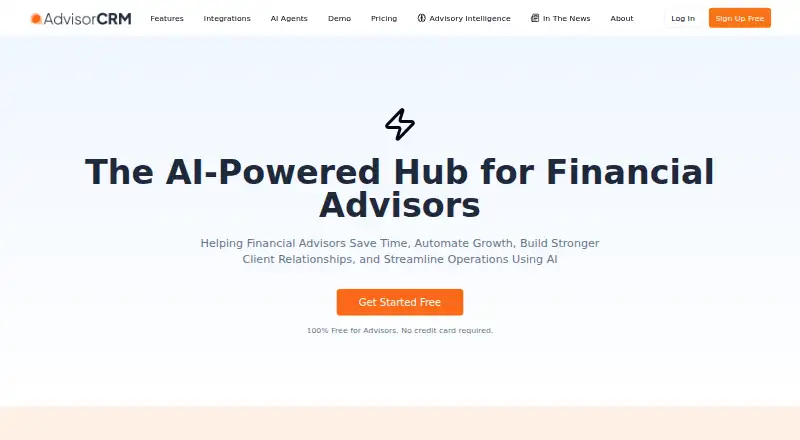
What AdvisorCRM is
AdvisorCRM combines client relationship management, portfolio management, ticketing, and back-office processing for financial advisors. Client tools include contact records, tags, segmentation, tasks, deals, and opportunities. Its AI meeting tools can prepare agendas, transcribe Zoom meetings, update CRM records, and draft follow-up emails. The platform can mirror custodian transactions, positions, cash, goals, alerts, and performance metrics. Listed integrations include Google and Microsoft suites, Zoom, DocuSign, Charles Schwab, Calendly, and others. AdvisorCRM describes a REST API and Zapier integration, while full API documentation and Zapier guides are still described as forthcoming. Its security information states that data is stored in the United States, encrypted at rest with AES-256 or stronger, and transmitted over TLS 1.2 or later. The company also states SOC 2 certification, audit trails, and role-based access controls. The free Core CRM plan includes unlimited contacts for up to three users, one connected calendar and email, and meeting notes by manual upload only. Workflows & AI costs $59 a month for up to five users.
Good
- Combines CRM, portfolio management, ticketing, and back-office processing.
- AI meeting tools can update CRM records and draft follow-ups.
- Free Core CRM includes unlimited contacts.
- States SOC 2 certification, audit trails, and role-based access controls.
Watch out
- Free Core CRM is limited to three users.
- Free-plan AI meeting notes require manual uploads.
- Full API documentation and Zapier guides are forthcoming.
- Workflows & AI costs $59 a month.
Who it suits
AdvisorCRM is intended for financial advisors who want client, portfolio, meeting, and back-office tools in one cloud platform. Its free Core CRM plan may suit teams of up to three users with manual meeting-note uploads.
Verdict
AdvisorCRM brings advisor client records, portfolio data, and meeting workflows together, with a free Core CRM tier and paid workflow options. Teams should weigh the free plan's user and meeting-note limits, and note that full API documentation is still forthcoming.
Plans and prices
From AdvisorCRM's own pricing page, checked 21 Oct 2026.
| Plan | Price | What it gives you |
|---|---|---|
| Core CRM | Free | Unlimited contacts · Up to 3 users · One calendar and email sync · Custodian integration · AI meeting notes by manual upload · Free |
| Workflows & AI | $59 a month | Up to 5 users · Auto-joining AI meeting notetaker · Custodial alerts and advanced automation · Unlimited calendars and email accounts · Auto-filled forms and e-signatures · Zapier automation · Structured product, insurance, and tax modules · $59 per month |
| Performance Reporting | $97 a month | Advanced analytics and portfolio reporting dashboards · $97 per month |
| Trading & Billing | $499 a month | Integrated trading · Automated client billing · $499 per month |
| Compliance Suite | Priced on request | Compliance and regulatory management tools · Contact us |
| Enterprise | Priced on request | Dedicated account manager and onboarding · Custom integrations and API access · SSO and advanced security controls · Unlimited clients and usage subject to fair use · Custom SLA and premium support · Custom |
The facts
Each one read from AdvisorCRM's own pages, with the date it was checked.
What it does
- AI meetings
- Meeting tools can prepare agendas, transcribe Zoom meetings, update CRM records, and draft follow-up emails.checked 21 Oct 2026
- API and Zapier
- The maker describes a REST API and Zapier integration, and says full API documentation and Zapier guides are coming soon.checked 3 Oct 2026
- API documentation limit
- The API page says full API documentation and detailed Zapier guides are forthcoming, and directs interested developers to request access.checked 21 Oct 2026
- Client CRM
- Its client CRM supports relationship records, communication logs, and client segmentation.checked 21 Oct 2026
- Client management
- The platform includes contact management, tags and segmentation, tasks, deals, and opportunities.checked 3 Oct 2026
- Client overview
- The client overview dashboard presents task status, portfolio notes, goals, and suggested actions.checked 21 Oct 2026
- Compliance
- AdvisorCRM states that it is SOC 2 certified and that it maintains audit trails and role-based access controls.checked 3 Oct 2026
- Custodian data
- Account integration mirrors custodian transactions, positions, cash, and goals for account reporting and alerts.checked 21 Oct 2026
- Document automation
- The account-opening workflow generates paperwork with client data prefilled and validation checks.checked 21 Oct 2026
- Encryption and access controls
- The security page says data is encrypted at rest with AES-256 or stronger, sent over TLS 1.2 or later, and protected with required multifactor authentication and role-based permissions.checked 21 Oct 2026
- Google and Microsoft sync
- Google integration covers email, calendar, Meet, and Drive, while Microsoft integration covers Exchange or Office 365 email, calendar, and OneDrive.checked 21 Oct 2026
- Google Play data disclosure
- The app's Google Play data-safety section says the developer declares no data collected and no data shared with third parties.checked 21 Oct 2026
- Hosting model
- The terms describe the CRM as a web-based system, and the company describes hosting across AWS and Google Cloud rather than a self-hosted deployment.checked 21 Oct 2026
- Independent reviews
- Searches of the named review platforms did not surface an opened product review page for AdvisorCRM with an attributable user rating and review count.checked 21 Oct 2026
- Insurance management
- The insurance module processes policy statements and can connect to vendors for quotes and policy replacement or rollover opportunities.checked 21 Oct 2026
- Integrations
- Listed connections include Google Suite, Microsoft Suite, Nitrogen Wealth, Zoom, DocuSign, Charles Schwab, Calendly, Egnyte, SmartData, and Typeform.checked 21 Oct 2026
- Intended users
- AdvisorCRM describes itself as built for financial advisors and says its founders previously built and operated an advisory practice.checked 3 Oct 2026
- License
- The public materials describe a hosted commercial service and do not state an open-source license; the product is not presented as open source.checked 21 Oct 2026
- Limit: API documentation
- Developers cannot consult complete public API documentation or detailed Zapier guides on the API page, which says those materials are coming soon.checked 21 Oct 2026
Where it runs
- Android app
- The Google Play app listing describes advisor profiles, asset tracking, portfolio summaries, and sign-in by email, password, or Google single sign-on.checked 21 Oct 2026
The company
- Company founded
- LinkedIn lists AdvisorCRM as founded in 2024.checked 21 Oct 2026
- Company headquarters and size
- LinkedIn lists the company headquarters as Dallas, Texas, and its size as 2–10 employees.checked 21 Oct 2026
- Company legal name
- The privacy policy identifies AdvisorCRM.com as doing business as Elements Innovation Technologies LLC.checked 21 Oct 2026
- Company ownership
- LinkedIn describes AdvisorCRM as privately held.checked 21 Oct 2026
The full review of AdvisorCRM
AdvisorCRM is a cloud platform that brings advisor-focused client management together with portfolio data and back-office workflows. It suits financial advisory firms that want those functions connected, especially smaller teams starting with a free CRM tier. Its strongest case is the combination of relationship and portfolio work; its central trade-off is that automated workflows and specialist capabilities move into paid plans and add-ons.
Overview
AdvisorCRM combines CRM, portfolio management, ticketing, and back-office processing for financial advisors. Contact records support tags, segmentation, tasks, deals, and opportunities, while the company says it can mirror custodian transactions, positions, cash, goals, alerts, and performance metrics. Putting those records and portfolio context together is useful for firms that want client service and investment activity in one system, rather than a general-purpose contact database.
The product is built for advisors, and its founders previously built and operated an advisory practice. That focus is relevant to firms seeking advisor-specific workflows, but does not by itself remove the need to check whether the plan limits fit the firm's size and processes.
Key features
Meetings and follow-up
AI meeting tools can generate agendas, transcribe Zoom meetings, update CRM records, and draft follow-up emails. That can connect a client conversation to its record and next steps. The free Core CRM tier only allows manual uploads for AI meeting notes, so teams wanting the meeting workflow rather than just the CRM start at Workflows & AI.
Zoom recordings and transcripts are stored in AdvisorCRM and can be set to auto-delete upon request. Firms handling sensitive meeting content should account for that storage arrangement when deciding how to configure the workflow.
Portfolio, integrations, and controls
Listed integrations include Google Suite, Microsoft Suite, Nitrogen Wealth, Zoom, DocuSign, Charles Schwab, Calendly, Egnyte, SmartData, and Typeform. The maker also describes a REST API and Zapier integration, but says full API documentation and Zapier guides are coming soon. That makes the connection options potentially useful, while teams planning custom integrations may prefer to wait until the documentation is ready.
The security page states that data is stored in the United States, encrypted at rest with AES-256 or stronger, and transmitted over TLS 1.2 or later. AdvisorCRM states that it is SOC 2 certified and maintains audit trails and role-based access controls. Compliance workflows are also supported. Support requests, general inquiries, feedback, and demo scheduling are handled through its contact page.
Pricing
Core CRM costs nothing. It includes unlimited contacts, up to three users, one connected calendar and email, and AI meeting notes by manual upload only. This is a practical starting point for a small firm that needs core records and is willing to handle meeting-note uploads manually; the three-user cap and single calendar-and-email connection constrain larger or more connected teams.
Workflows & AI costs $59 a month, billed per month, and allows up to five users with unlimited calendars and email accounts. It is the relevant step up for teams that want the broader meeting and workflow capabilities, but the five-user limit still makes it a small-team option.
Performance Reporting is an optional add-on at $97 a month, with advanced portfolio analytics and reporting dashboards. It fits firms that need those analytics beyond the core portfolio data. Trading & Billing is an optional add-on at $499 a month for integrated trading and automated client billing, a more substantial commitment for firms that specifically need those operations in the platform.
Enterprise has custom pricing and offers unlimited clients and usage subject to a fair use policy, plus a custom SLA and premium support. Compliance Suite is an optional add-on with custom pricing. The free tier is the only stated no-cost plan; paid plan prices are monthly, with no annual term stated.
Platforms
AdvisorCRM is available on the web and through an API. It is cloud-deployed, which suits firms working through a browser-based system, while the API provides a route for integrations as its documentation develops.
Who it's for
AdvisorCRM is best suited to financial advisors and smaller advisory teams that want contact and opportunity management alongside portfolio data, meeting workflows, and compliance controls. Firms with up to three users can begin on Core CRM; those needing connected calendars and email accounts or richer meeting workflows can consider Workflows & AI. Teams needing more than five users, advanced reporting, or integrated trading and billing should account for the additional plans and add-ons before committing.
It is less suitable for a firm that needs a documented API and Zapier setup immediately, or one seeking a broad set of included users without moving to custom-priced Enterprise.
Pros and cons
- Advisor-specific scope: CRM, portfolio data, ticketing, and back-office processing address more than contact tracking alone.
- Useful free entry point: unlimited contacts at no cost can serve a firm of up to three users, though meeting notes require manual uploads.
- Connected meeting workflow: agenda generation, Zoom transcription, CRM updates, and follow-up drafts can reduce manual handoffs, but the free plan does not provide automated meeting-note handling.
- Stated security and compliance controls: encryption, SOC 2 certification, audit trails, role-based access, and compliance workflows matter for advisor operations.
- Costs rise for specialist functions: reporting and trading/billing are separately priced add-ons, and the workflow plan remains capped at five users.
- Integration guidance is still developing: full API documentation and Zapier guides are forthcoming, which is a drawback for firms planning custom connections now.
Alternatives
For a broader comparison, browse Financial Services CRM Software.
- Zoho CRM is a freemium alternative with a free plan for three users, a free trial, and Android, iOS, web, and API platforms; consider it when those platform options matter more than AdvisorCRM's advisor-specific portfolio scope.
- AdvisorEngine CRM is a paid advisor-focused alternative at $69 a year, billed per user per month annually, with a three-user minimum, all features, priority support, and unlimited document storage; consider it when those included features and support terms suit the firm.
- Salesforce Financial Services Cloud is a paid option with a free trial and a stated Financial Services Cloud for Sales plan at $325 a month, billed annually per user for Enterprise Edition; consider it when a large financial-services platform is a better fit than AdvisorCRM's small-team plan limits.
- Practifi is a paid alternative with no free plan or free trial; its Naya plan is $135 a month and its Sentir plan is $195 a month, with launch pricing and configuration factors; consider it when its tiered firm-size approach fits.
- OneVest CRM has custom pricing and is included for every OneVest customer as part of Advisor and Operations Workspaces; consider it when the firm already uses OneVest.
- Total Expert has a complimentary plan and platforms for Android, iOS, web, and API; consider it when those platform options or its complimentary offering better match the firm's needs.
- Redtail CRM is a paid option with a free trial and web, iOS, and Android access; consider it when those platforms and trial access are priorities.
- Creatio CRM is a paid alternative with a free trial and web, mobile, API, and self-hosted platforms; consider it when self-hosting is important.
Verdict
Choose AdvisorCRM if you are a financial advisor or a small firm that wants client records, portfolio context, meeting workflows, and compliance controls connected in one cloud platform. The free Core CRM makes it possible to start with unlimited contacts, while the main reason to look elsewhere is the user ceiling and the extra cost of advanced reporting, trading, and billing; firms relying on custom integrations should also wait for the full API and Zapier documentation.
Getting started
- Visit the AdvisorCRM website.
- Choose the free Core CRM plan or a paid plan.
- Use the web platform or API.
- Connect one calendar and email on Core CRM, or unlimited calendars and email accounts with Workflows & AI.
- For a demo or support, use the contact page to schedule or send an inquiry.
Limits worth knowing
The free Core CRM plan allows up to three users, one connected calendar and email, and manual-upload-only AI meeting notes. Workflows & AI costs $59 a month and supports up to five users, with unlimited calendars and email accounts.
Questions
Is there a free plan?
Yes. Core CRM is free at no cost.
What does Core CRM include?
It includes unlimited contacts for up to three users, one connected calendar and email, and AI meeting notes through manual uploads.
How much do the paid plans cost?
Workflows & AI costs $59 a month, Performance Reporting $97 a month, and Trading & Billing $499 a month.
Which platforms does AdvisorCRM support?
The listed platforms are web and API.
What integrations are listed?
They include Google Suite, Microsoft Suite, Nitrogen Wealth, Zoom, DocuSign, Charles Schwab, Calendly, Egnyte, SmartData, and Typeform.
What security measures does AdvisorCRM state?
It states that data is stored in the United States, encrypted at rest with AES-256 or stronger, and transmitted over TLS 1.2 or later. It also states SOC 2 certification, audit trails, and role-based access controls.
Alternatives to AdvisorCRM
- 1

Zoho CRM
Free planAndroidiOSWebAPI8.3From $14 a month - 2

InsuredMine
Free planAndroidiOSWebAPI8.0From $69 a month - 3

Total Expert
Free planAndroidiOSWebAPI8.0From $69 a month - 4
Redtail CRM
AndroidiOSWebAPI7.7 - 5
Salesforce Financial Services Cloud
AndroidiOSWebAPI7.7From $325 a month - 6
Wealthbox
AndroidiOSWebAPI7.7From $59 a month