Advanced Application Uninstaller and Cleaner
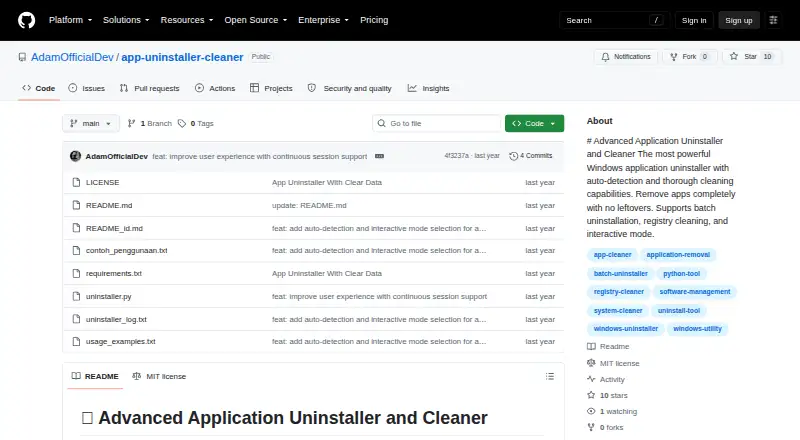
The facts below are what the maker publishes about Advanced Application Uninstaller and Cleaner, checked and dated. Our editors have not written about it yet.
The facts
Each one read from Advanced Application Uninstaller and Cleaner's own pages, with the date it was checked.
Where it runs
- Application detection
- It automatically detects installed applications by scanning the Windows registry.checked 9 Oct 2026
What it does
- Backups
- The tool can back up registry keys and files before deletion, and its command-line options can disable automatic backups.checked 9 Oct 2026
- Batch removal
- It can remove multiple selected applications in one run.checked 9 Oct 2026
- Batch uninstall
- Yeschecked 23 Sep 2026
- Cleanup
- Thorough mode performs an optional deep scan for leftover files and data.checked 9 Oct 2026
- Detection
- It scans the Windows registry to detect installed applications.checked 9 Oct 2026
- Installation
- No installation is required; the README says to download the script and run it with Python.checked 9 Oct 2026
- Intended user
- The README describes interactive selection, guided uninstallation options, and command-line controls for users managing Windows applications.checked 9 Oct 2026
- Intended users
- The maker describes it as a tool for completely uninstalling Windows applications and cleaning leftover data.checked 9 Oct 2026
- Leftover scan
- Yeschecked 23 Sep 2026
- License
- The repository identifies the project as MIT licensed.checked 9 Oct 2026
- Portable version
- Yeschecked 23 Sep 2026
- Preview
- Dry-run mode previews changes without modifying the system.checked 9 Oct 2026
- Purpose
- The tool uninstalls Windows applications and cleans up leftover data.checked 9 Oct 2026
- Reporting
- It generates detailed reports of the uninstallation process.checked 9 Oct 2026
- Reports
- It generates detailed reports about the uninstallation process.checked 9 Oct 2026
- Requirements
- It requires Windows, Python 3.6 or higher, and administrator privileges.checked 9 Oct 2026
- Safety
- The tool provides backups, dry-run previews, confirmation prompts, error handling, and detailed logging.checked 9 Oct 2026
- Support and contributions
- The README invites users to contribute by submitting a pull request.checked 9 Oct 2026
- Uninstall methods
- It runs an application's official uninstaller before cleaning related registry entries and directories.checked 9 Oct 2026
- Warning
- The maker advises running dry-run first and warns that improper use could cause system issues.checked 9 Oct 2026
Money
- Free plan
- Yeschecked 23 Sep 2026
Alternatives to Advanced Application Uninstaller and Cleaner
- 1
IObit Uninstaller
Free planWindows8.2Free plan - 2

Wise Program Uninstaller
Free planWindows8.1From $14.95 a year - 3
Argente Uninstall Manager
Free planWindows7.9From €9 a year - 4

Geek Uninstaller
Free planWindows7.6Free plan - 5

Uninstalr
Free planWindows7.4$39 one-time - 6
Revo Uninstaller
Windows7.3