
Adobe Acrobat Sign
Adobe Acrobat Sign is a web- and API-based service for sending documents for electronic signature.
What Adobe Acrobat Sign is
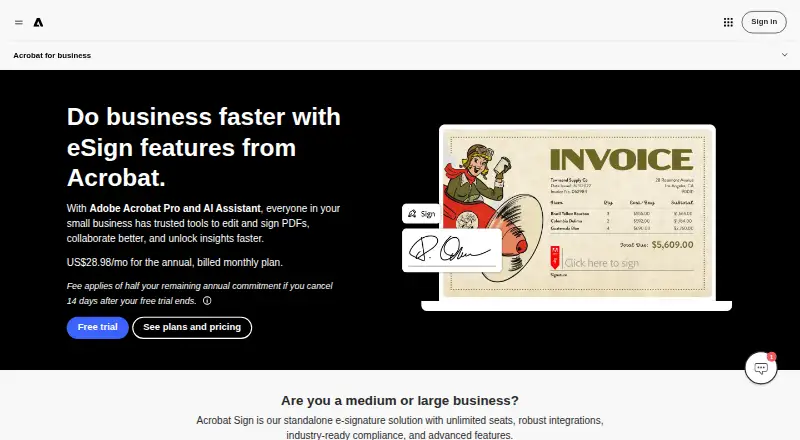
Adobe Acrobat Sign is a web- and API-based service for sending documents for electronic signature. It supports reusable signable web forms, custom fields, document templates, and text editing, annotation, OCR, and PDF conversion. Users can send requests to multiple signers or distribute them in bulk, with signature order options covering both sequential and parallel workflows. Audit trails and real-time document status visibility help track each signing process. Integrations include Microsoft Word, Teams, Salesforce, Workday, Box, Dropbox, Google Drive, and OneDrive; signed files can also be stored in Adobe Document Cloud or those cloud services. Built-in security and accessibility controls are provided, and Acrobat can convert and validate PDFs for ISO standards such as PDF/A and PDF/X. Business teams can manage license assignments through a central Admin Console, and business plans put billing under one contract. Plans are paid, with no free plan and a free trial. Teams plans include 24x7 support; Acrobat Sign is described as offering unlimited seats, while Acrobat for teams plans have no usage caps for collecting eSignatures.
Good
- Supports bulk requests and multiple signers.
- Provides audit trails and real-time status visibility.
- Creates reusable signable web forms and custom fields.
- Integrates with major workplace and storage services.
- Teams plans include 24x7 support.
Watch out
- No free plan is listed.
- Cancellation after the window incurs half the remaining annual commitment.
- After the trial window, service continues through that month's billing period.
Who it suits
It suits businesses that need to send, track, and collect signatures across teams, including workflows involving multiple signers or bulk requests. Teams needing document storage integrations, centralized license administration, or PDF tools may also find its listed capabilities relevant.
Verdict
Acrobat Sign combines signature workflows with form creation, PDF tools, audit tracking, and business administration features. Review the cancellation terms and plan details before starting a trial or annual commitment.
Plans and prices
From Adobe Acrobat Sign's own pricing page, checked 27 Sep 2026.
| Plan | Price | What it gives you |
|---|---|---|
| Acrobat Standard for teams | Priced on request | Up to 10 licenses with free trial |
| Acrobat Pro for teams | Priced on request | Up to 10 licenses with free trial. · Up to 10 licenses with free trial |
| Acrobat Studio for teams | Priced on request | Up to 10 licenses with free trial. · Up to 10 licenses with free trial |
| Acrobat Enterprise | Priced on request | For large organizations with complex needs. |
| Acrobat Sign Solutions | Priced on request | Enterprise-grade e-sign solutions. |
The facts
Each one read from Adobe Acrobat Sign's own pages, with the date it was checked.
What it does
- Admin management
- Admins can assign and reassign business licenses from a central Admin Console.checked 27 Sep 2026
- API access
- Yeschecked 20 Sep 2026
- Audit tracking
- Users get audit trails and real-time visibility into document status.checked 27 Sep 2026
- Audit trail
- Yeschecked 20 Sep 2026
- Bulk sending
- Yeschecked 20 Sep 2026
- Bulk signing
- Users can send documents to multiple signers at once and send bulk e-signature requests.checked 27 Sep 2026
- Cancellation fee
- A fee of half the remaining annual commitment applies after the cancellation window.checked 27 Sep 2026
- Compliance standards
- Acrobat can convert and validate PDFs for compliance with ISO standards such as PDF/A and PDF/X.checked 27 Sep 2026
- Document templates
- Yeschecked 20 Sep 2026
- Form creation
- Users can create reusable, signable web forms and custom form fields.checked 27 Sep 2026
- Security controls
- Adobe provides built-in security and accessibility controls for content.checked 27 Sep 2026
- Signature order
- bothchecked 20 Sep 2026
- Signature usage
- Acrobat for teams plans have no usage caps for collecting eSignatures.checked 27 Sep 2026
- SMS authentication
- Yeschecked 20 Sep 2026
- Storage integrations
- Signed documents can be stored in Adobe Document Cloud, Box, Dropbox, Google Drive, or Microsoft OneDrive.checked 27 Sep 2026
- Support availability
- Teams plans provide 24x7 support, including dedicated chat and expert sessions.checked 27 Sep 2026
Where it runs
- App integrations
- Integrations include Microsoft Word, Teams, Salesforce, Workday, Box, Dropbox, Google Drive, and OneDrive.checked 27 Sep 2026
- Supported platforms
- Desktop, web browser, and mobile devices are supported.checked 27 Sep 2026
The company
- Company scale
- More than 320 billion PDFs were opened or created with Acrobat in the last 12 months.checked 27 Sep 2026
- Founded
- 1982checked 23 Sep 2026
- Headquarters
- San Jose, California, USAchecked 23 Sep 2026
Money
- Free plan
- Nochecked 20 Sep 2026
- Free trial
- Acrobat Pro and Acrobat Studio for teams include a free trial.checked 27 Sep 2026
- Team billing
- Business plans simplify billing under one contract.checked 27 Sep 2026
Alternatives to Adobe Acrobat Sign
- 1

Zoho Sign
Free planAndroidiOSWebAPI9.1From $10 a month - 2
Dropbox Sign
Free planAndroidiOSWebAPI9.0Free plan - 3
Sertifi by Flywire
Free planAndroidiOSWebAPI8.7Free plan - 4

Jotform
Free planAndroidiOSWeb8.7From $39 a month - 5

OpenSign
Free planOpen sourceWebAPILinuxmacOS8.7From $9.99 a month - 6

BoldSign
Free planAndroidiOSAPIExtension8.6From $5 a month