
ABBYY Screenshot Reader
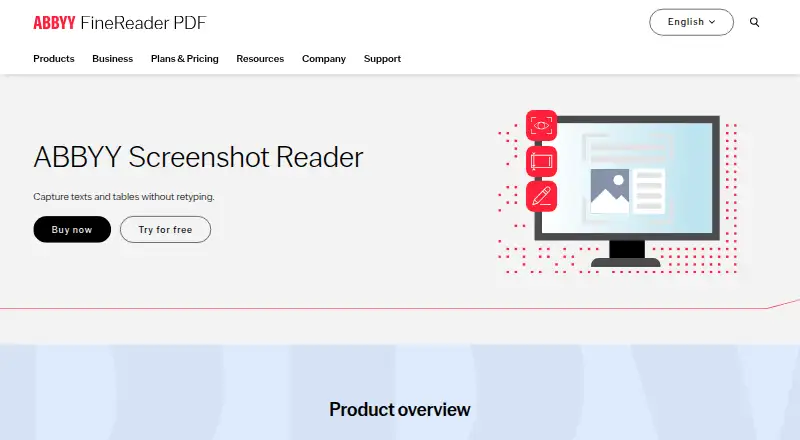
ABBYY Screenshot Reader is a Windows desktop app that captures screen content and converts text and tables into editable formats, or saves the capture as an …
What ABBYY Screenshot Reader is
ABBYY Screenshot Reader is a Windows desktop app that captures screen content and converts text and tables into editable formats, or saves the capture as an image. It can capture material from documents, menus, websites, presentations, Flash content, and PDFs. ABBYY OCR technology supports conversion into editable electronic formats, and image tables can be turned into editable Excel worksheets. Text exports include RTF, TXT, DOC, and XLS; image captures can be saved as JPEG, Bitmap, or PNG. Screen images can also be copied to the clipboard and pasted into documents, or shared by email or messenger. The app supports more than 180 languages and can be configured to launch automatically at startup. A free trial is available for 15 days, but there is no free plan. The listed Screenshot Reader license costs $9.99 per license as a perpetual purchase. ABBYY lists a Help Center, Community, and ticket submission as support options.
Good
- Converts screen text and tables into editable formats
- Image tables can become Excel worksheets
- Supports more than 180 languages
- Copies screen images to the clipboard
- Perpetual license costs $9.99 per license
Watch out
- Windows desktop only
- No free plan
- Free trial lasts 15 days
Who it suits
ABBYY Screenshot Reader suits Windows users who need to extract text or tables from screen content into editable files. It may also help users who want to save or share screen captures as images.
Verdict
ABBYY Screenshot Reader focuses on capturing screen content and converting it into editable text, tables, or images. Consider whether its Windows-only availability and one-time $9.99 license fit your needs.
Plans and prices
From ABBYY Screenshot Reader's own pricing page, checked 27 Sep 2026.
| Plan | Price | What it gives you |
|---|---|---|
| Screenshot Reader | $9.99, paid once | Buy now · Screen-area capture · OCR for text and tables · Export to editable document formats · perpetual license |
The facts
Each one read from ABBYY Screenshot Reader's own pages, with the date it was checked.
What it does
- Automatic launch
- Can launch automatically at each startupchecked 27 Sep 2026
- Clipboard insertion
- Screen images can be copied to the clipboard and pasted into documentschecked 27 Sep 2026
- Excel export
- Image tables can be transformed into editable Excel worksheetschecked 27 Sep 2026
- Image formats
- Saves image screenshots as JPEG, Bitmap, or PNGchecked 27 Sep 2026
- Language support
- Supports more than 180 languageschecked 27 Sep 2026
- License agreement
- The product has an End-User License Agreementchecked 27 Sep 2026
- OCR technology
- Uses ABBYY OCR technology for editable electronic formatschecked 27 Sep 2026
- Payment processing
- Payments are processed securely by eCommerce partnerschecked 27 Sep 2026
- Screen sources
- Captures content from documents, menus, websites, presentations, Flash content, and PDFschecked 27 Sep 2026
- Sharing methods
- Screenshots can be shared by email or messengerchecked 27 Sep 2026
- Support channels
- Offers a Help Center, Community, and ticket submissionchecked 27 Sep 2026
- Supported inputs
- bothchecked 22 Sep 2026
- Text formats
- Saves text screenshots as RTF, TXT, DOC, or XLSchecked 27 Sep 2026
- Word export
- Extracted text can be saved as Microsoft Word documentschecked 27 Sep 2026
The company
- Company experience
- ABBYY says it has helped companies and organizations for more than 30 yearschecked 27 Sep 2026
- Headquarters
- Austin, Texas, USAchecked 28 Sep 2026
Money
- Free plan
- Nochecked 22 Sep 2026
- Free trial
- A free trial is available for downloadchecked 27 Sep 2026
- Perpetual price
- $9.99 per licensechecked 27 Sep 2026
Where it runs
- Primary platform
- desktopchecked 22 Sep 2026
Alternatives to ABBYY Screenshot Reader
- 1
FreeOCR.AI
Free planWebAPImacOSWindows8.2From $80 a year - 2
Tesseract OCR
Free planAndroidAPILinuxmacOS7.9Free plan - 3

Open-Capture
Free planOpen sourceWebAPILinuxSelf-hosted7.9Free plan - 4
ScanScan
AndroidiOSWebmacOS7.7CN¥30 one-time - 5
Prizmo
Free planiOSmacOS7.7Free plan - 6
Tungsten OmniPage
APILinuxmacOSSelf-hosted7.6€99 one-time