
Zoho RPA
Zoho RPA records and automates repetitive tasks across cloud and desktop systems, including web and legacy applications.
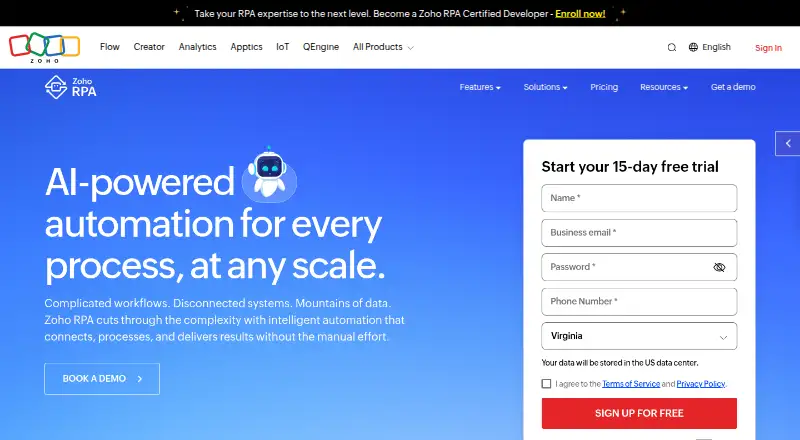
What Zoho RPA is
Zoho RPA records and automates repetitive tasks across cloud and desktop systems, including web and legacy applications. Its Recorder captures task steps to create workflows, and listed automation areas include Windows, web, Excel, files and folders, OCR, PDF, and intelligent document processing. Zia can draft workflows from plain-language instructions, with triggers, steps, error handling, and exception routing. Enterprises can connect AI features to their licensed OpenAI, Anthropic, or Gemini models using Bring Your Own Key. Pre-built tasks cover more than 1,000 cloud apps, but cloud app actions need a separate Zoho Flow subscription and count against Flow limits. The free plan is free and includes three executions per billing period, one production flow, and 30 days of history. Each successful run counts as an execution, and monthly execution allowances do not carry over. A flow is limited to 149 actions. Mac and Linux agents currently support web automation only; Windows, Mac, and Linux agents are listed.
Good
- Recorder turns captured task steps into workflows
- Lists OCR, PDF, and document processing capabilities
- Zia can draft workflows from plain-language instructions
- Free plan includes one production flow
Watch out
- Free plan allows three executions per billing period
- Cloud app actions require a separate Zoho Flow subscription
- Mac and Linux agents support web automation only
- Flows are limited to 149 actions
Who it suits
Zoho RPA suits small teams automating repetitive tasks across cloud and desktop systems, as well as enterprises connecting AI features to licensed models. Teams relying on cloud app actions should account for the separate Zoho Flow subscription.
Verdict
Zoho RPA combines task recording with a broad list of automation actions and workflow drafting. Its execution, action, and platform limits matter when planning a workflow, and cloud app actions have a separate subscription requirement.
Plans and prices
From Zoho RPA's own pricing page, checked 30 Sep 2026.
| Plan | Price | What it gives you |
|---|---|---|
| Free | Free | 3 executions per billing period · 1 production flow · 30 days of history |
| Standard | Priced on request | 500 executions/month · Unlimited production flows · 90 days of history · Additional executions available as add-ons · Monthly or annually; price not shown in the page text |
The facts
Each one read from Zoho RPA's own pages, with the date it was checked.
Where it runs
- Agent platforms
- The pricing page lists Windows, Mac, and Linux agent platforms, while the product page says Mac and Linux currently support web automation only.checked 30 Sep 2026
What it does
- Agent security
- Zoho says the agent provides enterprise-grade encryption, role-based access controls, audit logs, and SSO and Active Directory support.checked 30 Sep 2026
- AI model choice
- Bring Your Own Key lets enterprises connect AI features to their licensed OpenAI, Anthropic, or Gemini models.checked 30 Sep 2026
- AI workflow builder
- Zoho says Zia can turn plain-language instructions into a draft workflow with triggers, steps, error handling, and exception routing.checked 30 Sep 2026
- Automation actions
- The product lists Windows, web, Excel, files and folders, OCR, PDF, and intelligent document processing automation capabilities.checked 30 Sep 2026
- Integrations
- Zoho RPA offers pre-built tasks for over 1,000 cloud apps; cloud app actions require a separate Zoho Flow subscription and count against Flow limits.checked 30 Sep 2026
- Intended users
- Zoho describes its free edition as suitable for small teams automating repetitive tasks across cloud and desktop systems.checked 30 Sep 2026
- No-code recording
- Its RPA Recorder captures task steps and turns them into an automated workflow.checked 30 Sep 2026
- Purpose
- Zoho RPA records and automates high-volume repetitive tasks across cloud and desktop systems, including desktop, web, and legacy applications.checked 30 Sep 2026
- Security
- The product page lists SOC 2 Type II, ISO/IEC 27001, ISO/IEC 27017, ISO/IEC 27018, ISO/IEC 27701, ISO 9001, HIPAA, and GDPR among its standards and requirements.checked 30 Sep 2026
- Support
- Zoho directs users to its user guide and lists [email protected] for product help and pricing questions.checked 30 Sep 2026
- Usage limit
- Zoho RPA counts each successful flow run as an execution, and execution limits reset monthly without carrying over.checked 30 Sep 2026
- Workflow limit
- A flow can contain at most 149 actions according to the Zoho RPA subscription help page.checked 30 Sep 2026
The company
- Founded
- 1996checked 28 Sep 2026
- Headquarters
- Chennai, Indiachecked 28 Sep 2026
The full review of Zoho RPA
Zoho RPA is a robotic process automation tool for turning repeatable work across desktop, web, and legacy applications into workflows. It is best suited to small teams that want to automate recurring tasks, with room to expand into more flows as needs grow. Its recording and broad action set are useful starting points, but execution caps and the separate Zoho Flow requirement for cloud app actions shape what it can do economically.
Overview
Zoho RPA combines attended and unattended automation with hybrid deployment, browser automation, document processing, and bot orchestration. That range makes it relevant to teams automating both user-led desktop work and flows that run without a person at the keyboard. The practical caveat is platform parity: although Windows, Mac, and Linux agents are listed, Mac and Linux currently support web automation only. Teams relying on desktop automation across those systems should plan around that restriction.
Key features
Recording and workflow creation
The RPA Recorder captures task steps and converts them into a workflow, which gives teams a way to automate existing routines without building every flow from scratch. Zia can also draft a workflow from plain-language instructions, including triggers, steps, error handling, and exception routing. These tools can speed up workflow setup, but a generated draft is not a substitute for checking that the sequence and exception paths fit the actual process.
Actions, apps, and AI
Automation capabilities span Windows, web, Excel, files and folders, OCR, PDF, and intelligent document processing. That breadth suits workflows that move information between desktop tasks and documents. Zoho also offers pre-built tasks for more than 1,000 cloud apps, but using cloud app actions requires a separate Zoho Flow subscription and consumes Flow limits. That extra subscription makes the integration count less useful as a standalone measure of what is included.
Enterprises can use Bring Your Own Key to connect AI features to licensed OpenAI, Anthropic, or Gemini models. This is a fit for organizations that already manage those model licenses; it does not remove the need to design and review the resulting workflows.
Security and execution
Zoho cites SOC 2 Type II, ISO/IEC 27001, ISO/IEC 27017, ISO/IEC 27018, ISO/IEC 27701, ISO 9001, HIPAA, and GDPR among its standards and requirements. Its agent includes encryption, role-based access controls, audit logs, and SSO and Active Directory support, making the security feature set relevant to organizations with access-control and audit needs. Each successful flow run counts as an execution; monthly limits reset without carryover. A flow can contain no more than 149 actions, so especially long processes may need to be divided into multiple flows.
Pricing
Zoho RPA is freemium, with a free plan and a 15-day trial. The free plan costs nothing and includes 3 executions per billing period, 1 production flow, and 30 days of history. It suits a small team validating a narrow automation, but the three-run cap makes it a poor fit for sustained or high-volume use.
The Standard plan has custom pricing and can be billed monthly or annually. It includes 500 executions per month, unlimited production flows, and 90 days of history; additional executions are available as add-ons. Compared with Free, it gives teams more room to run and maintain workflows, but the monthly execution quota still needs to match expected workload. Cloud app actions also require a separate Zoho Flow subscription and count against Flow limits, so budget for that separately if those integrations are central.
Platforms
Zoho RPA lists API, extension, Linux, macOS, web, and Windows platforms, with cross-platform support and hybrid deployment. Windows, Mac, and Linux agents are listed, but Mac and Linux currently support web automation only. The distinction matters for teams expecting equivalent desktop coverage across operating systems.
Who it's for
Zoho RPA is a sensible choice for small teams automating repetitive work across cloud and desktop systems, especially when recording, document-related actions, or attended and unattended runs are useful. The free plan can support a small proof of concept. Teams with frequent runs should evaluate Standard against their monthly execution needs, and organizations centered on Mac or Linux desktop tasks should look elsewhere or limit those agents to browser work.
Pros and cons
- Pros: The recorder turns task steps into workflows, lowering the effort of starting with repeatable routines.
- Pros: Actions span desktop, web, spreadsheets, files, OCR, PDF, and document processing, supporting varied workflow types.
- Pros: Enterprise access controls, audit logs, SSO, Active Directory support, and a broad set of cited standards address common governance needs.
- Cons: Free allows only 3 executions per billing period and 1 production flow, which sharply limits ongoing use.
- Cons: Mac and Linux agents support web automation only, restricting desktop coverage on those platforms.
- Cons: Cloud app actions add a Zoho Flow subscription and draw on Flow limits, complicating the cost of integration-heavy workflows.
- Cons: The 149-action ceiling per flow can force long processes to be split and managed as multiple flows.
Alternatives
For a wider comparison, browse Robotic Process Automation Software.
- BotCity is worth considering if a free plan with one automation and 10 tasks per day is a better fit; its Community plan disables Datapool, Schedules, Credentials, Insights, and Audit.
- AutomationEdge offers a free RPA tools plan, with an Enterprise plan spanning RPA, Conversational AI, ETL, and IT workflows.
- Laiye RPA offers a Windows 10+ community edition and a separately priced Enterprise edition.
- Microsoft Power Automate may suit readers seeking a paid premium plan: Power Automate Premium costs $15 a month when billed paid yearly; it has a free trial but no free plan.
- EdgeVerve AssistEdge is another option.
- ElectroNeek RPA Platform may suit teams interested in a visual process designer that assigns tasks to people or AI agents.
- Ui.Vision RPA is an option for readers comparing tools with extension and cross-platform support.
- Brity RPA is another option.
Verdict
Choose Zoho RPA if your team wants to turn recurring desktop and web tasks into workflows and can work within its execution limits. The recorder, broad automation actions, and security controls are compelling strengths; the free quota, Mac and Linux desktop restriction, and extra Zoho Flow subscription for cloud actions are the main reasons to look elsewhere.
Getting started
- Open the Zoho RPA website
- Choose the Free plan or start the 15-day trial
- Select a supported web, API, extension, Windows, macOS, or Linux platform
- Use the RPA Recorder to capture task steps
- Build and run a workflow with the available automation actions
Limits worth knowing
The Free plan provides 3 executions per billing period, 1 production flow, and 30 days of history. Successful flow runs consume executions, monthly allowances do not carry over, and each flow is limited to 149 actions.
Questions
Does Zoho RPA have a free plan?
Yes. The Free plan costs nothing and includes 3 executions per billing period, 1 production flow, and 30 days of history.
Is a trial available?
Yes. Zoho RPA offers a 15-day trial.
Which platforms does Zoho RPA support?
It supports web, API, browser extension, Windows, macOS, and Linux platforms. Mac and Linux agents currently support web automation only.
Can Zoho RPA connect to AI models?
Bring Your Own Key lets enterprises connect AI features to licensed OpenAI, Anthropic, or Gemini models.
Does it integrate with cloud apps?
Zoho RPA provides pre-built tasks for over 1,000 cloud apps. Cloud app actions require a separate Zoho Flow subscription and count against Flow limits.
What does the Standard plan include?
Standard is billed monthly or annually and includes 500 executions per month, unlimited production flows, 90 days of history, and additional executions available as add-ons.
Alternatives to Zoho RPA
- 1
EdgeVerve AssistEdge
Free planWebAPILinuxSelf-hosted7.8Free plan - 2
Microsoft Power Automate
WebWindows6.9From $15 a month - 3

BotCity
Free planWebAPILinuxmacOS6.6Free plan - 4
Nintex eSign
WebAPI6.6 - 5
SAP Extended Enterprise Content Management by OpenText
AndroidiOSWebLinux6.4 - 6

ElectroNeek RPA Platform
WebAPISelf-hostedWindows6.3