
Yodeck
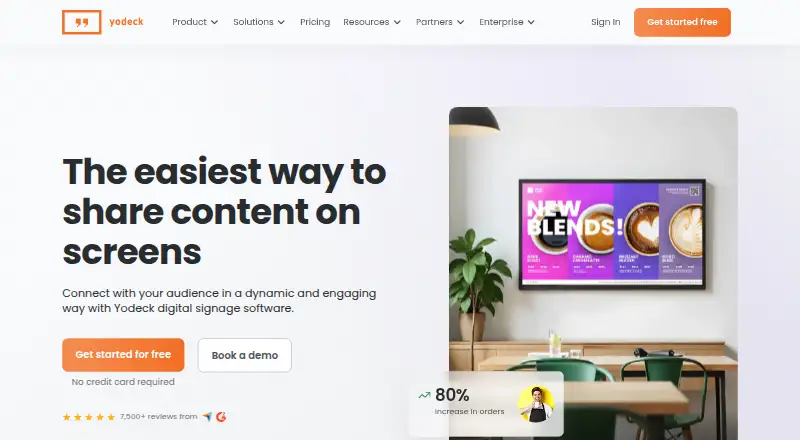
Yodeck is a digital signage platform for creating, scheduling, and publishing content remotely from one dashboard.
What Yodeck is
Yodeck is a digital signage platform for creating, scheduling, and publishing content remotely from one dashboard. It can manage screens across locations, from a single display to thousands, and supports images, video, audio, documents, Office files, web pages, YouTube, Vimeo, and live video streams. Content can play offline. Yodeck runs on Raspberry Pi players, Android TVs, browsers, and compatible devices; its listed platforms also include Android, API, and web. The free plan supports one screen, unlimited users, and unlimited file storage. A 30-day trial provides full feature access for up to five screens, with no credit card required for either the trial or free plan. Yodeck connects with more than 160 apps and offers over 800 templates. Team management includes workspaces, hierarchies, custom roles, and permissions. Enterprise adds SAML SSO, data encryption, and 24/5 support; Enterprise+ includes 24/7 priority support. An API is available, but there is no mobile app.
Good
- Free plan includes unlimited users and file storage.
- Supports offline playback and many content formats.
- More than 160 connected apps and 800 templates.
- Can manage screens across multiple locations.
- Annual plans include a free Yodeck Player.
Watch out
- Free plan is limited to one screen.
- No mobile app is listed.
Who it suits
Yodeck suits businesses managing digital signage across one or many screens, especially teams that need remote content scheduling and role-based management. Its free plan may fit a single-screen setup.
Verdict
Yodeck combines remote signage publishing with broad media support, offline playback, and team controls. The one-screen free plan provides a way to start, while larger deployments require paid plans.
Plans and prices
From Yodeck's own pricing page, checked 28 Sep 2026.
| Plan | Price | What it gives you |
|---|---|---|
| Free | Free | Single screen with essentials; unlimited file storage and users. · 1 screen · Unlimited file storage · Unlimited users · Shown as USD 0 per free on our read (localised); USD price not displayed to our checker |
| Basic | $8 a month | Annual plan includes a 1GB RAM Yodeck Player. · 800+ templates · 90+ Essential Apps · billed monthly |
| Premium | $12 a month | Annual plan includes a 4GB RAM Yodeck Player. · Microsoft 365 and Google Apps · Data visualization apps · Yodeck AI Agent and API · Advanced media scheduling · Tag-based playlists and sub-playlists · Interactive library and playlist · billed monthly |
| Enterprise | $16 a month | Annual plan includes a 4GB RAM Yodeck Player. · 24/5 support · billed monthly |
| Enterprise+ | Priced on request | Tailored onboarding, custom integrations, and priority support needs. |
The facts
Each one read from Yodeck's own pages, with the date it was checked.
What it does
- Annual player
- Every annual plan includes a free Yodeck Player.checked 28 Sep 2026
- API access
- The Premium plan includes the Yodeck AI Agent and API.checked 28 Sep 2026
- Card requirement
- No credit card is required to start for free or use the trial.checked 28 Sep 2026
- Content management
- Users can create, schedule, and publish content remotely from one dashboard.checked 28 Sep 2026
- Content types
- images,videos,audio,documents,PDFs,Microsoft Word,PowerPoint,Excel,web pages,YouTube,Vimeo,live video streamschecked 21 Sep 2026
- Enterprise security
- Enterprise includes SAML SSO and data encryption.checked 28 Sep 2026
- Offline playback
- Yeschecked 21 Sep 2026
- Paid from
- 8checked 21 Sep 2026
- Partner network
- Yodeck works with more than 1,000 partners worldwide.checked 28 Sep 2026
- Screen scale
- The platform can control one or thousands of screens across multiple locations.checked 28 Sep 2026
- Security certification
- The platform offers ISO-certified security and enterprise-grade features.checked 28 Sep 2026
- Support coverage
- Enterprise includes 24/5 support; Enterprise+ offers 24/7 priority support.checked 28 Sep 2026
The company
- Company reach
- Yodeck is trusted by more than 65,000 companies across more than 135 countries.checked 28 Sep 2026
- Founded
- 2015checked 23 Sep 2026
- Team management
- Features include workspaces, hierarchies, custom roles, and permissions.checked 28 Sep 2026
Where it runs
- Connected apps
- Yodeck connects with more than 160 apps.checked 28 Sep 2026
- Mobile app
- Nochecked 21 Sep 2026
- Supported platforms
- Yodeck runs on Raspberry Pi players, Android TVs, web browsers, and compatible devices.checked 28 Sep 2026
Money
- Free plan
- Yeschecked 21 Sep 2026
- Free plan limit
- The free plan supports one screen.checked 28 Sep 2026
- Free storage
- The free plan includes unlimited file storage.checked 28 Sep 2026
- Free templates
- Yodeck provides more than 800 free digital signage templates.checked 28 Sep 2026
- Free users
- The free plan includes unlimited users.checked 28 Sep 2026
- Starting price
- Paid plans start at $8 per screen per month.checked 28 Sep 2026
The full review of Yodeck
Yodeck is a digital signage platform for organizations publishing content across screens and locations. It is best suited to teams that need offline playback, varied media, and structured access controls. The free tier works for a single display; advanced scheduling and integrations sit in higher paid plans.
Overview
Yodeck centralizes content creation, scheduling, and remote publishing in one dashboard, with capacity to manage anything from a single screen to deployments spanning multiple locations. Offline playback is a meaningful safeguard for displays that need to keep showing scheduled content during network interruptions.
Its media support covers images, video, audio, documents, PDFs, Microsoft Office files, web pages, YouTube, Vimeo, and live video streams. More than 160 connected apps and over 800 templates give teams a broad starting point, while advanced roles, workspaces, hierarchies, and permissions help separate responsibilities as deployments grow. Yodeck has operated since 2015.
Key features
Publishing and playback
Remote management avoids handling each display in isolation, and offline playback reduces the risk that a connection loss will interrupt a screen. The platform supports Raspberry Pi players, Android TVs, web browsers, and compatible devices. Its listed platforms include Android, API, and web, but there is no mobile app, so teams seeking a dedicated phone app should look elsewhere.
Content, integrations, and teams
The breadth of media types makes Yodeck useful for organizations combining promotional material with office documents, web pages, or live streams. API access is available, but the plan breakdown places the API and Microsoft 365 and Google Apps among Premium features; Basic buyers should not assume they receive those capabilities. Advanced team controls are a better fit for managed deployments than for a user who only needs a simple player and playlist.
Pricing
The free plan costs nothing and is limited to one screen. It includes unlimited file storage and unlimited users, making it a low-commitment way to run one display, but it does not remove the screen cap. The trial provides full feature access for 30 days and supports up to five screens; no credit card is required to start free or use the trial.
Basic costs $8 a month, billed monthly, and includes 800+ templates and 90+ Essential Apps. It is the entry paid option for a modest deployment, but the listed Premium feature set adds the richer integrations and scheduling controls. Premium costs $12 a month, billed monthly, and adds Microsoft 365 and Google Apps, data visualization apps, the Yodeck AI Agent and API, advanced media scheduling, tag-based playlists and sub-playlists, and an interactive library and playlist.
Enterprise costs $16 a month, billed monthly, and includes 24/5 support. Enterprise+ has custom pricing for tailored onboarding, custom integrations, and priority support; it is aimed at organizations with requirements beyond the standard tiers, and offers 24/7 priority support. Every annual plan includes a free Yodeck Player, with a 1GB RAM player on Basic and a 4GB RAM player on Premium and Enterprise. The listed monthly prices are separate from that annual-plan hardware benefit.
Platforms
Yodeck supports Android, web, and API, and runs on Raspberry Pi players, Android TVs, browsers, and compatible devices. The lack of a mobile app limits it for people who expect to manage screens through a dedicated phone application.
Who it's for
Yodeck is a strong fit for retailers, offices, and other organizations coordinating displays across locations, particularly when offline playback, varied content, and permission controls matter. Its free plan can serve a single-screen use case, while larger deployments can move to paid tiers as integrations, scheduling, and support needs increase. It is less compelling for buyers who need a mobile app or only want a simple, low-cost multi-screen setup.
Pros and cons
- Pros: Offline playback helps scheduled content continue through network interruptions.
- Pros: Broad media support, 160+ connected apps, and 800+ templates give teams many ways to build screen content.
- Pros: Unlimited users and storage on the one-screen free plan lower the barrier to trying it with a team.
- Pros: Workspaces, hierarchies, roles, and permissions support more structured administration.
- Cons: The free plan is capped at one screen, so adding displays requires a paid tier.
- Cons: API access, office-app integrations, and advanced scheduling are Premium features, not part of the $8.00 USD Basic tier.
- Cons: There is no mobile app, and Enterprise+ requires custom pricing.
Alternatives
Compare digital signage software if you want to weigh the wider category before choosing a platform.
OptiSigns is worth considering if broader platform coverage or a free plan supporting up to three screen types and 25 basic apps matters more than Yodeck's stated offline playback and content breadth.
EasySignage offers a one-screen free plan with 200 MB storage and unlimited monthly bandwidth, so consider it if that storage-and-bandwidth arrangement better suits a single-display project.
Fugo has an Essential plan at $24 a month; consider it if you are comparing a paid alternative with a stated monthly price.
Play Digital Signage is another option to compare for digital signage.
DigitalSignage.com offers a free plan with three screens and 1 GB cloud storage, making it worth considering if a larger free screen allowance is the priority.
PiSignage is another option to compare for digital signage.
MediaSignage offers a free plan with three screens and 1 GB cloud storage, so it may suit a buyer prioritizing those free-tier limits.
NEXON Vision offers a free plan with three screens and 1 GB storage, plus a Business plan at €3 a month with 100 GB storage, unlimited screens, and unlimited users; compare it if those limits and price are a better fit.
Verdict
Choose Yodeck if your organization needs a central way to manage varied screen content, continue playback offline, and govern access across a growing deployment. The one-screen free tier and broad media support make it easy to start, but the screen cap and Premium-gated integrations make it a weaker choice for a free multi-screen rollout or buyers who need API access at the lowest paid tier.
Getting started
- Open the Yodeck website and start the free plan or 30-day trial
- Use a Raspberry Pi player, Android TV, web browser, or compatible device
- Create and organize content in the dashboard
- Schedule and publish content to one or more screens
- Connect supported apps or use the API when needed
- Choose a paid plan starting at $8 per screen per month for expanded requirements
Limits worth knowing
The free plan supports one screen, with unlimited file storage and users. The 30-day trial provides full feature access for up to five screens; paid plans start at $8 per screen per month.
Questions
Does Yodeck have a free plan?
Yes. The Free plan is listed as free and supports one screen, unlimited file storage, and unlimited users.
How much do paid plans cost?
Premium is listed at $12 a month, Enterprise at $16 a month, and Enterprise+ has no listed price.
Is there a trial?
Yes. The trial lasts 30 days, includes full feature access, supports up to five screens, and requires no credit card.
Which devices and platforms work with Yodeck?
Yodeck runs on Raspberry Pi players, Android TVs, web browsers, and compatible devices. Its listed platforms include Android, API, and web, and there is no mobile app.
Can Yodeck play content offline?
Yes. Offline playback is supported.
What security and support come with Enterprise?
Enterprise includes SAML SSO, data encryption, and 24/5 support. Enterprise+ offers 24/7 priority support.
Alternatives to Yodeck
- 1
OptiSigns
Free planAndroidiOSWebAPI8.8From $9 a month - 2
Viewix
Free planAndroidiOSWebAPI8.6From $49 a month - 3

EasySignage
Free planAndroidWebAPILinux8.4From $7 a month - 4

ScreenCloud
AndroidiOSWebAPI8.2From $20 a month - 5
Layarva
Free planAndroidWebAPILinux8.0From $1 a month - 6
XOGO Digital Signage
Free planAndroidiOSWebAPI8.0Free plan