xpression camera
xpression camera is a virtual camera app for video chats, livestreams, and YouTube video creation.
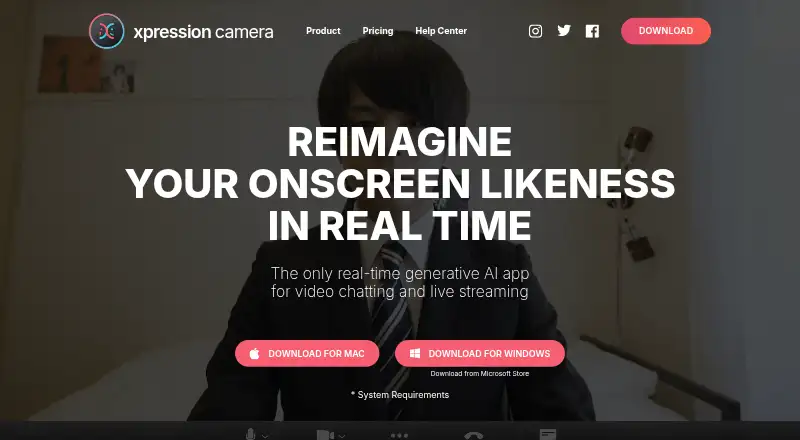
What xpression camera is
xpression camera is a virtual camera app for video chats, livestreams, and YouTube video creation. It can use a photo to change the face shown onscreen in real time and reflect the user's expressions in videos, GIFs, memes, and other content. Voice2Face animates an image from the user's voice while they remain off camera. Creator tools include generators for meme, GIF, cinematic, and social content, as well as image and video sourcing tools. Users select xpression camera as the webcam in apps such as Zoom or Twitch. The listed platforms include Android, iOS, Windows, and macOS, though the system requirements specify Windows 10 Anniversary Update or newer, or macOS 12.3 or newer, along with particular processor, memory, graphics, webcam, and display requirements. Recording requires an available microphone, even without intended audio. Basic is free and includes a seven-day Pro trial. Pro costs $12 a month; Premium costs $49 a month and includes a commercial license.
Good
- Transforms an on-screen face from a photo
- Voice2Face animates an image from voice
- Includes meme, GIF, and social content generators
- Basic plan is free
- Premium includes a commercial license
Watch out
- Recording requires an available microphone
- Requires a physical webcam
- Windows and macOS have specified minimum versions
- Premium costs $49 a month
Who it suits
xpression camera suits people creating video chats, livestreams, or social and video content with a changeable on-screen face. Its stated hardware requirements and microphone requirement are important to check before choosing it.
Verdict
xpression camera combines a virtual camera with tools for creating face-based video and other content. Check the stated operating-system and hardware requirements, and note that recording still needs a microphone even when no audio is intended.
Plans and prices
From xpression camera's own pricing page, checked 1 Oct 2026.
| Plan | Price | What it gives you |
|---|---|---|
| Basic | Free | Personal License · 7-day Pro Trial · Default Face Images · Default Backgrounds · Default Animations |
| Pro | $12 a month | No Watermarks · Local Image Importation · Image Searching · Video Recording · All Face Images / Backgrounds / Animations · Voice Only Mode · Video Creation from Text/Audio/Video (1/month) · AI Effect (1/month) · AI Chat (2/day) · month |
| Premium | $49 a month | Commercial License · High-Resolution Enhancement · AI Avatar · Unlimited AI Faces/Backgrounds · Unlimited AI Effect · Unlimited AI Chat · Unlimited Video Creation from Text, Audio and Video Files · month |
| Pro | $129 a year | No Watermarks · Local Image Importation · Image Searching · Video Recording · All Face Images / Backgrounds / Animations · Voice Only Mode · Video Creation from Text/Audio/Video (1/month) · AI Effect (1/month) · AI Chat (2/day) · year |
| Pro | $399, paid once | No Watermarks · Local Image Importation · Image Searching · Video Recording · All Face Images / Backgrounds / Animations · Voice Only Mode · Video Creation from Text/Audio/Video (1/month) · AI Effect (1/month) · AI Chat (2/day) · Lifetime |
| Premium | $499 a year | Commercial License · High-Resolution Enhancement · AI Avatar · Unlimited AI Faces/Backgrounds · Unlimited AI Effect · Unlimited AI Chat · Unlimited Video Creation from Text, Audio and Video Files · year |
| Premium | $1,499, paid once | Commercial License · High-Resolution Enhancement · AI Avatar · Unlimited AI Faces/Backgrounds · Unlimited AI Effect · Unlimited AI Chat · Unlimited Video Creation from Text, Audio and Video Files · Lifetime |
| SDK | Priced on request | Available for iOS, Android, Windows, and Mac |
The facts
Each one read from xpression camera's own pages, with the date it was checked.
What it does
- Commercial use
- The help center defines commercial use to include business meetings, monetized video creation or livestreaming, promotions, events, education and customer service.checked 1 Oct 2026
- Content creation
- It reflects facial expressions on photos to create videos, GIFs, memes and other content.checked 1 Oct 2026
- Creator tools
- The creator platform supports meme, GIF, cinematic and social content generators plus image and video sourcing tools.checked 1 Oct 2026
- Hardware requirement
- Minimum requirements include an Intel Core i5 9400 or AMD Ryzen 5 2600, 8 GB RAM, AVX2, Intel UHD Graphics 630, a physical webcam and 1024x768 display resolution.checked 1 Oct 2026
- Integrations
- The setup guide instructs users to select xpression camera as the webcam in apps such as Zoom or Twitch.checked 1 Oct 2026
- Privacy claim
- The homepage says the app maintains complete privacy by changing the image on screen so users do not expose their true identities online.checked 1 Oct 2026
- Privacy policy
- EmbodyMe's privacy policy says personal information is not provided to third parties except where permitted by law and describes security controls against loss, alteration and leakage.checked 1 Oct 2026
- Real-time transformation
- xpression camera lets users transform into anyone or anything with a face using a single photo in real time.checked 1 Oct 2026
- Recording limitation
- xpression camera requires an available microphone to start recording, even when no audio is intended.checked 1 Oct 2026
- Support
- The help center directs users with questions to [email protected].checked 1 Oct 2026
- System requirements
- The app supports Windows 10 Anniversary Update or newer and macOS 12.3 or newer.checked 1 Oct 2026
- Virtual camera
- The product is an award-winning virtual camera app for video chatting, live streaming and YouTube video creation.checked 1 Oct 2026
- Voice2Face
- Voice2Face animates an on-screen image from the user's voice while the user stays off camera.checked 1 Oct 2026
The company
- Maker
- EmbodyMe, Inc. lists its establishment as June 2016 and its place as Shinjuku, Tokyo, Japan.checked 1 Oct 2026
The full review of xpression camera
Overview
xpression camera is a virtual camera and face-based content creator for video calls, livestreams and YouTube. It best suits creators who want to animate a photo or use a transformed on-screen identity rather than appear on camera. Its strongest draw is the range of real-time and generated content tools; the trade-offs are a capable-hardware requirement and paid features for watermark-free use and broader creation.
Key features
A single photo can stand in for a face in real time, with facial expressions reflected in the image. That makes xpression camera more purpose-built for identity transformation than a conventional webcam utility. It also creates videos, GIFs, memes and other material from photos, and its creator platform includes meme, GIF, cinematic and social generators alongside image and video sourcing tools.
Voice2Face animates an on-screen image from a user's voice, offering an option for those who want to stay off camera. The app can be selected as the webcam in compatible apps such as Zoom or Twitch, making its virtual-camera role useful for calls and streams. Recording, however, requires an available microphone even when no audio is intended, an awkward constraint for silent capture.
Background replacement and video effects add practical control over the on-screen presentation. The homepage says the app protects identity by changing the image shown to others; that is a stated privacy aim, not a reason to assume anonymity in every context. EmbodyMe's privacy policy says personal information is not shared with third parties except where law permits and describes security controls against loss, alteration and leakage.
Pricing
The freemium Basic plan costs nothing and includes a Personal License, a 7-day Pro Trial, and default face images, backgrounds and animations. It is a way to try the core approach, but those default assets and the trial make it a narrower choice than the paid tiers.
Pro costs $12 a month, billed monthly. It removes watermarks and adds local image import, image search, video recording, all face images, backgrounds and animations, Voice Only Mode, and video creation from text, audio or video (1/month), AI Effect (1/month) and AI Chat (2/day). The monthly caps make Pro a sensible fit for regular individual use, but not for someone expecting unrestricted AI creation.
Premium costs $49 a month, billed monthly. It adds a Commercial License, high-resolution enhancement and AI Avatar, and removes the Pro quotas with unlimited AI faces/backgrounds, effects, chat and video creation from text, audio and video files. This is the tier to consider for commercial work or heavy generation; the steep increase over Pro is hard to justify for occasional personal use. Commercial use includes business meetings, monetized video or livestreaming, promotions, events, education and customer service, so Pro's personal license is not the right fit for those uses.
The SDK has custom pricing and is available for iOS, Android, Windows and Mac. The Basic plan's stated trial lasts 7 days.
Platforms
xpression camera supports Android, iOS, macOS and Windows. Its stated desktop requirements are Windows 10 Anniversary Update or newer, or macOS 12.3 or newer. Minimum hardware includes an Intel Core i5 9400 or AMD Ryzen 5 2600, 8 GB RAM, AVX2, Intel UHD Graphics 630, a physical webcam and a 1024x768 display. Those requirements put it beyond the reach of some older or lower-powered computers.
Who it's for
Choose xpression camera if face-based transformation, voice-driven animation or a toolkit for social and video content matters more than conventional webcam controls. It also suits streamers and callers who want to route a virtual camera into apps such as Twitch or Zoom. Look elsewhere if silent recording is essential, your computer misses the minimum requirements, or you need commercial rights without paying for Premium.
Pros and cons
- Pro: Real-time face transformation, Voice2Face and multiple content generators serve both live presentation and post-style creation.
- Pro: Pro removes watermarks and unlocks imported images, recording and the full set of face images, backgrounds and animations.
- Con: Recording requires a microphone even for silent video.
- Con: Pro limits several AI tools by month or day, while unlimited generation and commercial licensing require Premium at $49 a month.
- Con: The desktop minimums include a physical webcam and specified processor and graphics capabilities, limiting use on modest hardware.
Alternatives
For a broader comparison, browse Webcam Software.
- DroidCam is a better fit if you want webcam software across Linux as well as mobile and desktop platforms, with a free 480p option without a watermark; HD and other Pro features require an upgrade.
- Camo Studio suits readers who want a free, watermark-free 720p option across Android, iOS, macOS and Windows rather than xpression camera's face-transformation focus.
- Iriun Webcam is worth considering for broad mobile and desktop platform support, including Linux; its free Android app contains ads and in-app purchases.
- Animaze may suit someone seeking an avatar-focused alternative with a Plus tier at $3.99 a month.
- FineCam offers a free tier with all features but a watermark, or a 1 Month Plan at $9.95 a month.
- PhotoDirector is another option for readers comparing creative software, with a free limited-features tier.
- VCam may fit small workspaces looking for a free starter tier capped at 3 members and 500MB storage, with a watermark.
- Webcam Effects is a free option for browser-based effects, photos and short clips, including video clips up to 60 seconds.
Verdict
xpression camera is the stronger choice for creators who want a face to perform in real time, or want voice-driven animation and content-generation tools in a virtual camera workflow. Its mix of live transformation and creator tools gives it a clear purpose beyond ordinary webcam software. Choose it if those capabilities are central and your hardware meets the requirements; look elsewhere for silent recording, broader Pro quotas or commercial use at a lower monthly cost.
Getting started
- Visit https://xpressioncamera.com/.
- Choose a supported platform: Android, iOS, Windows or macOS.
- For Windows, use Windows 10 Anniversary Update or newer; for macOS, use version 12.3 or newer.
- Check that the device meets the listed minimum hardware requirements.
- Start with the free Basic plan, which includes a seven-day Pro trial, or choose Pro at $12 a month or Premium at $49 a month.
- In a compatible app such as Zoom or Twitch, select xpression camera as the webcam.
Limits worth knowing
Basic includes default face images, backgrounds and animations under a Personal License; it does not include the listed Pro features such as local image importation, video recording or no-watermark output. Pro costs $12 a month and limits video creation from text, audio or video to 1/month, AI Effect to 1/month, and AI Chat to 2/day. Premium costs $49 a month and includes a commercial license and unlimited video creation, AI Effects and AI Chat.
Questions
Is xpression camera free?
Yes. Basic costs nothing and includes a seven-day Pro trial.
How much do the paid plans cost?
Pro costs $12 a month, billed monthly. Premium costs $49 a month, billed monthly.
Which platforms does it support?
The listed platforms are Android, iOS, macOS and Windows. The stated desktop requirements are Windows 10 Anniversary Update or newer and macOS 12.3 or newer.
Can I use it with Zoom or Twitch?
The setup guide instructs users to select xpression camera as the webcam in apps such as Zoom or Twitch.
Does it have a commercial license?
The Premium plan includes a Commercial License. Its help center defines commercial use to include business meetings, monetized video creation or livestreaming, promotions, events, education and customer service.
Who makes xpression camera?
EmbodyMe, Inc. lists its establishment as June 2016 and its place as Shinjuku, Tokyo, Japan.
Alternatives to xpression camera
- 1
Webcamoid
Free planOpen sourceAndroidAPILinuxmacOS8.2$1.99 one-time - 2

Animaze
Free planAndroidiOSAPImacOS8.1From $19.99 a year - 3
Camo Studio
Free planAndroidiOSAPImacOS8.0From $49.99 a year - 4

FineCam
Free planAndroidiOSmacOSWindows8.0From $29.99 a year - 5

VCam
Free planWebmacOSSelf-hostedWindows7.8Free plan - 6
DroidCam
Free planAndroidiOSLinuxmacOS7.4Free plan