Xeams
Xeams is an email server and spam firewall that can run on its own, sit in front of another mail server, or work in hybrid mode.
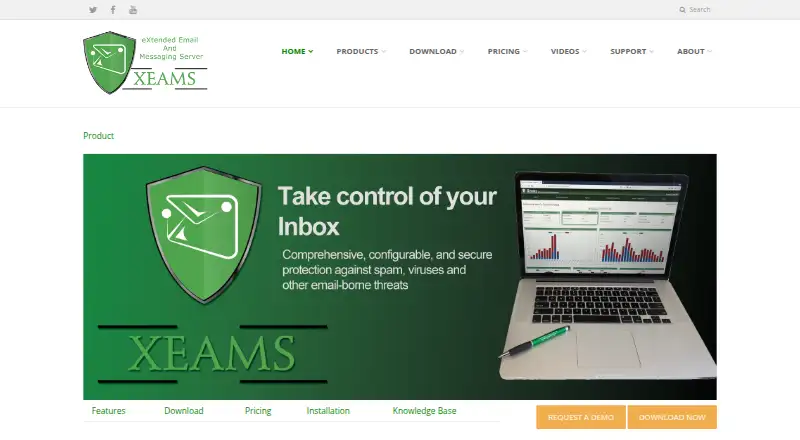
What Xeams is
Xeams is an email server and spam firewall that can run on its own, sit in front of another mail server, or work in hybrid mode. It supports SMTP, POP3, and IMAP, as well as email standards and technologies including DKIM, SPF, DMARC, and MTA-STS. Spam filtering uses sender reputation, authentication checks, attachment and content rules, Bayesian analysis, and virus checks. Administrators manage the service through a web interface with live email monitoring, logs, reporting, configurable retention, and tiered administration. Quarantined messages are kept on the server for 15 days by default and can be accessed through the web interface or an IMAP client. Xeams integrates with Active Directory and supports OAuth 2.0 outbound relaying for services such as Microsoft Exchange Online and Google Workspace. Outbound tools include DKIM signing, REST APIs, event webhooks, email campaigns, read receipts, and header sanitization. A new installation includes Enterprise Edition features for 30 days, then converts to Community Edition unless licensed. Community Edition is free for up to five users for personal hobby use when spam filtering is used; otherwise, spam filtering is limited to five users.
Good
- Can run standalone, in front of another server, or in hybrid mode.
- Supports SMTP, POP3, and IMAP.
- Filtering combines authentication checks, Bayesian analysis, and virus checks.
- Quarantine is accessible by web interface or IMAP.
- Integrates with Active Directory.
- Includes a 30-day Enterprise-feature trial.
Watch out
- Community spam filtering is limited to five users.
- Enterprise Edition pricing varies by user tier.
- End-to-end encryption is an Enterprise feature.
- Community Edition phone and email support costs $300/year.
Who it suits
Xeams suits organizations that need a self-hosted or cloud email server, a spam-filtering gateway, or a hybrid deployment. Its administration tools, directory integration, outbound relaying, and tiered licensing may appeal to teams managing email for multiple users.
Verdict
Choose Xeams if you need an email server and spam firewall with multiple deployment modes, web administration, and outbound tools. Check the licensing and user tiers carefully; Community Edition limits spam filtering to five users, and end-to-end encryption is an Enterprise feature.
Plans and prices
From Xeams's own pricing page, checked 15 Oct 2026.
| Plan | Price | What it gives you |
|---|---|---|
| Community Edition | Free | Personal/home use · spam filtering up to 5 users · unlimited users when junk filtering is not used · no AI filtering · indefinitely |
| Enterprise Edition, 1–9 users, annual | $1.67 a month | 1–9 users · Enterprise features · paid yearly |
| Enterprise Edition, 1–9 users, monthly | $1.92 a month | 1–9 users · Enterprise features · paid monthly |
| Enterprise Edition with Support | $300 a year | Community support upgrade · telephone and email support · per Xeams instance |
| Enterprise Edition | — | Tiered per-user pricing; no minimum cost; on-premise or cloud; shared cloud costs $100/month/machine with 20GB disk space in addition to subscription · Paid Monthly; per-user monthly prices vary by tier from $1.9167 (1–9 users) to $0.1438 (over 5000 users) |
| Enterprise Edition | — | Tiered per-user pricing; no minimum cost; on-premise or cloud; shared cloud costs $100/month/machine with 20GB disk space in addition to subscription · Paid Yearly; per-user monthly prices vary by tier from $1.6667 (1–9 users) to $0.1250 (over 5000 users) |
The facts
Each one read from Xeams's own pages, with the date it was checked.
What it does
- Administration
- The administration interface is entirely web based and supports delegated administration by domain.checked 15 Oct 2026
- API
- Xeams exposes an OpenAPI 3.0 REST API for sending mail, validating addresses, checking delivery status and administering users, domains and lists.checked 15 Oct 2026
- API restriction
- The REST API requires on-premise Xeams 9.3 or newer with an Enterprise licence covering at least 20 users and is unavailable in Xeams Cloud.checked 15 Oct 2026
- Archiving
- Messages can be archived for a configurable period or indefinitely and are indexed for searching.checked 15 Oct 2026
- Cloud mail relay
- It relays mail from legacy devices to Microsoft Exchange Online or Google Workspace using OAuth 2.0.checked 15 Oct 2026
- Compliance
- The maker says Xeams can help with regulations including HIPAA, GLBA, CFPB, FERPA, Sarbanes-Oxley, and Safe Harbor.checked 5 Oct 2026
- Deployment modes
- The product can run as a standalone server, a firewall in front of another mail server, or in hybrid configurations.checked 15 Oct 2026
- Directory integration
- Xeams integrates with Active Directory and other LDAP servers for user creation, authentication and recipient validation.checked 15 Oct 2026
- DNS integrations
- The DNS automation feature supports AWS Route 53, GoDaddy DNS and Cloudflare for A, AAAA, CNAME and TXT records.checked 15 Oct 2026
- Documentation and support
- Support includes telephone, email and public forums for Enterprise users; Community telephone and email support costs $300 per year.checked 15 Oct 2026
- Encryption
- Outbound end-to-end encryption works with recipients on any domain, including when the sender uses Microsoft or Google cloud mail.checked 15 Oct 2026
- Filtering
- Xeams provides spam, virus, phishing, URL and outbound-message filtering.checked 15 Oct 2026
- Installation
- Windows installation uses setup.exe, while Linux uses Install.sh; no separate database or software package is required.checked 15 Oct 2026
- Integrations
- Xeams describes Active Directory integration and outbound email relaying with OAuth 2.0 for services such as Microsoft Exchange Online or Google Workspace.checked 5 Oct 2026
- Licence
- Xeams is proprietary freeware/shareware; the Community Edition is non-commercial and the Enterprise Edition is subscription licensed.checked 15 Oct 2026
- Limit: complexity and documentation
- SoftwareFinder reviewers report that powerful features can be complex, some capabilities are not documented, and search can be difficult to use.checked 15 Oct 2026
- Limit: licensing clarity
- A Capterra reviewer said the licensing model can be confusing until the documentation is studied.checked 15 Oct 2026
- Limit: restart behavior
- Capterra lists reports that GUI-triggered server restarts can hang without explaining the delay.checked 15 Oct 2026
The company
- Company founded
- LinkedIn lists Synametrics Technologies as founded in 1997.checked 15 Oct 2026
- Company headquarters
- The vendor lists its headquarters at 490 State Route 33, Millstone, New Jersey, USA.checked 15 Oct 2026
- Company history
- Synametrics says it has provided IT solutions since 1997.checked 15 Oct 2026
- Company legal name
- Xeams is published by Synametrics Technologies, Inc.checked 15 Oct 2026
- Company size
- LinkedIn lists Synametrics Technologies as an 11–50 employee software-development company headquartered in Plainsboro, New Jersey.checked 15 Oct 2026
- Headquarters
- Millstone, New Jersey, United Stateschecked 28 Sep 2026
The full review of Xeams
Overview
Xeams is an email server and spam firewall that can operate on its own, in front of another mail server, or in a hybrid setup. Its breadth is a strength, but the free filtering tier’s five-user cap and the paid licensing structure deserve close attention.
Key features
Xeams handles SMTP, POP3, and IMAP, alongside DKIM, SPF, DMARC, and MTA-STS. Filtering layers sender reputation and authentication checks with attachment and content rules, Bayesian analysis, and virus checks. That range gives administrators several levers for screening mail, making Xeams a stronger fit for teams prepared to manage a configurable gateway than for users seeking a simple, hands-off filter.
Quarantined messages are retained on the server for 15 days by default and can be accessed through the web interface or an IMAP client. The web console provides live monitoring, logs, reporting, configurable retention, and tiered administration. Active Directory integration and OAuth 2.0 outbound relaying for services such as Microsoft Exchange Online and Google Workspace help accommodate existing environments.
Outbound capabilities include DKIM signing, REST APIs, event webhooks, email campaigns, read receipts, and header sanitization. End-to-end encryption is reserved for Enterprise, and some plugins are available only on on-premise or dedicated cloud deployments. Xeams also identifies technologies such as STARTTLS and MTA-STS in its security stack and says it can help organizations address regulations including HIPAA, GLBA, CFPB, FERPA, Sarbanes-Oxley, and Safe Harbor; that is a potential fit for regulated environments, not a substitute for assessing compliance requirements.
Pricing
Xeams is freemium, with a 30-day trial and paid plans from $1.67/user/mo (annual). A new installation starts with Enterprise Edition features for 30 days, then converts to Community Edition unless a license is purchased.
- Community Edition: Free for personal hobby use up to five users, with spam filtering limited to five users. It can support unlimited users if junk filtering is not used, so it is suitable for small personal deployments or mail-server use without filtering, but not as a free organization-wide spam gateway.
- Enterprise Edition with Support: $300 a year per deployed instance, including phone and email support. This suits organizations that want support at a fixed per-instance price; it is not a per-user subscription.
- Enterprise Edition: Custom pricing, billed monthly per user, with tiered rates from $1.9167 for 1–9 users to $0.1438 for over 5000 users and no minimum cost. It supports on-premise or cloud deployment. Shared cloud adds $100/month/machine for 20GB of disk space on top of the subscription, so the headline per-user rate is not the full shared-cloud cost.
Phone and email support for Community Edition is $300/year. Organizations should compare that support charge and the separate per-instance support plan against their deployment and user count before choosing a license.
Platforms
Xeams is available for Windows, Linux, macOS, UNIX/BSD, virtual machines, and QNAP, with API, web, and self-hosted support. The downloadable options and self-hosting emphasis make it suitable for teams managing their own infrastructure; it is not limited to a single operating system.
Who it's for
Xeams is a reasonable choice for organizations that need a gateway, mail server, or hybrid deployment with detailed web administration, outbound controls, and layered spam filtering. Its free edition is most compelling for hobby use or deployments that do not need junk filtering beyond five users. Teams needing more filtered users should budget for Enterprise licensing, and those requiring end-to-end encryption should account for its Enterprise-only status.
Pros and cons
- Pro: Standalone, gateway, and hybrid modes let administrators place Xeams in different mail architectures.
- Pro: Filtering combines reputation, authentication, content rules, Bayesian analysis, and virus checks rather than relying on one screening method.
- Pro: Live monitoring, logs, reporting, retention controls, and tiered administration provide substantial operational visibility through the web interface.
- Con: Community Edition limits spam filtering to five users, sharply narrowing its usefulness as a free organizational gateway.
- Con: Enterprise pricing varies by user tier, and shared cloud incurs an additional machine charge.
- Con: End-to-end encryption is not part of the free edition, and certain plugins require on-premise or dedicated cloud hosting.
Alternatives
For a broader comparison, see Email Security Gateways.
Choose Rspamd instead if you want an open-source, self-hosted Linux or macOS filtering engine, with a paid Scale option at £100 a month. Scrollout F1 is worth considering for a free Linux, Windows, or self-hosted gateway that supports unlimited domain names and email servers. MailScanner is another free, open-source Linux email gateway.
Hermes Secure Email Gateway offers a free, open-source self-hosted Docker Compose community edition alongside a paid Pro edition at $750 a year per server. Mailprotector may suit readers looking for a free email security check, while its product pricing is available from an account manager. Check Point Harmony SASE is a paid alternative with a 30-day trial and support across desktop, mobile, and web platforms.
VM Backup is a freemium alternative with a free edition covering two VMs per host. Spamihilator is a free Windows alternative for POP3 and IMAP email clients.
Verdict
Choose Xeams if you need a configurable email server and spam firewall with multiple deployment modes, web administration, and meaningful outbound tools. Its main advantage is the breadth of mail-flow and filtering controls; its main drawback is the need to match user caps, tiered or per-instance charges, and Enterprise-only encryption to your requirements. For a small hobby setup it can be free, but organizations needing more than five filtered users should plan for a paid license.
Getting started
- Open https://www.xeams.com/xeams.htm.
- Choose an installer for a supported platform, such as Windows, Linux, or macOS.
- Install Xeams; a new installation runs with Enterprise Edition features for 30 days.
- Use the web interface to administer the server.
- After the trial, continue with Community Edition or purchase a license.
Limits worth knowing
Community Edition is free for up to five users for personal hobby use when spam filtering is enabled; spam filtering is otherwise limited to five users. A new installation converts from its 30-day Enterprise-feature trial to Community Edition unless a license is purchased. End-to-end email encryption is an Enterprise feature.
Questions
Is Xeams free?
Yes. Community Edition is free for up to five users for personal hobby use when spam filtering is used. Spam filtering is limited to five users.
Is there a trial?
Yes. A new installation starts with Enterprise Edition features for 30 days, then converts to Community Edition unless a license is purchased.
How much does Xeams cost?
The listed starting price is $1.67/user/mo (annual). Enterprise Edition per-user monthly prices vary by tier, while Enterprise Edition with Support is listed at $300/year per deployed instance.
Which platforms can run Xeams?
The download page offers installers for Windows, Linux, macOS, UNIX/BSD, virtual machines, and QNAP. The listed platforms also include API, self-hosted, and web.
Does Xeams support Microsoft 365?
Yes. It supports outbound email relaying with OAuth 2.0 for services such as Microsoft Exchange Online, and Microsoft 365 support is listed.
Does Xeams include end-to-end encryption?
End-to-end email encryption is listed as an Enterprise feature. Certain plugins are available only on on-premise or dedicated cloud systems.
Alternatives to Xeams
- 1
Rspamd
Free planOpen sourceWebAPILinuxmacOS8.2From £100 a month - 2

Hermes Secure Email Gateway
Free planOpen sourceWebLinuxSelf-hosted7.7Free plan - 3

Mailprotector
Free planWebAPI7.0Free plan - 4

Symantec IT Management Suite
WebAPILinuxmacOS6.8 - 56.5From $5 a month
- 6
Cisco Catalyst Center
WebAPILinuxmacOS6.2