WineVDM
WineVDM enables 64-bit Windows systems to run 16-bit Windows programs, including software made for Windows 1.x through 3.1.
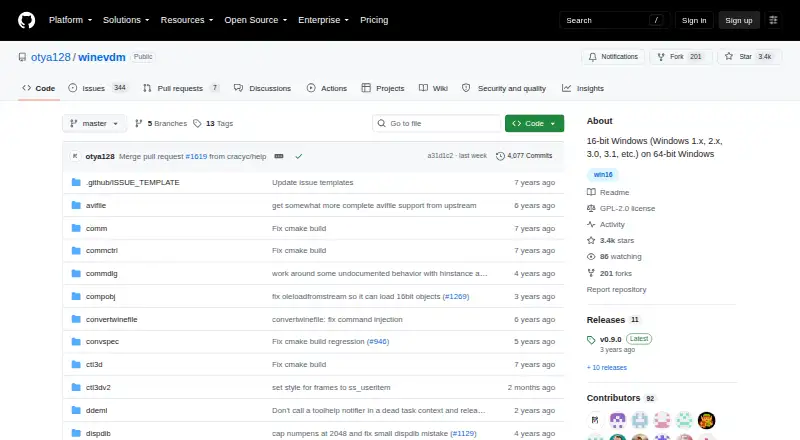
What WineVDM is
WineVDM enables 64-bit Windows systems to run 16-bit Windows programs, including software made for Windows 1.x through 3.1. It combines a CPU emulator with Wine-based code that translates Win16 calls for Win32, DOS emulation for Win16, and conversion between 16-bit and native Windows handles. Users can start a program by dragging its executable onto otvdm.exe or running otvdmw.exe; after installation, Win16 binaries can also be opened directly. Installation involves downloading or compiling the software, then using the install shortcut or right-clicking install.inf and choosing Install. The project documents builds with Visual Studio 2017 and CMake, and points to otvdm.ini for configuration. WineVDM is free software under GPL-2.0 for Windows. It can run DOS executables, but its DOS emulation is incomplete, and the project recommends DOSBox or MS-DOS Player for that use. Downloads include stable and latest unstable options; the releases page lists v0.9.0 as the latest release.
Good
- Runs programs made for Windows 1.x through 3.1.
- Win16 binaries can open directly after installation.
- Free software licensed under GPL-2.0.
- Build instructions cover Visual Studio 2017 and CMake.
- Offers stable and latest unstable downloads.
Watch out
- DOS emulation is incomplete.
- Available for Windows only.
- The project lists no security policy or published advisories.
Who it suits
WineVDM is for Windows users who need to run older 16-bit Windows applications on a 64-bit system. It may also suit people comfortable with installing software from a project repository or compiling it themselves.
Verdict
WineVDM targets legacy 16-bit Windows software on 64-bit Windows, with several launch methods and documented installation options. Its DOS support is limited, so the project points users to other programs for DOS use.
Plans and prices
From WineVDM's own pricing page, checked 9 Oct 2026.
| Plan | Price | What it gives you |
|---|---|---|
| WineVDM | Free | Free software under GPL-2.0 · Windows only |
The facts
Each one read from WineVDM's own pages, with the date it was checked.
What it does
- Build
- The project documents building with Visual Studio 2017 or CMake.checked 9 Oct 2026
- Build options
- The README gives build instructions for Visual Studio 2017 and CMake.checked 8 Oct 2026
- Configuration
- The README points users to otvdm.ini for configuration.checked 9 Oct 2026
- Downloads
- The repository links to stable releases and unstable builds; release assets include a separate package for ReactOS and Windows versions before Vista and Server 2008.checked 9 Oct 2026
- Emulation
- The program includes a CPU emulator and DOS emulation for Win16.checked 9 Oct 2026
- Emulation components
- The program contains a CPU emulator, Wine-based Win16-to-Win32 conversion code, DOS emulation for Win16, and 16-bit to native HANDLE conversion.checked 8 Oct 2026
- Implementation
- The project describes itself as an altered version of winevdm, a 16-bit Windows emulator, ported to 64-bit Windows.checked 8 Oct 2026
- Installation
- The README says to download or compile the software, then run the install shortcut or right-click install.inf and choose Install.checked 8 Oct 2026
- Launch method
- Users can drag a Win16 executable onto otvdm.exe or run otvdmw.exe; after installation, Win16 binaries can also be executed directly.checked 8 Oct 2026
- License
- The GitHub repository identifies the project license as GPL-2.0.checked 9 Oct 2026
- Purpose
- WineVDM runs 16-bit Windows applications, including software for Windows 1.x through 3.1, on 64-bit Windows.checked 9 Oct 2026
- Security
- GitHub reports that the repository has no SECURITY.md policy and no published security advisories.checked 9 Oct 2026
- Support
- The repository provides GitHub Issues and Discussions for project questions and reports.checked 9 Oct 2026
- System dependency
- The README says users who see a missing VCRUNTIME140.dll error should install the 32-bit Microsoft Visual C++ Redistributable for Visual Studio 2017.checked 8 Oct 2026
Where it runs
- DOS limitation
- WineVDM can run DOS executables, but its README says DOS emulation is incomplete and recommends DOSBox or MS-DOS Player.checked 8 Oct 2026
- DOS support
- WineVDM can also run DOS executables, but its DOS emulation is incomplete and the README recommends DOSBox or MS-DOS Player.checked 9 Oct 2026
- Older Windows builds
- The v0.9.0 release lists a separate download for ReactOS and Windows versions before Vista and Server 2008.checked 8 Oct 2026
- Run applications
- Users can drag a Win16 executable onto otvdm.exe, run otvdmw.exe, or install WineVDM to open Win16 binaries directly.checked 9 Oct 2026
- Windows Hypervisor Platform
- A release note says support for Windows Hypervisor Platform was added and refers users to otvdm.ini for details.checked 9 Oct 2026
The company
- Maker
- The repository is owned by the GitHub account otya128, whose profile lists Japan as its location.checked 9 Oct 2026
Alternatives to WineVDM
- 1
FAudio
Free planOpen sourceiOSAPILinuxmacOS7.5Free plan - 2
cnc-ddraw
Free planOpen sourceAndroidLinuxmacOSSelf-hosted7.4Free plan - 3

CrossOver
Free planLinuxmacOS7.4From $74 a year - 4
PlayOnLinux
Free planOpen sourceLinuxmacOS7.2Free plan - 5
GameHub
Free planAndroidiOSmacOS6.7Free plan - 6
Bannerlator
Free planAndroid6.4Free plan