Windows Sandbox
The facts below are what the maker publishes about Windows Sandbox, checked and dated. Our editors have not written about it yet.
Plans and prices
From Windows Sandbox's own pricing page, checked 29 Sep 2026.
| Plan | Price | What it gives you |
|---|---|---|
| Windows Sandbox | Free | Included with supported Windows editions · Windows Home not supported |
The facts
Each one read from Windows Sandbox's own pages, with the date it was checked.
What it does
- Configuration
- Configuration files can control networking, GPU virtualization, mapped folders, startup commands, audio and video input, clipboard and printer redirection, and memory.checked 29 Sep 2026
- Disposable sessions
- Closing the sandbox deletes its software, files, and state, and each launch starts a fresh instance.checked 29 Sep 2026
- Hardware requirements
- Requirements include AMD64 or supported Arm64 hardware, BIOS virtualization, at least 4 GB RAM, 1 GB free disk space, and two CPU cores.checked 29 Sep 2026
- Isolation
- It uses hardware-based virtualization and the Microsoft hypervisor to run a separate kernel isolated from the host.checked 29 Sep 2026
- Network security
- Networking is enabled by default and can expose untrusted applications to the internal network; it can be disabled in a configuration file.checked 29 Sep 2026
- Notable limits
- Only one sandbox instance can run at a time, and the sandbox uses the same operating-system build as its host.checked 29 Sep 2026
- Purpose
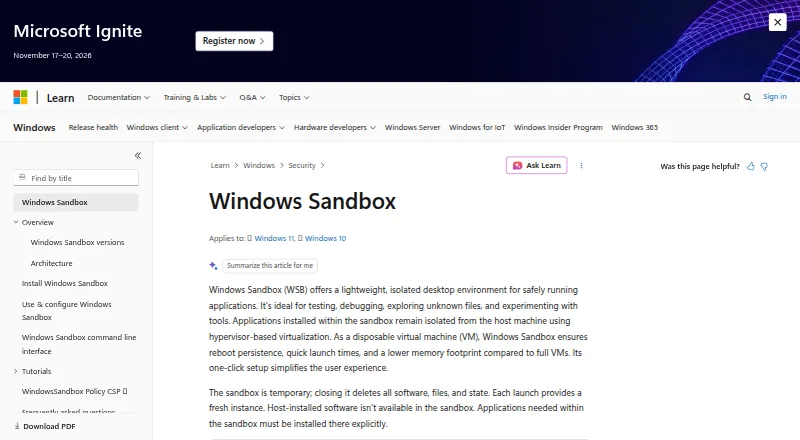
- Windows Sandbox provides a lightweight isolated desktop for testing, debugging, exploring unknown files, and experimenting with tools.checked 29 Sep 2026
- Resource efficiency
- It reuses many host read-only operating-system files and adjusts memory usage according to demand compared with a full virtual machine.checked 29 Sep 2026
- Support and feedback
- Users can report issues or suggest features through Feedback Hub or the Windows Sandbox GitHub repository.checked 29 Sep 2026
- Supported editions
- Windows Sandbox is included with Windows Pro, Enterprise, and Education editions and is not supported on Windows Home.checked 29 Sep 2026
- Use cases
- Microsoft describes using it to test software, browse unfamiliar websites, open untrusted files, and maintain development environments.checked 29 Sep 2026
The company
- Founded
- 1975checked 28 Sep 2026
- Headquarters
- Redmond, Washington, United Stateschecked 28 Sep 2026
Money
- Free plan
- Nochecked 21 Sep 2026
Where it runs
- Newer app version
- On Windows 11 version 24H2 with KB10D or later, the newer version is available through Microsoft Store and adds runtime controls and preview command-line support.checked 29 Sep 2026
Alternatives to Windows Sandbox
- 1

Context Agent Sandboxes
Free planAndroidiOSWebAPI8.0From $20 a month - 2

E2B
Free planOpen sourceWebAPILinuxmacOS8.0From $150 a month - 3

Northflank
Free planWebAPILinuxmacOS8.0From $2.70 a month - 4

Daytona
Free planWebAPILinuxmacOS7.9Free plan - 5

ANY.RUN
Free planAndroidiOSWebAPI7.5Free plan - 6

Vercel
Free planWebAPI7.0From $20 a month