Wigglegram Creator
Wigglegram Creator makes animated GIFs and looping MP4 or WebM videos from sequences of JPG or PNG images.
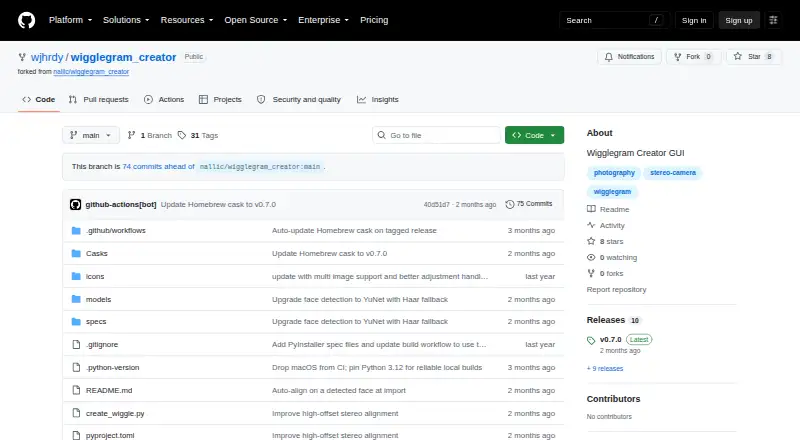
What Wigglegram Creator is
Wigglegram Creator makes animated GIFs and looping MP4 or WebM videos from sequences of JPG or PNG images. Its drag-and-drop graphical interface lets users set output scale, frames per second, and video repetitions. GIFs are downscaled for sharing; MP4 and WebM exports remain full resolution and can be set to repeat a chosen number of times. A crop can be drawn on the preview and is applied before scaling, interpolation, and export. When a face is detected during import, alignment is anchored to it automatically, and users can click the preview to adjust that alignment. On macOS, the app can offer Apollo Fast slow motion from 2x to 8x if it detects Topaz Video’s bundled ffmpeg. Wigglegram Creator is free and MIT-licensed, with prebuilt downloads listed for Linux, Windows, and Apple Silicon macOS. The project is GUI-only and does not provide headless command-line export. The prebuilt macOS app is unsigned and not notarized, so Gatekeeper quarantines it when first opened.
Good
- Exports full-resolution looping MP4 and WebM.
- Can automatically align images around detected faces.
- Preview crop applies before scaling and export.
- Supports configurable video repetitions.
- Free and MIT-licensed.
Watch out
- No headless command-line export mode.
- Prebuilt macOS app is unsigned and not notarized.
- GIF output is downscaled for sharing.
Who it suits
It suits people who want to turn JPG or PNG sequences into looping animations through a graphical interface on Linux, Windows, or macOS. It may not suit users who need command-line exports.
Verdict
Wigglegram Creator offers image-sequence animation with crop, alignment, and output controls in a free GUI. Check the macOS Gatekeeper instructions before opening its unsigned, unnotarized prebuilt app.
Plans and prices
From Wigglegram Creator's own pricing page, checked 10 Oct 2026.
| Plan | Price | What it gives you |
|---|---|---|
| Wigglegram Creator | Free | MIT-licensed GUI application · no headless command-line export mode |
The facts
Each one read from Wigglegram Creator's own pages, with the date it was checked.
What it does
- Crop
- Users can draw an export crop on the preview, applied before scaling, interpolation, and export.checked 9 Oct 2026
- Crop and scaling
- Users can draw an export crop and apply it before scaling, Topaz interpolation, and export.checked 10 Oct 2026
- Face alignment
- It automatically anchors alignment on a detected face, and users can click the preview to override it.checked 10 Oct 2026
- GIF output
- It exports downscaled animated GIFs for sharing.checked 10 Oct 2026
- Input and controls
- Users can drag JPG or PNG images into the app and set output scale, frames per second, and video repetitions.checked 10 Oct 2026
- Input formats
- The usage instructions say to drag and drop one or more JPG or PNG images into the app window.checked 9 Oct 2026
- Interface
- The application has a drag-and-drop GUI built with PySide6 (Qt for Python).checked 10 Oct 2026
- License
- The repository identifies the software license as MIT.checked 10 Oct 2026
- Maintainer
- The repository owner profile identifies wjhrdy as Willy Hardy.checked 9 Oct 2026
- No CLI export
- The README describes the app as GUI-only and says it has no headless command-line export mode.checked 9 Oct 2026
- Purpose
- Wigglegram Creator generates animated GIFs and looping MP4 videos from a sequence of images.checked 10 Oct 2026
- Release
- The releases page lists v0.7.0 as the latest release.checked 9 Oct 2026
- Topaz integration
- On macOS, it can use Topaz Video's bundled ffmpeg for Apollo Fast slow motion from 2x to 8x.checked 10 Oct 2026
- Usage limit
- The project describes the application as GUI-only and says it has no headless command-line export mode.checked 10 Oct 2026
- Video formats
- It exports looping MP4 and WebM videos at full resolution with configurable repetitions.checked 10 Oct 2026
- Video output
- Looping MP4 and WebM output is full resolution and supports configurable repetitions.checked 9 Oct 2026
Where it runs
- macOS security
- The prebuilt macOS app is unsigned and not notarized, so macOS Gatekeeper quarantines it on first opening.checked 10 Oct 2026
- macOS signing
- The prebuilt macOS app is unsigned and not notarized, and the README provides steps to open it despite Gatekeeper warnings.checked 9 Oct 2026
- Platform downloads
- Prebuilt releases are listed for Linux x64 and arm64, Windows x64, and macOS Apple Silicon.checked 10 Oct 2026
- Platforms
- The README lists Windows, Linux, and macOS support; prebuilt builds are listed for Linux x64 and arm64, Windows x64, and Apple Silicon macOS.checked 9 Oct 2026
The company
- Maker
- The GitHub profile identifies Willy Hardy as a developer and Data Scientist at Red Hat and lists Raleigh, NC.checked 10 Oct 2026
The full review of Wigglegram Creator
Wigglegram Creator turns a set of still photographs into a looping animation from a focused desktop interface. It is best for creators making short wigglegrams from JPG or PNG sequences who want visual control over framing; people building automated pipelines or starting with video should look elsewhere. The main appeal is full-resolution MP4 and WebM export alongside a quick GIF option, at no cost.
Overview
The application uses a drag-and-drop PySide6 interface: drop one or more JPG or PNG images into the window, arrange the sequence, and set output controls. It is deliberately a GUI tool rather than a general media converter. There is no video import and no headless command-line export, so every job is performed interactively in the desktop app. That suits occasional projects and small batches, but it is a poor match for unattended rendering, scripts, or server-side workflows.
Release 0.7.0 is the latest listed version. The project is MIT licensed, with the repository maintained by Willy Hardy. That permissive license is useful for users who want software they can inspect or adapt, while the release format remains centered on prebuilt desktop downloads.
Key features
Alignment and framing
When the importer detects a face, it uses that face as the alignment anchor automatically. This can remove much of the repetitive positioning work in portrait sequences, and clicking the preview lets you override the anchor when the automatic choice is not the composition you want. A drawn export crop is applied before scaling, interpolation, and export, so the framing decision is made early rather than trimmed after rendering.
Output controls
Animated GIF output is downscaled for sharing, making it the convenient lightweight choice but not the format for preserving source dimensions. Looping MP4 and WebM exports retain full resolution and support a configurable number of repetitions. You can set output scale and frames per second, giving more control over file size and motion cadence than a fixed one-click exporter.
Optional interpolation
On macOS, detecting Topaz Video's bundled ffmpeg exposes Apollo Fast slow-motion interpolation from 2x through 8x. This is a conditional enhancement: it depends on that Topaz component being present, so it should not be treated as a universally available part of the app.
Pricing
Wigglegram Creator costs nothing, with no trial period because the application is already free. The single plan includes the MIT-licensed GUI application, image-sequence animation, cropping, alignment, and GIF, MP4, and WebM export controls. There are no paid tiers, seat charges, renewal terms, or quota caps described. The trade-off is capability rather than price: the free plan does not add a command-line mode, video import, or automation layer.
Platforms
Supported operating systems are Windows, Linux, and macOS. Prebuilt downloads are listed for Linux x64 and arm64, Windows x64, and Apple Silicon Macs. The macOS build is unsigned and not notarized, so Gatekeeper quarantines it on first opening; users must follow the project's documented procedure to launch it. That extra security step is a material consideration for managed Macs or anyone unwilling to bypass the warning.
Who it's for
Choose it for a desktop workflow built around a handful of still images, especially portrait sequences where automatic face anchoring saves adjustment time. It also fits users who need a full-resolution looping video rather than only a small GIF, or who want an open MIT-licensed tool without subscription costs.
Do not choose it for video-to-GIF work, command-line rendering, batch automation, or production systems that require a signed and notarized macOS application.
Pros and cons
- Pro: Automatic face anchoring. Detected faces provide a useful starting alignment, with a preview click for correction.
- Pro: Full-resolution video export. MP4 and WebM preserve source dimensions and allow configurable loop repetitions.
- Pro: Crop before processing. The export crop is applied before scaling and interpolation, giving framing decisions priority in the render.
- Con: No video input. The workflow starts with JPG or PNG stills, so existing clips cannot be brought in directly.
- Con: No headless export. Scripts and unattended batch jobs are unsupported, limiting it to interactive desktop use.
- Con: macOS launch friction. The unsigned, unnotarized app triggers Gatekeeper quarantine on first opening.
- Con: GIF downscaling. GIFs are intended for sharing rather than preserving full-resolution output.
Alternatives
GIF Maker Software is the broader category to explore when you want to compare tools beyond a still-sequence desktop workflow.
FlexClip is the better choice for a cross-device, web-oriented editor with Android and iOS apps, though its free plan limits projects and video length.
Brush Ninja suits browser-based animation and offers core tools without an account; its Premium monthly plan is $7 a month for users needing more than the free tier.
Gifsicle is preferable when you want freely available GIF-focused software rather than a visual wigglegram compositor.
Piskel is the alternative for browser or offline pixel-art animation, with open-source code.
GIPHY Create is a free option for creating GIFs on Android, iOS, or the web.
Gifox is the macOS pick when the job is screen recording; its Pro plan adds unlimited recording and watermark removal.
Gifski is a free cross-platform choice centered on GIF encoding rather than face-aligned image-sequence composition.
GiftedMotion is another free, GPL-licensed option for users who want a conventional desktop GIF animator.
Game Gear Emulators covers a different category and is relevant only if your goal is emulation rather than animation.
Verdict
Wigglegram Creator is a strong fit for a person who has JPG or PNG frames and wants face-aware alignment, deliberate cropping, and full-resolution looping video without paying. Look elsewhere if you need video import, repeatable command-line jobs, or a frictionless signed macOS installation.
Alternatives to Wigglegram Creator
- 1

Brush Ninja
Free planAndroidiOSWebLinux8.2From $48 a year - 2
FlexClip
Free planAndroidiOSWebWindows8.1From $143.88 a year - 3

GIPHY Create
Free planAndroidiOSWeb7.0Free plan - 4
MakeAGIF
Free planWebAPIExtension6.9Free plan - 5

Gifox
Free planmacOS6.8$14.99 one-time - 6

ImgPlay
Free planAndroidiOS6.8From $29.99 a year