WhiteboardAnimation.ai
WhiteboardAnimation.ai turns an uploaded illustration into a whiteboard animation that draws the image stroke by stroke, sketching before adding colour.
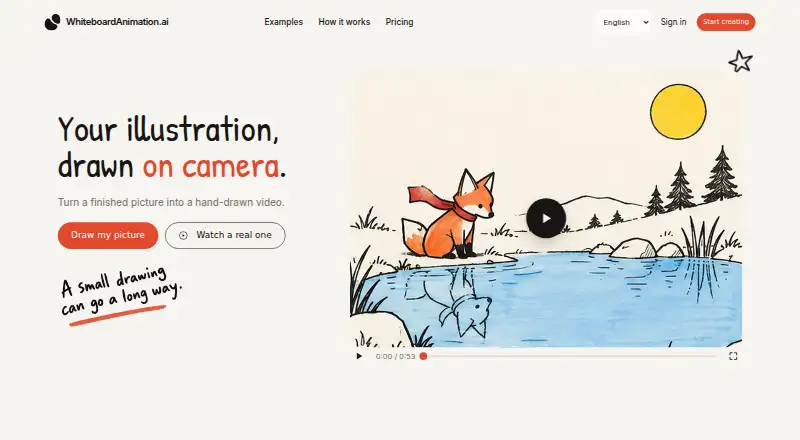
What WhiteboardAnimation.ai is
WhiteboardAnimation.ai turns an uploaded illustration into a whiteboard animation that draws the image stroke by stroke, sketching before adding colour. It is designed for creators and educators and runs in a desktop browser, with Chrome, Edge and Safari listed; no installation is needed. Uploads may be PNG, JPEG or WebP files up to 10 MB, with illustrations, diagrams and flat artwork recommended. You can show a hand holding the pen or leave it out, then choose the video pace. Exports are MP4 or WebM in 16:9, 9:16 or 1:1 formats. Pro export adds transparent backgrounds and separate layers at 1080p, which can be placed over footage in Premiere, Final Cut, DaVinci or CapCut. Early access is free, requires no card and includes unlimited, watermark-free drawings. The API is available with Pro for Claude Code, Codex and Cursor integrations. Phones can watch clips, but saving requires a desktop. Uploads remain private in the studio until deleted.
Good
- Free early access requires no card
- Supports PNG, JPEG and WebP uploads
- Exports MP4 or WebM in three formats
- Optional hand and pace controls
- API supports Claude Code, Codex and Cursor
Watch out
- Uploads limited to 10 MB
- Saving videos requires a desktop
- Commercial licence is only planned for Pro
- Collaboration level is single-user
Who it suits
It suits creators and educators animating illustrations, diagrams or flat artwork. Desktop users who need browser-based exports and optional editing integrations are the clearest fit.
Verdict
WhiteboardAnimation.ai provides a focused browser workflow for turning suitable artwork into drawn animations. Its free early-access terms and export choices are useful, while desktop saving and the single-user setup limit how teams may use it.
Plans and prices
From WhiteboardAnimation.ai's own pricing page, checked 4 Oct 2026.
| Plan | Price | What it gives you |
|---|---|---|
| Early access | Free | Unlimited drawings · six hands · no watermark · saved drawings remain playable and exportable |
The facts
Each one read from WhiteboardAnimation.ai's own pages, with the date it was checked.
What it does
- API and agent integrations
- Claude Code, Codex and Cursor can process pictures through the API, which the site says comes with Pro and uses the same credits as Studio.checked 4 Oct 2026
- Commercial use
- A commercial licence is planned for Pro when pricing starts; the site directs users who need commercial work today to [email protected].checked 4 Oct 2026
- Drawing options
- The clip can show a hand holding the pen or omit the hand, and users can choose the video pace.checked 4 Oct 2026
- Early access terms
- Early access is free, requires no card, and includes unlimited drawings without a watermark; the site says nothing is charged during this period.checked 4 Oct 2026
- Export
- Exports are available as MP4 or WebM in 16:9, 9:16 or 1:1 formats; Pro export supports transparent backgrounds and separate layers at 1080p.checked 4 Oct 2026
- Input formats
- Uploads can be PNG, JPEG or WebP files up to 10 MB; illustrations, diagrams and flat artwork work best.checked 4 Oct 2026
- Installation
- The site says no installation is needed.checked 4 Oct 2026
- Intended users
- The site describes the product as made for creators and educators.checked 4 Oct 2026
- Privacy statement
- Uploaded pictures stay in the user's studio until deleted, and the site says only that user can see them.checked 4 Oct 2026
- Purpose
- Turns an uploaded illustration into a whiteboard animation clip drawn stroke by stroke, sketch first and then colour.checked 4 Oct 2026
- Support
- The site lists [email protected] as its contact email.checked 4 Oct 2026
- Video editing integrations
- The site says exported layers can be placed over footage in Premiere, Final Cut, DaVinci or CapCut.checked 4 Oct 2026
Where it runs
- Browser support
- The product runs in a desktop browser, with Chrome, Edge and Safari named; phones can watch clips, but saving videos currently requires a desktop.checked 4 Oct 2026
Alternatives to WhiteboardAnimation.ai
- 1
Explain Everything
Free planAndroidiOSWebmacOS8.2Free plan - 2

Fliki
Free planAndroidiOSWebAPI8.2From $28 a month - 3

Renderforest Slideshow Maker
Free planAndroidiOSWebAPI8.2From $8 a month - 4

Doratoon
Free planAndroidiOSWebAPI8.1From £5 a month - 5

mySimpleshow
Free planAndroidiOSWebAPI8.1From $5.99 a month - 6

Powtoon
Free planAndroidiOSWebExtension7.9From $8 a month