Weet
Weet creates and shares short, interactive videos for knowledge sharing, including training and tutorials.
What Weet is
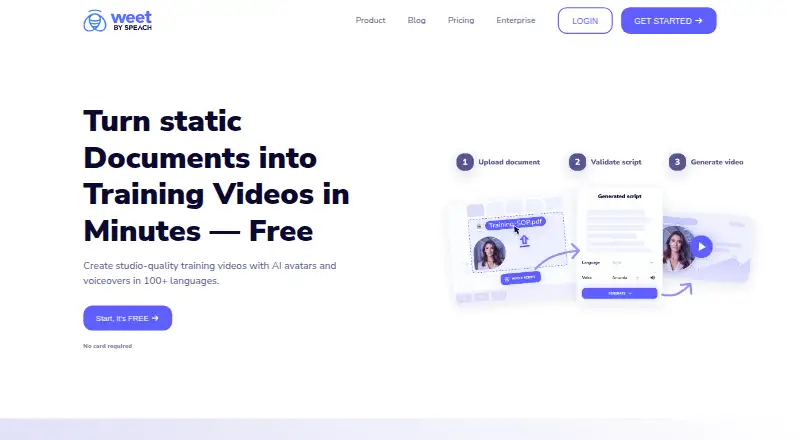
Weet creates and shares short, interactive videos for knowledge sharing, including training and tutorials. Users can record a screen or webcam, apply filters, remove backgrounds, or upload existing video. Editing tools include trimming, chapters, noise cancellation, annotations, and interactive links, images, text, and buttons. Weet can turn uploaded PDFs, Word documents, and PowerPoints into videos with slides, narration, and animations. AI avatars and voiceovers are offered in more than 100 languages, and the service can generate subtitles automatically and translate subtitles and audio into more than 100 languages. Teams can collaborate in real time using comments, workspaces, and channels. Video engagement analytics and viewer notifications indicate who is watching. Microsoft Teams and Slack integrations support creating and sharing videos from those apps. Weet is available on web, Windows, macOS, iOS, and Android, with a Chrome extension. The free plan allows up to three Weets and recording quality up to 720p. Business costs $24 a month per creator when billed yearly, or $29 per creator monthly, and includes unlimited Weets and 1080/4K video downloads.
Good
- Converts PDFs, Word files, and PowerPoints to video
- Supports subtitles in over 100 languages
- Offers real-time team collaboration
- Available across desktop and mobile platforms
Watch out
- Free plan allows up to three Weets
- Free recording quality is limited to 720p
- Business is $24 per creator monthly, billed yearly
Who it suits
Weet may suit people creating instructional videos or teams sharing training and knowledge. Its tools are relevant to users who want document-to-video conversion, interactive editing, subtitles, and collaboration features.
Verdict
Weet combines recording, editing, document conversion, and team sharing for short instructional videos. The free plan has limits on video count and quality; Business pricing is per creator.
Plans and prices
From Weet's own pricing page, checked 5 Oct 2026.
| Plan | Price | What it gives you |
|---|---|---|
| Free | Free | Up to 3 weets · AI avatars · Screen and webcam recording · Editing options · Automatic transcription and subtitles in 100+ languages · $0 |
| Business | $24 a month | Unlimited weets · Interactive video annotation · User and video management · Custom branding · Custom thumbnails · 1080/4K video download · $24/creator / mo yearly; $29 creator / mo monthly |
| Enterprise | Priced on request | Everything in Business · Interactive quizzes · SSO · Learning paths · Advanced statistics · GxP compliant · Dedicated support · Contact sales |
The facts
Each one read from Weet's own pages, with the date it was checked.
What it does
- AI video
- The product offers AI avatars and voiceovers in 100+ languages.checked 5 Oct 2026
- Analytics
- Weet provides video engagement analytics and notifications about who is watching.checked 5 Oct 2026
- Collaboration
- The service offers real-time team collaboration, comments, workspaces, and channels for organizing videos.checked 5 Oct 2026
- Data security
- Weet says data is stored in GCP data centers in the USA, encrypted at rest with AES-256 and in transit using TLS 1.2 or higher.checked 5 Oct 2026
- Document to video
- Weet AI turns uploaded PDFs, Word files, and PowerPoints into videos with slides, narration, and animations.checked 5 Oct 2026
- Editing and interaction
- Video editing includes trimming, chapters, noise cancellation, annotations, and interactive elements such as links, images, text, and buttons.checked 5 Oct 2026
- Integrations
- Weet integrates with Microsoft Teams and Slack to create and share videos from those apps.checked 5 Oct 2026
- Maximum video quality
- 4kchecked 22 Sep 2026
- Max recording length
- 8checked 22 Sep 2026
- Microphone recording
- Yeschecked 22 Sep 2026
- Privacy compliance
- Weet states that it is GDPR and CCPA compliant and allows users to delete their content and close their accounts.checked 5 Oct 2026
- Purpose
- Weet creates and shares short, interactive videos for sharing knowledge, including training and tutorials.checked 5 Oct 2026
- Recording
- Users can record their screen or webcam, apply filters, remove video backgrounds, and upload existing videos.checked 5 Oct 2026
- Security audits
- Weet says its developer, Speach, undergoes an annual SOC 2 Type II audit and that Weet receives annual third-party penetration testing.checked 5 Oct 2026
- Subtitles
- Weet can generate subtitles automatically and translate subtitles and audio into more than 100 languages.checked 5 Oct 2026
- Support
- The Slack integration page directs users to Weet’s help center or [email protected] for questions.checked 5 Oct 2026
- Webcam recording
- Yeschecked 22 Sep 2026
Where it runs
- Browser extension
- Weet offers a Chrome extension that requires access to weet.co, the webcam, and the microphone, according to its security page.checked 5 Oct 2026
- Supported platforms
- web,windows,macos,ios,android,chrome_extensionchecked 22 Sep 2026
Money
- Free plan
- Yeschecked 22 Sep 2026
- Free plan limit
- The pricing page lists a maximum of three Weets and recording quality up to 720p for the Free plan.checked 5 Oct 2026
Alternatives to Weet
- 1

Cap
Free planOpen sourceWebAPIExtensionLinux9.0From $29 a year - 2

Loom
Free planAndroidiOSWebmacOS8.9From $18 a month - 3

Vmaker
Free planiOSWebExtensionmacOS8.9From $18 a month - 4

ScreenPal
Free planAndroidiOSWebmacOS8.8From $4 a month - 5

Claap
Free planAndroidiOSWebAPI8.8From €32 a month - 6

Screencastify
Free planWebExtensionLinuxmacOS8.7From $7 a month