Webcam Effects Overlay
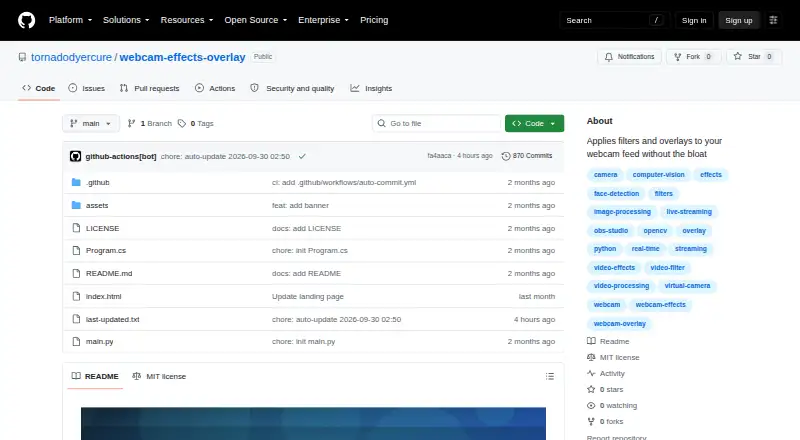
The facts below are what the maker publishes about Webcam Effects Overlay, checked and dated. Our editors have not written about it yet.
The facts
Each one read from Webcam Effects Overlay's own pages, with the date it was checked.
What it does
- Accounts and telemetry
- The page says the app requires no account and uses no telemetry.checked 4 Oct 2026
- Audience
- The README identifies streamers, remote teams, educators recording lessons, and people using webcams for calls as intended users.checked 11 Oct 2026
- Customization
- Users can add overlay text and watermarks and save effect combinations as scene profiles.checked 11 Oct 2026
- Effects
- Features include color grading, adjustable skin smoothing, background overlays, auto framing, and lighting correction presets.checked 11 Oct 2026
- Hardware requirements
- Minimum requirements include a dual-core 2.0 GHz CPU, 4 GB RAM, and a UVC-compatible webcam; the app is listed as standalone with no dependencies.checked 4 Oct 2026
- Installation
- The README says the installer typically does not require admin rights and includes no bundled third-party software.checked 11 Oct 2026
- Integrations
- The README names Zoom, Teams, OBS, Discord, and browser calls as apps that can consume its camera feed.checked 11 Oct 2026
- Intended users
- The page describes the app as intended for streamers, remote teams, educators recording lessons, and other webcam users.checked 4 Oct 2026
- License
- The repository states that the project is released under the MIT License, 2026.checked 11 Oct 2026
- Limit
- Running two instances against the same physical webcam can cause device lock conflicts.checked 4 Oct 2026
- Local processing
- The project states that video frames are processed on-device and are not uploaded to remote servers.checked 11 Oct 2026
- Operating system
- The listed minimum operating system is 64-bit Windows 10, with Windows 11 recommended.checked 4 Oct 2026
- Performance limit
- The README says heavier effect stacks on older CPUs can introduce a frame or two of processing delay.checked 11 Oct 2026
- Privacy
- The README says the app has no telemetry or accounts and does not collect, transmit, or store video data off-device.checked 11 Oct 2026
- Purpose
- Webcam Effects Overlay applies real-time visual overlays, color treatments, and framing effects between a physical webcam and video or streaming apps.checked 11 Oct 2026
- Requirements
- Minimum requirements are a dual-core 2.0GHz CPU, 4 GB RAM, and a UVC-compatible webcam; it lists no dependencies.checked 11 Oct 2026
- Support
- The project directs users to open issues for bugs with their Windows version and webcam model and welcomes pull requests.checked 11 Oct 2026
- Virtual camera
- The app publishes a virtual camera device for conferencing and streaming apps to select as a webcam.checked 11 Oct 2026
Where it runs
- Device limit
- Running two instances against the same physical webcam can cause device lock conflicts.checked 11 Oct 2026
- Platform
- The README describes it as a Windows app and lists Windows 10 64-bit minimum and Windows 11 recommended.checked 11 Oct 2026
Alternatives to Webcam Effects Overlay
- 1
Webcamoid
Free planOpen sourceAndroidAPILinuxmacOS8.2$1.99 one-time - 2
Camo Studio
Free planAndroidiOSAPImacOS8.0From $49.99 a year - 3

FineCam
Free planAndroidiOSmacOSWindows8.0From $29.99 a year - 4
mimoLive
Free planiOSWebAPImacOS7.9From $70 a month - 5

VCam
Free planWebmacOSSelf-hostedWindows7.8Free plan - 6

PRISM Live Studio
Free planAndroidiOSmacOSWindows7.6From $79.99 a year