Volta
Volta manages JavaScript command-line tools and can keep a project on a specified Node version.
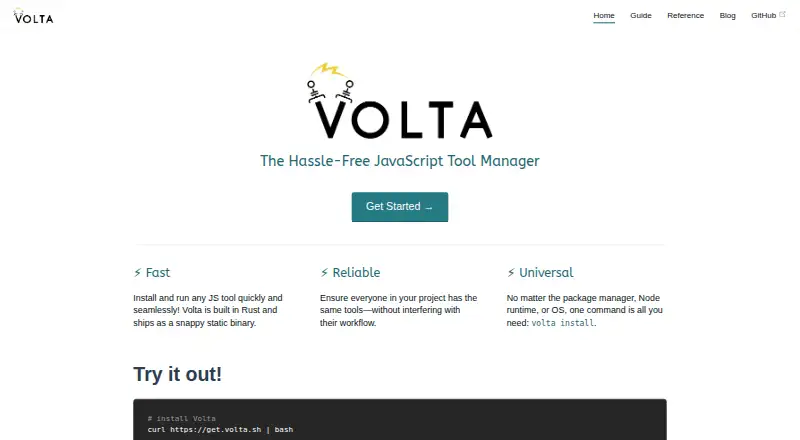
What Volta is
Volta manages JavaScript command-line tools and can keep a project on a specified Node version. It records a project’s Node version in package.json and switches to it when Node runs from that project directory. Installed package binaries are associated with a Node engine and stay fixed unless explicitly updated. Volta uses PATH shims to direct tools to the configured versions, and it supports multiple package managers. It also provides a GitHub Action that downloads Volta, caches it, and installs tools pinned in package.json. The project is built in Rust as a single native executable without external dependencies, and it uses the BSD 2-clause license. Volta supports Windows, macOS, and Linux, and offers hooks for alternate download sources such as npm Enterprise. One important limitation is its experimental pnpm support, which must be enabled with VOLTA_FEATURE_PNPM=1; global pnpm installations are unsupported. The project repository describes Volta as unmaintained and recommends migration to mise, a status to weigh before adopting it for ongoing work.
Good
- Pins project Node versions in package.json.
- Routes tools through PATH shims.
- GitHub Action handles pinned tools in CI.
- BSD 2-clause licensed and open source.
Watch out
- Repository says the project is unmaintained.
- pnpm support is experimental and must be enabled.
- Global pnpm installations are unsupported.
Who it suits
Volta may suit developers who want project-specific Node versions and pinned command-line tools across Windows, macOS, or Linux. Its unmaintained status makes it less suitable for teams seeking an actively maintained tool.
Verdict
Volta provides project-aware version switching for Node and related command-line tools. Its documented maintenance status and pnpm limitations deserve attention before choosing it for new or continuing projects.
The facts
Each one read from Volta's own pages, with the date it was checked.
What it does
- Automatic switching
- Volta detects the current project and routes tools to the versions configured for it.checked 30 Sep 2026
- CI integration
- Volta provides a GitHub Action that downloads Volta, caches it, and downloads tools pinned in package.json.checked 30 Sep 2026
- Implementation
- Volta is built in Rust and ships as a static binary.checked 30 Sep 2026
- Integrations
- Volta provides hooks to use alternate download sources, including npm Enterprise, for tools such as Node, npm, and Yarn.checked 30 Sep 2026
- License
- Volta is licensed under the BSD 2-clause license.checked 30 Sep 2026
- Maintenance status
- The project repository says Volta is unmaintained and recommends migration to mise.checked 30 Sep 2026
- Operating systems
- The project documents Windows and Unix support, with Unix installers placing binaries in ~/.volta/bin.checked 30 Sep 2026
- Package managers
- Volta supports multiple package managers, while pnpm support is experimental and requires VOLTA_FEATURE_PNPM=1.checked 30 Sep 2026
- pnpm limit
- Global pnpm installations are unsupported and result in an error.checked 30 Sep 2026
- pnpm limitation
- pnpm support is experimental, and global pnpm installations are not supported.checked 30 Sep 2026
- Project contributors
- The project site describes Volta as built by the Volta community.checked 30 Sep 2026
- Project versions
- Volta pins a project's Node version in package.json and switches to it when Node runs in that project directory.checked 30 Sep 2026
- Purpose
- Volta manages JavaScript command-line tools.checked 30 Sep 2026
- Routing
- Volta adds shims to PATH that route tools to the right version and Node engine.checked 30 Sep 2026
- Support
- The project welcomes GitHub issues and pull requests and uses Discord for community discussion.checked 30 Sep 2026
- Support channels
- The uninstall guide says users can reach the project on Twitter, Discord, or GitHub with feedback.checked 30 Sep 2026
- Tool installation
- The volta install command sets a default tool version and downloads it to a local cache if it is not already cached.checked 30 Sep 2026
Where it runs
- Platform support
- The documentation describes installation on macOS and other Unix systems, and on Windows.checked 30 Sep 2026