
Vizcom
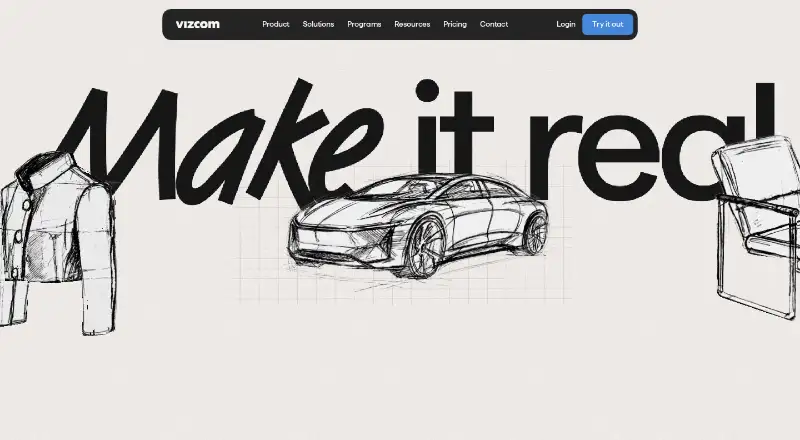
Vizcom is an AI platform that converts sketches into 3D renders users can rotate and refine.
What Vizcom is
Vizcom is an AI platform that converts sketches into 3D renders users can rotate and refine. Live Render provides feedback as users draw, prompt and edit, while variation generation helps explore alternatives and different 3D angles. Users can also place a drawing onto a photo to see a design in context. The product presents workflows for industrial design, footwear, gaming, automotive and apparel.
An Autodesk Fusion plugin transfers 3D models between Vizcom and Fusion. Vizcom is available on the web and through Mac and Windows desktop apps, with projects syncing to the web version. Desktop use requires macOS 11 or later or Windows 10 or later; older systems can use Vizcom on the web. The free Starter plan includes 800 credits and 10 files. Professional costs $49 per user/month and includes 20,000 credits, Live Render and full design privacy. Vizcom says generated images from free users may be used to improve its services, while paid-plan user data is not used to train AI models. The company lists ISO/IEC 27001:2022 certification, SOC 2, GDPR, CPRA, ISO/IEC 27017:2015 and CSA STAR Level 1 in its trust center.
Good
- Live Render responds as users draw, prompt and edit.
- Users can explore variations and rotate designs in 3D.
- Autodesk Fusion plugin transfers models in both directions.
- Desktop projects sync with the web version.
- Professional includes 20,000 credits per user/month.
Watch out
- Starter includes 800 credits and 10 files.
- Professional costs $49 per user/month.
- Generated images from free users may be used to improve services.
- Desktop app requires macOS 11 or Windows 10 or later.
Who it suits
Vizcom suits designers who want to turn sketches into adjustable 3D renders and explore ideas in context. Its listed workflows span industrial design, footwear, gaming, automotive and apparel.
Verdict
Vizcom combines sketch rendering, iteration and context previews with a Fusion workflow. Its free plan has stated credit and file limits, and its data-use terms differ between free and paid plans.
Plans and prices
From Vizcom's own pricing page, checked 15 Oct 2026.
| Plan | Price | What it gives you |
|---|---|---|
| Education | Free | 15,000 credits · credit add-ons · priority render queue · student ambassador opportunities · exclusive community access · $0 per user/month for qualified educators and students |
| Starter | Free | 800 credits · basic AI creation tools · standard render speeds · unlimited file viewers · community support · $0 per user/month |
| Professional | $49 a month | 20,000 credits · credit add-ons · priority render queue · multi-image generation · 4K exports · Live Render · full design privacy · $49 per user/month |
| Enterprise | Priced on request | highest usage limits · fastest renders · unlimited seats and teams · advanced exports · onboarding · team management · SSO · audit logs · priority support · Contact Sales |
The facts
Each one read from Vizcom's own pages, with the date it was checked.
What it does
- 3D generation
- Vizcom documentation includes workflows for generating 3D models from 2D designs.checked 15 Oct 2026
- Animation
- The documentation includes an animation workflow for bringing designs to life.checked 15 Oct 2026
- API and SDKs
- The public documentation index lists user-feature and administration guides plus the Fusion plugin, but no public API or SDK documentation page.checked 15 Oct 2026
- Asset library
- The asset library stores reusable visual building blocks across files, projects and teams.checked 15 Oct 2026
- Collaboration
- Teams provide shared workspaces where invited collaborators can view and work on projects.checked 15 Oct 2026
- Compliance
- Vizcom's trust center lists ISO/IEC 27001:2022 certification, SOC 2, GDPR, CPRA, ISO/IEC 27017:2015, and CSA STAR Level 1.checked 30 Sep 2026
- Context design
- Users can place a drawing onto a photo to see the design in context.checked 30 Sep 2026
- Context rendering
- Users can place a drawing over a photo to view the design in a real-world context.checked 15 Oct 2026
- Data use
- Paid-account content is described as private and not used to train Vizcom models; free-user generated images may be used to improve services.checked 15 Oct 2026
- Desktop availability
- Vizcom offers downloadable desktop applications for Apple Silicon Mac, Intel Mac and Windows.checked 15 Oct 2026
- Desktop requirements
- The desktop app requires macOS 11 or later or Windows 10 or later; older systems can use Vizcom on the web.checked 30 Sep 2026
- Documentation depth
- The documentation index covers workspaces, teams, billing, security, drawing, rendering, prompting, 3D, animation, assets, exports and enterprise administration.checked 15 Oct 2026
- Exports
- Vizcom documentation lists image, video, vector and 3D export options, including SVG, FBX and USDZ workflows.checked 15 Oct 2026
- Funding
- Vizcom announced a $20 million Series A fundraise on its company blog.checked 15 Oct 2026
- Hosting model
- Vizcom describes a web-based application and its terms grant access to Vizcom services while prohibiting hosting or commercially exploiting them.checked 15 Oct 2026
- Industries
- The product page presents workflows for industrial design, footwear, gaming, automotive, and apparel.checked 30 Sep 2026
- Integration
- The Autodesk Fusion integration moves models in both directions between Vizcom and Fusion during design and engineering.checked 15 Oct 2026
- Integration limitation
- The Autodesk Fusion export flow supports 3D models and converts them to OBJ before Fusion imports them.checked 15 Oct 2026
- Iteration
- Users can generate variations, rotate designs to view different 3D angles, and explore options.checked 30 Sep 2026
- License
- The terms provide a limited, non-exclusive, non-transferable application license, indicating proprietary software rather than open source.checked 15 Oct 2026
The company
- Company facts
- LinkedIn lists Vizcom as privately held, founded in 2021, headquartered in San Francisco and employing 51–200 people.checked 15 Oct 2026
- Company founders
- Crunchbase lists Jordan Taylor and Kaelan Richards as founders.checked 15 Oct 2026
- Company legal name
- Crunchbase identifies the company as Vizcom Technologies, Inc.checked 15 Oct 2026
Where it runs
- Desktop apps
- Vizcom offers desktop downloads for Mac and Windows, and says projects sync with its web version.checked 30 Sep 2026
The full review of Vizcom
Vizcom is an AI design platform for turning sketches into rotatable 3D renders and refining them into visual concepts. It is best suited to designers who need iterative sketch development, especially those working with Autodesk Fusion. The trade-off is a tightly capped free plan and different data-use terms between free and paid accounts.
Overview
Vizcom is built around developing an idea from a drawing rather than producing a single image and stopping there. Users can steer the result with prompts and edits, compare variations, and inspect designs from different 3D angles. That makes it a stronger fit for concept exploration than for someone seeking only a general-purpose image generator.
Its workflows address industrial design, footwear, gaming, automotive, and apparel. Placing a drawing onto a photo adds a way to view a concept in context, which can make an early idea easier to communicate. These tools are useful across visual design work, but Vizcom is most compelling when a sketch and its successive refinements are central to the process.
Key features
Live iteration
Live Render provides real-time feedback as users draw, prompt, and edit. This supports a more continuous sketch-to-render process than generating an image only after finishing a prompt. Starter uses standard render speeds; Education and Professional include priority render queues, so the free tier is less suited to work where faster feedback matters.
Rotation and context
Generating variations and rotating designs through different 3D angles helps users explore alternatives without treating the first rendering as final. Photo placement offers a complementary context preview. Together, these features suit early concept development, though the stated workflow is about visual exploration rather than a replacement for a full 3D modeling tool.
Autodesk Fusion workflow
The Fusion plugin moves 3D models from Vizcom to Fusion and brings Fusion models back into Vizcom. That two-way exchange is a concrete advantage for designers already using Fusion; it is less relevant to teams whose workflow does not involve Autodesk's software.
Security and data use
Vizcom says files are encrypted in transit with TLS 1.3 and at rest with AES-256, and that its infrastructure is monitored around the clock. Its trust center lists ISO/IEC 27001:2022 certification, SOC 2, GDPR, CPRA, ISO/IEC 27017:2015, and CSA STAR Level 1. The key account distinction is data use: paid-plan user data is not used to train AI models, while images generated by free users may be used to improve the service. Free users handling sensitive concepts should weigh that difference before uploading work.
Pricing
Vizcom is freemium. Starter costs nothing and includes 800 credits, basic AI creation tools, standard render speeds, unlimited file viewers, and community support. It is a useful way to try the sketch workflow, but the 10-file cap and monthly credit reset make it a constrained working plan. Add-on credits roll over each month.
Education costs nothing, billed per user/month, for qualified educators and students. Its 15,000 credits, credit add-ons, priority render queue, and exclusive community access make it substantially better equipped for ongoing educational use than Starter, subject to eligibility.
Professional costs $49 a month, billed per user/month; the pricing page also shows an annual option with 30% savings. It includes 20,000 credits, credit add-ons, priority rendering, multi-image generation, 4k exports, Live Render, and full design privacy. This is the clearest fit for individual professionals who need the faster queue and privacy terms, but the per-user price matters as a team grows.
Enterprise has custom pricing and is billed through Contact Sales. It adds the highest usage limits, unlimited seats and teams, SSO, audit and access logs, dedicated onboarding, and priority support. Those controls and uncapped team structure make it the relevant tier for organizations with broader access or administration needs; it is more than a small solo practice needs.
Commercial use is supported. The contrast between Starter's 800 credits and 10 files and Professional's 20,000 credits and full design privacy is central to choosing a plan: free is an accessible starting point, not an equivalent private workspace.
Platforms
Vizcom runs on the web and offers desktop apps for macOS and Windows. The desktop app requires macOS 11 or later or Windows 10 or later, and projects sync with the web version. Older systems can use the web app, which avoids making desktop requirements a barrier to access.
Who it's for
Vizcom is a strong choice for product and visual designers who develop ideas from sketches, need to compare render variations, or want to show a concept placed in a photo. Fusion users gain a particularly relevant workflow through the plugin. Qualified students and educators can access a larger credit allowance and priority rendering at no cost. It is a weaker fit for users who need many projects on the free plan, require paid-plan privacy without a subscription, or do not need sketch-led design iteration.
Pros and cons
- Sketch-to-render iteration: variations, rotation, and Live Render support successive concept refinement rather than a one-shot image workflow.
- Useful context and Fusion connections: photo placement and two-way model exchange with Fusion address distinct stages of design communication and development.
- Meaningful free options: Starter is free, while eligible students and educators receive 15,000 credits and priority rendering through Education.
- Free-plan constraints: Starter's 800 monthly credits, 10-file limit, and standard render speeds restrict it as a continuing workspace.
- Privacy trade-off: images from free users may be used to improve the service, unlike paid-plan data, which Vizcom says is not used for AI training.
- Per-user Professional pricing: at $49 a month per user, access can become costly for a larger team; Enterprise shifts to custom pricing for unlimited seats and teams.
Alternatives
For more options in the same broad task area, browse AI Sketch-to-Image Generators or AI Art Generators.
- Fermat is a paid web and API alternative with a free plan and trial; its Pro plan is $30 a month, so consider it if a lower monthly starting price matters more than Vizcom's stated Fusion workflow.
- Gendo offers a free web plan with one active canvas, up to 50 assets, unlimited generations, and one collaborator; choose it if those canvas and asset allowances better match the work.
- FLORA Fashion Studio has a free solo plan with three active projects and up to 17 free generations, plus an $18 a month Starter plan; it is worth considering when a fashion-studio-specific option is the priority.
- LookX AI has a free Basic plan with 100 images and a $20 a month subscription with unlimited image generation; choose it if image volume and lower subscription pricing matter more than Vizcom's sketch and Fusion workflow.
- Raspberry AI Prints & Patterns offers 50 one-time free credits and a $49 a month Individual plan with 120 monthly credits; it is an option when prints-and-patterns work is the focus.
- Spacely AI has a free plan with 40 trial credits, high-resolution downloads, private mode, and a commercial license; consider it if those stated allowances suit the task.
- Fashion Diffusion is a paid alternative with a free plan and trial, available on mobile, web, and macOS as well as through an API.
- Neolocus AI is a freemium web alternative with 30 free credits and a one-time 18.00 USD Starter plan; its one-time price may suit users who prefer that payment structure.
Verdict
Choose Vizcom if sketch-led designers need to render, iterate, inspect concepts from multiple angles, and connect their work with Autodesk Fusion. Professional is the practical tier for those who need 20,000 credits and full design privacy, while Starter is better treated as a limited introduction. Look elsewhere if you need a larger free workspace, want free-plan data excluded from AI improvement, or do not need Vizcom's design-specific workflow.
Getting started
- Open https://vizcom.com/ in a web browser.
- Choose the free Starter plan or review the paid plans.
- For desktop use, download the Mac or Windows app if your system meets its requirements.
- Use the web version on older systems; desktop projects sync with the web version.
Limits worth knowing
Starter includes 800 credits and 10 files, and its credits reset monthly. Free-user generated images may be used to improve Vizcom's services.
Questions
Does Vizcom have a free plan?
Yes. Starter costs $0.00 and includes 800 credits, basic AI creation tools, standard render speeds, unlimited file viewers, and community support.
How much does the Professional plan cost?
Professional costs $49.00 per user per month, billed per user monthly. The page also shows an annual option with 30% savings.
Which platforms does Vizcom support?
Vizcom is available on macOS, Windows, and the web. Desktop apps require macOS 11 or later or Windows 10 or later; older systems can use the web version.
Can Vizcom work with Autodesk Fusion?
Yes. Its Autodesk Fusion plugin sends 3D models from Vizcom to Fusion and brings Fusion models back into Vizcom.
How does Vizcom handle user data for AI training?
Vizcom says paid-plan user data is not used to train AI models. Generated images from free users may be used to improve its services.
What does the free Starter plan limit?
Starter includes 800 credits and 10 files. Credits reset monthly.
Alternatives to Vizcom
- 1

Fashion Diffusion
AndroidiOSWebAPI7.7From $119.99 a year - 2
Neolocus AI
Free planAndroidWeb7.5From $39 a month - 3
Gendo
Free planWeb7.4From £79 a month - 4

Raspberry AI Prints & Patterns
Free planWebAPI7.4From $49 a month - 5
FLORA Fashion Studio
Free planWebAPI7.3From $18 a month - 6

FashionAI
Web7.1From $15 a month