Vivid Practice
Vivid Practice helps music teachers organize student assignments and support regular practice.
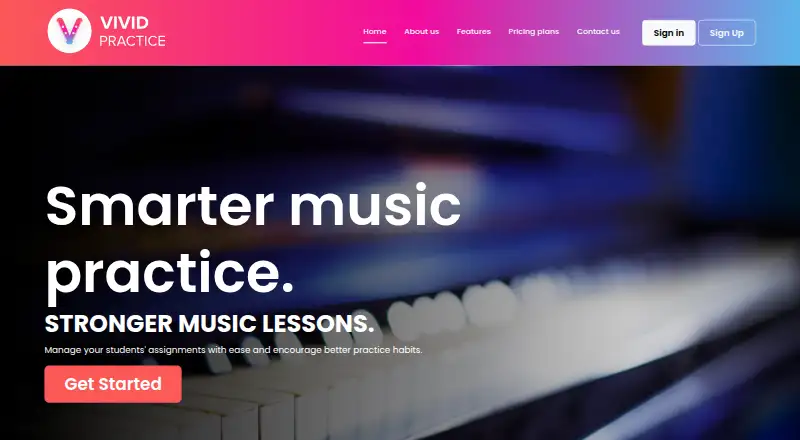
What Vivid Practice is
Vivid Practice helps music teachers organize student assignments and support regular practice. Teachers can upload work in bulk using a spreadsheet template, track student progress, attach audio, video, and PDFs, and arrange assignments in folders. Students use the mobile app to work through assignments in Blocked, Interleaved, Pomodoro, or Focused practice modes. Students or parents can set a practice schedule and receive reminders, and students can message their teacher between lessons. Teachers use the website, whose dashboard is mobile responsive in a browser. The service is designed for one teacher per account; schools can share an account or set up one for each teacher. It does not prescribe practice time for individual pieces, although teachers can add time guidance to assignment notes, and it has no practice listening or compare-recording feature. A free plan covers one student.
Good
- Teachers can bulk upload assignments from spreadsheets.
- Tracks student progress and organizes assignments in folders.
- Students have four practice modes.
- Practice schedules can trigger reminders.
- Plans cover up to 500 students.
Watch out
- Free plan covers one student.
- Designed for one teacher per account.
- No practice listening or compare-recording feature.
- Does not set required times for individual pieces.
Who it suits
Vivid Practice suits music teachers who need to assign work, monitor progress, and encourage scheduled practice. Its account structure and student-count plans are relevant to solo teachers and schools.
Verdict
Vivid Practice combines assignment management with practice routines and reminders for music lessons. Teachers who need recordings or per-piece time requirements should note those limits.
Plans and prices
From Vivid Practice's own pricing page, checked 15 Oct 2026.
| Plan | Price | What it gives you |
|---|---|---|
| Forever Free | Free | 1 student · $0.00 (USD) |
| Small Studio | $9 a month | 2–10 students · $9.00 /Month (USD) |
| Medium Studio | $19 a month | Up to 25 students · $19.00 /Month (USD) |
| Large Studio | $29 a month | Up to 50 students · $29.00 /Month (USD) |
| School | $39 a month | Up to 500 students · $39.00 /Month (USD) |
| Small Studio | $90 a year | Up to 10 students · $90.00 /Year (USD) |
| Medium Studio | $190 a year | Up to 25 students · $190.00 /Year (USD) |
| Large Studio | $290 a year | Up to 50 students · $290.00 /Year (USD) |
| School | $390 a year | Up to 500 students · $390.00 /Year (USD) |
The facts
Each one read from Vivid Practice's own pages, with the date it was checked.
What it does
- Account structure
- Vivid Practice is designed for one teacher per account, and schools can either use one shared account or create an account for each teacher.checked 4 Oct 2026
- API release note
- Apple release notes mention major API changes connected to messaging and real-time notifications.checked 15 Oct 2026
- Assignment management
- Teachers can add, organize, and mark student assignments complete.checked 15 Oct 2026
- Attachments
- Assignments can include audio, video, and PDF files.checked 15 Oct 2026
- Built-in metronome
- The student app includes a metronome after a practice session starts.checked 15 Oct 2026
- Bulk assignment resources
- Teachers can use Google Sheet templates for common method books and resources, then convert the edited sheet to a CSV for bulk upload.checked 4 Oct 2026
- Bulk upload
- Assignment libraries can be populated in bulk with spreadsheet templates.checked 15 Oct 2026
- Children’s consent
- Students under 16 require parent or guardian acceptance of the app terms and privacy policy.checked 15 Oct 2026
- Creator
- Nicola Cantan identifies herself as the creator of Vivid Practice.checked 15 Oct 2026
- Data location
- The privacy policy says personal data is not transferred outside Ireland.checked 15 Oct 2026
- Folders
- Teachers can organize assignment content into folders.checked 15 Oct 2026
- Google Play availability
- Google Play lists 1K+ downloads and an update dated February 17, 2026.checked 15 Oct 2026
- Google Play complaint
- A reviewer reported practice modes failing to start after an update, while another said the app later stopped working reliably.checked 15 Oct 2026
- Integrations
- The site documents spreadsheet or Google Sheet templates for CSV bulk assignment imports.checked 15 Oct 2026
- Interleaved mode
- Interleaved mode switches assignments every four minutes.checked 15 Oct 2026
- License terms
- User terms grant a limited, non-exclusive, non-transferable and revocable right to use the service.checked 15 Oct 2026
- Limit: migration effort
- The migration review says Tonara tags or labels do not transfer and assignments must be reorganized into folders.checked 15 Oct 2026
- Limit: multi-teacher accounts
- Colourful Keys says the product is currently best suited to single-teacher studios because multi-teacher accounts are not supported.checked 15 Oct 2026
- Limit: no gamification
- Independent coverage notes that Vivid Practice intentionally omits gamification and extrinsic rewards.checked 15 Oct 2026
- Limit: pricing complaint
- The migration review records one group teacher describing Vivid Practice pricing as prohibitive.checked 15 Oct 2026
Where it runs
- App data disclosure
- Google Play says no data is shared with third parties, personal information may be collected, data is encrypted in transit, and deletion can be requested.checked 15 Oct 2026
- Apple compatibility
- The iOS listing requires iOS 15.1 or later and lists iPhone and iPad support.checked 15 Oct 2026
The company
- Company registration
- An Irish Companies Registration Office listing shows Vibrant Music Limited registration in February 2020.checked 15 Oct 2026
- Headquarters
- The company lists 78 Durrow Road, Dublin 12, Ireland as its registered office.checked 15 Oct 2026
The full review of Vivid Practice
Vivid Practice is a music-lesson assignment and practice-management service, with a website for teachers and a mobile app for students. It suits independent teachers who want to organize work and build practice routines; teachers who rely on student recordings or per-piece time targets should look elsewhere.
Overview
The service links teacher-assigned work with student practice habits. Teachers can organize assignments in folders, share supporting materials, and follow student progress, while students can use structured practice modes, reminders, and messaging between lessons. That makes Vivid Practice more than a digital assignment sheet, though it is not a performance-feedback tool.
Key features
Teachers can bulk upload assignments using a spreadsheet template, including Google Sheet templates for common method books and resources. Edited sheets can be converted to CSV for upload; teachers who need help with bulk uploads can contact support. This is useful for moving larger collections of work into the service, though it requires a spreadsheet-to-CSV step.
Assignments can include audio, video, and PDFs, and folders help keep materials organized. Progress tracking gives teachers a way to follow students’ work, but the app does not include a listening or compare-recording feature. Teachers who need to assess playing through submitted recordings will need another tool.
Students can choose Blocked, Interleaved, Pomodoro, or Focused practice modes. They or their parents can set a practice schedule and receive reminders, which can help establish a routine without requiring the teacher to manage each prompt. Students can also message their teacher with questions between lessons.
Teachers cannot set required practice times for individual pieces. Time guidance can be written in assignment notes, but that is not the same as a per-piece time requirement built into the app.
Pricing
Vivid Practice has a free plan and four paid monthly tiers. Forever Free costs nothing and covers 1 student, making it a way for a teacher to start with a single student rather than manage a larger studio.
Small Studio costs $9 a month, billed $9.00 /Month (USD), for 2–10 students. Medium Studio is $19 a month, billed $19.00 /Month (USD), for up to 25 students. Large Studio is $29 a month, billed $29.00 /Month (USD), for up to 50 students. School costs $39 a month, billed $39.00 /Month (USD), for up to 500 students. The paid tiers scale student capacity; the stated limits make Small Studio the entry point for teachers with more than one student, while School accommodates a much larger roster.
Vivid Practice is designed for one teacher per account. A school can use one shared account or create an account for each teacher, so schools should consider that structure alongside their student count when choosing a tier.
Platforms
Vivid Practice supports web, iOS, and Android. Teachers use the website, while students use the mobile app; the teacher dashboard is mobile responsive in a browser. This division suits teachers who manage assignments online and students who practice from a phone or tablet.
Who it's for
Vivid Practice is a good fit for private music teachers who want a central place for assignments, learning resources, progress tracking, and practice reminders. It is less suitable for teachers whose workflow depends on reviewing student performances through recordings or assigning required time to each piece. The privacy policy makes the teacher the data controller for students, with Vivid Practice processing data on the teacher’s behalf. Its terms say the service is not tailored to industry-specific regulations such as HIPAA or FISMA.
Pros and cons
Pros
- Assignments can include varied resources: audio, video, and PDFs can accompany student work.
- Practice routines are built in: four practice modes, student or parent-set schedules, and reminders support regular practice.
- Bulk upload supports established teaching materials: spreadsheet templates and common-resource Google Sheets can reduce manual assignment entry.
Cons
- No recording comparison or practice listening: teachers cannot use the service to hear and compare student recordings.
- No required time per piece: time guidance belongs in notes rather than a dedicated per-piece requirement.
- One teacher per account: schools must choose between a shared account and separate accounts for each teacher.
Alternatives
Practis is worth considering for students who want practice diaries, history, streaks, daily and weekly goals, and limited Ask Practis; its free plan covers up to 5 active pieces, and Pro monthly is 4.99 USD.
Modacity is a possible alternative for musicians seeking practice lists and deliberate-practice cycles, with a free plan capped at 10 practice items and 3 cycles per day.
Exerzisor is an option for readers considering self-hosted or cloud-hosted practice software.
EnsembleOS is an option for ensemble-focused needs; its free web plan covers 1 ensemble and 25 members.
MatchMySound is another web-based option for teachers, with free teacher-account access tied to enrolled, active students.
My Practice Canvas may suit musicians who want PDF-based practice with YouTube loops and annotations; its free plan includes 1 PDF up to 10 pages.
Better Practice is an alternative for individual musicians or students seeking software across mobile, desktop, and web platforms, with no free plan.
Practice Space is another option for teachers seeking a free student-access model, with additional teacher seats priced separately on Practice Space Plus.
Browse the Music Practice Software directory for more options.
Verdict
Vivid Practice is a strong choice for teachers who want assignments, supporting materials, progress tracking, and student practice routines in one service. Its clearest advantage is connecting lesson work with reminders and structured practice modes; its clearest drawback is the lack of recording-based feedback and per-piece time requirements. Choose it for practice organization, not performance review.
Getting started
- Open vividpractice.com in a browser and create a teacher account.
- Use the website to add assignments, or prepare a spreadsheet for bulk upload.
- For common method books and resources, start with a Google Sheet template and convert the edited sheet to CSV.
- Have students use the mobile app on Android or iOS to access assignments and practice modes.
- Choose a plan based on the number of students: free for one, or a paid studio or school tier.
Limits worth knowing
The Forever Free plan covers one student. Small Studio costs $9.00 per month for 2–10 students; Medium Studio is $19.00 per month for up to 25, Large Studio is $29.00 per month for up to 50, and School is $39.00 per month for up to 500. The app does not set required practice times for individual pieces or include practice listening and compare-recording.
Questions
Is Vivid Practice free?
Yes. Forever Free costs nothing and covers one student.
How much do the paid plans cost?
Small Studio is $9.00 per month for 2–10 students. Medium Studio is $19.00 per month for up to 25, Large Studio is $29.00 per month for up to 50, and School is $39.00 per month for up to 500.
Which devices can use Vivid Practice?
Teachers use the website, whose dashboard is mobile responsive in a browser. Students use the app on Android or iOS.
Can teachers upload assignments in bulk?
Yes. Teachers can use spreadsheet templates, including Google Sheet templates for common method books and resources, then convert an edited sheet to CSV for upload.
How are student data responsibilities handled?
The privacy policy says the teacher is the data controller for students and Vivid Practice processes data for that teacher.
Is Vivid Practice designed for regulated industries?
Its terms say the service is not tailored to comply with industry-specific regulations such as HIPAA or FISMA.
Alternatives to Vivid Practice
- 1

ChoirMate
Free planAndroidiOSWeb7.9From $4.99 a month - 2

MatchMySound
Free planAndroidWebAPIExtension7.6From $4.99 a month - 3
Instrumentive
AndroidiOSWebmacOS7.3From $17.49 a year - 4
Octero
Free planAndroidiOSWeb7.3From $5.99 a month - 5

Practis
Free planAndroidiOSWeb7.2From $39.99 a year - 6
Maestro Planner
Free planAndroidiOSWeb7.1From $10 a month