Vivi
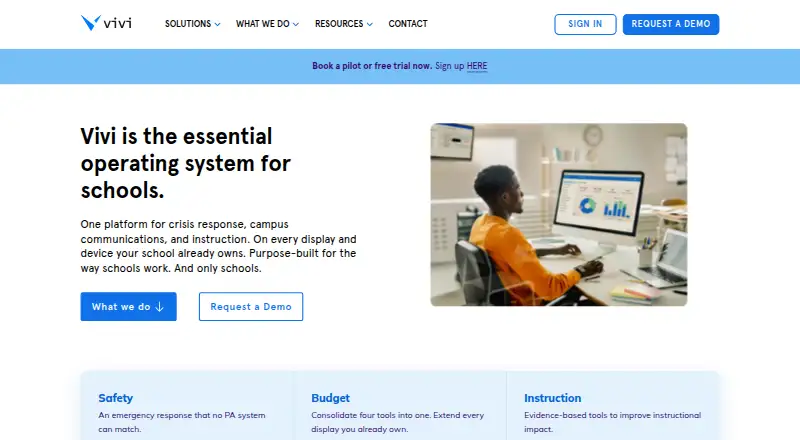
Vivi is a platform for schools that brings classroom instruction, campus communications, and school safety together.
What Vivi is
Vivi is a platform for schools that brings classroom instruction, campus communications, and school safety together. Teachers can share content wirelessly to classroom displays and stream instruction to student devices. Schools can also send targeted text and video announcements to displays, including live video on their internal network. For emergencies, alerts can appear on connected displays and staff devices; staff acknowledgment is required and an incident record is kept. Vivi supports centrally managed digital signage with scheduled and location-targeted content, and its alert system can connect by API to existing emergency and mass-notification systems. A classroom can use a Vivi Display Box for each display or the software-only Vivi Display App on supported interactive panels. The per-classroom subscription includes hardware, software, updates, support, training, and warranty. Screen-mirroring traffic remains on the local network, while cloud features such as authentication, signage sync, and emergency functions need internet access. Vivi is paid, with pricing on request and a 30-day trial; there is no free plan.
Good
- Streams instruction to student devices.
- Emergency alerts require staff acknowledgment.
- Signage can be scheduled and location-targeted.
- Classroom subscription includes hardware and training.
Watch out
- No free plan is available.
- Pricing is available on request.
- Cloud features need internet access.
Who it suits
Vivi suits schools that want classroom sharing alongside campus announcements, signage, and safety alerts. Its classroom tools and school-wide communication features are intended for educators and school staff.
Verdict
Vivi brings classroom display sharing and school communication and safety functions into one platform. Schools should account for its paid model and internet requirement for cloud features.
Plans and prices
From Vivi's own pricing page, checked 7 Oct 2026.
| Plan | Price | What it gives you |
|---|---|---|
| Vivi Site License | Priced on request | Unlimited Vivi for an entire building |
| Vivi Subscriptions | Priced on request | Specific number of subscriptions · annual subscription per classroom/display |
The facts
Each one read from Vivi's own pages, with the date it was checked.
What it does
- Announcements
- Schools can send targeted text and video announcements to classroom displays, including live video on their internal network.checked 7 Oct 2026
- Hardware options
- A classroom can use a Vivi Display Box per display or the software-only Vivi Display App on supported interactive panels.checked 7 Oct 2026
- Integrations
- Vivi says its emergency alert system integrates by API with existing emergency management and mass-notification systems to trigger screen notifications.checked 7 Oct 2026
- Network limit
- Screen-mirroring traffic stays on the local network, while internet access is needed for cloud features such as authentication, signage sync, and emergency functions.checked 7 Oct 2026
- Purpose
- Vivi combines classroom instruction, campus communications, and school safety in one platform designed for schools.checked 7 Oct 2026
- School safety
- Emergency alerts can appear on connected displays and staff devices, with mandatory staff acknowledgment and an auditable incident record.checked 7 Oct 2026
- Screen mirroring
- Teachers can wirelessly share content to classroom displays and stream instruction directly to student devices.checked 7 Oct 2026
- Security
- Vivi says data is encrypted in transit and at rest, cloud data is managed with AWS, and customer data is not retained on-premises.checked 7 Oct 2026
- Signage
- Vivi supports centrally managed digital signage with scheduled and location-targeted content.checked 7 Oct 2026
- Subscription inclusions
- The per-classroom subscription includes hardware, software, updates, support, training, and warranty.checked 7 Oct 2026
- Support
- Vivi directs teachers and students needing help to their school’s IT team and provides a Support Hub for support questions.checked 7 Oct 2026
- Who it serves
- Vivi describes itself as purpose-built for schools and says it serves more than 3,000 schools.checked 7 Oct 2026
Money
- Free trial
- Vivi offers a free trial for schools to try the solution in their own environment before purchasing.checked 7 Oct 2026
Where it runs
- Platforms
- Downloads are listed for Windows, macOS, ChromeOS, iOS, Android, Linux, and browser extensions for Chrome and Edge; a web app is also available.checked 7 Oct 2026
Alternatives to Vivi
- 1

AirDroid Cast
Free planAndroidiOSWebLinux8.0From $1.67 a month - 2

Demodesk Scheduling
AndroidiOSWebAPI7.7 - 3

CrankWheel
Free planAndroidiOSWebAPI7.5From $29 a month - 4

Screenleap
Free planAndroidiOSWebAPI7.4From $15 a month - 5

Barco ClickShare
AndroidiOSmacOSWindows7.2$3,725 one-time - 6
Deskreen
Free planWebLinuxmacOSWindows7.1From $24.99 a year