VideoLingo
VideoLingo uses AI to generate bilingual subtitles and dubbed versions of videos.
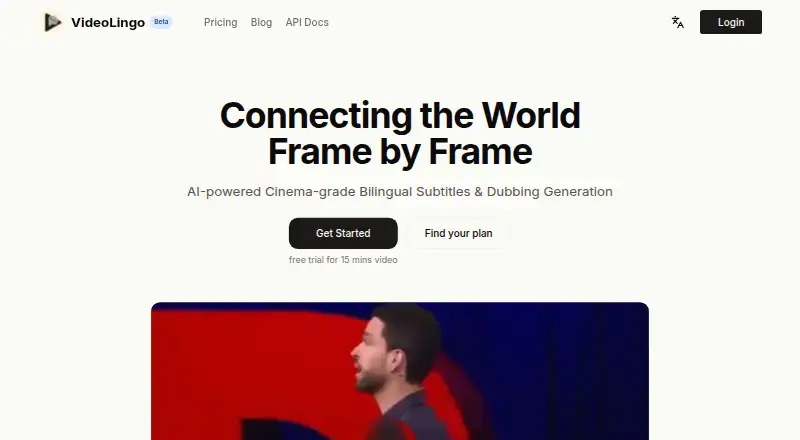
What VideoLingo is
VideoLingo uses AI to generate bilingual subtitles and dubbed versions of videos. Its subtitle workflow combines NLP and LLM segmentation with context-aware translation, followed by translation, reflection, and paraphrasing. Documentation describes Qwen3-ASR and Qwen3-ForcedAligner for word-level subtitle timing. Users can download videos from YouTube or upload local video and audio files. Listed dubbing options include edge-tts, OpenAI TTS, SiliconFlow FishTTS, and GPT-SoVITS. The free plan handles English and Chinese videos, with 15 minutes of translation, 480p output, and a watermark. Starter costs $5.00 per month and supports eight input languages, 60 minutes of processing, and 1080p output. Pro costs $30.00 per month and includes 360 minutes, Fish Audio voice cloning, voice separation enhancement, and Open API access; an active Pro account receives an API key. VideoLingo is available on the web and supports Windows, macOS, and Linux, with source installation and Docker deployment described. Uploaded videos and subtitles are deleted after 30 days. The service says it uses no cookies or tracking and that AI translations may contain errors.
Good
- Generates bilingual subtitles and dubbed video.
- Supports local video and audio uploads.
- Word-level subtitle timing is documented.
- Starter supports eight input languages and 1080p output.
- Pro includes voice cloning and Open API access.
Watch out
- Free plan is limited to English and Chinese videos.
- Free output is 480p and includes a watermark.
- AI translations may contain errors.
- Background noise can affect transcription and word timestamps.
Who it suits
VideoLingo suits people who need bilingual subtitles or dubbed versions from YouTube links or local media. Its plans accommodate users processing English and Chinese videos or those needing additional input languages, higher resolution, or API access.
Verdict
VideoLingo offers a free entry point and paid tiers with higher processing limits and expanded capabilities. Users should account for its stated transcription and translation limitations when choosing it.
Plans and prices
From VideoLingo's own pricing page, checked 7 Oct 2026.
| Plan | Price | What it gives you |
|---|---|---|
| Free | Free | 15 minutes of video translation · English and Chinese videos only · bilingual subtitles · 480p output · dubbing mode · video watermark · /mo |
| Starter | $5 a month | 60 minutes of video processing · 8 input languages · professional bilingual subtitles · advanced translation model · 1080p output · basic dubbing · when billed monthly |
| Pro | $30 a month | 360 minutes of video processing · everything in Starter · Fish Audio voice cloning for dubbing · voice separation enhancement · Open API access · when billed monthly |
The facts
Each one read from VideoLingo's own pages, with the date it was checked.
What it does
- API access
- The pricing page lists Open API access for Pro, and the API reference says an active Pro account receives an API key.checked 7 Oct 2026
- Deployment
- The getting-started documentation says VideoLingo supports Windows, macOS, and Linux, and describes installation from source and Docker deployment.checked 7 Oct 2026
- Dubbing
- The documentation lists TTS options including edge-tts, OpenAI TTS, SiliconFlow FishTTS, and GPT-SoVITS.checked 7 Oct 2026
- Notable limitations
- The documentation warns that background noise can affect transcription and word timestamps, and that weaker models can cause errors when returning structured JSON.checked 7 Oct 2026
- Privacy retention
- The privacy policy says uploaded videos and subtitles are deleted after 30 days.checked 7 Oct 2026
- Privacy tracking
- The privacy policy says the service uses no cookies or tracking and shares data only with service providers.checked 7 Oct 2026
- Purpose
- VideoLingo generates bilingual subtitles and dubbed versions of videos using AI.checked 7 Oct 2026
- Security and providers
- The privacy policy names Cloudflare and Together AI as service providers and lists SSL/TLS encryption, firewalls, access controls, and regular security testing and audits.checked 7 Oct 2026
- Subtitle workflow
- Its documented features include NLP and LLM subtitle segmentation, context-aware translation, and a three-step translation, reflection, and paraphrasing process.checked 7 Oct 2026
- Support
- The pricing page directs users to [email protected] for support.checked 7 Oct 2026
- Supported languages
- The pricing page says the Free plan accepts English and Chinese videos, while Starter supports input in 8 languages.checked 7 Oct 2026
- Terms
- The terms say users must be at least 18 and that AI translations may contain errors.checked 7 Oct 2026
- Video input
- The technical documentation says users can download videos from YouTube or upload local video or audio files.checked 7 Oct 2026
- Word-level alignment
- The documentation says Qwen3-ASR and Qwen3-ForcedAligner provide word-level subtitle timing.checked 7 Oct 2026
The full review of VideoLingo
VideoLingo is an AI tool for translating videos into bilingual subtitles and dubbed versions. It is best suited to creators who need both outputs in one workflow and can keep projects within monthly processing limits. Its range of subtitle and voice options is compelling, but noisy audio and translation errors mean the results may need correction.
Overview
The workflow combines NLP and LLM subtitle segmentation with context-aware translation, then uses translation, reflection and paraphrasing as successive refinement steps. That gives creators more than a basic subtitle pass, but AI translations can still be wrong, so it is not a substitute for review when accuracy matters.
Word-level timing comes from Qwen3-ASR and Qwen3-ForcedAligner. For dubbing, the service offers edge-tts, OpenAI TTS, SiliconFlow FishTTS and GPT-SoVITS. You can download videos from YouTube or upload local video and audio files. Background noise can affect transcription and timing, while weaker models can produce errors in structured JSON; clean source audio and dependable model output are important.
Key features
- Subtitle refinement: Segmentation, context-aware translation and the three-step refinement process can help shape bilingual subtitles beyond a direct first translation.
- Word-level alignment: Word-level timing is useful when subtitle timing needs more precision than broad phrase-level alignment, though noisy audio can undermine it.
- Dubbing choices: Multiple TTS options support different dubbing workflows. Pro adds Fish Audio voice cloning and voice separation enhancement; speaker matching is not supported.
- Input and deployment: YouTube downloads and local media uploads cover common source types. VideoLingo supports Windows, macOS and Linux, with installation from source and Docker deployment also described.
- Privacy and eligibility: Uploaded videos and subtitles are deleted after 30 days. The service says it uses no cookies or tracking and shares data only with providers, naming Cloudflare and Together AI; it cites SSL/TLS encryption, firewalls, access controls, and regular security testing and audits. Users must be at least 18.
Pricing
VideoLingo is freemium, with a free trial also offered. The free tier is a useful way to try the workflow, but its 15-minute allowance, English-and-Chinese-only input, 480p output and watermark make it a poor fit for regular or polished delivery.
| Plan | Price | What it includes | Best for |
|---|---|---|---|
| Free | free | 15 minutes of video translation; English and Chinese videos only; bilingual subtitles; 480p output; dubbing mode; video watermark. | Short trials of the subtitle and dubbing workflow. |
| Starter | $5 a month | 60 minutes of video processing; 8 input languages; professional bilingual subtitles; advanced translation model; 1080p output; basic dubbing. | Creators who need more language coverage and higher-resolution output on a modest monthly allowance. |
| Pro | $30 a month | 360 minutes of video processing; everything in Starter; Fish Audio voice cloning for dubbing; voice separation enhancement; Open API access. | Heavier processing needs, voice cloning, or API workflows. |
Paid tiers are billed monthly at the stated prices. Starter raises the cap and removes the free tier's 480p constraint, but does not include Pro's voice cloning, voice separation enhancement or Open API access. Pro is the relevant step up for those capabilities and substantially more processing time. Support is available at [email protected].
Platforms
VideoLingo supports API, Linux, macOS, self-hosted, web and Windows. Its documentation describes source installation and Docker deployment alongside desktop operating systems, offering options for users who prefer local or self-managed deployment.
Who it's for
VideoLingo suits video creators who want bilingual subtitles and dubbing together, particularly those whose language needs fit the free or Starter tier and whose source audio is reasonably clean. Starter is the practical entry point for more than occasional short clips or for 1080p output. Teams seeking larger monthly volume, voice cloning or API access have a clearer case for Pro. It is less suitable when exact transcription is essential without review, or when speaker matching is required.
Pros and cons
- Pros
- Subtitle segmentation, contextual translation and multiple refinement stages provide a fuller subtitle workflow than a one-pass translation.
- Word-level timing and several TTS options bring alignment and dubbing into the same tool.
- Free access and a $5 a month Starter tier lower the cost of trying bilingual video workflows; Starter supports eight input languages and 1080p output.
- Source and Docker deployment complement web and desktop platform support.
- Cons
- The free tier is capped at 15 minutes, limited to English and Chinese input, and adds a watermark with 480p output.
- Background noise can degrade transcription and word timestamps, and AI translation may require correction.
- Speaker matching is not supported, and the stronger voice-cloning and voice-separation options require Pro at $30 a month.
- Users under 18 cannot use the service under its terms.
Alternatives
For a broader comparison, browse AI Dubbing Software.
- HeyGen may fit someone seeking a free web or mobile option limited to three videos a month and one minute per video; that cap is much shorter than VideoLingo's 15 free minutes.
- pyVideoTrans is the alternative to consider for free, open-source use without feature limits, provided you are willing to pay third-party API charges separately.
- Unmixr Dubbing is another freemium dubbing option; its Free plan gives 5,000 signup credits and watermarked exports up to three minutes.
- CAMB.AI offers a one-time 5K-credit free plan and a 10K-credit-per-month Essentials tier at $5 a month, an option for readers comparing credit-based pricing.
- Perso Dubbing offers one free signup generation with dubbing, speech-to-text and audio separation for readers whose needs fit a single free generation.
- Vidby offers a free plan with 30 credits, 70 languages, watermarking, original and subtitle downloads, and automatic voice cloning for readers prioritizing that stated language breadth.
- Vozo AI offers a free allowance of three projects, 20 AI points, about six AI dubbing minutes, one seat and one concurrent task for readers comparing project- and seat-based limits.
- AI Studios has a free plan with three AI videos, one-minute videos, one custom avatar, 720p export and 16 one-time generative credits; consider it if those are the outputs and limits you need.
Verdict
Choose VideoLingo if you want one tool for bilingual subtitles, word-level timing and dubbing, and its monthly processing caps suit your workload. The free tier is genuinely useful for a short trial, while Starter is the sensible paid entry point for more languages and 1080p output. Look elsewhere if clean transcription without careful review, speaker matching, or more generous free usage is essential.
Getting started
- Open https://videolingo.io/
- Choose the web service or install on Windows, macOS, or Linux
- Install from source or deploy with Docker when using a self-hosted setup
- Provide a YouTube video or upload local video or audio
- Select a plan and process within its language and minute allowance
- Use an active Pro account to obtain an API key
Limits worth knowing
Free processes 15 minutes of video, accepts English and Chinese input, outputs 480p bilingual subtitles with a watermark, and includes dubbing mode. Starter allows 60 minutes and eight input languages; Pro allows 360 minutes and adds Open API access.
Questions
Is there a free plan?
Yes. Free costs nothing and includes 15 minutes of video translation for English and Chinese videos.
What do paid plans cost?
Starter costs $5 a month billed monthly. Pro costs $30 a month billed monthly.
Which platforms does VideoLingo support?
It supports web, Windows, macOS, and Linux, with source installation and Docker deployment documented. API access is listed for Pro.
Does Pro include voice cloning?
Yes. Pro includes Fish Audio voice cloning and voice-separation enhancement.
How long are uploads retained?
Uploaded videos and subtitles are deleted after 30 days.
Can translations be inaccurate?
The terms state that AI translations may contain errors, and documentation warns background noise can affect transcription and word timestamps.
Alternatives to VideoLingo
- 1

HeyGen
Free planAndroidiOSWebAPI8.3From $24 a month - 2
Wavel AI
Free planWebAPILinuxmacOS8.0From $16 a month - 3

AI Studios
Free planWebAPI7.6From $24 a month - 4

ElevenLabs
Free planWebAPI7.6From $6 a month - 5
CAMB.AI
Free planWebAPI7.5From $5 a month - 6
Unmixr Dubbing
Free planWebAPI7.5From $9 a month