VideoCaption.app
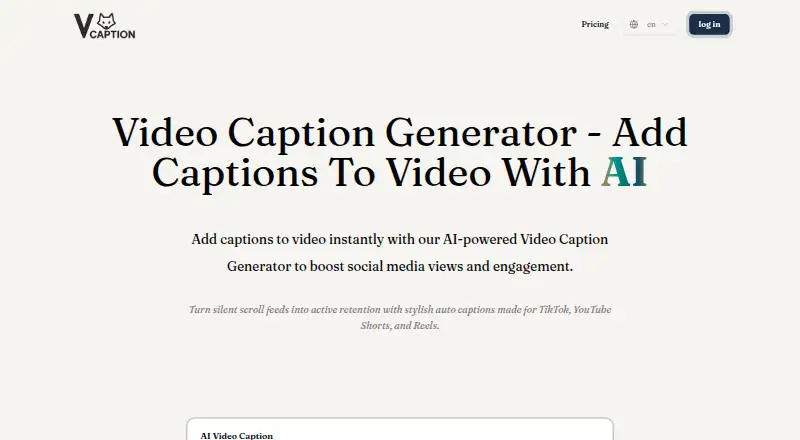
The facts below are what the maker publishes about VideoCaption.app, checked and dated. Our editors have not written about it yet.
Plans and prices
From VideoCaption.app's own pricing page, checked 11 Oct 2026.
| Plan | Price | What it gives you |
|---|---|---|
| Free Plan | Free | No subscription, no login · Upload your own video and subtitle files · AI transcription up to 30 seconds per video, 3 videos per week · $0 |
| Starter Plan | $9.90 a month | 50 Credits every month · AI transcription — up to 5 minutes per video · Unlimited transcriptions & exports — usage based on credit · $9.9/month |
| Pro Plan | $26.90 a month | 250 Credits every month · AI transcription — up to 20 minutes per video · Everything in the Starter Plan · $26.9/month |
| Platinum Plan | $49.90 a month | Unlimited credits · AI transcription — up to 1 hour per video · Everything in the Premium Plan · $49.9/month |
| Businesses Plan | Priced on request | Pricing plans tailored for businesses; contact for personalized options · $? |
The facts
Each one read from VideoCaption.app's own pages, with the date it was checked.
What it does
- Analytics and abuse prevention
- The privacy policy says the site uses Google Analytics and Microsoft Clarity and may collect IP addresses to prevent abuse and payment fraud.checked 11 Oct 2026
- Batch workflow
- Users can upload up to 10 videos, apply one global subtitle style, and transcribe and render them in a batch.checked 11 Oct 2026
- Burn-in captions
- Yeschecked 22 Sep 2026
- Caption editing
- Users can edit caption text and timestamps, customize fonts, colors, and layout position, and apply word animations.checked 11 Oct 2026
- Caption styling
- Yeschecked 22 Sep 2026
- Credit usage
- Paid plan credits reset monthly, and each minute of AI transcription consumes one credit.checked 11 Oct 2026
- Export
- The tool burns captions into a high-quality MP4, which the site describes as watermark-free.checked 11 Oct 2026
- Input formats
- The site says it accepts MP4, MOV, and WebM video files, plus user-provided SRT or VTT subtitle files.checked 11 Oct 2026
- Max video length
- 5checked 22 Sep 2026
- Paid from
- 9.9checked 22 Sep 2026
- Payment processor
- The privacy policy says payment transactions are processed by partners such as Stripe and that the service does not store personal payment details such as card numbers.checked 11 Oct 2026
- Purpose
- VideoCaption.app is an online AI tool for adding captions to videos, aimed at social media creators.checked 11 Oct 2026
- Subprocessors
- The privacy policy lists Google Cloud Platform, Vercel, Cloudflare, Stripe, FAL, Replicate, and Hugging Face as subprocessors for infrastructure, billing, or model inference.checked 11 Oct 2026
- Support
- The site invites users with questions to contact support and displays the email address [email protected].checked 11 Oct 2026
Where it runs
- Browser processing
- The site says video files are processed locally in the browser and no download is required.checked 11 Oct 2026
Money
- Free plan
- Yeschecked 22 Sep 2026
Alternatives to VideoCaption.app
- 1

Captions
Free planAndroidiOSWebAPI9.1From $4.99 a month - 2

Whisper
Free planOpen sourceAPILinuxmacOSSelf-hosted8.9$0.01 usage-based - 3

SRTGen
Free planWebAPI8.3From $4 a month - 4
Fluen AI Subtitle Generator
Free planWebAPIExtensionmacOS8.2Free plan - 5
ZapCap
Free planAndroidiOSWebAPI8.1From $8 a month - 6
ngram
Free planWebAPIExtension8.1From $29 a month