Video Repair Tool
Video Repair Tool repairs damaged or unplayable video files on Windows and macOS.
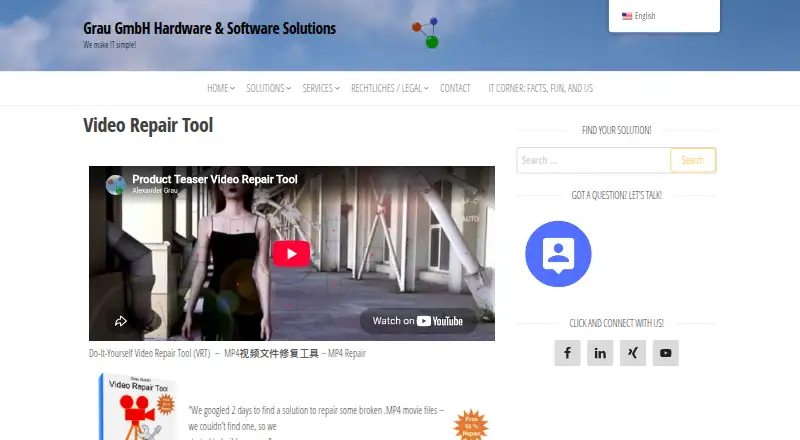
What Video Repair Tool is
Video Repair Tool repairs damaged or unplayable video files on Windows and macOS. It supports MOV, MP4, 3GP, and M4V files based on the QuickTime container format. The software scans video and audio stream data and can reconstruct streams without depending on a valid container. Many repairs require a playable reference movie recorded with the same camera type and settings. Users can preview a repaired file before saving it, and repair delivery is local. The maker describes use for private and business work, including camera and smartphone videos. Results depend on the corruption: some repairs recover only video or audio, or nothing. The software cannot automatically synchronize audio and video when missing portions caused by corruption. The demo saves repaired files at half the size of full-version repairs. Licenses cost €29, paid once-time purchase for five repairs or €99, paid once-time purchase for unlimited repairs, both tied to one installation computer.
Good
- Supports MOV, MP4, 3GP, and M4V
- Local repair processing
- Preview repairs before saving
- Five-repair and unlimited-repair licenses
- Works on Windows and macOS
Watch out
- Many repairs require a matching reference movie
- Results vary with corruption severity
- Cannot automatically synchronize missing stream portions
- Online software purchases are non-refundable
Who it suits
It suits individuals and businesses recovering damaged camera or smartphone videos in the supported formats. It is intended for desktop users on Windows or macOS.
Verdict
Video Repair Tool provides local recovery for four QuickTime-based formats, with preview and two one-time license choices. A reference movie and uncertain recovery results may affect difficult repairs.
Plans and prices
From Video Repair Tool's own pricing page, checked 9 Oct 2026.
| Plan | Price | What it gives you |
|---|---|---|
| Single-user license for 5 video repairs | €29, paid once | 5 video repairs · single user · bound to installation computer · One-time purchase; bound to the installation computer |
| Single-user license for unlimited video repairs | €99, paid once | Unlimited video repairs · single user · bound to installation computer · One-time purchase; bound to the installation computer |
The facts
Each one read from Video Repair Tool's own pages, with the date it was checked.
What it does
- Demo limitation
- The demo saves repaired files at half the size of the repaired movie files in the full version.checked 9 Oct 2026
- File formats
- The software supports MOV, MP4, 3GP and M4V files based on the QuickTime container format.checked 9 Oct 2026
- Intended users
- The maker describes use in both private and business contexts, including repairing camera and smartphone videos.checked 9 Oct 2026
- Known limitation
- The FAQ says the software cannot automatically synchronize audio and video when corruption has caused portions of either stream to be missing.checked 9 Oct 2026
- Privacy
- The license says the software anonymously collects technical camera data, such as codec name and frame resolution, and that video data or information about video contents is not shared with Grau GmbH.checked 9 Oct 2026
- Purpose
- Video Repair Tool repairs broken or damaged video files that do not play in a media player.checked 9 Oct 2026
- Reference movie
- For many repairs, the user must provide a playable reference movie of the same type and camera settings.checked 9 Oct 2026
- Refunds
- The purchase page states that online software sales are non-refundable.checked 9 Oct 2026
- Repair limits
- The maker says results depend on the degree of corruption and the software may repair nothing or only some video or audio portions.checked 9 Oct 2026
- Repair method
- It scans for video and audio stream data and can reconstruct those streams without relying on a valid container format.checked 9 Oct 2026
- Support
- The maker asks customers to submit a playable camera sample to check support and says adding support for a camera may take some weeks.checked 9 Oct 2026
- Supported systems
- The download page lists Mac OS X 11.3 or higher on Intel-based Macs and Windows Vista, 7, 8, 10 or higher.checked 9 Oct 2026
The company
- Founded
- 2006checked 28 Sep 2026
- Headquarters
- Bad Driburg, Germanychecked 28 Sep 2026
Alternatives to Video Repair Tool
- 1

IntactFile
Free planWebAPILinuxmacOS7.9From €59 a year - 2
Restore.Media
AndroidiOSWebmacOS6.8$4.99 one-time - 3

Stellar Repair for Video
WebmacOSWindows6.8$49.99 one-time - 4

Recovery Toolbox File Undelete Free
Free planWindows6.7Free plan - 5
Remo Repair Word
Free planWindows6.7Free plan - 6
EaseUS Fixo
WebmacOSWindows6.6From $40.95 a year