VIA
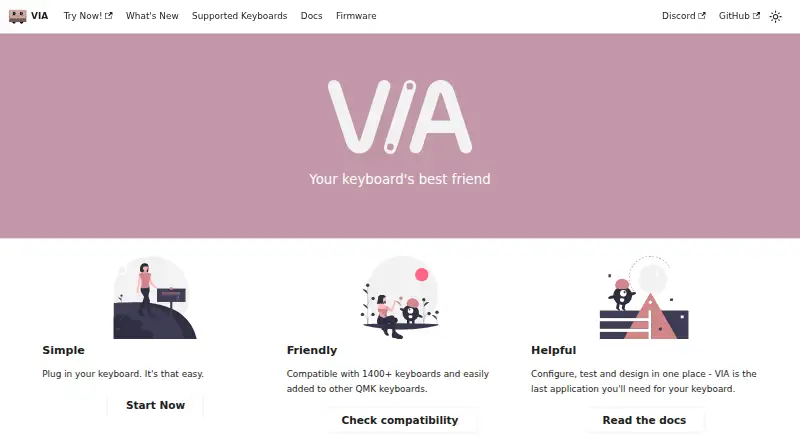
The facts below are what the maker publishes about VIA, checked and dated. Our editors have not written about it yet.
The facts
Each one read from VIA's own pages, with the date it was checked.
What it does
- Compatibility
- The site says VIA is compatible with 1400+ keyboards and can be added to other QMK keyboards.checked 9 Oct 2026
- Compatibility requirement
- Using VIA with a keyboard requires compatible firmware and a matching keyboard definition; users can load a manufacturer-provided definition through the Design tab if needed.checked 9 Oct 2026
- Connection
- VIA communicates with compatible keyboard firmware over USB.checked 9 Oct 2026
- Custom controls
- Keyboard definitions can specify custom menus to control features implemented in the keyboard’s firmware.checked 9 Oct 2026
- Encoders
- VIA can display and remap rotary encoders in the keymap UI when the keyboard firmware and definition support them.checked 9 Oct 2026
- Keyboard compatibility
- The homepage says VIA is compatible with 1400+ keyboards and can be added to other QMK keyboards.checked 9 Oct 2026
- Keyboard menus
- Depending on the keyboard definition and firmware, VIA provides Keymap, Layouts, Macros, and Save + Load menus.checked 9 Oct 2026
- Keyboard support requirements
- Official keyboard support requires the keyboard implementation in QMK Firmware, a VIA keymap in VIA’s external QMK userspace, and a definition in VIA Keyboards.checked 9 Oct 2026
- Keymaps and settings
- VIA communicates with compatible firmware over USB and stores dynamic keymaps, macros, layout options, and other supported settings in the keyboard’s non-volatile memory.checked 9 Oct 2026
- Key testing
- VIA includes a key tester with sound effects.checked 9 Oct 2026
- Layers
- VIA provides four dynamic layers by default; changing the layer count can affect memory use.checked 9 Oct 2026
- Layout options
- VIA can present physical layout choices and store those choices on the keyboard.checked 9 Oct 2026
- Lighting
- VIA definitions can provide built-in controls for supported QMK lighting features such as RGB Matrix and RGBLight.checked 9 Oct 2026
- Lighting and audio
- VIA documents built-in QMK menus for audio, backlight, RGB lighting, and RGB matrix controls.checked 9 Oct 2026
- Purpose
- VIA lets users configure, test, and design for compatible keyboards.checked 9 Oct 2026
- Supported keyboards list
- The supported-keyboards page says its compatibility list is current as of 9/19/2026.checked 9 Oct 2026
- Supported operating systems
- cross-platformchecked 20 Sep 2026
Where it runs
- Current application
- The VIA web app is the supported and recommended way to use VIA; the existing official desktop application is deprecated.checked 9 Oct 2026
- Keymaps and macros
- VIA stores dynamic keymaps and macros in the keyboard’s non-volatile memory.checked 9 Oct 2026
- Macro features
- VIA supports macro recording, delays, and an indicator showing macro memory usage; delays require compatible firmware.checked 9 Oct 2026
- Macro support
- Yeschecked 20 Sep 2026
- Onboard device memory
- Yeschecked 20 Sep 2026
The company
- Maker attribution
- The homepage attributes VIA to the VIA team.checked 9 Oct 2026
Alternatives to VIA
- 1
SteelSeries GG
Free planAndroidiOSWebAPI7.5Free plan - 2
ROCCAT Swarm II
Free planAndroidiOSWindows7.2Free plan - 3

Akko Cloud Driver
Free planWebmacOSWindows7.1Free plan - 4
be quiet! IO Center
Free planWebLinuxmacOSWindows7.1Free plan - 5
MonsGeek Driver
Free planWebLinuxmacOSWindows7.1Free plan - 6
Keychron Launcher
Free planWebLinuxmacOSWindows6.7Free plan