verifydump
verifydump is a free command-line tool for checking compressed .chd and .rvz disc images against Redump Datfiles.
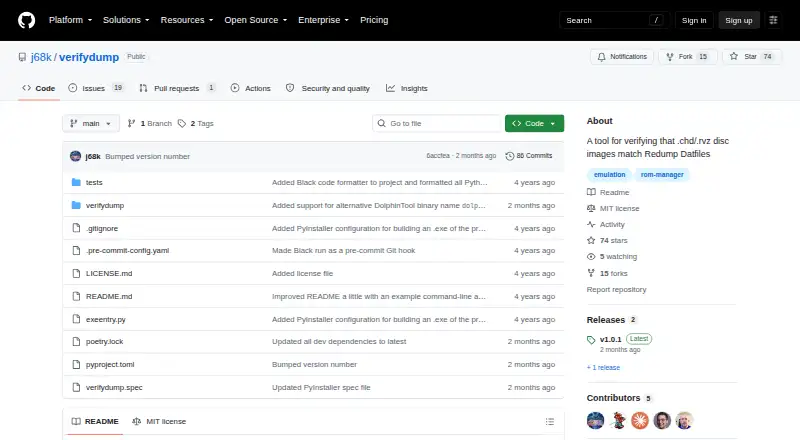
What verifydump is
verifydump is a free command-line tool for checking compressed .chd and .rvz disc images against Redump Datfiles. It converts an image to the original format described by the Datfile, adjusts the result to Redump conventions, and checks it against the Datfile. Users provide a Redump Datfile, which may be zipped, followed by compressed dump files or folders containing them. The tool says it does not modify users’ files and stops checking an individual dump after finding an error. Requirements vary by format: CHD verification needs chdman and binmerge, while RVZ verification needs DolphinTool; required tools must be available in the system PATH. Some cue metadata cannot be represented in CHD, so users can supply original cue files with --extra-cue-source or ignore cue mismatches with --allow-cue-file-mismatches. Verification creates temporary converted files and deletes them afterward; a RAM drive is suggested for frequent checks or large collections to reduce SSD writes. Windows users can use the offered executable, while Linux and macOS users can install it through pipx or another Python package installation method. The package requires Python 3.10 or later and below 3.16.
Good
- Free command-line tool for CHD and RVZ checks.
- Says it does not modify users’ files.
- Available for Windows, Linux, and macOS.
- Offers options for cue-file mismatches.
Watch out
- CHD and RVZ checks require separate tools on PATH.
- Requires Python 3.10 or later and below 3.16.
- Verification creates temporary converted files.
Who it suits
It suits users with compressed disc images who want to check them against Redump preservation data. Users need to be comfortable with command-line operation and the relevant format dependencies.
Verdict
verifydump provides a focused way to compare compressed CHD and RVZ images with Redump Datfiles. Its usefulness depends on installing the required tools for each format.
Plans and prices
From verifydump's own pricing page, checked 9 Oct 2026.
| Plan | Price | What it gives you |
|---|---|---|
| Free | Free | Open-source command-line tool; verifies .chd and .rvz images against Redump Datfiles |
The facts
Each one read from verifydump's own pages, with the date it was checked.
What it does
- CHD dependencies
- Verifying .chd files requires chdman and binmerge, and both tools must be available in the system PATH.checked 8 Oct 2026
- CHD requirements
- Verifying .chd files requires chdman from MAME and binmerge, both available on the system PATH.checked 9 Oct 2026
- Cue file limitation
- Some Redump cue metadata cannot be represented in CHD, so users can supply original cue files with --extra-cue-source or ignore cue mismatches with --allow-cue-file-mismatches.checked 8 Oct 2026
- Cue files
- When .cue metadata cannot be represented in .chd, users can supply the original cue file with --extra-cue-source or ignore cue mismatches with --allow-cue-file-mismatches.checked 9 Oct 2026
- File handling
- The README says verifydump never modifies users’ files and deletes temporary converted files after verification.checked 9 Oct 2026
- How it works
- It converts compressed images into the original format described by Redump, adjusts the dump to match Redump conventions, and verifies it against the Datfile.checked 9 Oct 2026
- Input
- Users provide a Redump Datfile, which can be zipped, followed by one or more compressed dump files or folders.checked 9 Oct 2026
- Inputs
- Users provide a Datfile, which may be zipped, followed by one or more compressed dump files or folders containing them.checked 8 Oct 2026
- Intended users
- The README describes the tool for users who keep compressed disc images for use in emulators and want to check them against Redump preservation data.checked 9 Oct 2026
- License
- The repository identifies the project as MIT licensed.checked 9 Oct 2026
- Purpose
- verifydump checks whether compressed .chd and .rvz disc images match Redump Datfiles.checked 9 Oct 2026
- Release
- The latest release shown is v1.0.1, described as containing bug fixes and compatibility updates for current tool versions.checked 9 Oct 2026
- Runtime requirement
- The package metadata requires Python 3.10 or later and a version below 3.16.checked 8 Oct 2026
- RVZ dependency
- Verifying .rvz files requires DolphinTool, which must be available in the system PATH.checked 8 Oct 2026
- RVZ requirements
- Verifying .rvz files requires DolphinTool from Dolphin, available on the system PATH.checked 9 Oct 2026
- Support
- The maker directs users to report bugs or ask questions by opening a GitHub issue.checked 9 Oct 2026
- Temporary files
- Verification creates and then deletes temporary converted files; the README suggests a RAM drive for frequent verification or large collections to reduce writes to an SSD.checked 8 Oct 2026
- Temporary storage
- The maker suggests a RAM drive for frequent or large-scale verification to avoid writing temporary converted files to an SSD.checked 9 Oct 2026
- Troubleshooting
- The --verbose option provides more detailed output about the verification process.checked 9 Oct 2026
Where it runs
- Installation platforms
- The project offers a Windows executable and says Linux and macOS users can install it with pipx or another Python package installation method.checked 8 Oct 2026
- Platforms
- The maker documents a Windows executable and Python package installation for Linux and macOS.checked 9 Oct 2026
The full review of verifydump
Overview
verifydump is a command-line checker for compressed CHD and RVZ disc images matched against Redump Datfiles. It suits emulator users who want to validate preserved collections and are comfortable setting up command-line dependencies. Its narrow focus is useful, but the required conversion tools make it less convenient than a self-contained desktop app.
Key features
Supply a Redump Datfile, zipped or otherwise, followed by compressed dump files or folders. verifydump converts each image to the format described by the Datfile, adjusts it to Redump conventions, and checks the result. That lets users check compressed images without keeping a converted copy as their working file.
CHD verification requires MAME’s chdman and binmerge; RVZ verification requires DolphinTool. The relevant tools must be installed and available in the system PATH, so setup is part of using verifydump, not a one-time optional extra. It says it leaves users’ files unchanged and stops checking an individual dump when it finds an error. For troubleshooting, --verbose provides more detailed output.
Some Redump cue metadata cannot be represented in CHD. Users can supply original cue files with --extra-cue-source, or allow cue mismatches with --allow-cue-file-mismatches. The former helps retain cue context when checking; the latter accepts a mismatch, so it is the wrong choice when exact cue metadata is essential.
Verification creates temporary converted files and deletes them afterward. The project suggests using a RAM drive for frequent checks or large collections to reduce SSD writes. That is a practical consideration for heavy use, while occasional checks do not call for the same storage workaround.
Pricing
verifydump is free: the open-source command-line tool costs nothing. There is no free trial because no paid plan is needed. Its MIT License makes it a straightforward choice for users seeking a no-cost checker, though the price does not remove the effort of installing the format-specific dependencies.
Platforms
verifydump supports Windows, macOS, and Linux. Windows users can use the project’s executable; Linux and macOS users can install through pipx or another Python package installation method. The package requires Python 3.10 or later and below 3.16. The latest release is v1.0.1, with bug fixes and compatibility updates for newer tool versions.
Who it's for
This is best for people who keep compressed disc images for emulator use and want to compare them with Redump preservation data. It is a good fit for technically comfortable users with the relevant conversion utilities already installed, or willing to configure them. Users looking for a graphical library manager or a checker that avoids external tool setup should look elsewhere.
Pros and cons
- Focused verification: checks compressed CHD and RVZ images against Redump Datfiles without requiring users to maintain converted copies.
- Originals remain untouched: the tool says it does not modify user files, reducing risk to the source collection.
- Platform coverage: Windows, macOS, and Linux are supported, with a Windows executable and Python installation routes for the other systems.
- External dependencies: CHD and RVZ each need separate tools on the system PATH, adding setup and maintenance work.
- Temporary conversion writes: checks create and delete temporary files, which can mean extra SSD writes for frequent or large-scale verification.
- Cue metadata caveat: some Redump cue information cannot be represented in CHD, so users may need original cue files or must accept mismatches.
Alternatives
For broader ROM collection workflows, compare ROM Management Software. Igir is another free option for Windows, macOS, Linux, and self-hosted use, with no stated usage or collection-size limit; choose it when those broader platforms and collection flexibility matter more than verifydump’s specific CHD/RVZ-to-Redump check. OxyROMon is free across Linux, macOS, Windows, web, API, and self-hosted platforms, with no paid tiers or stated usage limits, making it worth considering when a wider platform mix is the priority.
RomM is a free-forever option with Android, iOS, web, API, desktop, and self-hosted platforms and no paid features; pick it when that platform breadth matters more than verifydump’s focused verification. ROMSorter is free and MIT-licensed for Linux, macOS, and Windows, though its current release is Win-x64 only. RomForge is a free MIT-licensed desktop app for Linux, macOS, and Windows. ROMie is free to download and use on Linux, macOS, and Windows, with no paid plans stated.
RomVault offers a free plan and is freemium, while ClrMamePro is freeware; consider either as another free option if you are comparing ROM-management tools rather than seeking verifydump’s specific compressed-image check.
Verdict
Choose verifydump if you want a free, cross-platform command-line way to check compressed CHD or RVZ images against Redump and can install the required tools. Its strongest reason to choose it is that it checks the converted data while leaving the compressed originals alone. Look elsewhere if you want a broader collection-management workflow or do not want to manage dependencies and temporary conversion files.
Alternatives to verifydump
- 1

RomM
Free planOpen sourceAndroidiOSWebAPI8.5From $6.49 a month - 2
OxyROMon
Free planOpen sourceWebAPILinuxmacOS7.4Free plan - 3
WolvenKit
Free planOpen sourceLinuxSelf-hostedWindows7.3Free plan - 4

Igir
Free planLinuxmacOSSelf-hostedWindows6.6Free plan - 5
Gaseous
Free planWebLinuxSelf-hostedWindows6.3Free plan - 6
Retrom
WebLinuxmacOSSelf-hosted6.3