
Venmo
Venmo is a payments app for sending money to friends, paying businesses, and checking out when shopping.
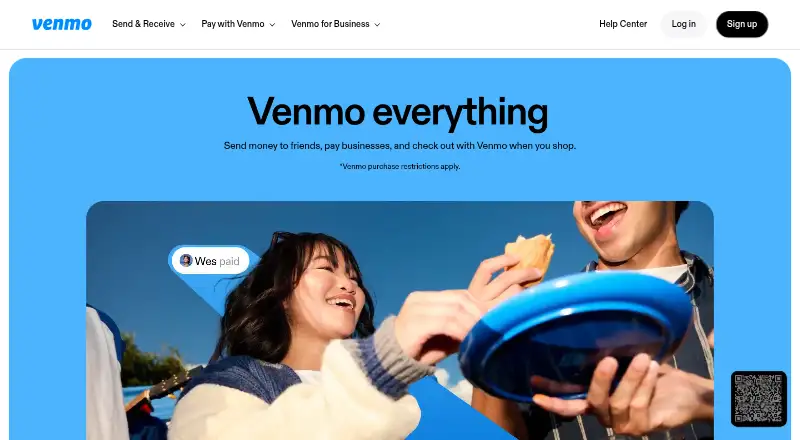
What Venmo is
Venmo is a payments app for sending money to friends, paying businesses, and checking out when shopping. It runs on Android, iOS, and the web, and supports instant transfers, payment tracking, and scheduled transfers. Users can split group expenses, send gift cards, and add Venmojis or GIFs to payments. Business profiles keep business and personal transactions separate, and businesses can offer Venmo checkout in apps or on mobile websites. With a compatible mobile device, a business profile can also accept cards, Apple Pay, Google Pay, and other digital wallets through Tap to Pay. Venmo says it encrypts transactions and account information, monitors activity for unauthorized transactions, and offers multifactor authentication and app PINs. Eligible purchases may receive Purchase Protection when marked as purchases in the app; personal payments to people users do not know are not covered by buyer or seller protection. Venmo is free to use for listed personal transfers from a balance, debit card, or bank account, though other transaction fees apply. Use requires being in the United States and having a U.S. bank account.
Good
- Supports scheduled payments and expense splitting.
- Business profiles separate personal and business transactions.
- Offers checkout integrations and Tap to Pay.
- Eligible purchases can receive Purchase Protection.
Watch out
- Use requires a U.S. location and bank account.
- Credit card payments cost 3.00%.
- Instant Transfer costs 1.75%, subject to minimum and maximum fees.
- Personal payments to strangers lack buyer or seller protection.
Who it suits
Venmo suits people who want to send money to friends, split group expenses, or pay businesses. Its business profiles are aimed at sole proprietors, casual sellers, and small businesses that want to separate business and personal transactions.
Verdict
Venmo covers personal payments and business checkout, with several payment and transfer options across mobile and web. Check the applicable fees and protection limits before choosing how to pay.
Plans and prices
From Venmo's own pricing page, checked 4 Oct 2026.
| Plan | Price | What it gives you |
|---|---|---|
| Personal Venmo account | Free | Sending to Venmo accounts using balance, debit card, or bank account: $0.00 · Credit card payments: 3.00% · Instant Transfer: 1.75% (minimum $0.25 fee, maximum $25 fee) · Monthly fee: $0.00 |
| Venmo business profile | Free | Direct and QR code payments: 1.9% + $0.10 · Tap to Pay transactions: 2.9% + $0.09 · Fees are non-refundable · No monthly or setup fees; transaction fees apply |
The facts
Each one read from Venmo's own pages, with the date it was checked.
What it does
- Availability
- The user agreement says users must be in the United States and have a U.S. bank account to use Venmo services.checked 4 Oct 2026
- Business use
- Business profiles are designed for sole proprietors, casual sellers, and small businesses, and keep business and personal transactions separate.checked 4 Oct 2026
- Checkout integrations
- Businesses can offer Venmo checkout in their apps or on their mobile websites.checked 4 Oct 2026
- Exchange-rate model
- markupchecked 20 Sep 2026
- Payments
- Venmo lets users send money to friends, pay businesses, and check out when shopping.checked 4 Oct 2026
- Personal payment limits
- Venmo says it does not offer buyer or seller protection for payments between users who do not know each other.checked 4 Oct 2026
- Purchase protection
- Venmo says eligible purchases can receive Purchase Protection when users mark the payment as a purchase in the app.checked 4 Oct 2026
- Scheduled transfers
- Yeschecked 20 Sep 2026
- Security
- Venmo says it encrypts transactions and account information, monitors account activity for unauthorized transactions, and supports multifactor authentication and app PINs.checked 4 Oct 2026
- Social features
- Users can split group expenses, schedule payments, send gift cards, and add Venmojis or GIFs to payments.checked 4 Oct 2026
- Support
- Venmo directs users to its Help Center for customer support and lists automated and live-agent customer service as having no fee.checked 4 Oct 2026
- Tap to Pay
- A business profile can accept cards, Apple Pay, Google Pay, and other digital wallets using a compatible mobile device.checked 4 Oct 2026
- Transfer speed
- instantchecked 20 Sep 2026
- Transfer tracking
- Yeschecked 20 Sep 2026
- Upfront fee display
- Yeschecked 20 Sep 2026
The company
- Company
- Venmo says it has been an app for payments between friends since 2009 and is owned by PayPal.checked 4 Oct 2026
- Founded
- 2009checked 28 Sep 2026
- Headquarters
- San Jose, California, United Stateschecked 28 Sep 2026
Money
- Free plan
- Yeschecked 20 Sep 2026
Where it runs
- Mobile platforms
- bothchecked 20 Sep 2026
The full review of Venmo
Venmo is a payment app for sending money to friends, paying businesses, and checking out with participating merchants. It suits U.S. users who want social payments and small-business checkout in one service. Its free accounts are useful, but card and instant-transfer charges and limited protection for personal payments are important trade-offs.
Overview
Venmo combines payments with social tools for splitting group expenses, scheduling payments, sending gift cards, and adding Venmojis or GIFs. That mix works well for coordinating shared costs among people who know one another; it is a poor fit for paying an unfamiliar person, because Venmo does not offer buyer or seller protection for those personal payments.
Eligible purchases may receive Purchase Protection when the payment is marked as a purchase in the app. Venmo says it encrypts transactions and account information, monitors activity for unauthorized transactions, and supports multifactor authentication and app PINs. These safeguards are useful, but they do not extend purchase protection to ordinary payments between users.
Venmo is owned by PayPal and has operated as a payments app since 2009. Use requires being in the United States and having a U.S. bank account.
Key features
For personal use, group expense splitting and scheduled payments help manage shared costs, while gift cards and GIFs or Venmojis add a social layer. These features suit casual exchanges, but they do not make Venmo a substitute for a dedicated expense-management service.
Business profiles separate business transactions from personal ones and are intended for sole proprietors, casual sellers, and small businesses. Businesses can offer Venmo checkout in their apps or mobile websites. With a compatible mobile device, a business profile can also accept cards, Apple Pay, Google Pay, and other digital wallets through Tap to Pay. The range of payment options is a practical advantage for small sellers, although transaction fees apply even though the profile has no monthly or setup fee.
Venmo offers instant transfers, transfer tracking, and scheduled transfers. Instant access can be useful when timing matters, but the transfer fee makes it a paid convenience rather than a free default.
Pricing
The Personal Venmo account costs free, with a $0.00 monthly fee. Sending to Venmo accounts using a balance, debit card, or bank account costs $0.00. This makes it suitable for routine personal payments funded by those methods. Credit card payments cost 3.00%, while Instant Transfer costs 1.75%, with a minimum fee of $0.25 and a maximum of $25. Those charges can reduce the appeal for frequent card-funded payments or repeated transfers that need to arrive instantly.
The Venmo business profile costs free, with no monthly or setup fees. Transaction fees apply: Direct and QR code payments cost 1.9% + $0.10, and Tap to Pay transactions cost 2.9% + $0.09. Fees are non-refundable. This structure suits a small seller who wants to avoid fixed account costs, but sellers should account for the per-transaction charges when setting prices or choosing how to accept payments.
Platforms
Venmo is available on Android, iOS, and the web. Its mobile apps serve personal payments, while Tap to Pay for businesses requires a compatible mobile device.
Who it's for
Venmo is best for U.S. users who regularly split expenses or send money to people they know, and for small sellers who want a business profile with mobile checkout options and no monthly or setup fee. It is less suitable for payments to strangers, for users outside the United States, or for anyone who depends on credit cards or instant transfers and wants to avoid their fees.
Pros and cons
- Pro: Personal payments funded by a Venmo balance, debit card, or bank account cost $0.00, making everyday exchanges inexpensive when funded this way.
- Pro: Business profiles offer checkout integrations and Tap to Pay across several payment types without monthly or setup fees.
- Pro: Group expense splitting, scheduled payments, and gift cards give friends practical ways to coordinate and settle shared costs.
- Con: Personal payments to people users do not know lack buyer and seller protection, so Venmo is a risky choice for informal purchases from strangers.
- Con: Credit card payments cost 3.00%, and Instant Transfer carries a 1.75% fee subject to a $0.25 minimum and $25 maximum.
- Con: Business transaction fees are non-refundable, including the 2.9% + $0.09 charge for Tap to Pay.
Alternatives
For a broader comparison, browse Digital Wallet Apps, Peer-to-Peer Payment Apps, and Money Transfer Apps.
Choose Wise instead if you want an account and transfers with no subscription or plans, paying for what you use; account registration is free. Monese offers a free Pay as you go basic account for occasional use, with an Everyday option at £2.95 a month. PhonePe has a free Standard Plan described as having no hidden, setup, or annual maintenance charges, subject to terms and conditions.
Monzo is another option, with a free UK current account for users aged 16 and over and paid tiers also available. Google Pay may suit shoppers who want online checkout, in-store tap to pay, or a business API. Apple Pay has no Apple fees for purchases, though a card issuer may apply its usual charges. Mercado Pago and Kakao Pay are also alternatives.
Verdict
Venmo is a strong choice for U.S. users who want free routine payments to friends and small sellers who value a no-monthly-fee business profile with several checkout methods. Its social payment tools and business options give it range, but fees for credit cards, instant transfers, and business transactions add up, and personal payments to strangers are not protected. Choose it for trusted exchanges and small-business checkout; look elsewhere when unfamiliar-seller protection or lower-cost instant transfers are central.
Alternatives to Venmo
- 1
Send App
Free planAndroidiOSWebAPI8.5$5 one-time - 2
Satispay
Free planAndroidiOSWebAPI8.5From €39.99 a year - 3

Mercado Pago
Free planAndroidiOSWebAPI8.4$1.49 one-time - 4

Wise
Free planAndroidiOSWeb8.2Free plan - 5

Remitly
Free planAndroidiOS8.2$2.99 one-time - 6
Panda Remit
Free planAndroidiOSWeb8.2Free plan